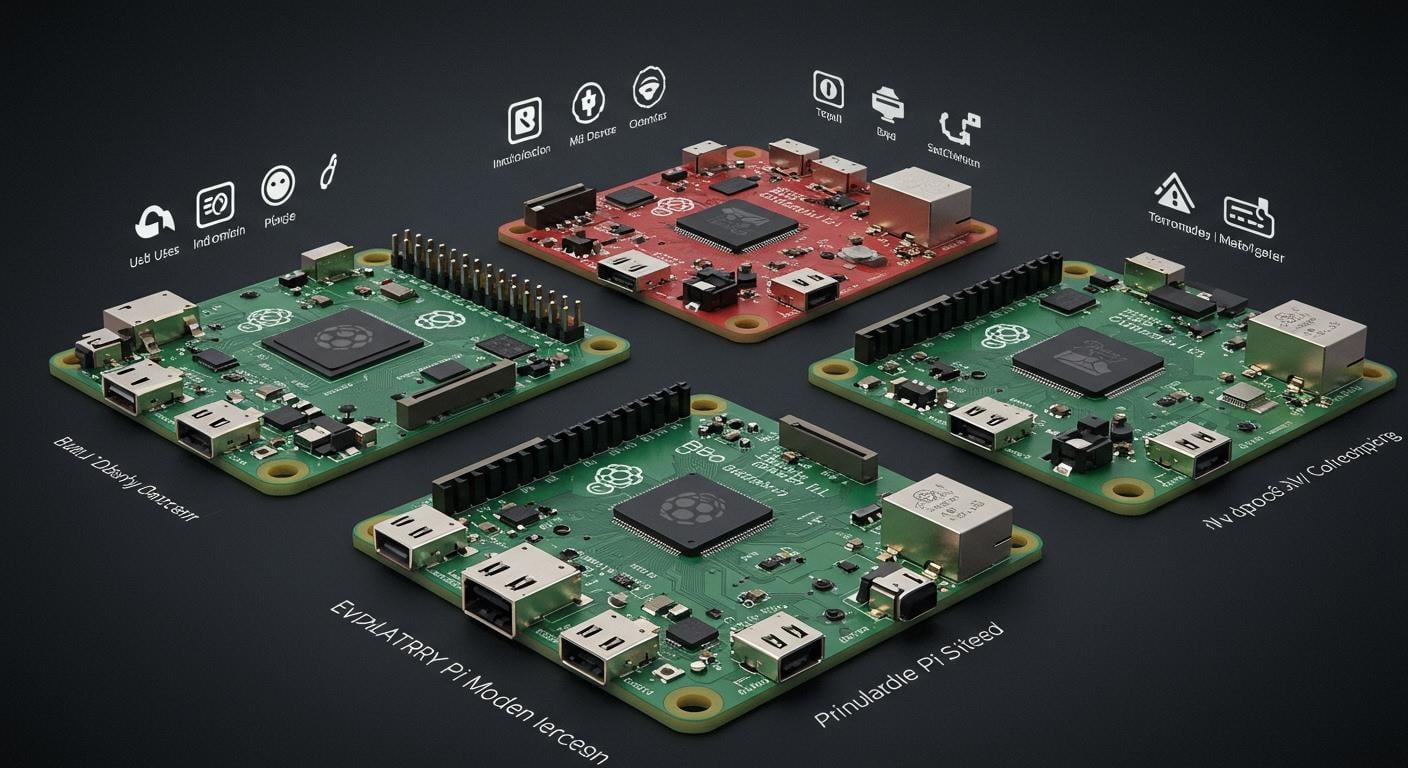
Choosing the right Raspberry Pi models depends on what you want to do. Each series has its own special features. The flagship line is fast and has many ports for most tasks. Zero models use less power and are good for small projects. Compute Modules are made for factories and have fewer ports. Pico boards are good for built-in systems and do not use Linux.
Series | Hardware Features | Intended Use |
|---|---|---|
Flagship | Fast, runs full Linux, many ports, size of a credit card | General computing, learning |
Zero | Basic ports, uses little power, very small | Cheap, low-power projects |
Compute Module | Fast, small, not many ports | Factory, built-in uses |
Pico | Microcontroller, no Linux, built-in flash storage | Coding, built-in systems |
Picking the right Raspberry Pi models helps you do well. You can use it for learning, smart devices, or videos. The Raspberry Pi 4, Raspberry Pi 5, and 500 model have new features and work well. Recent sales show many people want them:
Raspberry Pi 5 sold 1.1 million units.
Raspberry Pi 4 sales went down.
In early 2024, 3.66 million units sold, and money made went up 61%.
This guide can help you pick the best Raspberry Pi models for you.
Raspberry Pi models overview
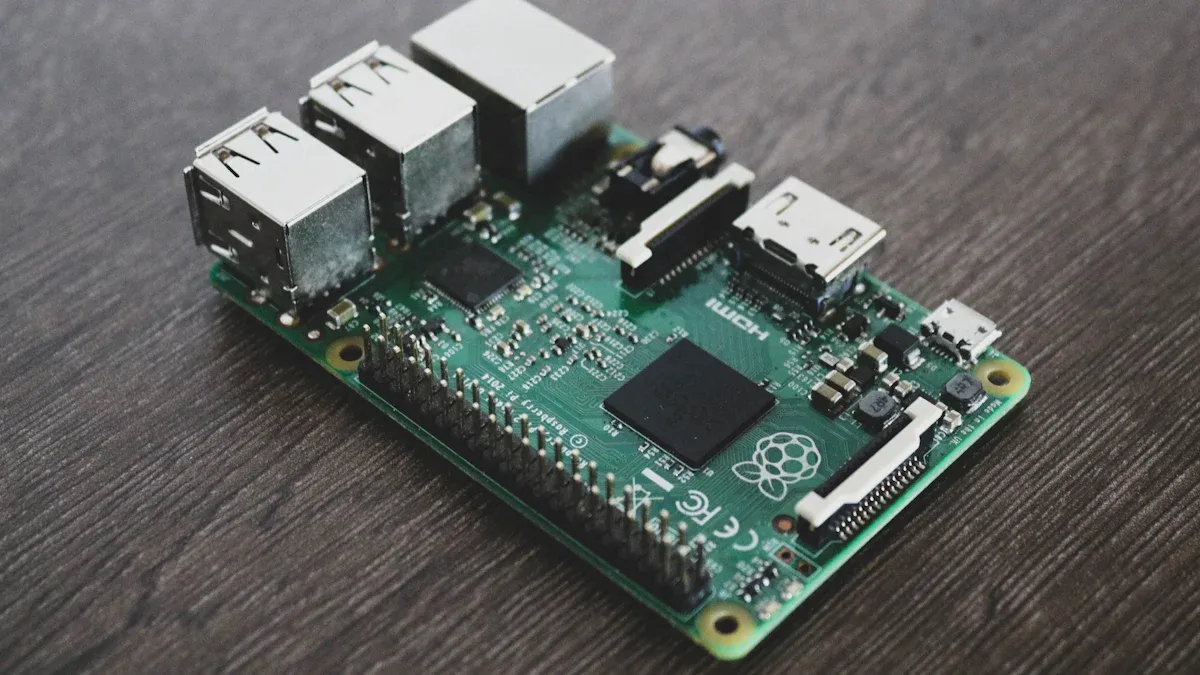
When you look at raspberry pi models, you see four main types. Each one fits different needs. You can use them for learning, building embedded systems, or making smart devices. The release timeline below shows when each model came out:
Model | Release Year |
|---|---|
Pi 1 Model B | 2012 |
Pi 1 Model A | 2013 |
Pi 1 Model B+ | 2014 |
Pi 1 Model A+ | 2014 |
Pi 2 Model B | 2015 |
Pi Zero | 2015 |
Pi 3 Model B | 2016 |
Pi Zero W | 2017 |
Pi 3 Model B+ | 2018 |
Pi 3 Model A+ | 2019 |
Pi 4 Model A | 2019 |
Pi 4 Model B | 2020 |
Pi 400 | 2021 |

Flagship series
You find the flagship raspberry pi models in most classrooms and homes. These boards, like raspberry pi 1, raspberry pi 2, raspberry pi 3, and Pi 4, run full Linux. They have many ports and work well for learning, coding, and even media centers. You can use them for general projects or as small computers.
Zero series
The raspberry pi zero series gives you a tiny board for simple tasks. You use it when you want low power and a small size. Many people pick raspberry pi zero for embedded projects, like sensors or small robots. It fits well in places where space matters.
Compute Module series
If you want to build embedded systems for industry, you choose the compute module series. These raspberry pi models give you the power of raspberry pi 2 or raspberry pi 3 but in a smaller form. You get more control over how you connect things. The compute module works best for factories or custom devices. You see compute modules in many embedded products.
Pico microcontrollers
The raspberry pi pico stands out as a microcontroller. You use raspberry pi pico for simple coding and embedded systems. It does not run Linux. Instead, raspberry pi pico works well for controlling lights, motors, or sensors. You can add raspberry pi pico to many embedded projects. Many makers use raspberry pi pico because it is cheap and easy to program. You can even use more than one raspberry pi pico in a project.
Tip: If you want to start with embedded systems, raspberry pi pico gives you a simple way to learn.
Feature table
Key specifications
When you want to choose the best Raspberry Pi for your project, you need to look at the specifications. You can use a benchmark to see how each model performs. The table below gives you a clear comparison of the main models. You see the CPU, RAM, storage, connectivity, power, and price for each one.
Model | Processor | Memory | Connectivity | Storage | Power | Price |
|---|---|---|---|---|---|---|
Raspberry Pi 4 | 1.5 GHz quad-core Cortex-A72 | 2GB, 4GB, or 8GB DDR4 | Gigabit Ethernet, Wi-Fi, Bluetooth, 2 × USB 3.0, 2 × USB 2.0 | microSD card slot | 5V DC via USB-C | $35-$75 |
Raspberry Pi 5 | 2.4 GHz quad-core Cortex-A76 | 4GB or 8GB LPDDR4X | Gigabit Ethernet, Wi-Fi, Bluetooth, 2 × USB 3.0, 2 × USB 2.0 | microSD card slot | 5V DC via USB-C | $60-$80 |
Raspberry Pi 500 | 2.4 GHz quad-core Cortex-A76 | 8GB LPDDR4X | Dual-band Wi-Fi, Bluetooth 5.0, Gigabit Ethernet, 2 × USB 3.0, 1 × USB 2.0 | microSD card slot | 5V DC via USB-C | $89.95 |
Raspberry Pi Zero | 1 GHz single-core ARM11 | 512MB RAM | Mini HDMI, micro USB, GPIO | microSD card slot | 5V DC via micro USB | $5-$15 |
Compute Module | Varies (up to quad-core Cortex-A72) | Up to 8GB DDR4 | Custom, depends on carrier board | eMMC or microSD | 5V DC | $25-$100 |
Pico | 133 MHz dual-core Cortex-M0+ | 264KB SRAM | USB 1.1, GPIO | 2MB flash | 1.8-5.5V DC | $4 |
You can use this table as a benchmark for your decision. If you want more RAM and faster CPU, you might pick raspberry pi 5 or raspberry pi 500. For simple tasks, raspberry pi zero or pico works well. The raspberry pi 4 gives you a good balance for most projects. You see that the price goes up as the specifications improve. You should use a benchmark to compare speed and memory before you buy.
Tip: Always check the specifications and run a benchmark if you need high performance. You can save money by picking the right model for your needs.
You can use this comparison to match your project with the right Raspberry Pi. If you want to run a media center, you need more RAM and better connectivity. For learning or coding, raspberry pi 4 gives you enough power. You can use a benchmark to test how each model works for your project.
Performance comparison
When you look at Raspberry Pi models, you want to know how fast they work. You need to check the CPU, RAM, and graphics. This performance comparison helps you see which model fits your needs. You can use benchmarking to measure speed and memory. Let’s break down the features and see how each model stands out.
CPU and RAM
You get different CPUs and RAM options with each Raspberry Pi. The CPU controls how quickly your board runs programs. RAM helps your board handle more tasks at once. If you want better performance, you should look at the newer models.
Here is a table that shows the CPU and RAM options for Raspberry Pi 4, Raspberry Pi 5, and Raspberry Pi 500:
Model | CPU Specifications | RAM Options |
|---|---|---|
Raspberry Pi 4 | Broadcom BCM2711B0 quad-core A72 @ 1.5GHz | 2GB, 4GB, or 8GB LPDDR4 |
Raspberry Pi 5 | Quad-core Cortex-A76 @ 2.4GHz | 2GB, 4GB, 8GB, 16GB |
Raspberry Pi 500 | Quad-core Cortex-A76 @ 2.4GHz | 8GB LPDDR4X |
You see that Raspberry Pi 5 and Raspberry Pi 500 have improved performance over Raspberry Pi 4. The CPU runs faster, and you get more RAM choices. If you need heavy computing, Raspberry Pi 5 gives you up to 16GB RAM. Raspberry Pi 4 works well for basic tasks, but Raspberry Pi 5 and Raspberry Pi 500 handle bigger jobs.
You can use memory benchmarks to test how well each model works. Real-world benchmarks show that Raspberry Pi 5 runs programs much quicker than Raspberry Pi 4. You get smoother multitasking and faster loading times.
Let’s look at some cpu benchmarks. The table below shows how Raspberry Pi 5 compares to Raspberry Pi 4 in different tests:
Benchmark Type | Raspberry Pi 4 Performance | Raspberry Pi 5 Performance | Performance Improvement |
|---|---|---|---|
Sysbench (single-thread) | Baseline | 50% quicker | 50% |
Sysbench (multi-thread) | Baseline | 50% quicker | 50% |
Stress-ng (single) | Baseline | 75-80% higher | 75-80% |
Stress-ng (multi) | Baseline | 75-80% higher | 75-80% |
bzip2 (100 MB file) | Baseline | Under half the time | 50% |
GIMP operations | Baseline | 2.3 times quicker | 130% |
Speedometer 2.1 | Baseline | 3 times quicker | 200% |
You notice that Raspberry Pi 5 gives you much improved performance. You finish tasks faster and run more programs at once. Raspberry Pi 500 uses the same CPU as Raspberry Pi 5, so you get similar speed.
Tip: If you want the best performance for coding, gaming, or media, pick Raspberry Pi 5 or Raspberry Pi 500. You get more RAM and a faster CPU.
GPU and graphics
Graphics matter when you watch videos or play games. The GPU controls how well your board shows pictures and videos. You want strong graphics for smooth movies and sharp images.
Here is a table that shows the gpu benchmarks and graphics features for Raspberry Pi 4, Raspberry Pi 5, and Raspberry Pi 500:
Model | GPU | CPU | Video Support |
|---|---|---|---|
Raspberry Pi 4 | VideoCore VI | Quad-core Cortex-A72 | Up to 4Kp30 HDMI |
Raspberry Pi 5 | VideoCore VII | Quad-core Cortex-A76 | Dual 4Kp60 HDMI with HDR support |
Raspberry Pi 500 | VideoCore VII | Quad-core Cortex-A76 | Dual 4Kp60 HDMI with HDR support |
You get better graphics with Raspberry Pi 5 and Raspberry Pi 500. These models support dual 4K screens at 60 frames per second. You also get HDR, which makes colors brighter and clearer. Raspberry Pi 4 supports 4K video, but only at 30 frames per second. If you want to build a media center or play games, Raspberry Pi 5 and Raspberry Pi 500 give you improved performance.
Raspberry Pi Zero does not match the speed or graphics of these flagship models. You use Raspberry Pi Zero for simple tasks, not for heavy graphics.
Note: You should use performance comparisons and real-world benchmarks before you choose a model. You get the best results when you match your needs to the right features.
Connectivity
When you pick a Raspberry Pi, check how it connects. Each model has different USB ports and slots. You use these to add things like keyboards or cameras.
USB and expansion
Raspberry Pi models have different USB and expansion ports. Flagship boards, like Raspberry Pi 5, have more USB ports. This lets you plug in more devices at the same time. Some models have special slots for advanced projects.
Here is a table that shows USB and expansion ports for popular models:
Model | USB Ports | Expansion Port |
|---|---|---|
Raspberry Pi 5 | Doubled USB | PCIe 2.0 x1 |
Raspberry Pi Zero 2 W | N/A | N/A |
Raspberry Pi Pico W | N/A | N/A |
Raspberry Pi 5 has double the USB ports. This helps you connect lots of devices. The PCIe 2.0 x1 slot lets you add fast storage or other hardware. Raspberry Pi Zero 2 W and Pico W do not have USB or expansion ports. You use them for simple jobs.
Tip: If you want to use many accessories, pick a model with more USB ports and slots.
Ethernet, Wi-Fi, Bluetooth
Think about how your Raspberry Pi connects to the internet. Some models have fast Wi-Fi and Bluetooth. Others only have basic features.
The table below shows Ethernet, Wi-Fi, and Bluetooth for key models:
Model | Wi-Fi Capability | Bluetooth Capability | Ethernet Capability |
|---|---|---|---|
Raspberry Pi 4 | Dual-band (2.4/5 GHz) | Bluetooth 5.0 | N/A |
Raspberry Pi Pico W | Single-band (2.4 GHz, Wi-Fi 4) | Bluetooth 5.2 (not available yet) | N/A |
Raspberry Pi 4 has dual-band Wi-Fi and Bluetooth 5.0. This helps you stream videos or use wireless devices. Raspberry Pi Pico W has single-band Wi-Fi. Bluetooth is not ready yet. These features change how you use your Raspberry Pi for smart projects.
Flagship models give you more ways to connect and expand. Match these features to what you need for your project.
Note: Always check the networking features before you buy. Fast Wi-Fi and Bluetooth make your projects easier.
Storage
Options and limitations
You need to think about storage before you start your Raspberry Pi project. Each Raspberry Pi model gives you different ways to save files and run programs. Some models use SD cards, while others work with microSD cards or USB drives. You can pick the best option for your needs if you know the limits.
Most Raspberry Pi boards use SD or microSD cards as the main storage. You put your operating system and files on these cards. The size of the card matters. If you use Model A or Model B, you need an SD card with at least 8GB. You cannot use cards bigger than 32GB by default. Newer models, like Model B+, use microSD cards. You need at least 8GB for the full Raspbian system, but you can use 4GB for the Lite version.
Some Raspberry Pi models let you use USB drives for extra storage. You plug in a USB flash drive or hard disk. Most boards have USB 2.0 ports, which work slower than USB 3.0. Raspberry Pi 4 B gives you USB 3.0 ports. You get faster speeds if you use an external power supply for your drive.
Here is a table that shows the storage options and their limits:
Raspberry Pi Model | Storage Type | Capacity Limitations |
|---|---|---|
Model A & B | SD cards | Minimum 8GB, maximum 32GB by default |
Model B+ onwards | microSD cards | Minimum 8GB for Raspbian, 4GB for Lite |
All models | USB drives | Limited to USB 2.0 speeds (except Pi 4 B) |
Raspberry Pi 4 B | USB 3.0 drives | Supports faster speeds with external power |
Tip: Always check the storage size before you install your operating system. If you want to store videos or large files, pick a model with USB 3.0 ports.
You can use SD cards for simple projects. If you need more space or speed, use USB 3.0 drives with Raspberry Pi 4 B. You get better performance and can save bigger files. Remember, storage limits can affect how well your Raspberry Pi works. Choose the right option for your project to avoid problems later.
Power and efficiency
Consumption
When you choose a Raspberry Pi, you should think about how much power it uses. Each model has different energy needs. Some boards use very little power, while others need more to run faster processors and extra features.
You can see the differences in the table below. It shows how much power each model uses when idle and under load:
Model | Idle Power Consumption | Under Load Power Consumption |
|---|---|---|
Raspberry Pi 5 | 3.0-3.5W | 7.0-9.0W |
Raspberry Pi 4 B | 2.5-3.0W | 5.0-7.5W |
Raspberry Pi 400 | 2.7-3.2W | 5.5-7.5W |
Raspberry Pi 3 B+ | 1.9-2.3W | 3.5-5.5W |
Raspberry Pi Zero 2 W | 0.5-0.7W | 1.5-2.2W |
Raspberry Pi Zero W | 0.4-0.5W | 0.8-1.5W |
You can also look at this chart to compare the power use visually:

If you want a board for a battery-powered project, you might pick a Raspberry Pi Zero W or Zero 2 W. These models use less than 1 watt when idle. They work well for sensors or small robots. For bigger projects, like media centers or desktop computers, Raspberry Pi 4, 5, or 400 give you more speed but use more power.
You should always run a power consumption test before you set up your project. This helps you plan for the right power supply and avoid problems. Lower power use means less heat and longer battery life. If you care about energy savings, choose a model that matches your needs.
Tip: Pick a Raspberry Pi model with low power use for portable or always-on projects. This saves energy and keeps your device cool.
Price and value
Cost
You want to know how much each Raspberry Pi model costs before you buy. The price can change based on the model and the features you need. Entry-level boards like the Raspberry Pi Pico cost about $4. The Raspberry Pi Zero series usually stays under $15. If you look at the flagship models, such as the Raspberry Pi 4 or 5, you see prices from $35 to $80. The Raspberry Pi 500, which has more power and features, costs close to $90.
Some models, like the Compute Module 0, have a price range between $18 and $26. This board gives you Bluetooth 4.2, Wi-Fi 4, 8 GB eMMC storage, and many connection points. You get a lot of features for the price. Here is a quick look at the Compute Module 0:
Model | Price Range | Features |
|---|---|---|
Compute Module 0 | $18 – $26 | Bluetooth 4.2, Wi-Fi 4, 8 GB eMMC, 132 castellated holes, 40-pin GPIO, microSD, HDMI, microUSB |
You should always check the latest prices. Sometimes, prices change because of demand or new releases.
Value for money
You want the best value for your money. Each Raspberry Pi series gives you different features for the price. The flagship series gives you strong performance and many ports. You pay more, but you get a board that can handle many tasks. The Zero series costs less and uses less power. You get a small board for simple projects.
The Compute Module series gives you special features for custom devices. You pay a bit more, but you get more storage and better wireless options. The Pico series costs the least. You get a simple microcontroller for coding and learning.
Tip: Think about what you need for your project. If you want to save money, pick a model with only the features you need. If you need more power or storage, it makes sense to spend a little more.
You can see that Raspberry Pi boards give you good value at every price point. You get to choose the right balance between cost and features. This helps you build projects that fit your needs and your budget.
Raspberry Pi 4 vs Raspberry Pi 5
Performance
You want your Raspberry Pi to run fast and handle many tasks. When you look at the comparison between raspberry pi 4 and raspberry pi 5, you see big changes in performance. The raspberry pi 5 uses a 64-bit quad-core Arm Cortex-A76 processor at 2.4GHz. This new chip works 2-3 times faster than the one in raspberry pi 4. You get smoother programs and quicker responses.
The raspberry pi 5 also has an 800MHz VideoCore VII GPU. This lets you use two 4K screens at once and gives you better graphics for videos and games. The memory transfer rate is higher, so your board moves data faster. You see less waiting and more action.
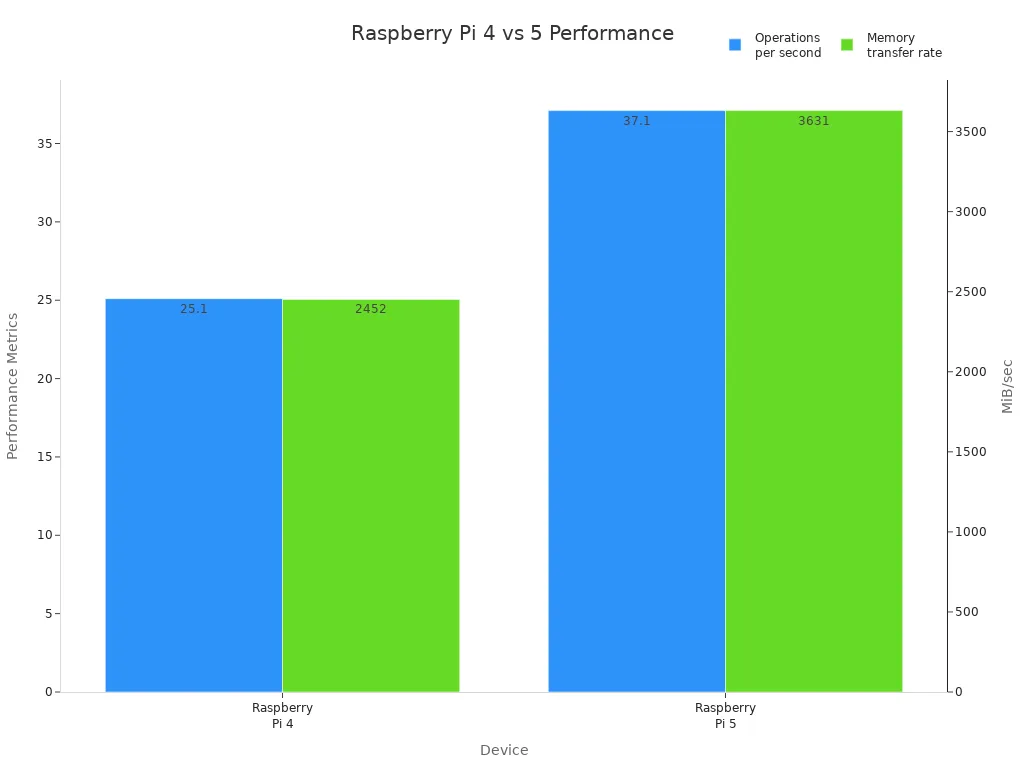
Here is a table that shows the main performance differences:
Feature | Raspberry Pi 4 | Raspberry Pi 5 |
|---|---|---|
Operations per second | 25.1 million | 37.1 million |
Memory transfer rate | 2452 MiB/sec | 3631 MiB/sec |
Latency | Higher latency | Consistent latency |
You also get better USB speeds with raspberry pi 5. This means you can move files faster and use more devices at once. The raspberry pi 5 uses DDR4X RAM, which helps with efficiency. You should know that raspberry pi 5 uses more power under load, about 7.5 watts, while raspberry pi 4 uses about 4.84 watts.
Tip: If you want top speed and graphics, raspberry pi 5 gives you the best performance. For simple tasks, raspberry pi 4 still works well.
Features
You need to look at the features before you choose your board. The raspberry pi 5 brings new features that make it stand out. You get a PCIe 2.0 interface for NVMe SSDs. This means you can use fast SSD storage instead of just microSD cards. The raspberry pi 4 does not support SSDs.
Some features are different between the two boards. The raspberry pi 4 has a headphone jack, but raspberry pi 5 does not. If you want to listen to music or use speakers, raspberry pi 4 makes it easy. The raspberry pi 5 focuses on speed and storage.
Here is a table that shows the unique features:
Feature | Raspberry Pi 4 | Raspberry Pi 5 |
|---|---|---|
Headphone Jack | Yes | No |
SSD Support | No | Yes (via PCIe) |
Processing Power | Lower | Improved |
You also get better camera support and dual 4Kp60 HDMI output with raspberry pi 5. These new features help you build media centers or smart devices. The USB speeds are faster, so you can use more accessories.
Note: If you need SSD storage or want to use two 4K screens, raspberry pi 5 is the better choice. If you need a headphone jack, raspberry pi 4 is the way to go.
Use cases
You should match your board to your project. The raspberry pi 5 works best for new users and demanding projects. You get more speed and better graphics, so you can use it for desktop computers, gaming, or media centers. If you want to build smart devices or run heavy programs, raspberry pi 5 is the right pick.
The raspberry pi 4 is good for simple projects. You can use it for learning, coding, or basic automation. If you do not need the fastest speed or new features, raspberry pi 4 saves you money. You should know that upgrading from raspberry pi 4 to raspberry pi 5 takes effort. You need to reinstall your system and buy new accessories. This upgrade makes sense if you want better performance for desktop use or advanced projects.
Raspberry pi 5 suits new users and those who want the best option.
Raspberry pi 4 fits simple applications and projects.
Tip: Choose raspberry pi 5 for demanding tasks and future-proof projects. Pick raspberry pi 4 for basic needs and easy upgrades.
Model strengths
Raspberry Pi 4
Raspberry Pi 4 is a strong tool for making new things. You can use it for easy or hard projects. It connects to many devices, so you have lots of choices. People use it in homes, farms, hospitals, factories, and research labs. It works fast and can do many jobs at once. You can connect different devices to it. Raspberry Pi 4 is used in many areas.
It works well for doing many things at once.
You can connect it to lots of devices.
People use it in many places.
Raspberry Pi 4 is good for projects that need speed and can do many things.
Raspberry Pi 5
Raspberry Pi 5 has big improvements. It gives you better graphics, more memory, and faster storage. The table below shows how it is different from older models:
Feature | Raspberry Pi 5 | Raspberry Pi 4 | Raspberry Pi 3 |
|---|---|---|---|
GPU | Dual 4K at 60Hz | 4K at 60Hz | N/A |
Memory | Up to 8GB LPDDR5 | Up to 8GB LPDDR4 | 1GB LPDDR2 |
Storage | PCIe for NVMe, USB 3.0 | USB 3.0 | N/A |
WiFi | Dual-band WiFi 5 | WiFi 5 | WiFi 4 |
You get a better GPU for two 4K screens. It has up to 8GB of fast RAM. You can use PCIe for NVMe storage. Dual-band WiFi 5 lets you connect faster.
Raspberry Pi 500
Raspberry Pi 500 is made for people who want a desktop computer. It has a keyboard built in and stays cool. It uses the same fast chip as Raspberry Pi 5. You get more USB ports and better wireless features. The small size makes it easy to use every day.
It has a keyboard built in.
It works fast for desktop jobs.
It connects well with wireless and USB.
Raspberry Pi Zero
Think about a forest station using Pi Zero W. The board wakes up every 15 minutes, takes data, sends it, then sleeps. It can work for weeks without charging.
Raspberry Pi Zero is good for projects that use batteries. It uses less power than other boards. It saves energy because it has fewer parts and ports.
It uses very little power.
It is great for small and portable jobs.
It can run for hours on a small battery.
Compute Module
Compute Module is small and works well for many jobs. It is used in factories, hospitals, and cars. You can add it to your project easily and make it bigger later.
It costs less than bigger boards.
It works well and is tested.
You can use it for special designs.
You can make your project bigger easily.
It is easy to add to your system.
Pico
Pico is best for microcontroller and IoT projects. The RP2040 chip has two cores, so it can do two jobs at once. You can use C/C++ or MicroPython to program it. Raspberry Pi gives you lots of guides to help you.
Feature | Raspberry Pi Pico | Other Microcontrollers |
|---|---|---|
Processor | Dual-core | Single-core |
Programming Languages | C/C++, MicroPython | Arduino (C++ variant) |
Documentation | Extensive | Varies |
It can do two jobs at the same time.
You can use popular programming languages.
It has clear guides to help you work fast.
Recommended use cases
Education
Raspberry Pi boards make learning fun and hands-on. Many schools pick Raspberry Pi because it runs a full desktop. You can use tools like Scratch and Python. Scratch lets younger kids learn coding with blocks. Older students use Python to write bigger programs. You can also play Minecraft Pi Edition to build worlds and learn programming. In science, you can use sensors to measure things like gravity. Chemistry labs use Raspberry Pi to record and graph data. Math teachers show shapes and models with code. Biology students connect microscopes to study nature. These activities help you learn by doing.
Tip: Try Raspberry Pi OS for easy educational apps. It has a simple interface and creative tools.
Automation and IoT
You can make smart devices and automate jobs with Raspberry Pi. Many people use Raspberry Pi 3 B+, 4 B, and 5 for iot projects. These models have strong connections and use little power. You get Gigabit Ethernet, fast Wi-Fi, and Bluetooth. The table below shows how each model fits iot needs:
Model | Connectivity Options | Power Consumption (Idle/Load) |
|---|---|---|
Raspberry Pi 3 B+ | Gigabit Ethernet, Wi-Fi (802.11n), Bluetooth 4.1 | 3.7W / up to 6.4W |
Raspberry Pi 4 B | True Gigabit Ethernet, dual-band Wi-Fi, Bluetooth 5.0 | 3.7W / up to 6.4W |
Raspberry Pi 5 | Enhanced Ethernet, latest Wi-Fi, Bluetooth 5.2 | 3.5W / up to 7.5W |
You can use these boards to control lights or watch sensors. Many iot devices run all day, so low power is important. If you want a tiny board for batteries, raspberry pi zero is a good choice. You can set up smart sensors or make your home automatic with these boards.
Note: Pick a model with good connections for strong iot work.
Media center
You can turn Raspberry Pi into a media center for movies and music. Raspberry Pi 4 and 5 support 4K video and fast USB ports. You can stream videos, play music, or show photos on your TV. Many people use Kodi or Plex to organize their media. You get smooth videos and clear pictures. If you want an easy setup, Raspberry Pi 400 has a keyboard built in.
Watch movies in high quality.
Listen to music from many places.
See photos and slideshows.
Tip: Use Raspberry Pi 5 for two 4K screens and HDR.
Robotics and DIY
You can build robots and gadgets with Raspberry Pi. Many makers use Raspberry Pi Pico for small projects. Pico has two cores, so you can control motors and sensors together. You can program it with MicroPython or C/C++. For bigger robots, Raspberry Pi 4 or 5 gives you more power and ports. You can add cameras, wheels, and sensors. Many iot projects use Raspberry Pi to collect data and send it online. You can make weather stations, smart alarms, or remote controls.
Build robots that move and sense things.
Make smart gadgets for your home.
Connect devices to the internet for iot jobs.
Note: Start with Pico for easy DIY, then use flagship models for bigger robots.
Choosing the right Raspberry Pi model
Match features to needs
You want your Raspberry Pi to fit your project. Start by thinking about what you need most. Some projects need speed. Others need small size or low cost. Use the table below to compare important factors for each model:
Factor | Raspberry Pi Model Options |
|---|---|
Performance Needs | High: Pi 4 Model B, Pi 400; Moderate: Pi 3 Model B+; Low: Pi Zero W, Pico |
Connectivity Options | High-speed: Pi 4 Model B, Pi 400; Reliable: Pi 3 Model B+; Basic: Pi Zero W; None: Pico |
Size and Form Factor | Compact: Pi Zero W; Versatile: Pico; Standard: Pi 4 Model B, 3 Model B+ |
GPIO Access | Full: Pi 4 Model B, Pi 3 B+; Limited: Pi Zero W; Designed for: Pico |
Budget Considerations | Entry-Level: Pi Zero W, Pico; Mid-Range: Pi 3 Model B+; Premium: Pi 4 Model B, Pi 400 |
Specific Use Cases | General: All models; Gaming: Pi 4, Pi 3; IoT: Pi Zero W, Pico; Microcontroller: Pico |
You can use this table to match your needs to the right board. If you want to build a smart home device, look for a model with good connectivity and low power use. For a classroom project, pick a board with strong performance and easy setup. If you want to save money, choose a basic model like Pi Zero W or Pico. Always check the features that matter most for your project.
Tip: Write down your top three needs before you choose. This helps you focus on the best model.
Future-proofing
You want your Raspberry Pi to last as your projects grow. Think about what you might need next year. If you plan to add more sensors or run bigger programs, pick a model with extra RAM and faster ports. Models like Pi 4 Model B and Pi 5 give you room to upgrade. You can add storage, connect more devices, and use new software.
If you only need simple tasks, a smaller board works well. But if you want to learn new skills or try bigger projects later, choose a model with more options. This way, you do not need to buy a new board soon.
Note: Planning ahead saves you time and money. Choose a Raspberry Pi that can grow with your ideas.
Pick your Raspberry Pi model by thinking about your project.
Make sure the features and speed fit what you want to do.
Think about if your needs could change later on.
Look at the price, power use, and how it connects before you choose.
Remember, the right board helps you learn quickly and finish your project. Check out your choices and start building now! 🚀
FAQ
What Raspberry Pi model should you choose for learning to code?
You should start with Raspberry Pi 4. It runs a full desktop and supports many programming languages. You can use Scratch or Python. The board gives you enough speed for most coding projects.
Tip: Try Raspberry Pi OS for easy setup and beginner-friendly tools.
Can you use Raspberry Pi for gaming?
You can play simple games on Raspberry Pi. Raspberry Pi 4 and 5 support retro gaming emulators like RetroPie. You can run classic games from consoles such as NES and SNES. For modern games, you need a more powerful computer.
How do you power a Raspberry Pi for portable projects?
You can use a USB power bank to run your Raspberry Pi. Choose Raspberry Pi Zero or Pico for battery-powered projects. These models use less energy and last longer on a single charge.
Model | Power Use (Idle) | Best for Portable? |
|---|---|---|
Pi Zero W | 0.5W | ✅ |
Pi 4 Model B | 2.5W | ❌ |
Is Raspberry Pi good for building smart home devices?
You can build smart home devices with Raspberry Pi. Raspberry Pi 4 and 5 offer strong Wi-Fi and Bluetooth. You can control lights, sensors, and alarms. Many people use Raspberry Pi for home automation projects.
Do you need extra accessories to use Raspberry Pi?
You need a microSD card, power supply, and HDMI cable. You may want a keyboard and mouse. Some projects need sensors or cameras. You can buy kits that include all the basic parts.
Note: Always check the model’s compatibility before buying accessories.