If you want to plan a solution for a smartphone, you should start with a clear plan. First, set your goals and know who will use the device. Make sure everyone understands the plan. Many people fail because they do not know what the market wants or who the users are. Some people have problems with technical issues, a bad user experience, or weak marketing.
Not knowing what the market wants
Not matching the right users
Problems with technology
Bad user experience
Weak marketing plans
When you build your solution, focus on strong rules, easy control, and being able to change when needed.
Key Takeaways
Begin with clear goals. Decide what you want your smartphone solution to do. This helps you plan your project. It also helps you know if you succeed.
Find and include stakeholders early. Learn who will use your solution. Learn who will build it. Learn who will support it. This stops problems. It makes sure everyone agrees.
Make a strong mobile device policy. The policy should list rules for using devices. It should list security steps. It should list what people must do to keep data safe.
Plan for technology compatibility. Test your app on different devices. Test it on different operating systems. This makes sure it works for everyone.
Keep up with security risks. Check for problems often. Use strong security steps to protect user data.
Plan a Solution: Define Goals and Stakeholders
When you plan a solution for a smartphone, you need a strong start. You must know what you want to do. You also need to know who will help you. If you skip these steps, your project can get lost. It might not help users the way you want.
Set Clear Objectives
You should set clear goals before you begin. Ask yourself, “What do I want this mobile solution to do?” Maybe you want to help people talk better. You might want to help people work faster. You could want users to find information easily. When you have a clear goal, you can check your progress. You can see if your plan is working.
Many teams use Agile, Scrum, Kanban, or Lean to set goals. These methods help teams work together. They help you change your plan when you need to. You can learn more about your users and the market. You can adjust your plan as you go.
Tip: If you use Agile or similar methods, you can find problems fast. You can fix them before they get worse.
You should make your goals measurable. Use numbers or facts to track your success. Here is a simple table to show how metrics help:
Metric Type | Importance |
|---|---|
Engagement Metrics | Help you see how users interact and stay with your app. |
Revenue Metrics | Show if you make money and get new users. |
Marketing Metrics | Tell you if your ads work and if people find your app. |
When you use these metrics, you can see what works. You can see what needs to change. This helps your plan grow and get better.
Identify Stakeholders
You cannot plan a solution for a mobile device by yourself. You need to know who will use the device. You need to know who will build it. You need to know who will help support it. These people are your stakeholders. If you find them early, you can stop problems before they start.
Here are some groups you should include:
Decision makers who set budgets and time limits
End users who will download and use your app
Technical teams who build and fix the app
Marketing teams who help people find your app
Regulatory bodies and compliance officers
Third-party vendors and partners
Customer support teams who help users
If you work in health care, you might also have:
Health care workers like doctors, nurses, and midwives
Patients who use the mobile solution
System developers who build the app
Facilitators who help with training and support
Finding stakeholders early helps a lot. Look at this table to see why:
Evidence | Explanation |
|---|---|
Getting key stakeholders early helps set the vision and get support. | This means you know where you are going and get help from the start. |
Involving people early can stop problems like going over budget or people not wanting change. | This helps you avoid big problems and keeps your project moving. |
Build Consensus on Policies
Once you know your goals and stakeholders, you need everyone to agree on the rules. This is your mobile device policy. If you use bring your own device (BYOD), your policy must be clear and fair.
Here are steps to help everyone agree on your policy:
Find all stakeholders, like IT, legal, HR, and business leaders, early.
Decide who pays for devices and services, including extra costs.
Say which devices and accessories are allowed.
Set rules for devices that use company data.
Explain what is okay and not okay to do with devices.
Set rules for lost or broken devices and how costs are shared.
Control which apps are allowed or banned.
Make rules for which devices can use the company network.
Note: A strong mobile device policy keeps your data safe. It helps your team stay safe. It makes your plan work for everyone, whether you use BYOD or company devices.
If you take time to build agreement, you can stop confusion and fights later. Everyone will know what to expect. Your project will go better. This is very important if you use BYOD, since people have different phones and needs.
When you plan a solution for a smartphone, always start with clear goals. Know your stakeholders. Agree on your policy. This helps you make a mobile solution that works and can change when needed.
Analyze Technology and Device Compatibility
Review Current and Emerging Tech
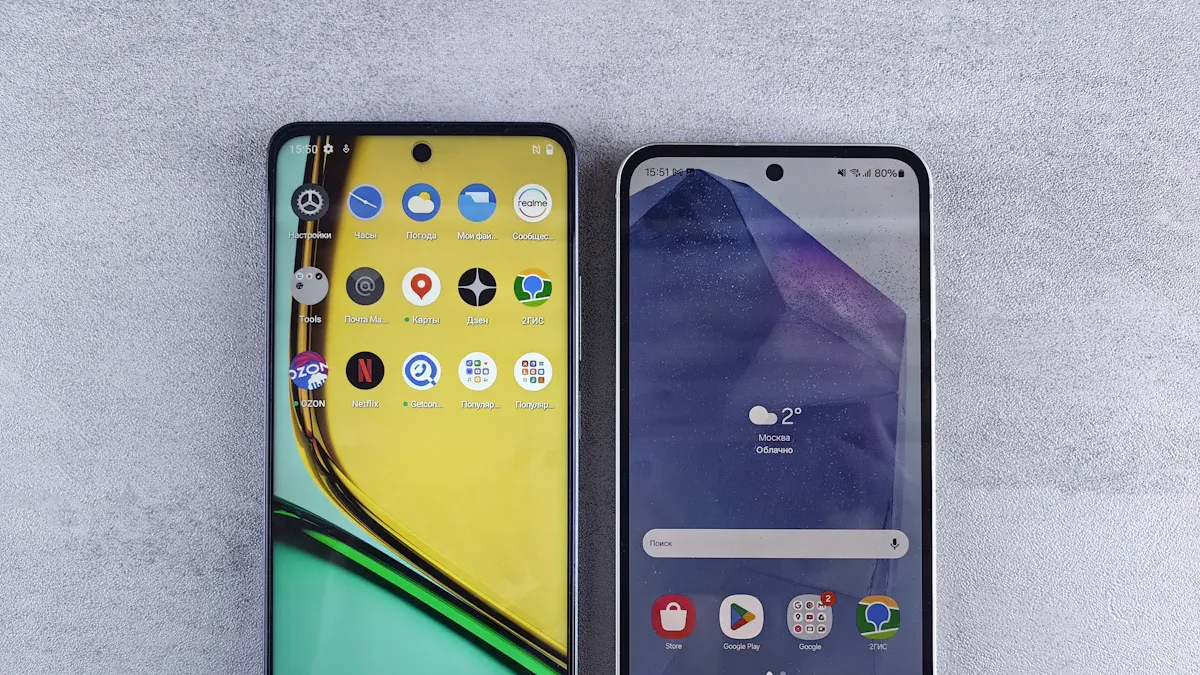
When you plan a smartphone solution, look at new technology. Your device should feel modern and work well for users. AI is changing how smartphones work right now. It helps with voice commands and better photos. AI also makes apps smarter. Companies use more recycled materials now. This helps smartphones be better for the planet. Faster Wi-Fi and 5G let users do more with their devices.
You should think about security too. In Q2 2024, attacks on smartphones went up a lot. Android apps had attacks rise from 34% to 84%. iOS attacks went up from 17% to 29%. You must think about security when you pick your operating system. New rules and laws make security even more important.
Tip: Watch for new trends like super apps. These apps let users do many things in one place. They can help you save money and keep users happy.
Strategy for Device Compatibility
You want your solution to work on many devices. This is called compatibility. Test your app or service on different brands and models. Each device may use a different operating system version. Some phones run the latest version. Others use older ones. Make a list of the most popular devices your users have. Test your solution on these first.
Here are some steps to help with compatibility:
Make sure your app works on both Android and iOS.
Check if your app runs well on old and new operating system versions.
Use tools that help you test on many devices at once.
Watch for changes in hardware, like new cameras or sensors.
If you plan for compatibility, you will reach more users and avoid problems.
Adapt to Platform Updates
Smartphones get updates all the time. The operating system changes every year with a big upgrade. Smaller updates, like security patches, come every month or so. Here is a table to show how often updates happen:
Update Type | Frequency |
|---|---|
Major OS Upgrades | Annually |
Security Patches | Monthly, Bi-monthly, or Quarterly |
You need to keep your solution ready for these changes. If you ignore updates, your app may stop working or become unsafe. Always check what the latest operating system update brings. Test your app after each update. Fix any problems fast.
Note: If you stay alert to operating system changes, you can keep your users safe and happy. You will also keep your solution working on all devices.
By watching new technology, planning for compatibility, and staying ready for operating system updates, you can build a strong smartphone solution.
Mobile Device Policy and Management Plan
Develop a Mobile Device Policy
You need a strong mobile device policy before giving out smartphones or apps. This policy tells people how to use devices at work or in your project. It keeps everyone safe and stops confusion.
A good mobile device policy covers many key points:
Tell users what they can and cannot do.
Add security steps to keep your data safe.
Make sure everyone understands the policy.
Check if people follow the rules.
Think about what both workers and bosses need.
Update the policy often to handle new risks.
You should also follow these steps for a strong policy:
Make a policy for the whole group.
Watch out for risks that could hurt your team.
Learn about the devices, users, and apps you have.
Add security and privacy steps.
Teach users how to use devices safely.
Keep checking and changing your policy.
Ask experts for help if you need it.
Tip: If you keep your policy current, you can handle new threats and tech changes. This keeps your team safe and helps them work well.
A clear mobile device policy helps you balance safety and user needs. If rules are too strict, people may get upset. If rules are too loose, your data could be in danger. You need to find the right balance.
Leverage Mobile Management Tools
After you have your policy, you need tools to manage all the devices. This is where a mobile management plan helps. These tools help you track devices, set rules, and keep your data safe.
Many groups use mobile device management platforms to make things easier. Here are some popular choices and what they do:
Microsoft Intune: Manages devices in the cloud, sends out apps, and keeps things safe.
VMware Workspace ONE: Handles all devices, updates apps, and adds more security.
Jamf Pro: Works well for Apple devices, with easy setup and strong safety.
MobileIron: Cloud-based, gives real-time alerts, and checks for rule breaks.
Cisco Meraki: Lets you manage devices and apps from anywhere.
IBM MaaS360: Uses AI to find threats and manage devices.
Sophos Mobile: Focuses on safety and making sure rules are followed.
ManageEngine MDM Plus: Good price, manages devices and rules.
AirWatch Express: Easy setup and simple reports.
Hexnode MDM: Works on many platforms and gives detailed reports.
Big companies use these tools a lot. In 2024, large businesses made up over half of the market for mobile device management. They use these tools to save money, boost safety, and help people work better. With these platforms, you can:
Set up new devices fast.
Make sure everyone follows safety rules.
Manage apps and content.
Find devices if they get lost.
Check if everyone follows the rules.
Note: If you use mobile management tools, you can keep your devices safe and make your job easier. You can also help your team work from anywhere.
You should also think about safety features. Good tools let you use multi-factor login, encryption, and remote wipe. These features keep your data safe and let people work from anywhere.
Here is a table to show how safety and work go together:
Security Measure | Impact on Security | Impact on Productivity |
|---|---|---|
Strong Security Policies | Protects sensitive data | Can frustrate users if too strict |
User-Friendly Access | Keeps resources safe and easy | Reduces login fatigue with single sign-on |
You want to keep your data safe but also make it easy for people to do their jobs. If you use single sign-on, users can log in faster and stay safe.
Address Community and Market Impact
When you plan your mobile device policy and management plan, think about more than just your team. Your choices can affect your community and the market.
If you use recycled materials or energy-saving features, you help the planet. People in your area may notice and support your project. You can also create jobs if you need local help or training.
You should also look at what the market wants. If your solution is easy and safe, more people will want it. If you ignore local needs, your project may not do well.
Here are some ways your plan can help the community and market:
Use eco-friendly materials in your devices.
Offer training for local workers.
Support local businesses by picking local vendors.
Listen to feedback from users in your area.
Make sure your solution follows local laws and customs.
😊 If you think about the community and market, you can build trust and grow your project faster.
A good mobile device policy and a strong mobile management plan help you keep your data safe, support your team, and help your community. If you keep your policy updated and use the right tools, you can handle changes and keep everyone happy. Your project will go smoother, and you will have a better chance to succeed.
Device Security and Data Protection
Identify Security Risks
When you use smartphones, you face many security risks. Some are easy to see, but others are hidden. Here are some common problems you should know about:
Data leakage can happen if you share private information by accident.
Malware infections can get in if your device is not protected.
Lost or stolen devices can put your private data in danger.
Unsecured Wi-Fi networks can let hackers steal your information.
Weak authentication, like simple passwords, can let others get your data.
Mixing personal and work data can cause data leaks.
Outdated software can make your device easy to attack.
Shadow IT means using apps your company does not allow, which can leak secrets.
Malicious apps and websites can infect your phone, just like computers.
Mobile ransomware can lock your phone and ask for money.
Tip: Always pay attention. If something seems wrong, check your device security settings right away.
Implement Device Security Measures
You can keep your smartphone safe by doing some easy things. These steps help protect your data and your device:
Turn on remote wipe so you can erase your data if you lose your phone.
Use encrypted messaging apps to keep your chats private.
Turn off Bluetooth when you are not using it.
Set up device activity alerts to spot strange actions.
Use a secure device management tool to control all your devices.
Turn off auto-connect to Wi-Fi to avoid unsafe networks.
Make a mobile security policy for everyone to follow.
Teach your team to spot threats and use safe habits.
Check devices to make sure everyone follows the rules.
Act fast if you see a security problem.
A good device security plan uses encryption to protect your files and messages. Local data encryption keeps your information safe even if your phone is stolen. Always use strong passwords and change them often. Strong passwords and good authentication make it much harder for hackers to get in.
Security Step | Why It Matters |
|---|---|
Encryption | Keeps your data private |
Strong passwords | Stops easy break-ins |
Remote wipe | Protects lost devices |
Enforce Data Privacy
You must follow the law when you handle private data on smartphones. Some rules protect your rights and your users’ information. For example, police need a warrant to search your phone because of the Riley v. California case. The Carpenter v. United States case says your location data is private, too.
Other laws you should know:
The Electronic Communications Privacy Act controls how police can look at your messages.
The Telecommunications Act says phone companies must protect your data.
The Children’s Online Privacy Protection Act makes sure kids under 13 get extra protection.
😊 Always use encryption and follow privacy laws. This keeps your users safe and builds trust.
If you follow these steps, you can keep your device security strong and protect everyone’s data.
How to Build an App: Design, Test, and Launch

Prototype and User Feedback
When you start thinking about how to build an app, you need a prototype. A prototype is a simple version of your app. You can use it to show your ideas and test them. Pre-planning for how to build an app helps you save time and avoid mistakes. You can ask real users to try your prototype. Their feedback will show you what works and what does not.
User feedback helps you spot problems with your app early.
You can change your design before you spend too much time on development.
Feedback makes sure your app matches what users and your team want.
You can keep your app goals on track and make sure it helps your business.
If you listen to users during mobile app development, you will build a better app. You can fix issues before you launch.
Develop and Test Across Devices
You need to test your app on many devices. Phones and tablets come in different sizes and use different systems. Native apps work best when you test them on real devices. Mobile app development needs you to check if your app runs well everywhere.
Here is a table to show the best ways to test your app:
Testing Methodology | Focus Area |
|---|---|
Functional Testing | Make sure your app works as planned. |
Performance Testing | Check if your app is fast and does not crash. |
UI/UX Testing | See if your app is easy to use and looks good. |
Security Testing | Keep your app and user data safe. |
Compatibility Testing with External Devices | Make sure your app works with other devices like headphones or watches. |
Testing helps you keep users happy. You will see fewer crashes and bad reviews. Your app will work on more devices and run better, even with slow internet.
Plan for Deployment and Updates
You need a plan for your app launch. Pre-planning for how to build an app helps you avoid big problems. Mobile application development does not stop after you launch. You must keep your app fresh and safe.
Some common problems you may face:
Compatibility issues with different devices and systems.
Managing updates so users do not get upset.
Testing your app before you launch to avoid mistakes.
You can use these tips to make your app launch smoother:
Try phased rollouts. Release your app to a small group first.
Use automated health checks to watch for crashes.
Add feature flags so you can turn features on or off without a full update.
If you plan your app development and updates, you will keep users happy. Native apps and mobile app projects need care even after launch. Keep testing, listen to feedback, and update your app often.
Select the Right Manufacturer
Picking the right manufacturer is very important. You need a partner who gives you good quality. They should meet your needs and help you grow. Let’s look at what matters and how to work together.
Evaluate Manufacturer Capabilities
First, check what each manufacturer can do. Find one with a strong history. Look at reviews from other customers. See what people say about their work. Think about these things:
Learn about the manufacturer’s past work.
Read customer reviews for honest opinions.
Check if people trust them in the industry.
Make sure their devices fit your needs.
Look at battery life, camera, and how well it works.
Review their design, software, and price.
See if they use new technology and try new ideas.
Ask about support, warranty, and how returns work.
A manufacturer with good experience and support helps your project go well.
Assess Quality and Compliance Standards
You want your smartphones to work well and last long. Quality checks are very important. Manufacturers should test every part before you get the phone. Here’s a table that shows what they test:
Testing Category | Description |
|---|---|
Component Testing | Each part works together before final assembly. |
Screen Testing | Checks for dead pixels, brightness, and drop durability. |
Battery Testing | Looks at capacity, charging speed, and safety. |
Camera Testing | Tests autofocus, image quality, and low-light shots. |
Processor and Memory Testing | Makes sure the phone runs fast and stays cool. |
Software Quality Control | Ensures the system and apps run smoothly. |
Durability and Environmental Testing | Tests drops, temperature changes, and water resistance. |
Connectivity Testing | Checks network and GPS performance. |
User Experience Testing | Makes sure the touchscreen and interface are easy to use. |
Final Inspection | Reviews all features and looks before shipping. |
If your manufacturer does these tests, you can trust your devices.
Negotiate Terms and Manage Partnerships
When you talk about deals, start early and know what you want. Set your goals and compare costs with other companies. Always use a contract to protect yourself. Here are some tips:
Decide what you need and how much you will spend.
Compare prices with other companies.
List your goals and what matters most.
Start talking early to get better deals.
Ask for what you need. Read the contract carefully. Make sure you understand everything. Add ways to change the agreement if you need to later.
Long partnerships help you move faster and save money. Working with the same manufacturer can make you 35% faster and save up to 25%. These partnerships help you try new things and grow your business.
Tip: Talking clearly and having good contracts builds strong partnerships. This helps your smartphone solution do well.
You can make a good smartphone solution if you set clear goals. Work with your team and focus on what users need. Test your ideas with real people to see what works. Try to make your app run on many devices. Add features that feel special for each user. Keep your rules strong and update them often. Use tech support, automation, and patch management to help things work well. Watch how people use devices to find problems early. If you listen, learn, and change, your solution will stay safe and helpful. 😊
Management Practice | Why It Matters |
|---|---|
Tech Support | Solves problems quickly |
Automation | Saves time and effort |
Patch Management | Keeps devices secure |
Secure Access | Protects important data |
Monitoring Device Usage | Finds risks before they grow |
FAQ
What should you do first when planning a phone solution?
You should start by thinking about what you want your phone to do. Set clear goals for your phone project. Decide who will use the phone and how it will help them. This step makes your phone plan strong.
How do you keep your phone safe from hackers?
You can keep your phone safe by using strong passwords. Always update your phone software. Turn on phone encryption. Use phone security apps. Never click on strange links on your phone. Teach your team about phone safety.
Why is testing your phone app on many phones important?
Testing your phone app on many phones helps you find problems. Each phone works a little differently. Some phones have new features. Some phones use old software. You want your phone app to work well on every phone.
How can you make your phone solution last longer?
You can make your phone solution last by picking phones that get updates. Use phone management tools. Update your phone policy often. Listen to phone users. Fix phone problems fast. Plan for new phone technology.
What makes a good phone manufacturer?
A good phone manufacturer builds phones that last. They test every phone. They follow phone safety rules. They help you if your phone breaks. They use new phone technology. They care about phone quality and phone support.