To achieve low power in e-paper, you need to understand how driver ICs and e-paper waveforms work together. They send precise voltage pulses during image updates, using e-paper’s bistable nature to use zero power. Deep sleep mode turns off the e-paper driving circuit for true zero power. Knowing e-paper mechanisms—high-voltage processes, e-paper waveform algorithms, deep sleep—is key to designing efficient e-paper systems. This deep dive shows the core principles behind e-paper performance. An e-paper display driver combines these parts. E-paper displays depend on this integration. Electronic paper offers design benefits. E-ink display uses e-paper principles, and another e-ink display shows e-paper’s low power. An electronic paper display optimizes for e-paper technology, and electronic paper technology keeps evolving for e-paper uses.
Key Takeaways
Driver ICs and waveforms team up to send exact voltage pulses that refresh images, using no power after the update.
Deep sleep mode turns off the driver circuit, so the e-paper display uses zero power for static images.
Waveform algorithms change how long pulses last based on temperature, which saves energy and keeps updates working well.
Partial refresh updates only the areas that have changed, reducing power use by up to 80% compared to a full refresh.
Driver ICs use special waveforms to cut down ghosting, and they do this without using extra energy during the update cycle.
E-Paper Display Driver: Low Power Mechanisms
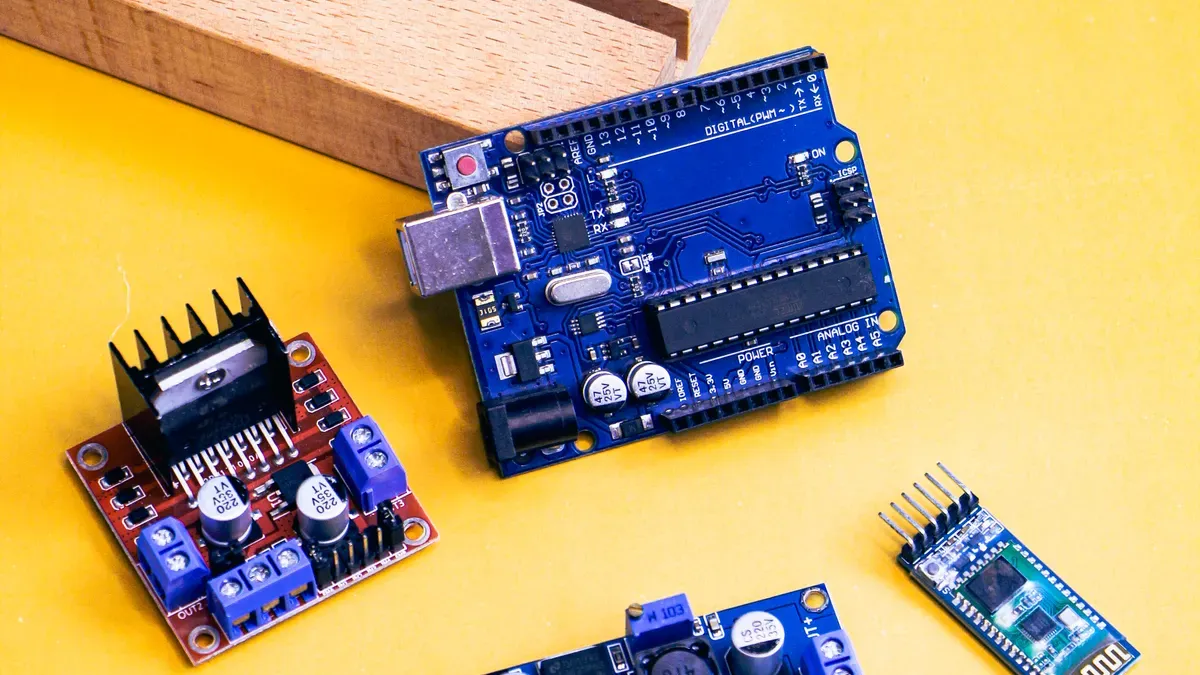
The e-paper display driver is the core of every low-power electronic paper system. This chip changes low-voltage signals from a microcontroller into high-voltage pulses that move pigment particles in the display. Without this change, the e-paper screen cannot update its content. The driver also manages power states that affect how long your battery lasts.
High-Voltage Processes and Voltage Regulation
Driver ICs use special high-voltage semiconductor processes to create the voltage levels e-paper needs. These processes let the chip make pulses far above the 3.3V or 5V supply from your microcontroller. The driver has charge pumps and boost converters that raise the input voltage to the levels needed for image updates. This high-voltage ability directly affects how well your e-paper works.
Voltage regulation is very important in this process. The driver must give steady voltage pulses no matter the battery condition or load changes. A stable voltage makes sure every pixel gets the same electrical push during an update. This steadiness directly affects the display quality and the final image. Without good regulation, your e-paper might show uneven contrast or incomplete updates.
For bigger production runs, you need a stronger voltage boost circuit. Small displays might work with internal charge pumps, but larger panels need external boost converters. These circuits store energy in inductors or capacitors and release it in controlled pulses. The design must balance efficiency against response time. A good boost circuit cuts energy waste while giving the voltage headroom the e-paper display needs. This balance becomes key when you design battery-powered e-paper products.
The high-voltage process also decides the driver’s efficiency. Newer fabrication methods reduce parasitic capacitance and leakage current inside the chip. Lower internal losses mean more battery energy reaches the display pixels instead of heating the driver. This efficiency gain directly lowers the power use of the whole epaper display module. Your e-paper system benefits from these semiconductor manufacturing advances.
Deep Sleep and Zero Power Consumption
The biggest power-saving feature of an e-paper display driver is deep sleep mode. When your display shows a static image, the electronic paper needs no power to keep the picture. The bistable nature of e-paper means pigment particles stay in place without any electrical field. The driver can then shut down completely. This unique trait sets e-paper apart from every other display technology.
Deep sleep mode cuts current draw to about 5 µA. This tiny current keeps the driver’s internal logic alive but turns off all high-voltage generation. Standby mode draws about 20 µA and keeps data in the driver’s memory. The table below compares these power-saving options:
Power-Saving Mode | Current Consumption | Data Retention | Reset Required on Next Refresh |
|---|---|---|---|
Deep Sleep Mode | ~5 µA | No | Yes |
Standby Mode | ~20 µA | Yes | No |
Complete Power-Off (via P-MOS switch) | 0 µA (zero power) | No | Yes (full re-initialization) |
You can get true zero power by adding a P-MOS transistor switch that fully disconnects the driver from the power supply. This method removes even the 5 µA leakage current. The trade-off is a full re-initialization sequence when you wake the display. Your system must reload all configuration registers and do a complete refresh cycle. For many e-paper uses, this trade-off is worth it.
Recommended practice for zero power consumption: After the e-paper display enters deep sleep mode, completely turn off the driving circuit and IC power supply. This ensures the electronic paper achieves zero power consumption.
Setting up deep sleep correctly needs careful attention. Many developers hit a common problem when programming the sleep function. The Sleep() function sends the DEEP_SLEEP_MODE command but leaves out the required 0x01 data byte that actually triggers the sleep state. This mistake causes several issues:
Root cause identified: The display never reaches deep sleep because the
Sleep()function sends theDEEP_SLEEP_MODEcommand but leaves out the required0x01data byte that actually triggers the sleep state.Consequence:
WaitUntilIdle()returns too early because the display is not actually sleeping, leaving the device in an active state.Risk: The manual warns that a display that never sleeps may be damaged due to continuous operation.
Proposed fix: Change the
Sleep()function to includeSendData(0x01)after the command, then setCS_PIN,RST_PIN, andDC_PINtoINPUTto prevent parasitic supply, and optionally callSPI.end()to fully stop the SPI bus.
The performance of your epaper displays depends heavily on proper sleep setup. Driver ICs that enter deep sleep correctly extend battery life a lot. The e-ink display technology benefits from this careful power management. An electronic paper display that sleeps properly can run for months on a single coin cell battery. This long life makes e-paper perfect for remote sensors and wireless tags.
Modern driver ICs have intelligent driving features that automate the sleep sequence. These special driving algorithms handle the initialization and shutdown steps automatically. You just send a command, and the driver does the rest. This automation cuts firmware complexity and prevents the common mistakes that plague manual setups. Your e-paper system becomes more reliable with these built-in safeguards.
For optimized epaper driving solutions, you should check the driver’s sleep current specs carefully. The difference between 5 µA and 20 µA might seem small, but over months of use, this gap becomes big. An e-ink display in a shelf label or signage application might sit idle for weeks between updates. Every microamp of standby current drains the battery needlessly. The e-paper advantage fades if your driver stays in standby mode.
The algorithms that control the sleep sequence also affect wake-up reliability. A proper shutdown sequence makes sure all internal nodes discharge safely. This stops latch-up or damage when the display wakes. The electronic paper display driver must handle these changes smoothly to keep long-term reliability. Your e-paper investment depends on this careful engineering.
Understanding these low-power mechanisms helps you design better battery-powered products. The e-paper display driver’s ability to reach zero power consumption sets electronic paper apart from other display technologies. An e-ink display cannot match this ability. LCDs and OLEDs always draw some current to keep their image. E-paper truly achieves zero power in the static state. This basic difference drives the adoption of e-paper in portable and energy-harvesting devices.
Low Power Waveform Design for Epaper Displays
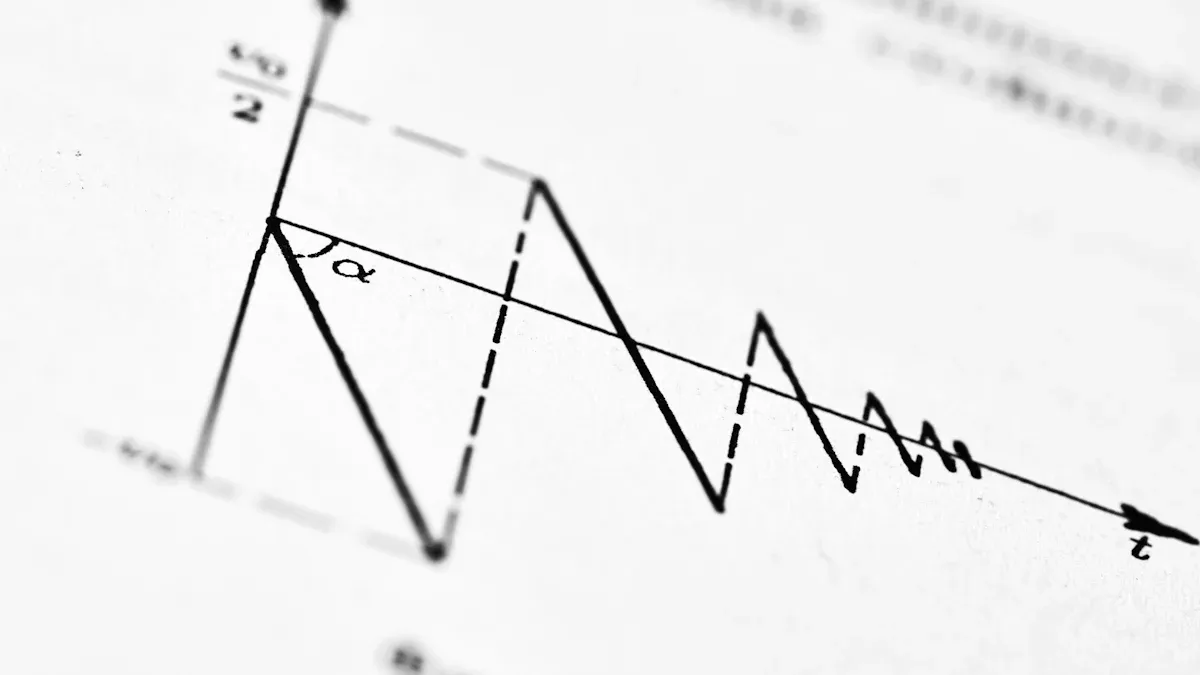
Waveform design controls how much energy each e-paper update uses. The waveform is a set of voltage pulses that move pigment particles. You can adjust these pulses to cut power use without hurting image quality. This tuning is where the biggest low-power gains happen for epaper displays.
Temperature Compensation and Grayscale Timing
Temperature changes affect how pigment particles react to voltage. Cold temperatures make particles slow, so they need longer or stronger pulses. Warm temperatures make them move too fast, which can cause overshoot. Waveform algorithms must change pulse timing based on temperature readings. This temperature compensation keeps updates reliable while avoiding wasted energy from over-driving.
Grayscale timing matters just as much. To show middle shades, the driver applies exact voltage pulses for set durations. A pulse that lasts too long pushes particles to full black or white. A pulse that is too short leaves the wrong shade. Optimized waveform algorithms stagger positive and negative voltage segments for different particles. This method lowers the driver IC load and reduces average power use during screen refreshes. You get accurate grayscale without wasting energy.
Low power consumption: OTP storage, combined with optimized waveform files, minimizes energy consumption, aligning with e-paper’s low-power design philosophy.
Epaper Refresh Strategies: Global vs. Partial
You have two main refresh strategies for epaper displays: global and partial. Each one has different power trade-offs. The table below shows the key differences:
Refresh Type | Power Consumption | Typical Duration | Visual Effect |
|---|---|---|---|
Full Refresh | 600–900 ms | Clean, no ghosting | |
Partial Refresh | Low (up to 80% less) | 150–300 ms |
Full refresh updates the whole screen and causes visible flashing. This flashing removes afterimages and gives the best image quality. Partial refresh updates only certain areas, like a price change on an electronic shelf label. It causes no flicker and responds faster. However, after several partial refreshes, you must do a full refresh to clear leftover image buildup. Otherwise, ghosting gets worse and may eventually harm the screen.
A hybrid strategy balances power savings with image quality. You can do 10 partial updates for dynamic content, then 1 full refresh to clear built-up ghosting. This method cuts energy use by up to 90% compared to full refreshes alone. Ynvisible’s printed displays show ultra-low power waveform design with a ±1.5V drive. These electronic paper displays reach great efficiency through careful waveform tuning. The stability of these refresh strategies directly affects long-term performance of your e-ink display. Specialized driving algorithms in modern driver ICs automate these waveform choices, improving reliability. Your e-paper display benefits from these advances in waveform algorithms. Every e-ink display depends on this careful balance between speed, power, and image quality.
Driver and Waveform Synergy for E-Paper
The true power of e-paper comes from how driver ICs and waveform algorithms work together. Driver ICs run optimized waveforms exactly as needed. This reduces ghosting and keeps energy use low for e-paper. An e-paper display driver keeps these waveforms inside itself. The driver IC runs the waveform when you command it. This plug-and-play setup makes your e-paper system easier to use.
Ghosting Reduction and Energy Efficiency
Ghosting happens when old image particles do not fully clear in e-paper. Driver ICs solve this problem by running special waveforms for e-paper. These waveforms use AC voltage oscillation to make particles move more in e-paper. The extra movement clears leftover image traces on e-paper. The AC oscillation happens during the same refresh cycle for e-paper. Your e-paper already draws power for that cycle. So ghosting reduction adds no extra energy cost to e-paper. You get a clean e-paper image without higher power consumption.
E-paper systems use two ways to store waveform files. Some manufacturers put the optimized waveform into OTP memory at the factory. This method keeps the waveform permanently for e-paper. The driver IC runs it directly when you start an e-paper refresh. No external data transfer is needed for e-paper. Other e-paper designs use LUT registers. Your host MCU puts the waveform into these registers before each e-paper refresh. The driver IC then runs the waveform from the registers. Both ways work well for epaper displays. The OTP approach makes your e-paper firmware simpler. The LUT approach gives you flexibility for e-paper.
Regal waveform technology shows another way to save energy in e-paper. This method reduces ghosting by updating only the pixels that change during a page turn. It reduces the need for full-screen refreshes on your e-paper. This approach cuts power use by up to 40% for e-paper. It also reduces ghosting artifacts on your e-paper. The link between ghosting reduction and lower energy use in e-paper is direct.
You face a trade-off in real e-paper applications. Faster refresh modes skip the clearing phase in e-paper. This reduces refresh time and power use per e-paper update. But ghosting builds up over many e-paper refreshes. You must do periodic full-screen refreshes to clear the buildup on your e-paper. These full refreshes take longer and use more power for e-paper. The balance depends on your e-paper application. The e-paper display only draws power during image changes. So the trade-off is between refresh speed and image quality in e-paper. Continuous power use is not the problem for e-paper.
Central to epaper performance is the stability of the e-paper image. Special driving algorithms manage this stability for e-paper. These algorithms control the clearing phases and partial updates for e-paper. They make sure your e-paper display looks good without wasting energy in e-paper.
Zero-Power E-Paper Display Static State
Once the e-paper driver IC finishes the waveform, the e-paper display reaches its final image. The pigment particles in e-paper lock in place. No electrical field is needed to hold them in e-paper. This is the bistable nature of electronic paper. The e-paper driver IC can then enter deep sleep mode. The e-paper display draws less than 0.005W according to IEC standards. This qualifies for a 0.00W rating for your e-paper. Your e-paper achieves true zero power in the static state.
This zero-power state changes how you design products with e-paper. A battery of 4,600mAh can last up to 200 days with daily e-paper content changes. The battery life goes even longer with less frequent e-paper updates. An e-ink display in a digital signage application can run for months on e-paper batteries. You can power your e-ink display with solar energy thanks to e-paper’s zero-power state. The zero-power static state makes this possible for e-paper.
The uses for e-paper technology are wide. Digital signage with e-paper includes public information signs, emergency displays, and solar-powered panels. Retail panels like 25,000 large-format fuel price signs for Fortech use e-paper. Smart labels for e-paper include cold chain monitoring, food labels, and fashion price tags. Dynamic expiry date labels for Innoscentia show the value of e-paper. Smart indicators for e-paper include maintenance trackers, medical devices, and security systems.
Your electronic paper display benefits from this e-paper synergy. The driver ICs provide the precision for e-paper. The waveform algorithms provide the optimization for e-paper. The result is a display that uses power only when you change the image. This makes e-paper ideal for portable devices and energy-harvesting applications. You can design products with long battery life and reliable performance using e-paper. Modern e-ink display systems rely on this e-paper partnership. The e-paper display driver and waveform algorithms work together seamlessly for e-paper. Your e-paper system achieves low power without losing e-paper image quality.
The synergy between driver ics, waveforms, and deep sleep defines e-paper. Driver ics provide high-voltage pulses for e-paper. Waveforms optimize timing for e-paper. Deep sleep eliminates standby power in e-paper. This creates the zero-power static state, the ultimate advantage of electronic paper.
E-paper examples prove this. Ynvisible’s e-paper uses ±1.5V drive. SEEKINK’s e-paper modules offer long battery life. A Waveshare 2.9-inch NFC-powered e-paper needs no battery. The e-paper display retains its image without power, ideal for epaper tags and signage. An e-ink display in an electronic paper e-reader draws power during updates. An e-ink display offers zero standby power for e-paper. E-paper’s zero-power state extends battery life.
You should consider these principles for your e-paper design. E-paper needs ambient light. E-paper benefits from partial updates. E-paper uses SPI for communication. The e-paper display driver ecosystem includes hardware and software libraries. These tools help you complete epaper designs faster. Embrace the e-paper zero-power advantage of epaper displays. Epaper technology offers unmatched efficiency.
FAQ
This part answers common questions about saving power in e-paper. Knowing how driver ICs and waveforms work helps you make your e-paper system better. Your e-paper screen gets better from this e-paper know-how.
What is deep sleep mode in e-paper?
Deep sleep mode turns off the e-paper driver chip. Your e-paper keeps its picture. The e-paper uses only 5 µA. This e-paper feature reaches zero power. Your e-paper system gets benefits from this e-paper ability.
How do e-paper waveforms reduce energy?
E-paper waveforms use exact voltage pulses. The e-paper waveform changes timing for temperature. This e-paper fine-tuning lowers energy per update. A well-tuned e-paper waveform cuts ghosting. Your e-paper gets better from smart e-paper design.
What is the difference between global and partial e-paper refresh?
Global e-paper refresh updates the whole screen. It uses more e-paper energy. Partial e-paper refresh updates only changed parts. This e-paper method saves up to 80% power. Your e-paper needs regular full e-paper refreshes.
How does temperature affect e-paper performance?
Cold temperatures slow down e-paper particles. Your e-paper waveform changes pulse timing. This e-paper fix keeps e-paper updates reliable. Warm e-paper needs other settings. Your e-paper driver does this e-paper on its own for your screens.