Picture a bullet smashing through a crisp apple. You blink, and you miss it entirely. Regular cameras can’t catch that quick moment. High-speed image capture changes everything. This tech records events too fast for your eyes, freezing time to show hidden details.
Think about the camera that filmed that bullet. It hit a top speed of 150,000 frames per second. That speed needed special lights to expose each frame correctly.
The high-speed camera used to film a bullet hitting an apple reached 150,000 frames per second, needing special lighting to capture the event.
You need to learn the basics. Frame rates, exposure times, and lighting trade-offs matter. You also need to handle huge amounts of data. This high-speed image tech helps in science, industry, and sports analysis.
Key Takeaways
High-speed imaging captures events too fast for the human eye, with frame rates starting at 250 fps and reaching millions of fps in specialized systems.
Higher frame rates need brighter lights and shorter exposure times so images don’t get blurry or too dark.
High-speed imaging creates huge amounts of data, so fast processing and compression are key for real-world use.
High-speed cameras help factories check quality better, cutting defects by up to 90%, and they improve sports analysis by showing exact movements.
New technologies such as event-based cameras and AI processing are making high-speed imaging easier to use and more capable.
High-Speed Image Acquisition Fundamentals
Frame rate and exposure time are the basics of high-speed image capture. Frame rate is how many pictures your camera takes each second. It is measured in frames per second (FPS). Exposure time is how long the sensor gathers light for one picture. These two settings together decide what you can capture.
Frame Rates and Exposure Times
Your camera’s frame rate depends on two things: exposure time and readout time. Readout time is how long the sensor takes to send data after exposure. When the time for one frame is longer than the sum of exposure and readout, each cycle finishes before the next starts. This non-overlapped mode is simpler but slows you down. Overlapped mode starts the next exposure while the previous frame reads out. This greatly boosts your effective frame rate.
Different uses need different speeds. The table below shows typical frame rates for common situations.
Application Scenario | Typical Frame Rate |
|---|---|
Standard monitoring | 30 fps |
Moderate-speed inspection | 60 fps |
High-speed manufacturing | 120 fps |
Specialized applications | 250+ fps |
For example, a packaging line moving at 10 meters per second needs at least 60 fps. This lets it get clear pictures of each product for real-time quality checks. Electronics and PCB inspection often needs 60 fps or more to help operators control the process.
Scientific research pushes these limits even further. Basic high-speed definition starts at 250 fps with exposure times under 1/1000 second. Commercial systems like the Mega Speed Max-V3 can reach 3000 fps with 75-microsecond exposures. Advanced CCD systems can go up to 25 million fps.
Speed vs. Light Trade-Offs
When a camera takes a picture, that picture does not show a single moment. It shows the scene over the whole exposure time. Moving objects look blurry or smeared along the direction they are moving.
Motion blur happens when your target moves a lot during exposure. Longer exposure times make more blur. Shorter exposure times freeze motion but need more light. At 25,700 fps, your longest exposure is 39 microseconds. At 1 million fps, it drops to 733 nanoseconds. These tiny exposure windows need very bright light to avoid dark, useless frames.
Your image capture speed also trades off against resolution. Higher frame rates increase data flow, which limits pixel count. Backside illumination helps by making the area that catches photons bigger. This lets sensors reach 76,000 fps at full resolution while needing less light. You must balance speed, resolution, and light based on what your application needs.
Key Components and Technologies

High-Speed Cameras and Sensors
Your camera’s sensor turns light into electrical signals. There are two main types: CCD and CMOS. CCD sensors give high-quality images. CMOS sensors allow fast capture. For low-light settings, back-illuminated stacked CMOS sensors read out faster and cut down rolling shutter distortion. Some back-illuminated sCMOS sensors reach quantum efficiency above 95% with a 100% fill factor, meaning they catch almost every photon that hits them. These high-resolution sensors also deliver up to 82 fps at full resolution.
Processing power matters just as much as the sensor. FPGAs and GPUs speed up image processing in different ways. An FPGA at 28nm gives 22 times more power efficiency than a desktop GPU when you combine frames-per-second, power use, and transistor utilization. For specific tasks, FPGAs achieve up to 8x speedup for k-means clustering. They also run 57x more efficiently than an ARM Cortex-A7 CPU and 28x more efficiently than an nVIDIA GeForce GTX980 GPU. The Renesas RZ/A2M MPU pairs a dynamically reconfigurable processor with an Arm Cortex-A9 CPU. It delivers 10x image-processing performance over its predecessor while using very low power, making it perfect for battery-powered devices.
Lighting and Triggering Systems
Lighting decides whether your high-speed image captures useful detail. LEDs are the top choice because they offer energy efficiency, durability, and steady light output with adjustable color temperatures. Different lighting setups serve different purposes. Ring lights remove directional shadows. Backlights enable precise edge detection for dimensional gauging. Dark-field lighting reveals micro-scratches on flat surfaces. At inspection speeds above 300 mm/s, even a 5 ms exposure creates motion blur unless your light strobes intensely within the shutter window.
Triggering syncs your camera with lighting and other parts. Hardware triggers, such as TTL pulses via BNC cables, allow high-speed, high-precision control without software help. Input trigger modes let external hardware start exposure. Output trigger modes let your camera control external devices, such as four separate light sources through Expose Out 1–4. This sync is vital for machine vision applications where exact exposure timing prevents motion blur and missed frames. For high-speed image acquisition, proper triggering ensures every frame captures the moment you need.
High-Speed Image Processing and Data Handling

Taking the picture is just the beginning. The hard part is moving and working with the data. Today’s industrial cameras create tens of gigabytes of data every second at very high capture speeds. You need to send this huge amount of data from the camera to the computer, GPU, and storage without slowing things down.
Managing Gigabytes per Second
Your system has several data handling problems. Bandwidth limits impact high-resolution sensors that create millions of events each second. Common connections like USB 3.0 and PCIe get overloaded when you use many sensors. Memory management is also difficult. Old-style circular buffers cannot handle sudden, unpredictable event streams. Memory needs can grow with how complex the scene is.
Different camera types manage bandwidth in different ways. Regular cameras and SPADs take samples at set times and send full brightness frames. This uses a lot of bandwidth. Event cameras fix this by only recording changes in brightness as simple on/off events. They allow fast operation with low bandwidth use. Some systems mix SPADs with event-based adaptive sampling to handle these limits.
Bandwidth limits directly affect how your system performs. The camera’s software figures out the top frame rate based on your data speed limit. Lowering this limit reduces the frame rate. A smaller limit adds pauses after each image line. This slows down how the sensor reads data and makes the rolling shutter effect worse. It also lowers image quality.
GPU processing helps you get past these bandwidth limits. GPU systems are easier to program than FPGAs and still allow fast frame rate processing. GPU-based motion analysis can handle real-time full-pixel processing at high speeds. This makes GPUs a good choice for high-throughput imaging jobs.
Real-Time Processing Algorithms
Making real-time algorithms work well means balancing quality and speed. You need algorithms that can handle data quickly for fast responses while still being accurate. FPGAs can reach high frame rates of 10,000 to 12,500 fps for certain image sizes. But they are hard to program and have limited memory. GPUs are a simpler choice. They give real-time results for finding objects and analyzing motion without the tough learning process of FPGA development.
Which algorithm you pick depends on what you need. For fast image analysis, GPU-based methods give you the speed you need with a reasonable amount of work to set up. This balance allows you to handle gigapixel processing speeds in real production systems.
Applications and Use Cases
High-speed imaging changes how you see the world. Scientists, engineers, and creators use it to watch events that last only milliseconds. Each field uses the same basic ideas in its own way.
Scientific Research and Industrial Inspection
Research labs use high-speed cameras to study fast events. Fluid dynamics experts look at blood flow, ocean currents, and flight. Materials scientists watch phase changes and chemical reactions. Biomechanics researchers study muscle movement and cell behavior. These tasks need exact timing and special lights.
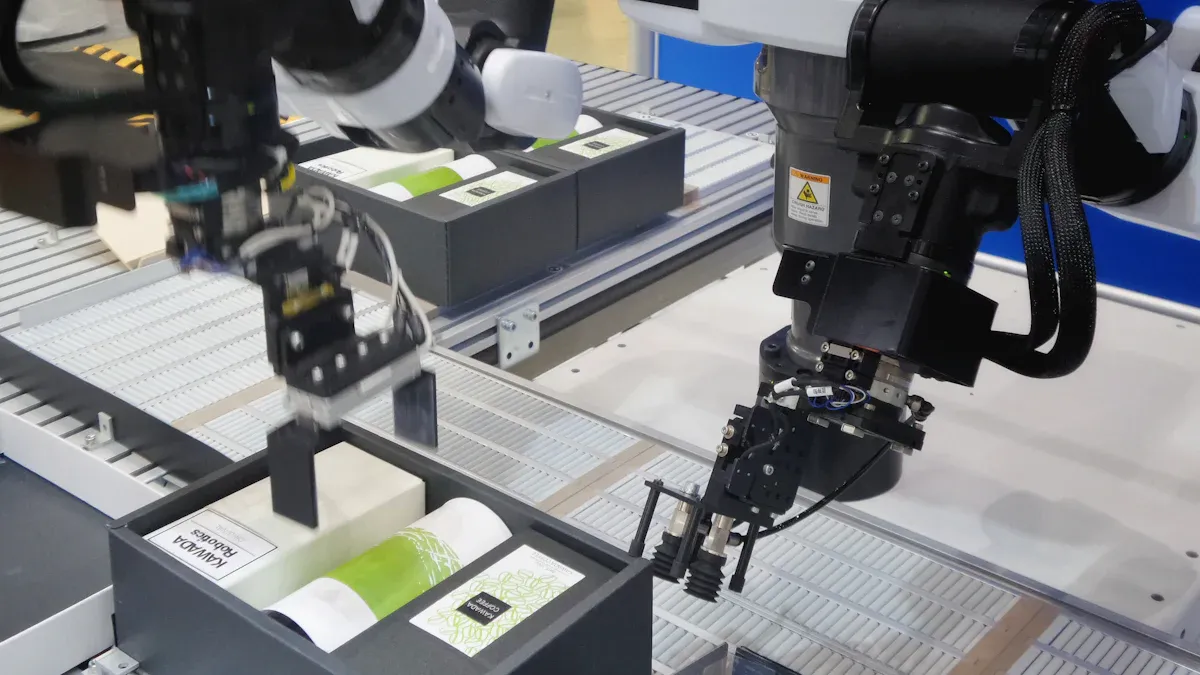
Industrial inspection uses high-speed imaging for quality checks. Common jobs include checking semiconductors, electronics, food, drinks, consumer goods, and medicines. Other uses cover biomedical testing, EV battery checks, welding, and car crash tests.
High-speed systems beat manual checks in many ways. They work faster, stay consistent, improve accuracy, and run all day and night. Automated recording gives better tracking through data review.
High-speed imaging beats manual inspection. It works faster, stays consistent, improves accuracy, runs 24/7, cuts labor costs, and tracks better through automated recording and data review.
Improvement Area | Percentage / Value |
|---|---|
Defect escape rate reduction | 90% |
Root cause identification speed | 70% faster |
Warranty claims reduction | 45% |
First-pass yield improvement | 30% |
Detection accuracy | Sub-pixel (<0.1mm) |
These systems freeze motion with short exposure times. They check every single unit at full production speed. Edge AI finds defects in milliseconds, so bad parts get rejected right away. This makes high-speed imaging vital for modern factories.
Sports Analysis and Entertainment
Athletes and coaches use high-speed cameras to improve form. A study comparing 30 fps versus 120 fps in 2D motion analysis found that higher frame rates greatly improve movement accuracy. This matters for measuring knee angles and trunk bends during quick moves like landing and cutting. Lower frame rates may miss these angles, which help spot injury risks.
Different sports need different speeds. Sprinting at 500-1000 fps breaks the start into dozens of frames. Top sprinters take about 4.6 steps per second, each step lasting roughly 217 milliseconds. At 1000 fps, you get 217 frames per step. Golf club hitting the ball lasts about 0.5 milliseconds. A 1000 fps camera catches about 5 frames of that hit. Baseball bat hitting the ball lasts about 0.7 milliseconds with ball speed over 170 km/h.
Broadcasters use special isolation cameras to follow star players. Professional replay systems from companies like EVS Broadcast Equipment handle this footage. A 2019 survey showed that 213 of 257 HD mobile production trucks used EVS replay gear. These systems help referees with tools like VAR and Hawk-Eye.
Entertainment also depends on high-speed imaging. Motion capture for films and video games uses optical tracking systems. Virtual production tracks cameras with digital characters for live visuals. The music video “Crip Ya Enthusiasm” used 16 Vicon Vero 2.2 cameras with Unreal Engine. This setup allowed live motion capture and virtual production. These creative uses show how machine vision goes beyond factories.
Challenges and Future Directions
Data Storage, Bandwidth, and Cost
High-speed cameras create huge amounts of data in just seconds. One recording session can fill terabytes of storage. This creates big problems for many groups. You face three main issues: storage space, bandwidth limits, and equipment costs.
The cost goes beyond just the camera. Professional models that shoot at 100,000 fps cost $50,000 or more. A 4 MP camera costs between $10,000 and $30,000. Global shutter sensors add another $5,000 to $20,000. Internal memory of 10GB or more raises the price by $2,000 to $10,000. Regular cameras only reach 60-120 fps, so you cannot use them for high-speed work.
Small and medium businesses often pick cheaper options or wait to upgrade. The total cost includes data storage systems, powerful computers, and setup services. These costs add up fast.
Compression methods help manage storage needs. Lossy codecs like H.264 and H.265 shrink file sizes a lot while keeping good quality. VP9 and AV1 offer free options with similar results. For lossless needs, HuffYUV and Lagarith provide fast encoding without losing quality. Spatial compression removes repeated data inside frames using discrete cosine transform. Temporal compression finds similarities between nearby frames through motion estimation. These methods cut storage needs dramatically, making high-speed imaging more useful for everyday tasks.
Emerging Technologies and Trends
Event-based cameras bring a big change to high-speed imaging. Unlike regular sensors that capture full frames at set times, event cameras only record brightness changes. This method produces very little data while allowing high-speed detection and tracking. You can watch fast-moving sparks in metal work, study vibration frequencies in each pixel, and support real-time robot navigation. The low delay and small data size make event cameras perfect for science measurements and privacy-focused behavior analysis.
Artificial intelligence changes how you process high-speed images. The mix of computational imaging and AI creates smart systems that focus on detection accuracy rather than raw data capture. A typical AI pipeline has five steps: capture, transfer, pre-processing, analysis, and result transfer. Convolutional neural networks examine images on FPGAs, giving instant processing for real-time choices. This setup enables automatic error detection in factories and supports gigapixel processing jobs that would overwhelm older systems.
Edge computing and 5G networks open up even more options. These technologies allow real-time work across connected systems. The future of machine vision lies in smart capture, processing, and decision-making working together smoothly. As costs drop through mass production and modular designs, high-speed imaging will become available to more industries and researchers.
High-speed imaging reveals worlds you cannot see with your eyes. Every system demands careful trade-offs. Faster frame rates need brighter lights. Higher resolutions create massive data streams. You must balance these factors against your budget and goals.
Your choice of camera, lighting, and processing pipeline determines success. A sports analyst needs different gear than a factory inspector. Match your equipment to your specific application. Test your setup before committing to expensive hardware.
The field keeps advancing. Event-based cameras and AI processing open new possibilities. You can start small with a demo system or explore case studies from your industry. Try a high-speed camera rental to see the difference firsthand. The hidden moments waiting for you are worth the effort.
FAQ
What frame rate defines high-speed imaging?
High-speed imaging begins at 250 frames per second. The exposure time stays below 1/1000 second. Commercial cameras can reach 3000 fps. Scientific systems capture up to 25 million fps.
Why do faster frame rates need brighter light?
Short exposures gather less light. At 1 million fps, each exposure lasts only 733 nanoseconds. You need bright lights to prevent dark frames. LEDs work well for this purpose.
How do you handle the huge data from high-speed cameras?
High-speed cameras produce tens of gigabytes of data each second. GPU processing helps you manage this load. Compression methods like H.264 reduce file sizes while keeping good quality.
What makes event-based cameras different from regular ones?
Event cameras record only brightness changes. They do not capture full frames. This creates very little data. You can track fast objects with low delay in machine vision systems.