
User-centered design puts you in the center of mobile experiences. When you think about what users need, you help them use technology better. This helps make solutions that fit real life. Studies show that involving users in design makes them happier. It also makes apps easier to use. This means more people will use the apps. Security, privacy, and accessibility are very important. They help make sure everyone can use the app. Use User-Centered Approaches to make designs that help people.
Key Takeaways
User-centered design puts users’ needs first. Always ask users for feedback to make your app better.
Accessibility is very important. Make sure your app works for everyone, even people with disabilities.
Testing with real users finds problems early. Try different testing ways to learn more.
Change your app based on what users say. Update your app often to keep it easy and useful.
Think about where people use your app. Design for many places to make the experience better.
User-Centered Design Principles
Focusing on Users
You help design mobile apps by thinking about users first. User-centered design means you listen to what people want and need. You ask for feedback, try out ideas, and change things based on what users say. This way, you make apps that work for many people. You can use surveys, interviews, and forms to learn about user habits and problems. When you make user personas, you see what different groups need. You keep making your app better by getting feedback after it launches. This helps your design get stronger and keeps users interested.
Tip: Always ask users for feedback. Their ideas help you fix problems and improve your app.
Principle | Description |
|---|---|
Accessibility | Makes sure everyone, even people with disabilities, can use mobile apps easily. |
Iterative Design | Uses testing and feedback to make the app better for users. |
Usability Testing | Checks how the app works with real users to find and fix problems. |
User Research | Learns about what users need and do to help design the app. |
Keep it consistent | Makes sure users have the same experience every time they use the app. |
Use simple language | Uses easy words so users can understand and use the app. |
Adequate navigation | Gives clear ways for users to move around the app without getting lost. |
Error-free system | Helps users finish tasks and shows quick messages when something goes wrong. |
Context in Mobile App Design
You need to think about where and how people use your app. Context changes what users do and need. People use phones at home, outside, or at work. Light, movement, and place change how users use your app. For example, you might need bigger buttons or brighter screens if users walk or use the app in sunlight. You should also think about age, why people use the app, and their habits. These things help you make features that fit real life.
Description | |
|---|---|
Lighting conditions | Screens change brightness and colors depending on the light around. |
Movement and stability | Buttons and content change if users are walking, driving, or sitting. |
Location context | Different places like home or work need different privacy and ways to use the app. |
Device posture | Screens change based on how users hold devices, like foldable phones or AR glasses. |
Security and Privacy
You keep users safe by making security and privacy important in app design. There are many dangers, like stolen data, fake messages, and unsafe storage. You need strong encryption and safe APIs to protect user data. You build trust by telling users how you collect and use their data. When you explain your privacy rules, users feel safer and want to use your app more. Clear privacy features help you get better reviews and more users. You should always update your app to fix security problems and stop new threats.
Note: Users trust your app more when you show how you keep their data safe.
User Research and Experience Mapping
Research Methods
You need good user research to make your app better. There are many ways to learn about users. You can use mobile screen recording to watch how people tap and swipe. Mobile heat mapping shows which screen spots get the most touches. Mobile analytics helps you see what features people use most. Mobile survey tools let you ask users questions about their experience. Mobile eye-tracking shows where people look on the screen.
There are other ways to do research too. Field studies let you watch users in their daily life. Retrospective think-aloud protocols help you learn what users think after tasks. Wizard of Oz testing lets you try ideas before building the real app. Multivariate tests help you compare different designs. Participatory design means you work with users to make better solutions. Surveys and diary studies help you get feedback over time. Paper prototyping and task analysis show how users solve problems and find issues.
Tip: Use both qualitative and quantitative research to understand user experience and usability problems.
Creating User Personas
You make user personas to learn about different users. Personas help you see what users want and what problems they have. You collect data from market research, analytics, user research, and online posts. This helps you know more about each user group.
Data Source | Description |
|---|---|
Market Research | Case studies and reports show trends and behaviors. |
Analytics | Data helps you see how users interact with your app. |
User Research | Surveys and interviews reveal needs and usability issues. |
Online Expressions | Comments and posts show user feelings and experience. |
Personas help you make better design choices. A beginner might need simple steps. An expert may want more advanced features. You keep checking your personas as your project grows. This helps you focus on user needs and usability problems.
Journey Mapping
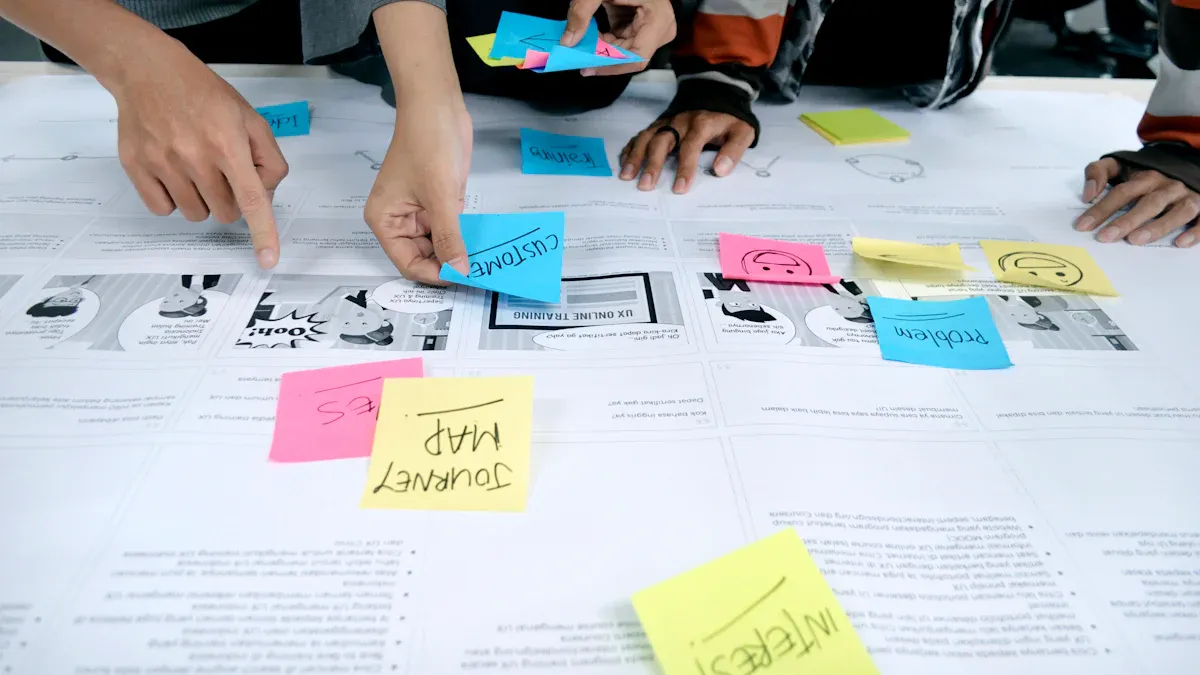
Journey mapping helps you see how users move through your app. First, you find user personas and their goals. Next, you list each step users take in the app. You look at the journey to find goals, pain points, and motivations. Then, you find ways to make the experience better and fix problems.
Find user personas and their goals.
List the journey steps, including good and bad paths.
Look at each stage for pain points and motivations.
Find ways to make user experience and usability better.
Journey mapping shows where users have trouble. You can find problems like confusing navigation or slow checkout. You also see how users feel at each step. This helps you make changes that improve the journey and user experience.
Note: Journey mapping helps you find and fix usability problems before they get worse.
User-Centered Approaches to Mobile App Design
Ideation and Sketching
You begin mobile ux design by thinking about users. User-centered approaches help you make apps that solve real problems. You use ideation techniques to look at many ideas. Brainstorming lets you share ideas without worrying about being wrong. Mind mapping helps you sort your thoughts and see links. Storyboarding shows how users move through apps and helps you know what they need. Prototyping lets you test ideas before building the real thing. SCAMPER gives you prompts to help you find new answers.
Brainstorming: You come up with lots of ideas fast.
Mind Mapping: You sort your thoughts in a visual way.
Storyboarding: You show each step of the user journey.
Prototyping: You make simple models to get feedback.
SCAMPER: You use prompts to change and improve ideas.
Sketching helps you try out different designs quickly. You draw screens and flows on paper. This method helps you be creative and test ideas without computers. You picture how users will interact before building. Interactive prototypes let users and others see how apps work. You get feedback and make your mobile ux design better. You make fewer mistakes, build faster, and avoid expensive changes.
Usability testing during sketching and prototyping helps you answer big questions. You find out if users can move around easily, finish tasks, and if the design works for everyone.
Navigation and Flow
Navigation is a big part of mobile ux design. User-centered approaches help users move through apps without getting lost. You pick navigation patterns that fit your app and help users reach their goals. You use menus, tabs, and gestures to guide users. You keep navigation easy and clear.
Navigation Pattern | Description |
|---|---|
Full-Screen Flat Menu Navigation | You put content into clear groups. This helps users find things and reduces confusion. |
List Type/Hamburger Menus | You use small menus for long lists. This saves space and helps more people use the app. |
Bottom-Bar Menu | You put hotkeys at the bottom. Users get quick access to important features. |
Top-Tab Menu | You show top features at the top. Users switch between sections easily. |
Gesture-Based Navigation | You let users swipe and tap. This makes actions quick and easy. |
You make flow work for all screen sizes. Responsive, adaptive, and fluid design help you change layouts. Responsive design lets screens change for any device. Adaptive design makes layouts for certain sizes. Fluid design mixes both ways. You use units like percentages to make layouts flexible. This keeps mobile ux design the same and helps users stay interested.
Responsive Content Prioritization
User-centered approaches help you pick what content matters most for mobile apps. You focus on what users need first. You design for small screens before big ones. This puts important content and features up front. You organize information so it is easy to understand and use progressive disclosure. Users find what they need fast.
Responsive design changes for different screens and ways to hold devices.
You care about both looks and how things work. Users move through apps easily.
You start with small screens. This makes apps run better and navigation easier.
You put important information first. Users get extra content when they need it.
You organize content so it is clear. Progressive disclosure helps users find more details.
Mobile-first design makes apps faster and highlights touch features.
User-centered approaches help users stay interested by matching what they like and do. Personalization, like custom content, makes users want to use the app more. Responsive design can make users four times more engaged. Keeping things the same on all devices helps users stay interested and improves mobile ux design. You use these ideas in mobile ux development to make apps users enjoy.
Tip: Put important content first and keep navigation easy. This helps users stay interested and makes apps simple to use.
Testing, Iteration, and Accessibility

Usability Testing
You need to check your app with real users. This helps you see if it works for them. Testing with users lets you find problems early. You can try different ways to test and get feedback. Some tests need you to help users. Other tests let users try the app alone. The table below lists common testing types:
Method Type | Description |
|---|---|
Moderated | You guide users during the session. |
Unmoderated | Users test the app by themselves. |
Remote | Users test from their own location. |
In-Person | Users test on-site with you present. |
Explorative | Users explore the app freely. |
Task-Based | Users complete set tasks in the app. |
You check if users finish tasks, how long it takes, and if they are happy. The table below shows important things to measure:
Metric Type | Description |
|---|---|
Completion or success | Shows if users finish tasks correctly. |
Duration | Tracks how long users spend on each task. |
Error | Finds where users get confused or make mistakes. |
Satisfaction | Measures how happy users are with the app using surveys or scores. |
Tip: Ask for feedback after each test. This helps you learn what users like and what you should fix.
Iterative Improvement
You make your app better by listening to feedback. You use agile ways to update your app often. Testing all the time helps you find problems early. You get feedback from users at every step. This helps you meet user needs and keep your app new.
Get feedback from users to help your design.
Try new ideas and update your app a lot.
Use feedback to make small changes over time.
Let your team try new things and learn from feedback.
You show users you care by making changes for them. Getting feedback often keeps your app helpful and fun.
Accessibility for All Users
You help everyone by making your app accessible. You support users with different needs by doing these things:
Use strong color contrast and let users resize text.
Make sure controls work with assistive tech.
Give clear messages for errors and actions.
Support many input types and easy-to-tap buttons.
Write simple steps and keep navigation easy.
Test your app with users who have disabilities.
Accessible apps keep more users. Studies say 71% of users with disabilities leave apps that do not help them. Apps with good accessibility get better reviews and more users. You help everyone, even people in bright or loud places, by making your app easy to use.
Note: When you focus on accessibility, you reach more users and make your brand stronger.
You make better mobile apps when you think about users. User-centered design helps you fix real problems. It also makes apps simple, safe, and fun. Always ask users for feedback and keep improving your app. Security and accessibility are important for everyone. Use these steps now to build apps people will enjoy.
Tip: Listening to users helps you build trust and makes your app special.
FAQ
What is user-centered design in mobile app development?
User-centered design means you focus on users at every step. You listen to what users want and need. You test your app with users. You make changes based on feedback. This helps your app meet user expectations and improves user satisfaction.
Why should you test your app with real users?
You test your app with real users to find problems early. Users show you what works and what does not. You see how users interact with your app. You learn if users can finish tasks. You improve your app for all users.
How do you make your app accessible for all users?
You use strong color contrast and large buttons. You support screen readers. You write simple instructions. You test your app with users who have disabilities. You make sure users with different needs can use your app easily.
What are common mistakes in user-centered app design?
You might forget to ask users for feedback. You may ignore user pain points. You could make navigation confusing. You might not update your app for new devices. You must always think about users and their interactions with your app.
How does context affect user interactions with your app?
Users use your app in many places. Light, noise, and movement change how users interact. You design your app for different situations. You make sure users can use your app at home, outside, or at work.
Tip: Always watch how users use your app in real life. This helps you understand their needs and improve your app.