How do multi-core processors improve the touchscreen experience? You might ask this when your design slows down. Touchscreen interfaces need fast, predictable responses, good power use, and smooth handling of many tasks at once.
A multi-core processor puts several independent processing units on one chip. This setup lets touchscreen tasks run at the same time. You can use one core for touch sampling, another for gesture recognition, and a third for display refresh sync. This multi-core design cuts down delay.
Studies show that total delay under 100 milliseconds feels instant. Industrial HMIs need delay at or below 50 milliseconds. Fast kiosks need coordinate report rates of at least 120 Hz. A delay of a few hundred milliseconds feels slow.
This article explains multi-core architecture in simple terms. You’ll see clear benefits for touchscreen uses and get a guide for picking the right processor. That choice affects how well your design works.
Key Takeaways
Multi-core processors handle touch tasks simultaneously. This reduces lag and makes screens feel immediate.
Special cores just for touch and screen stop resource conflicts. This keeps response times under 50 milliseconds.
Sharing tasks between cores uses less power. This makes the battery last longer without slowing things down.
Real-time operating systems handle touch events with high priority. This makes sure the responses are fast and predictable.
Pick a multi-core processor that fits what you need. Think about real-time limits, battery life, and heat.
Multicore Processors in Touchscreen Design
Defining Multicore Architecture for Touch Applications
A multi-core processor puts two or more independent processing units on one chip. Each unit, called a core, can run instructions by itself. This is different from a single-core CPU that does every task one after another.
A multi-core processor is a CPU that has two or more independent cores on one chip.
For touchscreen apps, this setup matters because different tasks need different resources. Touch sampling, gesture recognition, and UI rendering each need their own attention. A multi-core design lets you give these jobs to separate cores. You avoid the slowdown that happens when one processor handles everything at once.
The main idea is task separation. When you give one core input handling and another core display updates, neither task waits for the other. This split improves efficiency and cuts down on visible delay.
Parallel Processing for Touch Responsiveness
Parallel processing means multiple cores work at the same time on different jobs. Think about a dual-ARM processor platform built for measurement tools:
One processor (slave ARM) handles screen events, touch/button input, and UI drawing.
The other processor (master ARM) focuses only on core measurement tasks.
The master ARM does high-speed sampling at 100kS/s without stopping.
The slave ARM runs the graphical display on its own, so curve plotting stays smooth.
This split stops resource fights. In a single-ARM system, sampling times get longer and data gets lost because the processor must switch between jobs. With multicore processors, that problem goes away.
The result is lower system response delay. Your touchscreen feels instant because the display never fights measurement tasks for computing power. This setup also supports multiple cores for different jobs, giving you design flexibility.
For engineers, this means you can pick processors based on your exact needs. Some designs need two cores; others work better with four or more. The multicore approach grows with your needs, whether you build a simple kiosk or a complex industrial HMI.
The speed gain is clear when you compare response times. A single-core processor must finish one job before starting another. A multi-core processor does both at once, cutting visible delay a lot.
Key Benefits of Multicore Processors
Reducing Input Latency Through Core Allocation
When you give dedicated cores to specific touchscreen tasks, you remove the bottleneck that causes input delay. A single-core system must handle touch sampling, gesture decoding, and display updates one after another. Each task switch adds several milliseconds of overhead. With a multi-core design, you assign one core exclusively to touch input processing. Another core handles display refresh. A third core manages background operations like network communication or data logging.
These processors combine functions onto a single chip. You reduce the number of embedded computers. The bill of materials drops. Your design scales easily across product tiers. The multi-core processor architecture also provides task isolation. Touch processing on its own dedicated core never competes with display tasks for computing time. Reset isolation works the same way. If one core crashes, the other cores keep running. Your touchscreen stays responsive even during a partial failure. This reliability matters for critical applications like automotive infotainment systems.
Core allocation also improves latency predictability. You set interrupt priorities on each core. High-priority touch events receive immediate attention without waiting for a frame to complete. The display rendering core works at a steady pace. It never steals cycles from the input core. This multi-core strategy delivers a consistent sub-50-millisecond response time that meets industrial HMI requirements. Your users never feel a lag between touch and visual feedback.
Power Efficiency in Mobile Touchscreens
Spreading workloads across multiple cores lets you run each core at a lower frequency. A single-core processor would need high frequency to handle all tasks. That high frequency generates more heat and drains the battery faster. Power scales with the square of voltage. Lower frequency allows lower voltage, which reduces power draw significantly. A multi-core system spreads the same total work over several cores. Each core runs at a moderate speed. This setup reduces overall power consumption considerably.
Think about a mobile device. One core processes touch gestures. Another core renders the UI. A third core handles wireless communication. Each core runs at a lower frequency than a single-core alternative would need. The overall energy efficiency improves because each core operates in its most efficient voltage range. The result is longer battery life without sacrificing user experience.
Heat generation also drops with this architecture. A single high-frequency core creates a concentrated hot spot on the chip. That hot spot forces the system to throttle performance or engage active cooling. A multi-core design spreads the thermal load across the die. Each core generates less heat. You can use passive cooling and keep the device slim and quiet. This matters for mobile applications where battery life, surface temperature, and form factor are critical constraints.
The multi-core approach also supports dynamic voltage and frequency scaling. You can shut down unused cores entirely. When the touchscreen is idle, only one low-power core stays active. The others power off, saving energy. This fine-grained control delivers better efficiency than a single-core design. A multicore processor gives you flexibility to balance power and performance on demand. Many embedded applications now use multicore processors for these exact benefits. The processor design also reduces the total cpu load during peak operation.
For battery-powered devices, this efficiency translates to longer run time. A smartphone with a multi-core processor can last through a full day. An industrial tablet with a multi-core design can operate for an entire shift without recharging. The power savings reduce cooling requirements, which lowers system cost and extends component life. These benefits make multi-core architecture the preferred choice for modern touchscreen devices.
Multicore vs. Single-Core Processor Performance
Handling Continuous Input Streams and Interrupts
A single-core processor does touchscreen jobs one by one. It samples the touch, then reads the gesture, then draws the frame. Each step waits for the one before it. This step-by-step flow causes delays when input keeps coming in. A user drags a slider, and the screen lags behind the finger. The processor can’t keep up because it has to switch between tasks all the time.
A multi-core processor runs these same jobs at the same time. One core samples the touch controller at a steady rate. Another core reads the gesture pattern. A third core draws the new frame. The input never waits for drawing to finish. This parallel method removes the block that causes visible lag. You get steady response times even when the system is busy.
But multi-core design brings its own problems, called mcp issues. Cache coherence means all cores must see the same data. If one core changes a touch point, another core must see that change right away. Inter-core communication adds extra work. Cores must send messages through shared memory or special channels. Load balancing matters too. If one core takes on too many jobs, it becomes a bottleneck. You must split work carefully to keep all cores busy without overloading any one core.
Real-World Use Cases: Automotive and Mobile
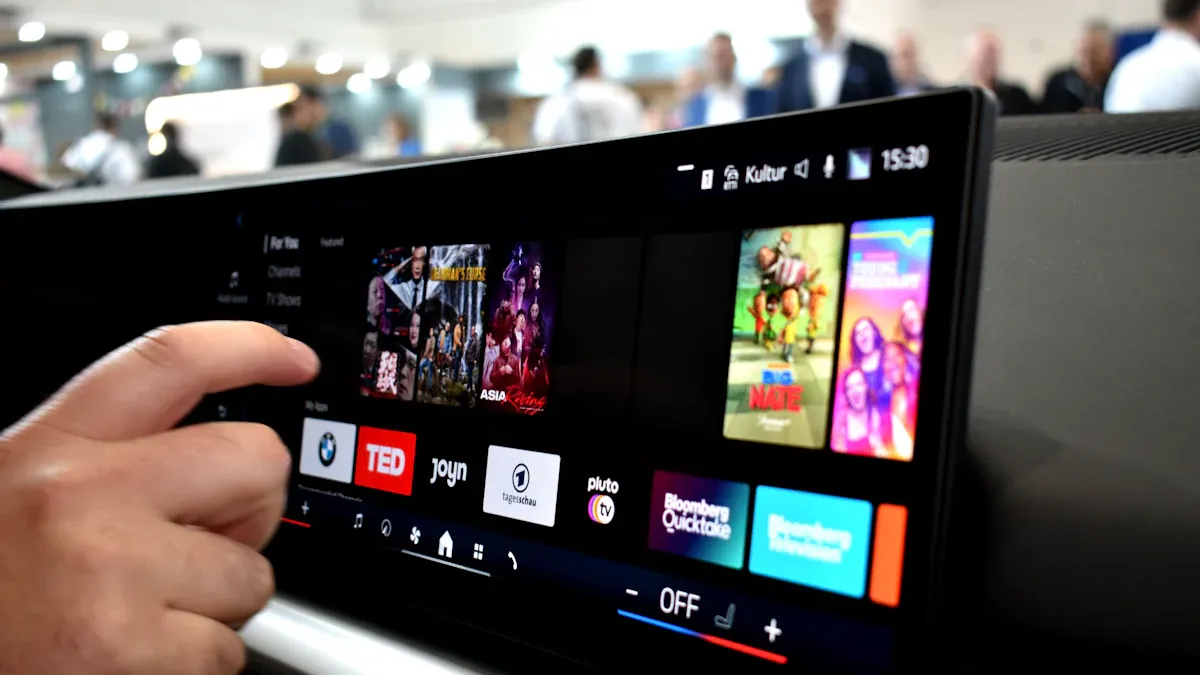
Car infotainment systems show the value of multi-core design. A modern car has many screens, camera feeds, and sensor inputs. One core handles the touchscreen. Another core processes rear-view camera data. A third core manages navigation and audio. These jobs run at the same time without getting in each other’s way. The driver gets instant touch response while the system handles complex data streams. Reliability improves because a failure in one core doesn’t crash the whole system.
Mobile phones balance speed with battery life using the same method. A multi-core processor gives touch processing its own core. Other cores handle background jobs or shut down completely. The performance gains are clear. Mobile processors deliver up to 172% more CPU performance per watt. Graphics performance improves up to 212% per watt. Visual performance gains reach 132% per watt. Productivity performance improves up to 127% per watt. HD video playback becomes 51% more power efficient.
Responsiveness Metric | Battery Efficiency Metric |
|---|---|
Up to 172% more CPU performance per watt | Up to 12 hours resting battery life |
Up to 212% better graphics performance per watt | Up to 45% longer battery life vs competition |
Up to 132% better visual performance per watt | Up to 25% better power efficiency than previous gen |
Up to 127% better productivity performance per watt | Up to 11 hours idle battery life |
Up to 51% more power efficiency in HD video playback | Up to 13 hours resting battery life |
These numbers show the efficiency gains from multi-core design. You get faster response without losing battery life. The processor runs each core at a lower speed, cutting power use. This energy efficiency extends device usage time. A smartphone lasts through a full day of heavy use. A car system works reliably in harsh conditions. The multicore processors deliver speed and efficiency that single-core designs can’t match. Your applications benefit from this balanced approach to performance and power.
Design Considerations for Multicore Touchscreen Systems

Core Allocation Strategies and Task Partitioning
You need to split touchscreen tasks across cores carefully. A good multi-core strategy dedicates one core to touch input processing. Another core handles UI rendering. A third core manages background operations like network communication or data logging. This partition prevents resource fights. It keeps response times low. Your design must balance workload across the system.
Think about a typical touchscreen system. The touch controller sends data at a fixed rate. Your input core reads this data every frame. It processes raw touch points. It filters noise. It tracks finger movement. The rendering core takes the results and draws the new screen. The background core handles WiFi, Bluetooth, or data storage. Each core has a clear job. No core waits for another.
Poor core allocation creates problems on a multi-core system. Hardware Shared Resources cause interference between cores. These resources include memory buses, caches, and memory controllers. When two cores access the same resource at the same time, one core must wait. This interference does not cause small delays. It widens the execution-time distribution. You get an unpredictable pattern with a long tail. Tasks that should finish quickly can take much longer. Software partitioning cannot fix this fully. Most HSRs do not allow clean partitioning. They get allocated only when a task accesses them. You cannot restrict a software partition to its allocated HSRs. The result is non-deterministic behavior. Critical tasks may not complete within strict timing constraints.
Uneven workload distribution also hurts performance. Some tasks run very quickly. Other tasks take significant time. Quick tasks spend time waiting for long tasks. Compute resources sit idle. Performance scaling suffers. Your multi-core touchscreen system loses responsiveness. You must profile your application. You need to know how long each task takes. Then you can assign tasks to cores in a balanced way.
Your goal is balanced workload. Each core should have a clear job. No core should wait for another. This balance improves efficiency and reliability. Many applications benefit from this multi-core approach. You can choose between 32-bit and 64-bit architectures. A multi-core processor with four or more processing units works well for wired and wireless communications.
Operating System Support and Real-Time Scheduling
Your processor choice affects system performance. The operating system matters too. General-purpose schedulers optimize for throughput and fairness. They create unpredictable timing for touch events on a multi-core processor. A scheduler priority inversion can happen. Your touch event thread gets delayed behind background tasks. Response times become variable. A low-priority task may hold a lock. A high-priority touch thread needs that lock. The high-priority thread blocks. The delay grows.
You need an OS with deterministic scheduling. Real time operating systems solve this problem. An RTOS uses priority-based preemptive scheduling. A high-priority touch event handler can interrupt lower-priority work immediately. The event gets processed within a bounded time. Interrupt latency stays fast and predictable. A general-purpose OS may have unbounded interrupt handling delays. The RTOS kernel guarantees that your touch handler runs within a fixed time window. This guarantee comes from the scheduler design. The scheduler always picks the highest-priority ready task. Your touch handler has the highest priority. It never waits for background work.
CPU shielding helps too. You dedicate a multi-core processor core exclusively to time-critical touch processing. You isolate it from kernel daemons and interrupt bottom halves. This prevents background OS activity from stealing cycles. Touch event timing becomes deterministic. The processor architecture you choose must support these goals. Many modern processors allow you to set CPU affinity. You pin your touch handler to a specific core. Other processes cannot run on that core. The result is consistent low-latency response.
These considerations matter for real-world applications. Your automotive infotainment system needs reliable touch response. Your mobile device needs consistent performance. Pay attention to mcp issues like cache coherence and inter-core communication. A well-designed multi-core system delivers the responsiveness users expect. Multicore processors give you the flexibility to balance all these factors for your design.
Multi-core processors transform touchscreens through intelligent resource management, not raw speed alone. You gain reduced latency, lower power draw, and smoother multitasking across your design goals.
Modern options demonstrate this evolution:
Intel Atom® x7000RE processors offer up to four cores for parallel edge applications.
Arm® processors feature six cores, balancing performance with efficiency for Linux®-based HMI solutions.
Evaluate your real-time constraints, battery life, and thermal limits before choosing architectures. Your specific requirements determine whether multi-core or single-core fits best.
Emerging technologies like haptics and foldable displays will demand even greater parallel processing. Multi-core design positions you ahead of these advances, ready for next-generation touchscreen experiences.
FAQ
How does a multi-core design reduce touchscreen latency?
A multi-core design assigns touch input to one core. Another core handles display rendering. Your processor no longer switches between tasks. These tasks run in parallel. You eliminate the sequential bottleneck. The total delay stays below 50 milliseconds.
What role does core allocation play in power efficiency?
You spread workloads across cores in a multi-core system. Each core runs at a lower frequency. Lower frequency reduces voltage. This approach extends battery life without sacrificing performance.
What challenges come with a multi-core architecture?
Cache coherence, inter-core communication, and load balancing can cause problems. One core must see changes made by another core. Without careful design, response times become unpredictable.
How does an RTOS support multi-core touchscreen systems?
A real-time OS uses priority-based scheduling. Your touch handler gets the highest priority. It preempts lower-priority tasks. This guarantees bounded response times for every touch event.
What should you evaluate when choosing a multi-core processor?
Evaluate your real-time constraints, battery life, and thermal limits. A multi-core processor with dedicated cores for touch processing delivers the best responsiveness. Many modern applications use multicore processors for their efficiency.