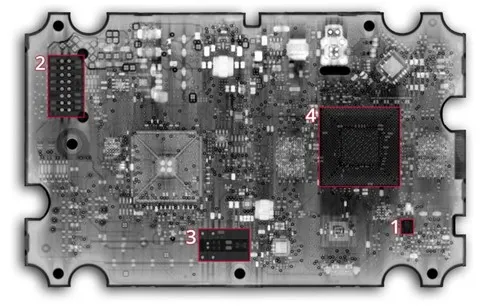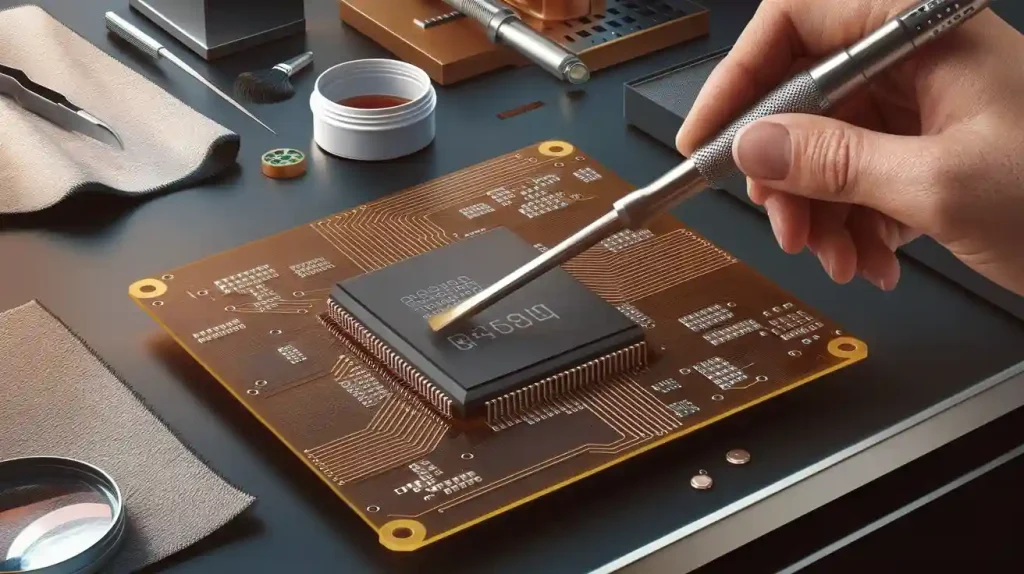
Designing and making smart tablets begins with clear goals and good research. You must focus on research and development, creative design, and careful assembly. These steps help you make devices that meet high standards. They also help the devices work well in real life. Many companies use smart tablets in factories to make daily work better. Spending more at each step can make products better and help you stand out. The table below shows how these things affect quality and performance:
Factor | Impact on Quality and Performance |
|---|---|
Investment in R&D | Companies developing industry-specific solutions gain a competitive edge. |
Technological advancements | Leading players focus on product differentiation through innovations. |
Compliance with industry standards | Influences brand reputation and product quality. |
You should always think about what users need and offer customization to get the best results.
Key Takeaways
Begin with clear goals and do careful research to help your tablet design.
Think about what users need and make changes so the tablets fix real problems.
Work with different teams to make sure every part of the tablet works well and looks good.
Test early models to find problems and improve features before making many tablets.
Make sure the tablets are high quality and follow rules so people trust them and know they work well.
Smart Tablets: Process Overview
You start with an idea for a smart tablet. There are many steps before you finish the tablet. Each step helps make the tablet strong and useful. You must check every part, from the first drawing to the last product. Factories use tablets to control machines and watch data. This makes work faster and keeps people safe.
R&D and Concept Development
First, you think about what you want the tablet to do. You look at problems and try to find answers. You plan what features the tablet will have. You also decide how your tablet will be different. Here are the main steps you follow:
Conceptualization: You come up with the first idea for your tablet.
Design: You draw and plan how the tablet will look and work.
Prototyping: You make a sample to test your ideas.
Validation: You check if the tablet does what you want.
Manufacturing: You build many tablets in a factory.
Post-production efforts: You help users and make the tablet better after it comes out.
You must pay attention to each step. This helps your smart tablets work well for users in real life.
Key Teams and Stakeholders
Many people work together to make a tablet. Each group has a special job. The table below shows who helps and what they do:
Role | Responsibilities |
|---|---|
Project Manager | Watches the schedule and makes sure the project is on time. |
Product Owner | Decides what the app should do and what is most important. |
Mobile Developers | Make the features people use on iOS and Android. |
Backend Developers | Build safe systems that help the app work well. |
UI/UX Designers | Make the tablet easy and fun to use. |
Accessibility Specialists | Make sure everyone can use the tablet, even with disabilities. |
QA Testers | Find problems and make sure the tablet works right. |
Security Analysts | Keep user data safe and follow the rules. |
All these teams are needed to make good tablets. When everyone works together, factories and businesses can do better with smart tablets.
Tablet Design Essentials
Market Research & User Needs
You begin by finding out what people want in tablets. You use focus groups to hear what users need. You watch how people use tablets at home and work. Surveys help you get facts about what users like or do not like. These ways show you how tablets can get better and which features are important. When you know what users need, you can make a tablet that fixes real problems and is different from others.
Tip: Always ask users about how they use tablets every day. Their answers help you make better choices for your next tablet.
Feature Planning & Prototyping
You pick the features that make your tablet special. You choose which functions will help users most. You draw ideas and build early models called prototypes. These prototypes let you test how the tablet works before making many. You check if the tablet is easy to use and if the features work well. Rapid customization means you must plan each step. Changes to hardware or software can take more time and cost more money. You need clear plans so you do not have to change the tablet later. Testing each prototype helps you find problems early and fix them before you start making lots of tablets.
Feature Planning Checklist:
Write down the main features users want.
Draw the tablet layout.
Build a prototype to test.
Get feedback from users.
Change the design if needed.
Casing and User-Centric Design
You focus on the outside part of the tablet, called the casing. The casing keeps the tablet safe and makes it easy to hold. You use user research to help you make design choices. You want the tablet to feel good in every hand and work for everyone, even people with disabilities. Inclusive design helps you make tablets that are simple and fun for all users. In 2025, people want tablets they can change to fit their style. They also want tablets that are easy to use and have features that talk, like voice assistants.
Personalization lets users pick colors or add accessories.
Accessibility features help everyone use the tablet.
Conversational interfaces make tablets easier to control.
Application-based programs help your tablet stand out from others. You make special user interfaces that look nice and work well. Fast processors and strong graphics chips let you add animations and cool graphics. These features make your tablet different and give users a better time.
Note: When you design the casing, think about where people will use the tablet. Some users need tablets that work outside or in tough places. You must pick materials that keep the tablet safe and working anywhere.
Tablet Casing Comparison Table
Casing Feature | User Benefit | Trend for 2025 |
|---|---|---|
Lightweight Material | Easier to carry and hold | More portable tablets |
Rugged Design | Withstands drops and spills | Outdoor use |
Custom Colors | Personalizes the tablet | User expression |
Accessible Buttons | Easier for all users to operate | Inclusive design |
You make smart tablets for many needs by focusing on user-centered design and rapid customization. You create tablets that work well for everyone and stand out in a busy market.
Tablet Hardware & Components
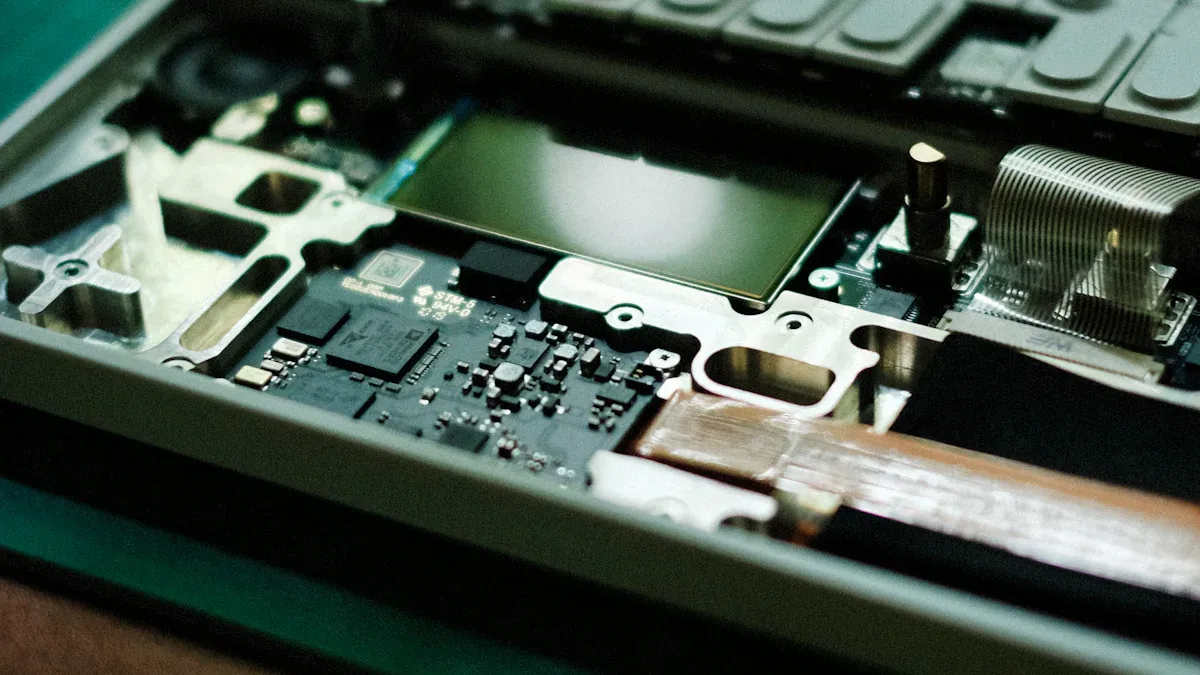
PCB Design & Miniaturization
Designing the inside of a tablet is tough. The PCB must fit in a tiny space. You have to put many parts close together. This makes designing harder. You need to be very careful with how you place things. You use special tools to build the tablet. If you do not control heat, the tablet gets too hot. It might stop working. Small parts can break easily during assembly. You must keep the screen and touchscreen safe from heat and electricity.
Challenge | Description |
|---|---|
Tighter Tolerances | You must keep parts close together without mistakes. |
Precise Assembly | You need advanced tools to avoid shorts and defects. |
Thermal Management | You must spread heat so the tablet stays cool and safe. |
Signal Integrity and EMI | You must stop electrical noise from hurting the screen or touchscreen. |
Smaller Components | You must handle tiny parts with care to avoid damage. |
Tip: Good thermal management keeps your tablet reliable and helps it last longer.
Processor, Memory, and Sensors
A strong processor makes your tablet fast. Tablets use chips like Intel Atom, i5, or MediaTek. These chips let you run many apps at once. You also need enough memory and storage. Most tablets have at least 8GB RAM and 128GB storage. Sensors make your tablet smart. You can add sensors for gravity, light, or proximity. These sensors help the screen and touchscreen know how you use the tablet.
Tablet Model | Processor | Memory | Storage | Sensors Supported |
|---|---|---|---|---|
DreamBook Rugged Tablet T89 | Intel Atom Z520 1.33GHz | 8GB DDR2 667 | 160GB | Gravity, Environmental Light, Proximity |
Xplore XLATE B10 | i5 – 5350U | 8GB RAM | 128GB SSD | Not specified |
DOOGEE R10 | MTKG99 Octa-Core | 8GB RAM | 128GB ROM | Not specified |
Better chipsets help with gaming, streaming, and AI tasks. You get smooth graphics and fast touchscreen actions. Some tablets are as strong as desktop computers. You can use them for work or play.
Battery and Connectivity Choices
You want your tablet to last all day. New batteries charge fast and let you use your tablet longer. Some tablets let you swap batteries without turning them off. You can use wireless charging or power banks for more freedom. Many tablets now support 5G for fast internet. You can stream videos, join calls, or download files quickly. A strong connection helps your screen and touchscreen work well with cloud apps and games.
Rapid charging saves you time.
Wireless charging is easy to use.
5G networks give you fast data and low delay.
Note: Always check if your tablet is safe and strong. Look for heat sinks or passive cooling to keep the screen and touchscreen safe. Tablets tested for shock, vibration, and extreme heat or cold last longer in tough places.
Software Integration & Testing
OS and App Ecosystem
You must pick the best operating system for your tablet. Most industrial tablets use Linux, Windows, or Android. Each system has its own strengths. Linux is good for security and custom tasks. Windows works well with business apps and connects to other devices. Android lets you use many apps and has flexible features. Tablets use these systems to run programs for machines or data collection. Some tablets have IoT operating systems. These help your tablet work with sensors and smart devices. When you choose an operating system, you make sure your screen and touchscreen respond fast. You also check if the apps you need will work.
Linux: Good for security and custom features.
Windows: Works with business software and easy connections.
Android: Flexible and supports many apps.
Tip: Always test your screen and touchscreen with your operating system before finishing your design.
Usability and Quality Assurance
You want your tablet to be simple to use. Usability testing checks if your screen and touchscreen work well. You follow these steps:
Set a goal for your test. Decide what you want to learn.
Find people who match your users.
Make tasks that show how users use the screen and touchscreen.
You watch users tap and swipe on the screen. You look for problems with the touchscreen. You fix issues before selling your tablet. Quality assurance means you test every part of your tablet. You check the screen for brightness and clarity. You make sure the touchscreen responds to every touch. You also test the tablet in different places, like factories or outside.
Certifications show your tablet is safe and reliable. You follow steps like getting a Test Report, a Quality Assessment Report, and a Certificate of Conformity. You may need to meet rules like ATEX Directive 2014/34/EU, IECEx Scheme, or CSA/UL for North America.
Certification Step | Description |
|---|---|
Test Report (ExTR) | Checks if your tablet meets technical standards |
Quality Assessment Report | Makes sure manufacturing is always good |
Certificate of Conformity | Given by an official IECEx Certification Body |
Note: Reliable tablets have screens and touchscreens that work in tough places. You should always test for heat, cold, and vibration.
Manufacturing & Production Challenges

Assembly and Supply Chain
There are many problems when you put tablets together. The supply chain is sometimes weak. Many companies get parts from just one country. This can be risky. You need to make your supply chain strong and safe. Building a local supply chain helps you avoid trouble. It also keeps your tablets safe. You must think about the environment during manufacturing. Tablets may need to work in dust, heat, cold, or wet places. You want your tablets to last a long time. Some tablets run all day and night. You also need good software that works with your hardware.
Here are some common assembly and supply chain problems:
Getting parts from one country can be risky.
You must find parts that are safe and work well.
Tablets must survive hard places during assembly.
You need to keep making tablets without stopping.
Adding new software can be hard.
You can use remote monitoring and real-time data to fix problems fast. This helps you stop delays and keep making tablets.
Cost, Scalability, and Sustainability
It is important to control costs when making tablets. You want to make tablets that fit your budget and can grow with you. Many companies start with a few tablets and add more later. Customization lets you pay for only what you need. Strong tablets save money because you do not replace them often. Energy-saving designs help you spend less and protect the earth.
Aspect | Description |
|---|---|
Customization | You pay for only the features you need. |
Scalability | You can start small and add more tablets as needed. |
Durability | Strong tablets last longer and cost less to maintain. |
Energy Efficiency | Saves money and helps the environment. |
Improved Data Security | Keeps your business information safe. |
Versatility | Tablets work in many industries and jobs. |
Operational Effectiveness | Increases productivity and reduces downtime. |
Flexible machines and robots help you change fast when you need more tablets. A strong supply chain keeps parts ready so you do not stop making tablets.
Common Pitfalls to Avoid
You may have problems when you make tablets. Some problems are blistering, flaking, capping, and sticking. These can slow down your work and make tablets worse. You can stop these problems by checking your process and fixing things early.
Pitfall | Description | Solution |
|---|---|---|
Blistering | Film coating forms bubbles. | Use milder drying conditions. |
Flaking | Coating peels off the tablet. | Adjust spray rate and drying temperature. |
Capping | Tablet top separates from the body. | Monitor and adjust compression settings. |
Sticking | Tablets stick to machines during compression. | Use better lubricants and change the formula. |
Scale-Up Issues | Problems when moving from small to large production. | Test and solve problems early in development. |
You can make your tablets ready for the future by using modular designs and better batteries. Adding new technology like AI and 5G keeps your tablets useful for years. Always focus on making tablets strong and safe to stand out in the market.
You need to do a few main steps to make smart tablets.
First, you do R&D and design.
Next, you use SMT assembly.
Then, you build the structure and display.
After that, you put all the parts together.
You check the quality to make sure it works well.
Last, you pack the tablets and send them out.
If you care about quality and what users want, people will trust your tablets. Tablets with strong cases can be used in many jobs. As new tech comes out, tablets will have AR, VR, and stronger security. Try these ideas to make smart tablets that are the best.
FAQ
What makes a tablet “smart”?
A smart tablet uses advanced hardware and software. You can run apps, connect to Wi-Fi, and use sensors. These features help you work, learn, and play in new ways.
How do you choose the right tablet for your needs?
You should look at the tablet’s size, battery life, and features. Check if it supports the apps you use. Ask yourself where and how you plan to use it.
Why is user-centric design important in tablets?
User-centric design makes tablets easier for you to use. You get better comfort, accessibility, and satisfaction. Tablets with good design help you work faster and enjoy your experience.
What are common problems during tablet manufacturing?
You may see issues like overheating, weak battery, or screen problems. Quality checks and strong assembly help you avoid these problems. Always test your tablet before using it.
Can you customize a tablet for special jobs?
Yes! You can pick features, casing, and software for your tablet. Custom tablets work better for jobs in factories, schools, or outdoors. You get a device that fits your needs.