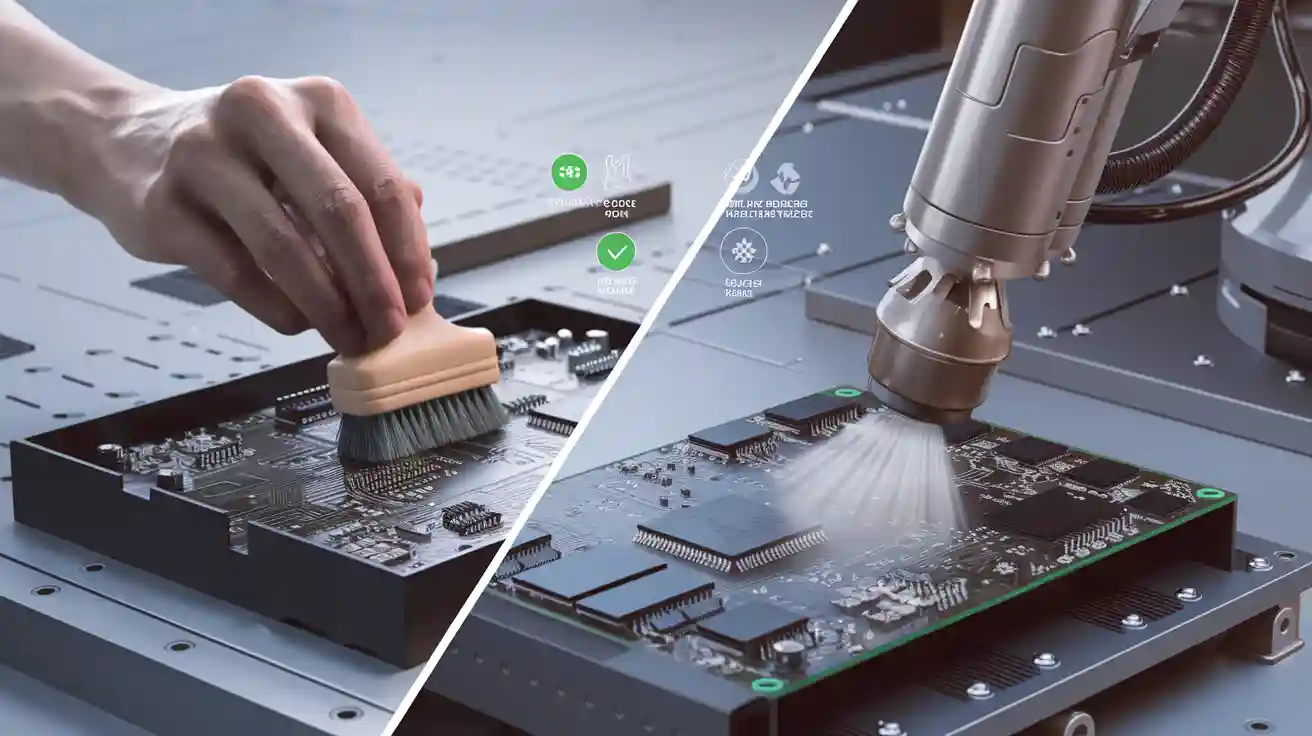
You have to choose between manual and automatic PCBA cleaning methods. Manual cleaning methods give you more control over the process, but they can miss dirt in complex PCB designs. Automatic PCBA cleaning methods are ideal for large volumes of PCB assembly, providing consistent results for printed circuit board assembly. Cleaning is essential for every PCB because leftover residue can cause issues in PCB assembly. Using effective PCBA cleaning methods helps prevent performance problems and ensures your PCB lasts longer.
Key Takeaways
Manual cleaning lets you control the process. It works best for small batches or simple PCBs. But it takes longer to finish. It can also miss dirt in small spaces.
Automatic cleaning is good for big batches and complex PCBs. It works fast and does the job the same way each time. It can clean hard-to-reach spots. It also helps stop mistakes from people.
Always check and test your PCBA after cleaning. This helps you find any leftover dirt. It makes sure your PCBA is good and works well.
Pick your cleaning method by thinking about batch size, PCB complexity, your budget, and what kind of dirt you have.
Use the right tools, cleaning agents, and deionized water. This keeps your PCB safe and helps clean better, no matter which way you clean.
Why Clean PCBA
Residues and Reliability
When you make pcb assembly, you need to watch for residues. These can come from solder paste, flux, or dust. If you do not clean pcba well, these things can cause trouble. They might make your pcb corrode or short out. Sometimes, signals can get lost in your pcb. You want your pcb assembly to work well and last long. Cleaning helps you get good quality and strong reliability.
You should always check your pcb assembly for leftover residue. Inspection helps you find anything left behind. If you skip this, your pcb assembly might fail tests. Quality depends on finding and removing dirt. You can use tools to look at every part of your pcb assembly. This makes sure your printed circuit board assembly meets the rules.
Tip: Checking and cleaning your pcb assembly often makes it better and lowers the chance of failing tests.
Common Contaminants
You can find many types of dirt on your pcb assembly. Some common ones are:
Solder flux residues
Dust and fibers
Fingerprints and oils
Ionic contaminants from cleaning agents
Particles from the environment
Each type of dirt can hurt your pcb. Flux can make it rust. Dust can block parts. Oils from fingers can mess up tests. You need to clean these off to make a good pcb assembly.
Checking is very important here. You should look at your pcb assembly after each cleaning. This helps you find any spots you missed. Testing also shows if your pcb works right. If you want good quality, you must clean, check, and test your pcb assembly.
A clean pcb assembly will pass tests more easily. You will have fewer problems and returns. This saves you time and money. Cleaning and checking are not just extra steps—they are needed to make good pcb assembly products.
PCBA Cleaning Methods Overview
Manual vs Automated Assembly
When you look at pcba cleaning methods, you need to compare manual vs automated assembly. Manual cleaning gives you direct control over the process. You use your hands and tools to clean pcb assembly. This method works well for small batches or simple pcb designs. You can see each pcb and check for dirt or residue. You can also focus on areas that need extra care.
Automated cleaning uses machines to clean pcb assembly. You set up the process, and the machine does the work. This method fits large batches and complex pcb designs. Automated systems can reach small spaces on the pcb. They use water, solvents, or special sprays. You get the same result for every pcb. Automated cleaning also saves time and reduces mistakes.
You must also think about surface mount vs through-hole assembly. Surface mount parts sit on top of the pcb. Through-hole parts go through the board. Automated cleaning works better for surface mount vs through-hole assembly because it can reach under small parts. Manual cleaning may miss spots in these areas.
Note: Manual vs automated assembly both have a place in the pcb assembly process. Your choice depends on your needs.
Choosing a Method
You need to choose the right cleaning methods for your pcb assembly process. Start by looking at your batch size. If you have a few pcb boards, manual cleaning may work best. For large runs, automated cleaning is faster and more reliable.
Check the complexity of your pcb. If your design has many layers or tight spaces, automated cleaning can reach more areas. Manual cleaning may not remove all residue. Think about the type of contaminants you find in your process. Some dirt needs special cleaning agents or machines.
You should also consider your budget. Manual cleaning costs less at first. Automated cleaning needs more money for machines and setup. Over time, automated cleaning can save money if you clean many pcb boards.
Testing is key in both methods. You must test each pcb after cleaning. This step checks for residue and makes sure the pcb works. Testing helps you keep high quality in your pcb assembly process.
Tip: Always clean pcba and test it before moving to the next step in the printed circuit board assembly process. This keeps your quality high and reduces problems later.
Manual PCBA Cleaning
Manual Cleaning Steps
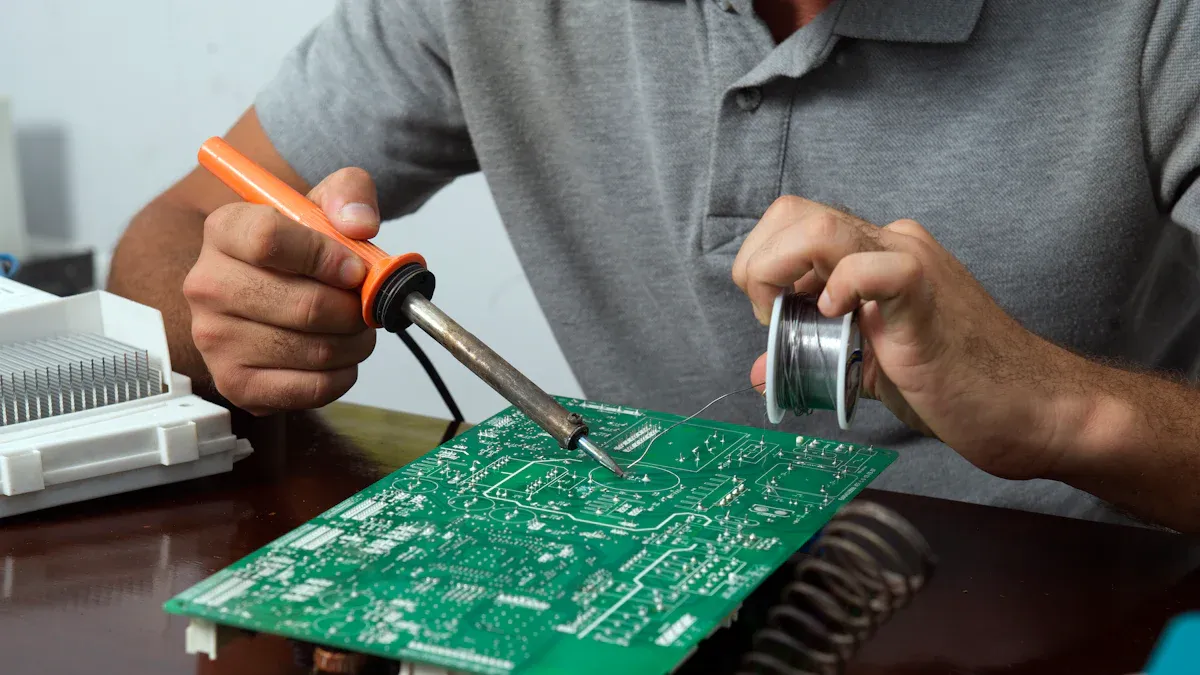
You can use manual pcba cleaning to remove dirt and residue from your pcb. This process gives you control over each step. You start by applying a cleaning agent to the pcb. Use a brush to scrub the surface and reach tight spots. Rinse the pcb with deionized water to wash away loosened particles. Wipe the board with clean paper to remove excess liquid. Inspect the pcb carefully for any remaining residue. Dry the pcb with an air gun or let it air dry. Store the cleaned pcb in a sealed bag to protect it from dust.
Step-by-step process:
Put on gloves to protect your hands and the pcb.
Place the pcb in a cleaning tank or on a clean surface.
Apply the cleaning agent, such as IPA or VIGON EFM, to the pcb.
Use a brush to scrub all areas, focusing on spots with visible residue.
Rinse the pcb with deionized water to remove the cleaning agent and dirt.
Wipe the pcb with lint-free paper to absorb moisture.
Inspect the pcb under good lighting to check for any missed spots.
Use an air gun to dry the pcb completely.
Store the pcb in a sealing bag to keep it clean until the next process.
Tip: Always perform inspection after each cleaning step. This helps you maintain high quality in your pcb assembly process.
Tools and Materials
You need the right tools and materials for manual cleaning. These items help you achieve good results and protect the pcb during the process.
Cleaning tank for holding the pcb and cleaning agent
Spray tank for applying cleaning solutions
Brush for scrubbing the pcb surface
IPA (Isopropyl Alcohol) or VIGON EFM as cleaning agents
Gloves to prevent contamination
Deionized water for rinsing
Wiping paper for drying the pcb
Air gun for fast drying
Sealing bag for safe storage
Each tool plays a role in the cleaning process. The cleaning tank and spray tank help you apply solutions evenly. The brush lets you reach small areas on the pcb. Gloves keep oils and dirt from your hands off the pcb. Deionized water removes leftover cleaning agents. Wiping paper and the air gun ensure the pcb dries quickly. The sealing bag keeps the pcb clean until you use it in the next pcb assembly process.
Manual Cleaning Pros
Manual cleaning offers several advantages for your pcb assembly process. You can control each step and focus on problem areas. This method works well for small or medium batches of pcb. You do not need expensive machines, so you save money on equipment. You can use manual cleaning for simple pcb designs or when you need to clean only a few boards.
Advantages of manual pcba cleaning:
Low initial cost
Easy to set up and use
Good for small or medium batch sizes
Direct inspection at every step
Flexible for different pcb types
Note: Manual cleaning helps you maintain quality by allowing frequent inspection. You can catch problems early and fix them before moving to the next process.
Manual Cleaning Cons
Manual cleaning also has some disadvantages. You may find it hard to clean complex pcb designs with many layers or small parts. The process takes more time and effort, especially for large batches. You might miss some residue if you do not inspect carefully. Manual cleaning can lead to inconsistent results if you rush or skip steps.
Disadvantages of manual cleaning:
Not suitable for large-scale pcb assembly
May miss dirt in tight spaces or under components
Time-consuming for big batches
Relies on operator skill and attention
Inconsistent quality if inspection is poor
Warning: Skipping inspection or rushing the process can lower the quality of your pcb. Always follow each step and check your work to ensure the best results.
Automatic PCBA Cleaning
Types of Cleaning
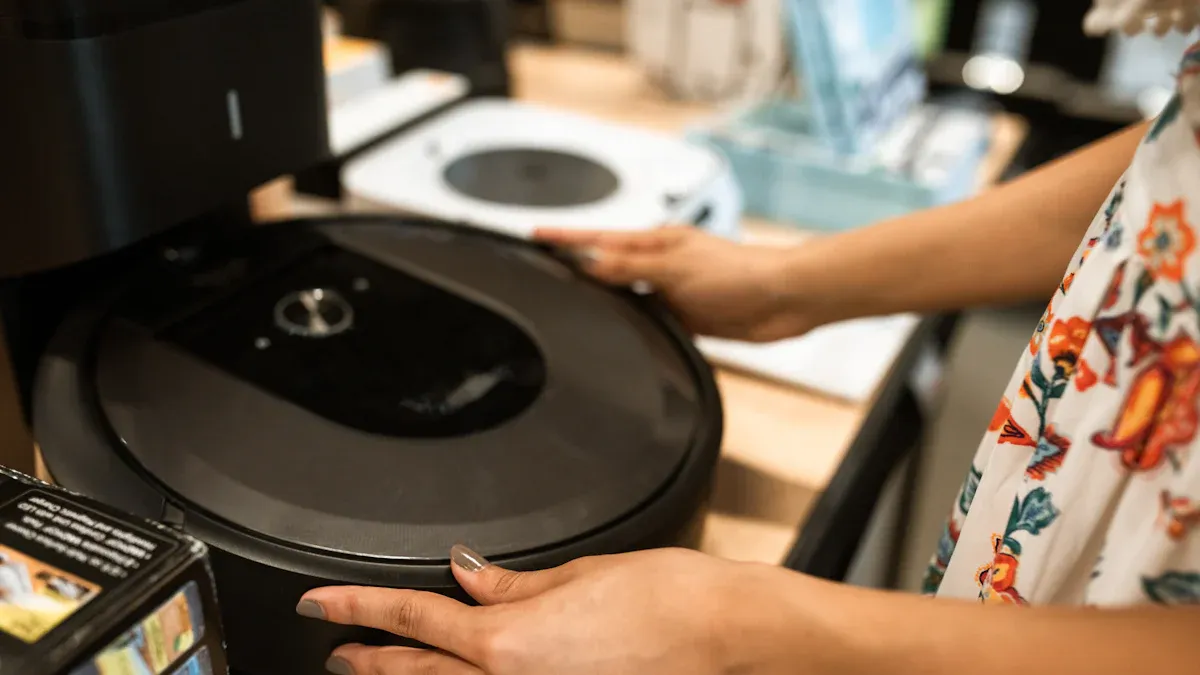
There are different types of automatic cleaning for your pcb assembly. Each type works best for certain kinds of dirt. Water-based cleaning uses deionized water and special soap to clean off flux and small bits. Semi-water cleaning mixes water with gentle solvents to help remove tough residue. Solvent cleaning uses strong chemicals to get rid of hard-to-clean dirt. Many factories use ultrasonic pcb cleaning now. This method uses sound waves in a liquid bath to shake dirt loose from every part of your pcba. Full automatic on-line pcba cleaning systems often use more than one method for the best results.
Tip: Ultrasonic pcb cleaning is great for tricky pcb designs. It can clean under parts where brushes cannot reach.
Automatic Cleaning Steps
Automatic cleaning follows a careful process to keep quality high. First, you get deionized water ready. You need to test the water’s conductivity so it does not leave ions on your pcb. Put your pcb assembly into the automatic washer. Set the temperature and speed for your batch and the kind of dirt. The washer sprays or dips your pcb in the cleaning solution. If you use ultrasonic pcb cleaning, the machine sends sound waves through the liquid to shake off dirt. After cleaning, the system rinses your pcb with clean deionized water. The machine dries your pcb with hot air or a vacuum. Take out the clean pcba and put it in a safe box.
Step-by-step process:
Get deionized water ready and check its conductivity.
Put pcb assemblies into the automatic washer.
Pick the cleaning program and set temperature and speed.
Start the cleaning cycle, using ultrasonic pcb cleaning if needed.
Rinse pcb with deionized water.
Dry pcb with the machine’s drying system.
Store clean pcba in a sealed box.
Note: Automatic cleaning gives every pcb the same treatment. This helps make quality better and lowers mistakes.
Tools and Materials
You need special tools and materials for automatic pcba cleaning. The main tool is the water washer, which does the cleaning, rinsing, and drying. You also need a deionized water system to give pure water for cleaning. A conductivity tester checks the water to stop ionic contamination. Use a beaker to collect water samples for testing. Some systems have ultrasonic pcb cleaning modules for deep cleaning. You might need special cleaning agents or solvents, depending on your pcb assembly process.
Essential tools and materials:
Water washer (automatic cleaning machine)
Deionized water system
Conductivity tester
Beaker for water samples
Cleaning agents or solvents
Ultrasonic cleaning module (optional)
Callout: Always use good materials and take care of your equipment. This keeps your automatic cleaning process working well.
Automatic Cleaning Pros
Automatic pcba cleaning has many good points for your pcb assembly process. You can clean lots of pcb at once and use less labor. Automatic systems give the same results every time, which makes your product better. The process cleans every part of your pcb, even under tiny parts. You can lower mistakes from people and get better test results. Automatic cleaning also helps you meet strict quality rules in electronics.
Advantages of automated cleaning:
Works fast for big batches of pcb assembly
Gives the same cleaning results every time
Cleans all parts of complex pcb
Needs less labor and effort
Helps you get high quality and reliability in every pcba
Tip: Automatic cleaning helps you pass tough industry tests and standards.
Automatic Cleaning Cons
There are also some bad points to automatic pcba cleaning. The machines cost a lot at first. You need to buy equipment, water systems, and pay for upkeep. The process needs trained workers to set up and watch the machines. Automatic cleaning may not be good for very small batches or simple pcb designs. Some cleaning agents or solvents can be dangerous, so you must follow safety rules. If you do not take care of your system, you might get lower quality and fail tests.
Disadvantages of automated cleaning:
Costs a lot to buy and set up equipment
Needs regular care and skilled workers
Not good for small batch pcb assembly
Some cleaning agents can be unsafe
Machine problems can stop the whole cleaning process
Warning: Always check your automatic cleaning system. Regular care and checks keep your quality high and your process running well.
Manual vs Automated Assembly Comparison
Efficiency and Scale
You should think about how fast each method is. Manual cleaning is good for small groups of pcb. You can watch every step, but it takes more time. Automated cleaning is better for big groups of pcb. Machines can clean many boards at once. This saves time and helps you finish work faster. If you want to make more pcb, automated cleaning is a better choice.
Cleaning Quality
Quality is important for every pcb assembly. Manual cleaning lets you look at problem spots closely. You can check for dirt after each step. But you might not see dirt in small spaces. Automated cleaning gives the same results for every pcb. Machines can clean under tiny parts and in hard places. Automated checks help find mistakes. You get better results with automated cleaning.
Cost Factors
Manual cleaning does not cost much at first. You only need simple tools and cleaning liquids. Automated cleaning costs more because you need machines and water systems. You also pay for care and repairs. But if you clean lots of pcb, automated cleaning saves money over time. You also spend less fixing mistakes.
Labor and Automation
Manual cleaning needs more workers. Each worker must follow steps and check the pcb. Automated cleaning uses machines for most jobs. You need fewer workers, but they must know how to use the machines. Automated checks help keep quality high with less work.
Tip: Pick automated cleaning for big jobs and hard pcb designs. Use manual cleaning for small jobs or easy boards.
Summary Table
Feature | Manual Cleaning | Automated Cleaning |
|---|---|---|
Batch Size | Small to Medium | Medium to Large |
Quality | Depends on inspection | Consistent, high quality |
Cost | Low initial cost | High initial cost |
Labor | High | Low |
Inspection | Manual, every step | Automated, every board |
Process Speed | Slow | Fast |
Best For | Simple pcb assembly | Complex pcb assembly |
Testing | Manual | Automated |
Operator-driven | System-driven |
You now know how manual and automatic PCBA cleaning are different. Manual cleaning lets you control the process. It is best for small batches or simple boards. Automatic cleaning is fast and does the same job every time. It works well for large or complex assemblies.
Pick manual cleaning if you have a small number of boards or want to do it by hand.
Use automatic cleaning if you have many boards or tricky designs.
Think about what you need now and what you might need later. Picking the right cleaning method helps you make strong and good PCBA every time.
FAQ
What is the best cleaning agent for manual PCBA cleaning?
You can use isopropyl alcohol (IPA) or VIGON EFM for most manual cleaning. These cleaning agents take off flux and dirt but do not hurt your board. Always look at your PCB material before you pick a cleaning agent.
How often should you clean your PCBA?
Clean your PCBA after every soldering or assembly step. Cleaning often stops residue from building up and keeps your boards working well. If you see dirt or sticky stuff, clean your board right away.
Can you use tap water for PCBA cleaning?
Do not use tap water for cleaning. Tap water has minerals and ions that can make your board rust or short out. Always rinse your PCBA with deionized water.
Tip: Deionized water helps keep your board safe from leftover dirt.
Is automatic cleaning safe for all PCB designs?
Automatic cleaning is good for most new PCB designs. If your board has sensitive parts, check the maker’s rules. Some tiny parts may need gentle cleaning or less cleaning power.