You can find many popular microcontrollers in projects and products today.
ARM microcontrollers are the most common. 32-bit microcontrollers sell the most worldwide. They give strong performance for today’s needs. Choosing the right speed, memory, and singlechip solutions helps your project work well.
Different architectures, like RISC and CISC, change how a microcontroller fits your job.
Look at the table below to see new trends in microcontroller development:
Trend | Description |
|---|---|
Ultra-Low Power Consumption | Devices use less energy. This helps batteries last longer. |
Integration of AI and ML | Microcontrollers can now do smart things like see pictures. |
Enhanced Connectivity | New choices like Wi-Fi 6 and Bluetooth Low Energy make connecting easier. |
Key Takeaways
Pick the best microcontroller (MCU) for your project. This helps your project work well and last long. Think about important things like how much power it uses, how fast it works, and how much memory it has. Singlechip solutions make designs easier. They put all needed parts on one chip. This saves space and money. Popular boards like Arduino and ESP32 have lots of help from others. This makes them good for people who are just starting. Always choose an MCU that fits your project, your money, and what you have. This gives you the best results.
Why Microcontroller Choice Matters
Project Success Factors
When you build electronics, picking the right microcontroller is important. It helps your project work well and reach your goals. The best mcu gives you good speed and makes your project reliable. Many engineers say your microcontroller choice changes how well your project works. It also affects cost and battery life.
Tip: Make sure your mcu features match what your project needs.
Think about a few things that help your project succeed:
Performance: A strong mcu works faster and gives better results.
Cost: The right mcu helps you save money.
Power efficiency: Some mcus use less energy, which is good for batteries.
Scalability: The right microcontroller lets you grow your project later.
Reliability: A good mcu makes your project work better.
You should also look at how many input/output pins you need. Check the bit size and peripherals too. These things help you pick the best mcu for your project.
Key Selection Criteria
To pick the best mcu, look at some important things. Make sure your microcontroller fits your needs and budget. Here are the main things to check:
Power efficiency: Choose an mcu that uses less energy for longer battery life.
Hardware architecture: Find an mcu with the right design for your project.
Processing power: Make sure your mcu can do all your tasks.
Memory: See if the mcu has enough space for your code and data.
Hardware interface: Check if the mcu connects to what you need.
Software architecture: Pick an mcu that works with your favorite programming tools.
Cost: Compare prices to stay on budget.
Availability and community support: Choose an mcu that is easy to find and has lots of users.
Use the table below to compare the main features:
Criteria | Why It Matters |
|---|---|
Power Efficiency | Saves energy and makes batteries last longer |
Processing Power | Can do harder jobs |
Memory | Holds your code and data |
Hardware Interface | Connects to sensors and other devices |
Cost | Keeps your project cheap |
Community Support | Helps you fix problems faster |
If you follow these steps, you have a better chance to make a great project with the right microcontroller.
Microcontroller Architectures and Singlechip Solutions
Architecture Overview
There are many microcontroller architectures in electronics. Each one has special features to help with different problems. See the table below to compare the main types:
Microcontroller | Architecture Type | Key Features | Applications |
|---|---|---|---|
8051 | 8-bit | 8-bit data processing, on-chip oscillator, low power | Learning, simple devices |
PIC | Harvard/RISC | Fast programming, supports CAN/SPI/UART, ADC/DAC | Embedded systems |
AVR | RISC | Higher clock speeds, more memory, better efficiency | Simple and complex projects |
ARM | RISC | 32/64-bit, high speed, low power | Phones, tablets, wearables |
The 8051 microcontroller is good for learning and making basic things. It has a CPU, RAM, ROM, and I/O ports.
The PIC microcontroller lets you program fast and connect to many sensors. It uses Harvard architecture and has ADC and DAC.
The AVR microcontroller is faster and saves more energy. You can pick TinyAVR, MegaAVR, or XmegaAVR for your needs.
ARM architecture is used in many smart devices. It uses RISC design for high speed and low power.
Singlechip Solutions in Embedded Systems
Singlechip solutions make projects easier. You get all you need on one chip. This means you do not need extra parts. You save space and spend less money. Your device also works better.
Singlechip solutions have CPU, memory, timers, and ports. You can use them in smart watches, home sensors, and medical tools. These chips help you build small and strong products. You finish your project faster because you do not need many chips.
Tip: Using singlechip solutions makes your design simple and strong. You also use less power, so batteries last longer.
Singlechip solutions work well in embedded systems. You can use them in robots, smart home devices, and portable gadgets. You get better speed and save energy. Many engineers pick singlechip solutions for new projects.
Popular Microcontroller Boards
When you start making electronics, you see many microcontroller boards. These boards help you learn and make new things. You can pick the right board by looking at features, price, and support from others.
Arduino Uno and Nano
You hear about arduino when you look for easy boards. The arduino uno and nano are very popular. You can use arduino uno for robots, school, and testing ideas. The board is big, so it is easy to add wires and sensors. Many people use it, so you get help fast. The arduino nano is cheaper and fits in small places. You can use it for wearables and IoT. Both boards are good for beginners and experts.
Low cost lets you build without spending a lot.
Uno is good for big projects, nano is good for small ones.
Tip: Pick arduino uno if you want to learn fast. Choose arduino nano if you need a small board.
ESP32
You see esp32 in many smart gadgets today. The esp32 board is fast and has many features. It has two cores and runs up to 240 MHz. You can use Wi-Fi and Bluetooth, so it is great for IoT. The board has many ports, touch sensors, and audio support. You can use esp32 for smart homes, wearables, factories, and robots. The board keeps your data safe with secure boot and encryption.
Two-core processor for fast work.
Wi-Fi and Bluetooth for easy connecting.
Many ports like SPI, I2C, UART, ADC, DAC, and PWM.
Low-power modes for battery use.
Secure boot and encryption for safety.
You can use esp32 for farming, checking the environment, and drones. The esp32 board is good for both hobby and work.
STM32
You find stm32 in many hard projects. The stm32 series gives you choices for speed and saving power. Pick STM32F for fast jobs and advanced ports. Pick STM32L for long battery life. You can match the board to your project. The stm32 boards are used in factories, hospitals, and home gadgets. You can use them for robots, machines, and small devices.
STM32F is for fast work.
STM32L is for saving power.
Many models for different needs.
Pick the right stm32 board by looking at speed, power, and features.
Raspberry Pi Pico
You see raspberry pi pico in many small projects. The pico uses the RP2040 microcontroller for good speed and flexibility. You get many ports like UART, SPI, I2C, ADC, and GPIO. The board has programmable I/O, so you can give jobs to state machines. You can use MicroPython to code, which is easy for beginners. The board works with Grove, so you can add parts fast.
RP2040 microcontroller for strong speed.
Many ports for different connections.
Programmable I/O for smart tasks.
MicroPython for easy coding.
Grove support for quick building.
You can use raspberry pi pico for learning, testing, and smart gadgets.
PIC Series
You find PIC boards in simple and hard projects. The PIC series is fast because of its RISC design. You can program it easily and connect to analog parts without extras. The board uses little power and is cheap. You can use PIC for fun projects and work systems. The table shows the main good and bad points:
Advantages | Limitations |
|---|---|
Few defects | Only one accumulator |
Fast because of RISC | Must switch banks for all RAM |
Uses little power | Some operations and registers are not flexible |
Easy to program | Hardware stack cannot be addressed |
Easy to connect to analog parts | Software stacks are not efficient |
Small set of instructions | |
Built-in oscillator with different speeds | |
Cheap and many interfaces | |
Comes in DIL package for hobby use |
You can use PIC boards for projects that need low power and simple design.
Teensy
You see teensy boards in projects that need high speed and special features. The teensy board can run up to 600 MHz and has up to 8 MB flash. You get many ports like serial, CAN, I²S audio, and USB host. The board works with Arduino IDE, so coding is easy. Teensy is small and fits on breadboards. You can use teensy for cars, factories, robots, music, and IoT.
Feature | Teensy Board | Other Microcontroller Boards |
|---|---|---|
Processor Speed | Up to 600 MHz | Lower speeds |
Flash Memory | Up to 8 MB | Less memory |
I/O Features | Many serial, CAN, I²S, USB host | Fewer options |
IDE Integration | Works with Arduino IDE | May need more setup |
Form Factor | Small, fits breadboards | Bigger, less easy to move |
Target Applications | Cars, factories, robots | General use |
Pick teensy if you need more speed and special features.
Note: You see boards like arduino, esp32, stm32, raspberry pi pico, PIC, and teensy in many projects. You get lots of help, low prices, and cool features. Pick the best board by looking at what your project needs and what the board can do.
MCU Features and Specs
Memory and Processing
When you pick an mcu, check its memory and speed. Memory lets your mcu keep data and run programs. Processing power helps your mcu do jobs fast. The stm32f3 and stm32f0 series have different memory sizes and speeds. You can use these mcus for quick and smart projects. The stm32f3 series has more memory and works faster than stm32f0. Use stm32f3 for hard jobs like signal processing. Use stm32f0 for easy tasks and saving power.
mcus get input from sensors and other devices.
More memory means you can save more data.
Faster processors make your mcu work quicker.
You get better results with more memory and speed.
The stm32f3 series is good for tough jobs.
The stm32f0 series is best for simple control.
Match memory and speed to your project.
More memory helps with bigger programs.
The stm32f3 series is strong for hard work.
The stm32f0 series saves energy for small projects.
Both series work for different types of communication.
Connectivity Options
Your mcu should connect to other devices. Communication is key for smart projects. The stm32f3 and stm32f0 series support many ways to talk to other parts. You can use UART, SPI, I2C, and CAN for wires. Wireless options like WiFi and Bluetooth are also available. Boards like ESP8266, ESP32, CYW43439, and RPi Pico W give you wireless choices. These boards are great for IoT and smart homes.
ESP8266 gives WiFi for talking to other devices.
ESP32 has WiFi and Bluetooth for fast links.
CYW43439 offers WiFi 4 and Bluetooth 5.2.
RPi Pico W has WiFi and Bluetooth for easy use.
The stm32f3 and stm32f0 series support many ways to connect.
You can link sensors, screens, and other mcus.
The stm32f3 series helps with hard communication jobs.
The stm32f0 series is good for simple connections.
Pick the right mcu for your project’s needs.
Good communication helps your project work with other things.
Both series make it easy to connect in many projects.
Power Efficiency
You want your mcu to use less energy. Saving power helps batteries last longer. The stm32f3 and stm32f0 series have low-power modes for better battery life. Use stm32f0 for projects that need to save energy. The stm32f3 series gives more speed but uses more power. Some mcus like Microchip nanoWatt XLP and Texas Instruments MSP430 use very little power when sleeping.
Sleep Current | Real-Time Clock Current | Watchdog Timer Current | |
|---|---|---|---|
Microchip nanoWatt XLP | 20 nA | 500 nA | 400 nA |
Texas Instruments MSP430 | Higher than nanoWatt XLP | N/A | N/A |
The stm32f0 series is best for battery-powered projects.
The stm32f3 series is good for jobs needing more speed.
Use low-power modes to save energy.
Saving power helps your project run longer.
The stm32f3 and stm32f0 series let you pick power or speed.
The stm32f3 series has features to balance power and speed.
Tip: Pick an mcu that saves power for portable devices. Use stm32f0 for simple battery jobs. Use stm32f3 for advanced features and more speed.
Applications of Microcontrollers
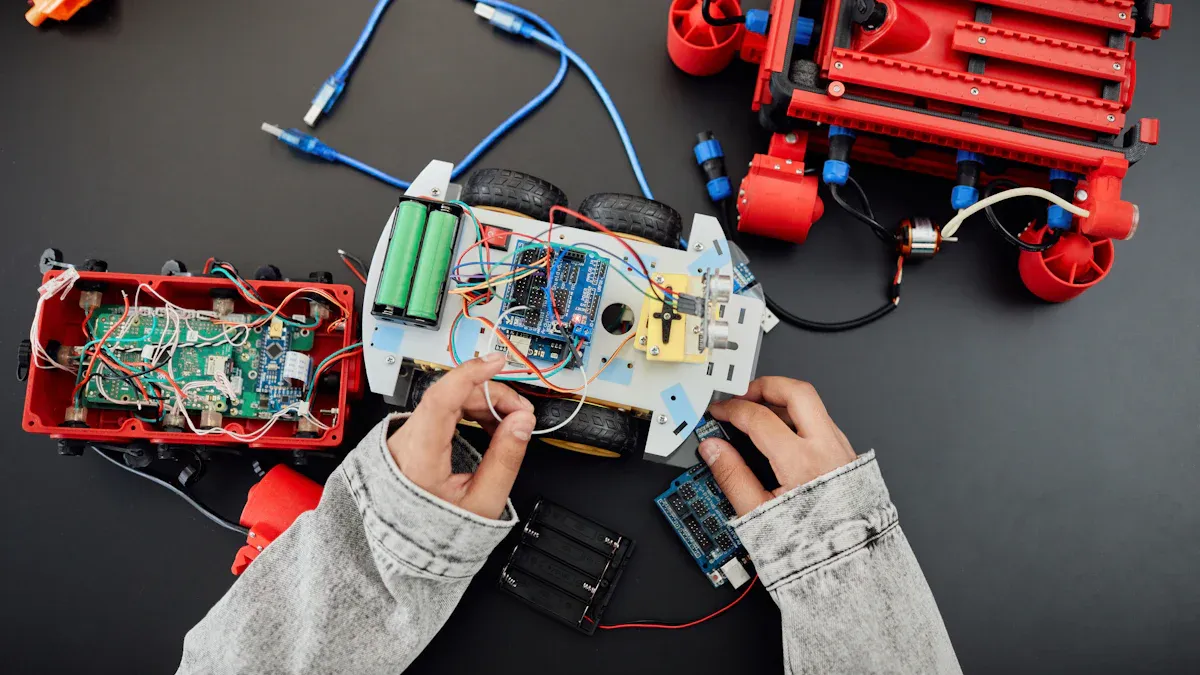
Microcontrollers are used in many types of technology. You see them in iot, factories, hospitals, and everyday devices. You pick the right mcu by looking at what it is used for. Each mcu works best in iot, machines, or things people use.
IoT and Connectivity
IoT is found in lots of places. Smart homes, watches, and sensors use microcontrollers. You need an mcu that can talk to other devices wirelessly. Many iot projects use boards with WiFi or Bluetooth. esp8266 and esp32 are in smart gadgets because they connect to networks easily. Arduino boards help you make simple iot things. Raspberry Pi can run a full system for harder iot jobs. STM32 gives fast speed and uses little power for smart sensors. ATtiny is good for basic iot projects with simple needs.
esp8266 links sensors to the internet in iot.
esp32 gives WiFi and Bluetooth for smart homes and wearables.
Arduino makes iot easy for people starting out.
Raspberry Pi helps with advanced iot systems.
STM32 builds fast and efficient iot devices.
ATtiny fits simple iot projects with basic needs.
Tip: Pick an mcu with good wireless features for iot. Look for boards with WiFi, Bluetooth, and iot support.
IoT is used in farming, health, and smart cities. Microcontrollers help collect data, control things, and send info. esp8266 and esp32 are used for wireless iot projects. Arduino and Raspberry Pi are good for learning and testing iot. STM32 and ATtiny work for special iot jobs needing speed or low power.
Industrial and Medical
Microcontrollers are found in factories and hospitals. They control machines, watch sensors, and keep things safe. Factories need strong mcus for assembly lines and CNC machines. Medical tools use mcus for portable monitors and smart devices. STM32 and ARM Cortex-M series are used for high-speed jobs. These mcus give speed and save power for industry and health.
Application Area | Microcontroller Use Case |
|---|---|
Industrial Automation | Controls machines like assembly lines and CNC. |
Medical Devices | Used in portable monitors and smart medical tools. |
STM32 is used for fast control in robots. ARM Cortex-M series fits high-speed jobs in factories and cars. Medical tools need mcus that use little power and keep data safe. Texas Instruments MSP430 is used in battery-powered medical devices. PIC microcontrollers help build simple and reliable tools for industry and health.
Note: Pick an mcu that is proven to work well for industry and health. Look for low power, fast speed, and safe data features.
You see these mcus in smart meters, patient monitors, and factory sensors. STM32 and ARM Cortex-M series are good for iot in industry and medicine. MSP430 and PIC fit portable medical tools and simple factory controls.
Consumer and Hobbyist
Microcontrollers are in everyday gadgets and fun projects. You see them in toys, smart watches, and home automation. Many people use Arduino and esp8266 to learn and build things. ARM Cortex-M series gives high speed for advanced devices. Atmel ATmega328 is popular in Arduino because it is cheap and easy. Texas Instruments MSP430 is good for battery-powered wearables.
Microcontroller | Key Features | Applications |
|---|---|---|
ARM Cortex-M Series | High speed, saves power | Factory machines, cars |
Espressif ESP8266/ESP32 | Built-in Wi-Fi, affordable, flexible | iot, network devices |
Atmel ATmega328 | Cheap, used in many DIY projects | Arduino, easy to grow |
Texas Instruments MSP430 | Uses very little power, great for wearables | Battery-powered gadgets |
esp8266 is used in smart plugs, lights, and sensors for iot. Arduino boards help you make robots, alarms, and smart home devices. Raspberry Pi Pico lets you try new ideas with MicroPython. Teensy gives fast speed for music and robots. Community support helps you solve problems and learn quickly. Tools make it easy to start new projects.
esp8266 and esp32 are great for iot and network projects.
Arduino and ATmega328 work well for DIY and growing designs.
MSP430 fits wearables and battery-powered gadgets.
ARM Cortex-M0 and ATmega328 have strong community help.
Tip: Join online groups and use tools for your projects. Community support helps you fix problems and learn new things.
You see these mcus in smart home gadgets, toys, and learning kits. esp8266 and esp32 make iot easy to build. Arduino and Raspberry Pi Pico help you start new projects and learn about technology.
Choosing the Right MCU
Selecting the right mcu can make your projects easier and more successful. You need to look at your needs, your budget, and the help you can get from others. Follow these steps to choose the best mcu for your work.
Project Requirements
Start by thinking about what your project needs. Every mcu has different features. You should match these features to your goals. Here is a table to help you compare what matters most:
Factor | Description |
|---|---|
Application Needs | What does your project do? Pick features that fit your goal. |
Microcontroller Architecture | The design affects speed and how well it works with your parts. |
Bit Size | Bigger bit size means more memory and faster data work. |
Communication Requirements | Check if you need ADC, PWM, or other ways to connect sensors. |
Operating Voltage | Make sure the mcu works with your power supply (like 5V or 3.3V). |
I/O Pin Count | Count how many things you need to connect. |
Memory Needs | More memory helps with bigger programs. |
Package Size | Small mcus fit tiny devices. |
Power Consumption | Low power is best for battery use. |
Support Resources | Good guides and tools make building easier. |
Tip: Always write down your project needs before you pick an mcu. This helps you avoid problems later.
Budget and Availability
You should also think about how much you want to spend and how easy it is to get the mcu. Some boards cost more, but you might find them everywhere. Others are cheap and easy to buy. Here is a table to compare some popular boards:
Microcontroller Board | Price Range | Availability |
|---|---|---|
Feather M4 Express | Reasonably priced | Widely available from Adafruit |
NodeMCU | Affordable | Available from many stores |
Particle Photon | Reasonably priced | Buy from the official website |
Galileo Gen 2 | Moderately priced | Many distributors sell it |
If you build prototypes, you may want to pick an mcu that is easy to find and fits your budget.
Community and Support
A strong community can help you solve problems fast. You should look for an mcu with lots of guides, forums, and tools. This makes it easier to learn and fix issues. Arduino and ESP boards have big communities. You can find answers online and get help from other makers.
Here is a simple checklist to guide you:
Define your project goal.
List your I/O pin needs.
Check processing speed and memory.
Look at power supply and use.
Make sure it supports the right communication.
Find out about guides and support.
Check if you can buy it easily and if it fits your budget.
Think about future upgrades.
Note: Picking the right mcu saves you time and money. It also helps your projects work better.
You can pick from many microcontrollers. Each one is good at something different. The table below shows how they are not the same:
Type | Architecture | Best Use |
|---|---|---|
Arduino Uno | ATmega328P | Beginner projects, automation |
ESP32 | Dual-core, Wi-Fi | IoT, smart devices |
STM32 Nucleo | ARM Cortex-M | Industrial, advanced projects |
Teensy | ARM Cortex-M4/M7 | Audio, real-time control |
Look at bit size, power use, and help from others before you choose. Write down what your project needs first. Pick a board that fits your plan. Make sure the specs match how you want your device to work.
FAQ
What is the difference between a microcontroller and a microprocessor?
A microcontroller has a CPU, memory, and ports all together. You use it for simple control jobs. A microprocessor only has a CPU. It is found in computers that need more power.
How do you choose the right microcontroller for your project?
First, write down what your project needs. Check the speed, memory, and how much power it uses. Make sure it works with your sensors and devices. Look for good help from other users. Pick one that matches your budget.
Can you program all microcontrollers with the same language?
No, you cannot use just one language for all. Some microcontrollers use C or C++. Others use MicroPython or Arduino code. Always check which languages your board can use before you start.
Why does community support matter when picking a microcontroller?
Community support helps you fix problems faster. You can find guides, code, and answers online. This makes learning easier and helps you finish your project.
What are common mistakes when working with microcontrollers?
You might pick a board with too little memory or the wrong voltage. Sometimes you forget to check if it works with your sensors. Always read the datasheet and check your project needs twice.