To choose the right power supply chip, you need to know what your project needs. You should also understand what your design can handle. Some people choose a power supply without considering voltage or current ratings, which can lead to problems or cause your device to stop working. Choosing the right power supply helps your device operate better and last longer. Research indicates that checking chips and learning about temperature effects can help your power supply function well over time. If you choose the right power supply, your project will run smoothly.
Tip: Always check what you need before you buy a power supply.
Key Takeaways
Write down how much voltage and current each part needs.
Pick the right power supply chip for your project. LDOs are good if you need low noise. Switching regulators help save energy. Charge pumps work well for small designs.
Always look at the chip’s efficiency rating. This helps save energy and keeps your device cool.
Check for protection features like overcurrent and thermal shutdown. These features help protect your device from harm.
Read the datasheet closely. Make sure the chip’s details fit what your project needs.
Define Power Requirements
Before you pick a power supply, gather all your project’s electrical needs. This helps you avoid mistakes and makes sure your device works right. First, write down the voltage and current needed for each part of your circuit.
Input and Output Voltage
You need to know the input voltage range for your dc/dc converter. This tells you what kind of dc power supply you should use. The output voltage is also important. It pushes current through your circuit. If the output voltage is too low, your device might not turn on. If it is too high, your parts could get damaged. Always check the voltage rails for every part of your design. Use a multimeter or a variable power supply to measure voltage and current in your working circuit. This helps you make sure your power supply matches what you really need.
Voltage pushes current through your circuit.
Current gives power to your parts.
Measuring voltage and current helps you avoid giving too little or too much power.
Current and Discharge Rating
Match the discharge rating of your dc/dc chip to your current needs. Motors and LEDs often use more current than microcontrollers. If your power supply cannot give enough current, your device might shut off or act strangely. Always check the most current your circuit will use. This makes sure your power supply chip can handle the job.
Load Conditions
Load conditions can change while your device is running. Your system might use more current when starting up or doing hard work. Think about these common load conditions:
Load variations: Your device may need more or less current at different times.
Current consumption: Measure or guess how much current your system uses in each mode.
Transient response: See how your dc/dc converter handles sudden changes in current.
Note: Consumer electronics and industrial automation need different power supplies. Consumer devices let you choose from more parts, but industrial systems use older semiconductors and are harder to change. The table below shows some main differences:
Aspect | Consumer Electronics | Industrial Automation |
|---|---|---|
Semiconductor Availability | Easier to find parts | Uses older semiconductors |
Investment Focus | Newer chips get more attention | Older chips get less investment |
Redesign Flexibility | Easier to change parts | Hard to change or redesign at large scale |
When you know your voltage and current needs, input voltage range, output voltage, and load conditions, it is easier to pick a good power supply. This helps you avoid mistakes and makes sure your dc/dc power supply fits your project.
Choose the Right Power Supply Chip Type

When you pick a power supply chip, you should know the types. Each type of power supply ic has good and bad points. You need to choose the chip that fits your project. The table below shows the main types you will see:
Category | Description |
|---|---|
Power ICs | Has voltage regulators like linear regulators, LDOs, and switching regulators. |
You will find three main types when you look for a power supply ic. These are linear regulators (LDO), switching regulators, and charge pumps. Each type works best in different situations. Think about output voltage, efficiency, and noise before you pick.
Linear Regulators (LDO)
Linear regulators, or LDOs, are simple ways to control voltage. You use them when you want low noise and steady power. LDOs work best if input voltage is close to output voltage. They do not waste much energy in this case. LDOs are used in many electronics, medical devices, and cars.
Tip: Pick LDOs for small voltage drops and quiet circuits.
Here are some ways people use LDOs:
LDOs help smartphones, tablets, and wearables work well.
They keep car systems safe and working right.
LDOs give medical devices the right power.
Factory sensors and controllers use LDOs to work well.
LDOs help IoT devices with batteries last longer.
Pick an LDO if you want quiet power and do not need to change voltage much. LDOs are easy to use and do not make much noise. If the input and output voltage are close, LDOs are a smart choice.
Switching Regulators
Switching regulators help you get high efficiency. They are good when you need to change voltage by a lot. These chips use transistors and diodes to move current. They store energy and send it out at a new voltage. You will see switching regulators in battery devices, solar inverters, and car converters.
Switching regulators can be 80-90% efficient.
They help smartphones and smartwatches save battery.
You find them in battery systems and solar inverters.
Switching regulators keep car voltages steady.
Switching regulators are good for big voltage changes. They help you save power. But they can add noise because they switch fast. Use them when saving energy is more important than low noise.
Note: Switching regulators are best for big voltage drops and saving energy.
Charge Pumps
Charge pumps are another kind of power supply chip. Use them for small designs and easy voltage changes. Charge pumps are good for making middle voltages and keeping voltage steady. They are smaller than other chips and do not need big parts.
Charge pumps are good for simple circuits that do not need tight control. You see them in small devices with little space. They are not as good as switching regulators for big voltage changes. But they work well for small changes.
Tip: Pick charge pumps for small spaces and simple voltage changes.
How Voltage Drop, Noise, and Efficiency Affect Your Choice
Think about voltage drop, noise, and efficiency when you pick a chip. LDOs are good for small voltage drops and low noise. They keep your circuit quiet and steady. If you need a big voltage change, switching regulators are better. They save energy but can make noise. Charge pumps are best for small, simple circuits where space matters.
LDOs are best for small voltage drops and low noise.
Switching regulators are good for big voltage drops and high efficiency.
LDOs work well when input and output voltage are close.
Switching regulators help you save energy with big voltage changes.
When you pick a power supply chip, check your voltage needs, noise limits, and efficiency goals. Each type fits different projects. Pick the chip that matches your design for the best results.
Key Features for Power Management Chip Selection
When you pick a power supply, look at more than voltage and current. You should also think about efficiency, size, protection, and noise. These things help your device work better and last longer. You can also check price, modularity, and documentation before you decide.
Efficiency and Power Loss
Efficiency shows how much power your chip saves. High efficiency means less heat and longer battery life. If your power supply wastes energy, your device gets hot and may not work well. Battery-powered devices, solar systems, and cars need high efficiency. Engineers choose chips with high efficiency to keep devices cool. You should check the datasheet for efficiency and output voltage accuracy. This helps you know if your power supply will work for you.
Tip: High efficiency helps you save energy and keep your device cool.
Size and Integration
Size is important for small devices. A small power supply fits better in wearables, phones, and sensors. Chiplet designs split big chips into smaller parts. This lets you build small devices with more features. Angstrom-level scaling puts more transistors on a chip. This boosts efficiency and performance. The table below shows the benefits:
Technology | Impact on Design | Benefits |
|---|---|---|
Angstrom-level scaling | Lets you fit more transistors on a chip, making it work better and faster | More transistors in less space |
Chiplet architectures | Splits complex chips into smaller units for special uses | Lower costs and easier upgrades |
If you want a small device, pick a chip with high integration. This saves space and adds more functions.
Protection and Noise
Protection keeps your device safe from damage. Look for chips with overcurrent, overvoltage, and thermal shutdown. These features protect your device from accidents. Noise can cause problems in sensitive circuits. Low noise is important in audio, medical, and sensor projects. You want a power supply with low noise to keep signals clean. Some chips have extra shielding to lower noise and improve accuracy.
Note: Low noise and strong protection help your device work well in tough places.
You should also think about price, modularity, and documentation. Price affects your budget. Modularity lets you change or upgrade parts easily. Good documentation helps you use the chip right and fix problems fast.
Price: Pick a chip that fits your budget and works well.
Modularity: Choose a power supply that lets you change or upgrade parts.
Documentation: Use chips with clear datasheets and support.
When you look at efficiency, size, protection, and noise, you can pick the best power supply for your project. You will get high efficiency, low noise, and strong protection. This helps your device run smoothly and last longer.
Match Power Supply to Application
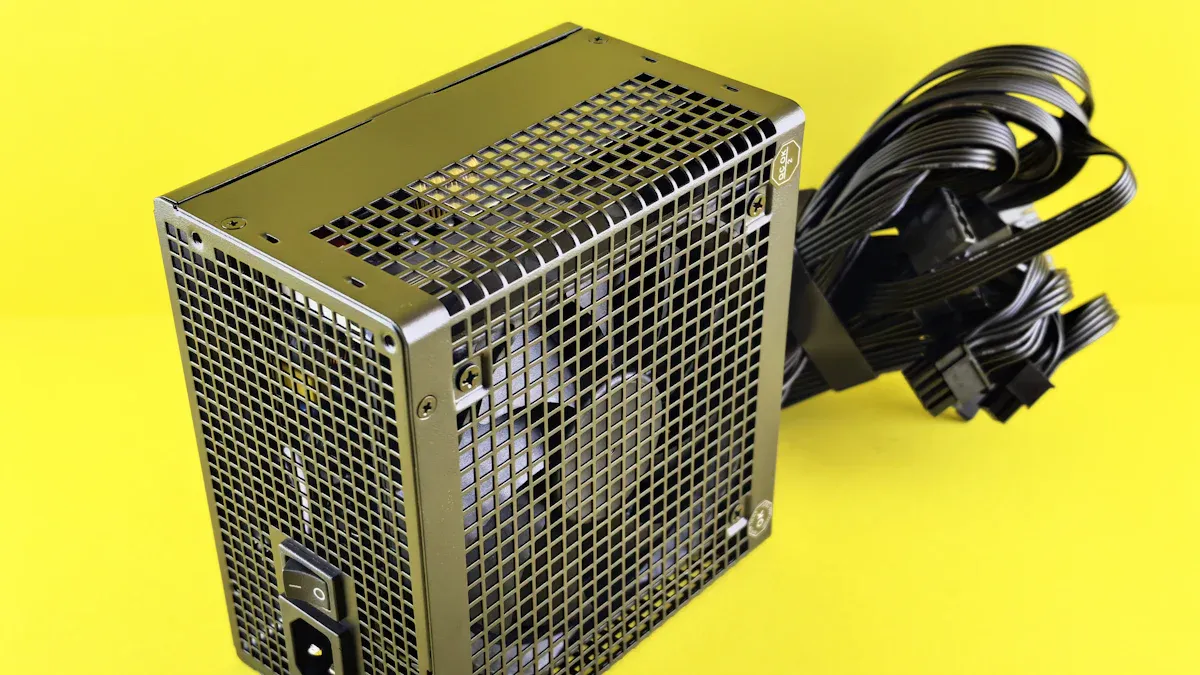
Application Scenarios
You need to pick a power supply that fits your project. Each project has different needs. For example, a wearable device needs a chip that is small and saves energy. An industrial controller needs strong protection and steady voltage. Reference designs can help you make a good choice. These designs show how different topologies work in real life. The table below lists some common topologies, their good points, and their downsides:
Topology Type | Benefits | Trade-offs |
|---|---|---|
PSR Flyback | Efficient for low power | Limited output power |
Push-Pull | Good for medium power | More complex design |
LLC Resonant | High efficiency | Requires precise control |
Isolated DCDC Module | Versatile and isolated output | Potentially higher cost |
You can use these examples to help you pick the right power supply for your project.
Datasheet Review
You should always read the datasheet before you choose a power supply chip. The datasheet gives you important facts about the chip. These facts help you see if the chip will work for you. Look at the table below to learn what each fact means:
Key Parameter | Description |
|---|---|
Supply Voltage (VCC) | Shows the safe voltage range for the chip. |
Current Consumption (IDD) | Tells you how much current the chip uses during normal and peak times. |
Maximum Operating Frequency | Sets the speed limit for the chip. |
Input/Output Voltage Levels | Makes sure the chip can connect with other parts in your circuit. |
You should check these numbers and see if they match your project. This helps you avoid problems later.
Avoiding Common Mistakes
Many people forget to check if the power supply chip is easy to buy or if it has support. You can use online tools to help you. Here are some helpful links:
Power Supply Integrity
Design Resources
Quartus Support Center
Step-by-Step Dev Guidance
Example Designs
Docs & Resources by Family
PCB Resources
Package Drawings
Pinouts
Quality & Reliability
Find Boards / Dev Kits
Find IP
Find Partners
Find Knowledge Articles
Tip: Always check if you can buy the chip and get help if you need it.
If you use datasheets, reference designs, and support tools, you can pick the best power supply for your project.
You can pick the best power supply chip by following some easy steps. First, look at this table to compare your choices:
Consideration | LDO Regulator | DC-DC Converter |
|---|---|---|
Efficiency | High (small voltage gap) | High (large voltage gap) |
Noise | Low | Higher |
Size | Small | Larger |
Current Handling | Up to 3A | High output |
Cost | Lower | Higher |
Suitability | Small PCBs, low dropout | Step-up/down/inverting |
Make sure you check what your project needs before you finish:
Get your tools and look at each part.
Test resistance at important spots.
Check the voltages and see the waveforms.
Watch for problems that happen a lot.
Make sure the load and temperature are okay.
Tip: Use a checklist and read datasheets to help you. If you have ideas or questions, write them in the comments!
FAQ
What is the most important factor when choosing a power supply chip?
You should always check the voltage and current needs for your device. These numbers help you pick a chip that works well and keeps your device safe.
Can I use any power supply chip for my project?
No, you need to match the chip to your project’s voltage, current, and size needs. Using the wrong chip can cause your device to fail or overheat.
How do I know if a chip is efficient enough?
Look at the efficiency rating in the datasheet. High efficiency means less heat and longer battery life. You want a chip that saves energy for your device.
What protection features should I look for?
You should look for overcurrent, overvoltage, and thermal shutdown features. These keep your device safe from damage and help it last longer.
Where can I find support or help for power supply chips?
Check the chip maker’s website.
Use online forums and support centers.
Read datasheets and reference designs for extra help.