JTAG lets you test and fix electronics. You use this tool to check circuits and find problems in gadgets like phones and computers. Many companies put JTAG in microcontrollers and chips because devices are more complicated now. This helps you program and debug electronics fast. With JTAG, you make sure products work well before customers get them.
Key Takeaways
JTAG stands for Joint Test Action Group. It is a very important tool for checking and fixing electronics like phones and computers.
Engineers use JTAG to test circuits without opening the device. This saves time and makes sure things work well.
JTAG helps find problems in circuit boards, like shorts or open connections. This makes products better.
With JTAG, you can program and update firmware without taking devices apart. This makes fixing things easier.
Many industries use JTAG, like car and medical companies. They use it to make sure things are safe and work right.
What Is JTAG?
Simple Definition
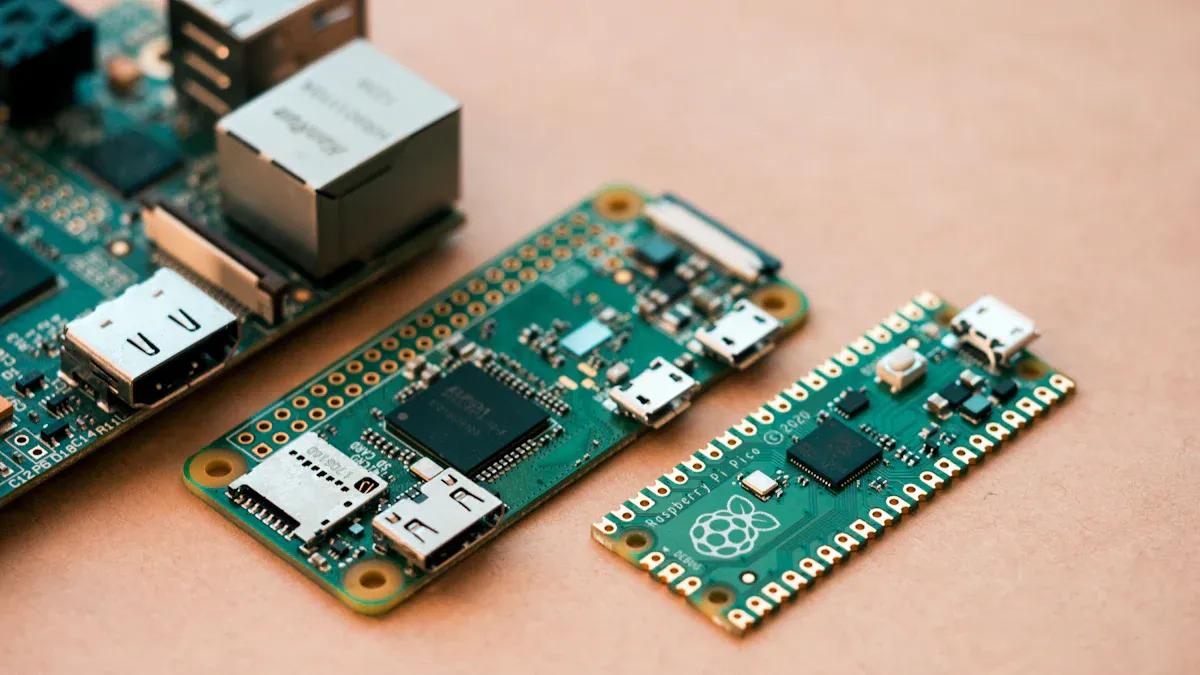
You might hear about JTAG when learning electronics. JTAG means Joint Test Action Group. People use JTAG to test and fix circuits. The JTAG interface connects to chips and boards. This helps you see if things work right.
The official rules are called IEEE 1149.1. These rules tell how JTAG should work. They explain what parts and tests you need for circuit boards. The rules talk about a boundary-scan register and test instructions. You can use different computer languages to show how to test each part. JTAG is a strong tool for engineers and technicians.
JTAG in Electronics
JTAG is in many electronic devices. The JTAG interface lets you reach inside chips, like processors and memory. With JTAG, you can:
Test and fix embedded systems.
Set breakpoints and watch registers.
Put firmware on devices.
Use boundary-scan to find hardware problems.
Control the processor for things like stopping or starting code.
JTAG boundary scan helps you test board connections. You can find problems like bad solder or short circuits. JTAG also lets you put new software or firmware on a device. This helps you fix bugs or add features.
Many devices use JTAG. It is in ARM processors, Atmel AVR, TI MSP430, FPGAs, CPLDs, and MIPS and PowerPC chips. Intel Core and Xeon processors also use JTAG. You find JTAG in things like network gear and satellite TV boxes.
JTAG gives you a good way to check, fix, and update electronics. You can make sure every part works before customers get the device.
JTAG matters because it lets you reach inside a device. You can test, fix, and program without opening it. This saves time and helps you make better products.
Why JTAG Is Important
Testing and Troubleshooting
You need good tools to make sure electronics work right. JTAG helps you test and fix circuits without touching every part. With boundary scan testing, you can check a printed circuit board even if it has many small parts. This way, you find problems like short circuits or open connections. Regular testing might not find these issues.
JTAG helps you find faults by testing board connections. You do not need to touch each pin. Boundary scan testing finds problems like shorts or open circuits. This makes products more reliable and increases test coverage.
You can see the most common faults JTAG finds in this table:
Fault Type | Description |
|---|---|
Structural Faults | Shorts between pins or traces |
Open circuits | |
Bus errors or communication problems | |
Pins that are not soldered | |
Wires that are swapped or in the wrong place | |
Component-Level Validation | Reading device ID on JTAG parts |
Checking DDR, NAND, and eMMC memory devices | |
Finding problems with I²C, SPI, and PMBus sensors | |
Measuring and watching voltage | |
Checking for pull-up or pull-down resistors | |
Testing connectors without touching them |
Boundary scan testing helps you find these faults early. You can check connections and make sure every part is correct. This saves time and lowers the chance of sending broken products to customers.
There are rules you must follow when testing products. Many companies use JTAG to meet these rules and make better products.
Debugging and Programming
JTAG does more than just find faults. You use it to program and update devices. When you need new firmware or software, JTAG lets you do this without opening the device. Boundary scan testing lets you update devices while they stay in place.
JTAG lets you program memory inside the device. This is important for firmware updates. In electronics, you might use JTAG to reload firmware in network gear or TV boxes. If the bootloader fails, JTAG helps fix it. This keeps devices working and helps you solve problems fast.
When making new products, JTAG helps you test, debug, and program systems. You can watch devices in real time and find problems before selling them. JTAG lets you reach parts of chips that are hard to get to. This makes debugging easier when other ways do not work.
Here are some ways JTAG helps with testing and making products:
You get a standard way to test, debug, and program systems.
You can watch devices and find problems right away.
You can reach memory and processors to debug systems.
You can test solder joints for shorts and open circuits.
You can program FPGAs, CPLDs, and flash devices in the system.
Boundary scan testing and JTAG make your work faster and more correct. You can update software, fix bugs, and add features without taking things apart. This helps you make better products and keeps customers happy.
JTAG gives you strong tools for testing, fixing, programming, and debugging systems. You can find faults, check connections, and update firmware with boundary scan testing.
How JTAG Works
Basic Process
JTAG helps you talk to chips on a board. You use special pins to connect your computer to the device. These pins send commands and get information back. The TAP is the main part of JTAG. It acts like a gatekeeper for testing and programming. When you test with JTAG, you connect the programmer to the board. You send signals through the JTAG pins. The TAP listens and follows your instructions. You can check if parts work, add new firmware, or fix problems. JTAG can reach many chips at once if you set up the chain right. This makes it easy to test or update many parts without moving cables.
Tip: Start with slow adapter speeds, like 100–400 kHz, when you test a new board. This helps stop errors and keeps your hardware safe.
Tools and Connections
You need the right tools to use JTAG. Most labs use probes that work with flash or RAM loaders. These probes connect to the JTAG pins on your device. Some chips use SWD, which is like JTAG but uses only two wires. SWD works well with ARM chips and is simple to use.
Here are some common tools you might use:
Probes for JTAG and SWD debugging
Adapters for different connector types
Rescue scripts for fixing failed updates
Software for programming and testing
JTAG connections look different on each device. Microcontrollers and FPGAs both use JTAG, but their connectors may not match. Manufacturers often make their own headers. You should check the device manual before you connect.
Aspect | Microcontrollers | FPGAs |
|---|---|---|
JTAG Interface | Changes by brand, often has special headers for tools | Usually has JTAG ports for programming and debugging |
Connector Standards | No official standard; brands make their own connectors | No standard; flexible connector design for different uses |
Usage | Mostly for debugging and firmware updates | Used for programming and testing logic setups |
You may have some problems with JTAG. Wrong connections can break your device. JTAG can also get past security, so you must protect your systems. Setting up JTAG takes practice, but you will get better over time.
JTAG gives you a strong way to test, program, and debug electronics. With the right tools and careful setup, you can make sure your devices work well.
JTAG Applications
Everyday Devices
You use electronics all the time. Many of these need jtag for testing and updates. Your phone, tablet, and smart TV use jtag when they are made. Engineers check the boards inside to make sure things work. JTAG helps them find problems before you get the device.
JTAG also helps when your device gets new software. Companies use jtag to put new firmware on chips. This keeps your electronics working well and adds features. If you have a game console or Wi-Fi router, jtag helps fix bugs and make them better. You get safer and more reliable devices because of these tests.
Tip: Smartwatches, fitness trackers, and home assistants use jtag to stay safe and up-to-date.
Industry Use
JTAG is important in many big industries. You see it in factories that build cars, planes, and medical tools. Engineers use jtag to test big boards and make sure each part works. This helps stop problems in important machines.
Here is a table that shows some main areas that use jtag for big electronics testing:
Sector | Description |
|---|---|
Automotive Electronics | Needs strong testing for safety. |
Aerospace | Needs careful testing for reliability. |
Medical Devices | Needs high standards for working right. |
In aerospace and car factories, jtag helps with safety checks. You get real-time watching and fault finding. Engineers use jtag to test airplane controls and systems. In cars, jtag checks electric parts and driver help features. These tests keep you safe and make sure things work right.
Medical tools also need jtag. Hospitals need machines that always work. JTAG helps test and update things like heart monitors and imaging tools. You trust these machines because engineers use jtag to check everything.
Note: JTAG helps with safe firmware updates in these fields. You get good products that meet strict safety rules.
Benefits and Limitations
Advantages
You get many benefits when you use jtag for testing and debugging electronics. JTAG lets you test circuit boards without touching delicate parts. This lowers the risk of damage. You can access the inside of chips and check connections between parts. JTAG works for testing, programming, and debugging. You use one tool for many jobs.
You save money because you do not need lots of extra equipment.
JTAG uses a standard interface, so you work with many devices and brands.
You can debug hardware and software without changing your main program.
JTAG helps you finish products faster and get them to market quickly.
You can test and program devices in one step.
Tip: New tools like JTAGLive and AutoBuzz make testing easier. You can find problems faster and check boards with less setup.
Manufacturers use jtag to speed up testing and development. As electronics get more complex, you need better ways to check and fix them. JTAG helps you keep up with new technology and makes your work more efficient.
Limitations
JTAG has some limits you should know. It does not work well for every type of test. You may need extra steps for some jobs. Here is a table that shows the main limits:
Limitation | Explanation |
|---|---|
Testing Analog Circuits | JTAG does not test analog parts directly. You must design special tests. |
At-Speed Testing | Some chips need testing at full speed. JTAG may not handle this well. |
Slow Flash Programming | Programming flash memory can take longer with JTAG. You may need other tools. |
You also need to think about security. If someone gets physical access to the jtag port, they can change or read data. Attackers might use side-channel or glitch attacks to break into devices. You should protect jtag ports with tamper-proof covers and strong passwords. Many companies turn off jtag in finished products to keep them safe.
Note: Always check your device’s security settings before using jtag for updates or tests.
JTAG works best for digital tests and programming. You may need other methods for analog or high-speed jobs. New advancements, like the SCANFLEX II CUBE, help you test complex boards better, but you still need to know the limits.
You can see why JTAG is important in electronics. It helps you check, fix, and build devices. Experts say JTAG is still needed for many reasons:
You test and fix hard systems to keep them safe.
You can update firmware and do tests without trouble.
You stay in charge of how hardware works and stays safe.
JTAG has helped make new hardware ideas.
Aspect | Description |
|---|---|
Evolution of Tools | Now you use simple, open-source tools for debugging. |
Challenges | JTAG still cannot do some very important jobs. |
New Solutions | Tools like Scrutiny Debugger help with these problems. |
If you want to learn more, try JTAGulator. It helps you find debug ports and start learning about hardware security. You need a good programmer and some basic JTAG skills to begin. On-Chip Debugging helps you save time and fix problems quickly.
FAQ
What does JTAG stand for?
JTAG stands for Joint Test Action Group. You use it to test and fix electronic circuits. It helps you check if devices work before you use them.
Can you use JTAG to update software?
Yes, you can use JTAG to put new software or firmware on a device. You do not need to open the device. This keeps your electronics safe and up-to-date.
Is JTAG only for big companies?
No, you can use JTAG at home or in school projects. Many hobbyists and students use JTAG to learn about electronics and fix boards.
Tip: You can find simple JTAG tools online for learning and practice.
What happens if you connect JTAG wrong?
If you connect JTAG wrong, you might damage your device. Always check the manual and use the right pins. You should start with low speeds to stay safe.