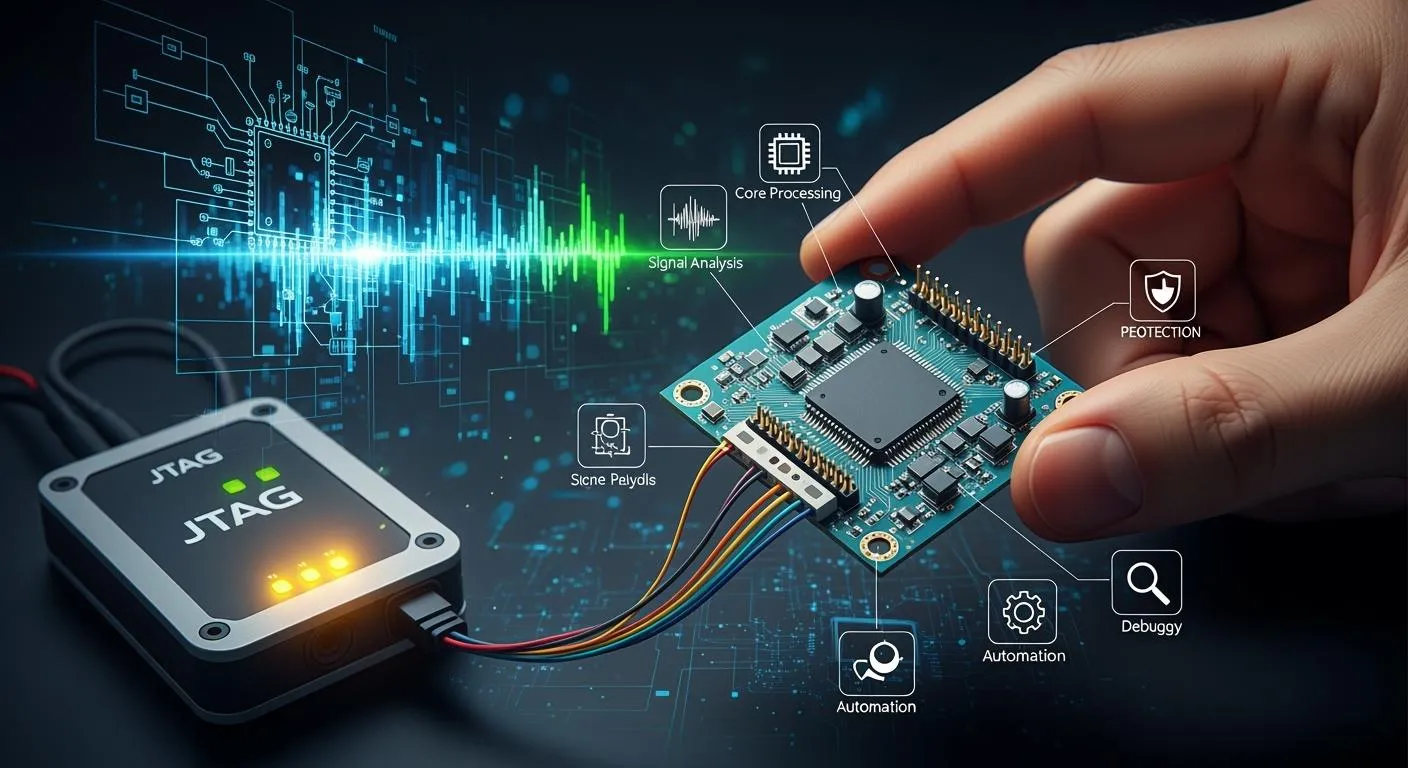
You can use jtag applications for many important jobs in electronics engineering. Here are the top 10 ways you can use them:
In-system programming
Boundary scan testing
Debugging embedded systems
Flash memory programming
FPGA and CPLD configuration
Real-time code debugging
Production line testing
Board-level connectivity checks
Pin-to-pin continuity tests
Secure device access
JTAG stands for joint test action group. It lets you watch and find problems as they happen. Electronics engineers can test and fix things faster. This helps you get products ready for sale sooner. More people use these tools as smart devices and automation grow.
Key Takeaways
JTAG applications make testing, programming, and debugging easier on the circuit board.
In-system programming lets you update and fix things without taking out parts. This saves time and helps stop mistakes.
Boundary scan testing finds problems like shorts and opens without touching the board. This makes products work better.
Real-time debugging with JTAG lets engineers watch and fix code as the device works. This helps them work faster.
Using security for JTAG keeps devices safe from people who should not use them. It also protects important ideas.
Essential JTAG Applications
It is important to learn about jtag applications if you want to work with electronics today. These applications help you test, program, and fix devices right on the board. You can use them to spot problems early and make sure your products work well before selling them.
Here are some reasons why jtag applications matter in electronics engineering:
You can test and fix chips without taking them off the board.
You can find soldering mistakes and other problems while making devices.
You can update software and change devices after they are built.
You can check and program each part by itself.
You can make devices safer and more reliable by finding problems fast.
In-System Programming
In-system programming lets you program microcontrollers, FPGAs, and CPLDs while they are still on the board. You do not need to take the device out of the circuit. You can change or update the software even after the device is set up. Many new devices, like FPGAs and microcontrollers, are made for in-circuit programming using the test access port.
Some main benefits of in-system programming with jtag are:
You can reach hidden CPU cores directly.
You do not have to use system I/O ports like serial or Ethernet.
You can read memory and registers without stopping the CPU.
You can reset or start the system while fixing problems.
You can connect to debug logic without changing the rest of the system.
In-circuit programming helps save time and lowers mistakes. You can program devices like FPGAs, DSPs, CPLDs, and microcontrollers using the test access port. This makes fixing and updating devices much easier.
Boundary Scan Testing
Boundary scan testing helps you find problems like shorts or open circuits between pins. You can use this method to check connections and parts without touching the board. The test access port and boundary scan register work together to send and read signals. This helps you find bad connections and broken parts early.
Boundary scan technology can find problems like solder bridges that old tests might miss. You can use boundary scan hardware to check connections and make products better. Field technicians use these tools to fix boards quickly.
Here are some common instructions used in boundary scan testing:
Instruction | Description |
|---|---|
EXTEST | Tests how the board works using pins |
PRELOAD | Loads pin values before EXTEST |
SAMPLE | Reads pin values into the boundary scan register |
CLAMP | Drives output pins using PRELOADed values |
HIGHZ | Turns off outputs of all pins |
INTEST | Tests chip behaviors using pins |
RUNBIST | Runs a self-test mode on the chip |
USERCODE | Returns a user code for the FPGA image |
You can use the test access port and boundary scan register to run these instructions and find problems faster.
Debugging Embedded Systems
You can use jtag to fix embedded systems while they run. This lets you control the device without using probes or opening the case. You can watch and change signals on the device using the test access port and boundary scan register. This makes it easier to find and fix problems.
Here are some main benefits of using jtag for fixing problems:
Benefit | Description |
|---|---|
Efficiency | You can control and watch signals without touching the device. |
Cost-effectiveness | You can fix and test things faster, saving time and money. |
Diagnostic power | You get clear fault details for quick repairs. |
Jtag gives you more control and better results than other ways to fix problems. The test access port and boundary scan register help you fix boards that do not work and solve hard problems.
JTAG for Device Programming
Jtag helps you program many devices on your circuit board. You can upload firmware and update software without taking chips out. This saves time and helps you make fewer mistakes when programming devices.
Flash Memory Programming
Jtag is a safe way to program flash memory. You should follow these steps to make sure it works well:
Use a slow adapter speed to protect new boards.
Erase memory sectors before writing new data.
Check your work by reading memory or using a CRC check.
Use a bootloader if you want to program faster.
Write down tool versions and settings for each job.
Set options like brownout levels and watchdog timers, then check them twice.
Make a rescue plan for any device that fails during programming.
You can load new firmware into jtag software and start programming. After that, check if the device works as it should. This keeps your devices updated and working well.
Tip: Always check your programming to find errors early and stop problems in the field.
FPGA and CPLD Configuration
Jtag helps you set up FPGAs and CPLDs. These chips need special setup before they work in your design. Jtag makes this setup quick and safe.
Here is a table that shows how jtag helps with different devices:
Device Type | Configuration Method | Storage Type | Configuration Time | Reconfiguration | Security Features |
|---|---|---|---|---|---|
CPLD | JTAG-based ISP | Flash/EEPROM | < 1 second | Limited | Built-in encryption |
FPGA | JTAG, SPI, Flash | SRAM | 2–10 seconds | Dynamic | Bitstream encryption, authentication, tamper detection |
You can set up a CPLD in less than one second using jtag. For FPGAs, you can change them in just a few seconds. You also get strong security features like encryption and tamper detection to keep your designs safe.
Jtag lets you program, update, and protect your devices easily. You can use it for debugging, programming, and testing. This makes jtag important for every electronics engineer.
JTAG Debugging Techniques
Real-Time Code Debugging
You can use jtag to watch your code run and fix problems as they happen. This process is called real-time debugging. You do not need to stop your device or change the main program. You can set breakpoints, step through your code, and check memory or registers. These features help you find errors quickly.
Here is a table that shows the main features of jtag for real-time debugging:
Feature | Description |
|---|---|
Run-control | Start, stop, single-step, and step into or over code. |
Breakpoint settings | Set hardware and software breakpoints. |
Non-intrusive access | Read registers and memory without stopping the CPU. |
System reset | Control system reset during debugging sessions. |
Flash programming | Program code into flash memory while debugging. |
Direct access | Reach hidden CPU cores without using system I/O ports. |
Minimal memory use | Debug without using much system memory. |
Debugging protocols | Use built-in protocols for better control. |
You can use jtag debugging tools to pause your program at any point. You can check what your device is doing and change values if needed. This saves time and helps you fix problems before they reach your customers.
Tip: Real-time debugging with jtag lets you find errors without changing how your device works. You can keep your system running and still fix issues.
Embedded System Debugging
You can use jtag to solve problems in embedded systems. These systems often run special code and control hardware. Debugging tools help you see what happens inside your device. You can use single-stepping to follow your code and find mistakes.
Here are some practical scenarios where jtag helps with embedded system debugging:
You notice your device does not respond to user input. You use jtag to step through the code and find a broken condition check.
Your system crashes after starting up. You use jtag debugging tools to check the stack pointer and memory. You find the stack size is too small and fix it.
You work on firmware and miss some user inputs. You use jtag to trace the code and find where the check fails.
Jtag makes digital circuit debugging easier. You can inspect registers and memory in real time. You can change values and see how your device reacts. This helps you fix problems faster and improve your products.
Note: Jtag debugging tools let you solve hardware and software problems without removing chips or changing the board.
You can use jtag for debugging, programming, and testing. This makes your workflow smoother and helps you deliver better devices.
Automated Testing with JTAG
Production Line Testing
Jtag helps you test pcbs on the production line by itself. This way, you can check every board fast and well. You just need a jtag controller to begin testing. You do not need to buy costly test tools or extra machines. Many companies use jtag because it works with new chips, like BGA packages. These chips have pins you cannot see or touch, so jtag is needed for testing.
Jtag checks designs and tests boards after they are made.
It uses test points and special rules to control and check inside chips.
Boundary scan testing lets you check digital links between chips without touching the board.
Jtag saves time and money because it finds problems early and lowers waste.
Here is a table that shows how automated testing helps on the production line:
Benefit | Description |
|---|---|
Increased Production Speed | Automated testing makes testing faster, so boards are made quicker. |
Reduced Scrap Rates | Finding problems early means less waste and lower costs from bad boards. |
Efficient Fault Detection | Automated tests find problems fast, so repairs and fixes happen sooner. |
Tip: Automated testing with jtag is great for hard pcbs. You can find problems that are tough to see with other ways.
Board-Level Connectivity Checks
Jtag helps you check connections on your pcb. This way works better than looking by hand, especially for crowded boards. You do not need to use probes. Jtag makes test patterns and runs them by itself. You can find short circuits, open circuits, and stuck-at faults fast.
Here is a table that compares jtag and checking by hand:
Benefit | JTAG | Manual Inspection |
|---|---|---|
Testing Method | Uses a set way without probes | Needs probes to touch the board |
Suitability | Good for crowded boards and BGA chips | Hard if you cannot reach the pins |
Types of Faults Detected | Finds shorts, opens, and stuck-at faults | Can only find a few problems |
Automation | Makes and runs tests by itself | Needs people to do the work |
Time Efficiency | Saves lots of time and work | Takes a long time |
Cost of Test Fixtures | No need for expensive tools | Needs costly tools |
Complexity of Testing | Can be simple or hard | Usually just simple |
You can find problems like shorts, opens, and stuck-at faults. These checks help you make sure your pcb works before you send it out.
Diagnostics and Fault Isolation
Pin-to-Pin Continuity Tests
Pin-to-pin continuity tests help you see if signals move between pins the right way. This test finds open circuits or short circuits that can stop your device from working. Here is an easy way to do these tests:
Use USB, a battery, or the normal adapter to power your device.
Connect a ground pin from the JTAGulator to a ground pin on your board.
Set your multimeter to continuity mode. Put the black probe on a ground pin. Use the red probe to touch the pins you want to check.
Attach the JTAGulator I/O pins to the JTAG pins you think are right.
Make sure no I/O pins touch ground pins. This stops interference.
Turn on your device. The JTAGulator will look for good connections.
These steps help you find wiring problems fast. This method works well for digital circuits. JTAG can find over 80% of connection faults. In-circuit testing finds more but is more focused. Functional testing checks more things but may miss some connection problems.
Testing Method | Fault Coverage |
|---|---|
JTAG (Boundary Scan Testing) | Over 80% for interconnections |
In-Circuit Testing (ICT) | 99% for specific components |
Functional Testing | General, slower for continuity issues |
Tip: Do continuity tests early. This helps you catch problems before they get worse.
Hardware Fault Diagnosis
Hardware fault diagnosis helps you find and fix problems on your board. JTAG gives you tools to test pins and connections without using firmware. Two main ways help you do this:
Boundary Scan: Checks package pins with BSDL files. You can find opens, shorts, and wrong pull-ups without running code.
Daisy Chaining: Links many JTAG devices to one test port. You can test all devices at once.
Technique | Description |
|---|---|
Boundary Scan | Uses BSDL files to test pins, finding opens, shorts, and wrong pull-ups without firmware. |
Daisy Chaining | Connects multiple devices to one port for testing all at once. |
You can find faults early with these ways. Finding problems early saves time and lowers repair costs. XJTAG boundary scan helps you spot problems fast, so fixing is easier. These tools are reliable, so you spend less money fixing bad products. You can spend more time making new things and less time fixing old ones.
Note: Small boards make old testing hard. JTAG-based diagnosis helps you save money and keep your products working well.
Security and Access Control for Electronics Engineers
Secure Device Access
You must keep your devices safe from people who should not use them. Many engineers follow special steps to protect the JTAG interface. These steps help stop hackers and keep your work safe.
Only let trusted people near the JTAG ports. You can use cases that show if someone tries to open them. Keep your devices in locked rooms.
Turn off JTAG when you finish making your product. This makes it harder for someone to break in.
Use strong passwords and encryption for JTAG messages. This keeps your data safe if someone tries to connect.
Use Secure Boot. This makes sure your device only runs safe software each time it starts.
Update your device’s firmware often. This helps fix new security problems.
Tip: Always check your security steps. Good habits help keep your devices safe and working well.
Protecting Intellectual Property
You spend a lot of time designing your products. You want to make sure no one steals your ideas. JTAG gives you ways to protect your work with strong security features.
Use authentication and encryption to control who can use your device.
Set up access control so only trusted people can use JTAG tools.
Add tamper detection. This lets you know if someone tries to open or change your device.
In cars and smart machines, these steps stop hackers from attacking important parts like ECUs.
Many companies add JTAG security when they design new products. This helps build trust and keeps your products safe.
Note: Protecting your ideas is just as important as making your device work. Good security helps your business stay strong.
You can use JTAG to test, program, and debug your devices. You can also use it to keep your work safe from threats.
You can use jtag applications to make your electronics work easier and faster. These tools help you test, program, and fix devices right on the board. Jtag applications give you strong support for debugging and finding problems early. You can improve your skills by learning more about these methods. Try new jtag tools and see how they help you build better products.
FAQ
What does JTAG stand for?
JTAG stands for Joint Test Action Group. You use it to test, program, and debug electronic devices right on the circuit board.
Can you use JTAG on any device?
You can use JTAG on most modern digital devices. Many microcontrollers, FPGAs, and CPLDs support JTAG. Always check your device’s datasheet to confirm.
Why should you use JTAG for debugging?
JTAG lets you see inside your device while it runs. You can set breakpoints, watch signals, and fix problems without removing chips or stopping the system.
How does JTAG help with security?
JTAG helps you protect your device by letting you set passwords, use encryption, and control who can access the test port. You keep your designs safe from hackers.
Do you need special tools for JTAG?
You need a JTAG adapter and software to connect to your device. Many companies offer these tools. You can find both free and paid options.