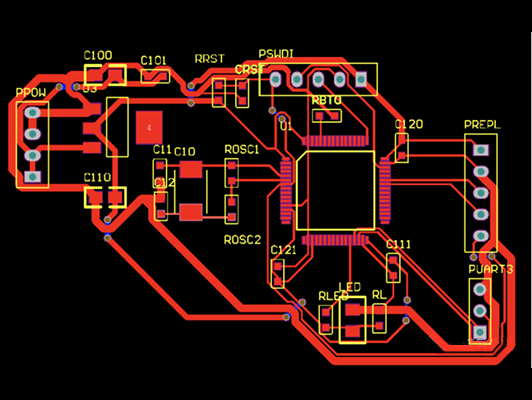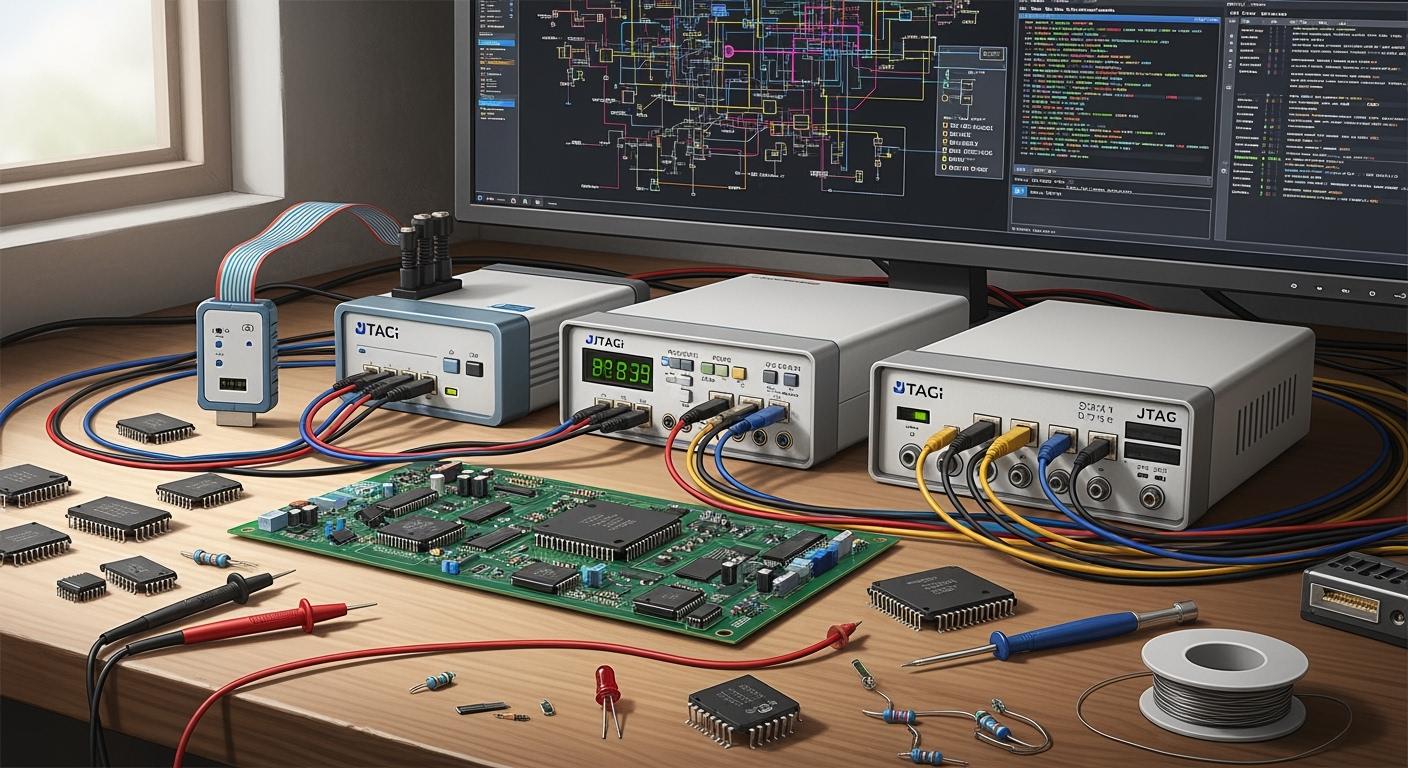
You can find many popular jtag products in stores today. Segger J-Link, XJTAG, Digilent, and FTDI cables are known for their cool features. They also work with many devices. The joint test action group standard makes more people want jtag solutions. This happens in industries like cars and electronics for homes. XJTAG gets a lot of good comments for being fast and easy to use. It is great for experts and factories. The table below shows that more companies want jtag because they need solutions they can trust.
Region | Market Size (2024) | Growth Factors |
|---|---|---|
Latin America & Middle East | USD 115 million | Money goes into building, making things, and phone networks. |
Global JTAG Tester Market | Over USD 3 billion | People want better testing for cars, planes, home electronics, and robots. |
Key Takeaways
Pick a JTAG tool that matches what you need. You might need it for debugging, testing, or learning. Segger J-Link is fast and works with many IDEs. This makes it good for people who work in the field. XJTAG is great at boundary scan. It is best for making lots of products and testing PCBs. Digilent tools are easy to use and not expensive. They are good for students and people who like to build things for fun. Think about the help and updates from the company. This will keep your tool working well and up-to-date.
Popular JTAG Products Overview
Segger J-Link Series
Segger J-Link Series is used in many places. Labs and classrooms often have these debug probes. They work with lots of microcontrollers. You can program and debug quickly. Segger J-Link follows the joint test action group standard. This gives you strong and steady connections. Many engineers pick this tool for its speed. It also works well with other popular jtag products.
XJTAG Solutions
XJTAG Solutions help test and fix hard boards. Factories and research centers use these debug probes. XJTAG makes finding problems on printed circuit boards easy. Ufuk Onder, a hardware engineer, says XJTAG boundary scan saves time. It also makes PCBA rework easier. Gorka Landaburu, an R&D manager, likes XJTAG’s good price and simple features. You can trust it to work well every time on the line. XJTAG supports joint test action group standards. It also does advanced connection tests.
Digilent JTAG Tools
Digilent JTAG Tools are good for learning and projects. Schools and hobbyists use these debug probes. Digilent tools work with many microcontroller boards. They support joint test action group protocols. Setting them up is easy. These popular jtag products help you start testing and programming.
JTAG Technologies
JTAG Technologies give advanced tools for pros. Big companies and production lines use these debug probes. They support joint test action group standards. Testing is fast with these tools. You can use them for board testing and finding problems. JTAG Technologies focus on being reliable. They also work with other tools.
FTDI JTAG Cables
FTDI JTAG Cables make connecting easy and flexible. You use these debug probes for quick setups and small jobs. FTDI cables support joint test action group protocols. They work with many devices. You get a cheap way to connect and test boards. These popular jtag products are simple to use and set up.
Other Notable JTAG Options
Other popular jtag products include Total Phase and Olimex. These debug probes have special features for different needs. Some support extra protocols or work with custom boards. You can pick them for special tasks or to save money. All these options follow joint test action group standards for working together.
Tip: When you choose a debug probe, make sure it supports the joint test action group standard. This helps you avoid trouble with speed and working with other devices.
JTAG Feature Comparison
Hardware Capabilities
You need a debug tool that fits your work. Each jtag product has different hardware features. Segger J-Link is fast and works with many microcontrollers. XJTAG tools help with boundary scan testing in factories. Digilent tools are good for schools and small projects. JTAG Technologies products are for big companies and advanced testing. FTDI cables make it easy to connect and debug boards. Some tools let you link devices together for testing many boards. Check if your tool can do both programming and debugging. Many products also help with boundary scan testing to find problems on your board.
Software Support
Software makes debugging easier. Segger J-Link works with many development programs. You can use it with Keil, IAR, and SEGGER’s own software. XJTAG gives simple software for boundary scan testing and debugging. Digilent tools use open-source software for students and hobbyists. JTAG Technologies has advanced software for boundary scan testing and production. FTDI cables work with basic and some open-source software. Good software helps you debug faster and fix problems quickly. Look for tools that update their software often and support new chips.
Protocols and Interfaces
You should know which protocols your tool uses. Most jtag products support JTAG and SWD. JTAG uses four pins and works with many CPUs. SWD uses two pins and works only with ARM chips. JTAG lets you program, debug, and do boundary scan testing. SWD lets you program and debug but not boundary scan testing. JTAG uses a daisy chain to connect many devices. SWD uses a star shape for one device. Some tools have special debug features, like printing debug info.
Protocol | Pin Count | Functions | CPU Support | Topology | Special Features |
|---|---|---|---|---|---|
SWD | 2 | Programming, debug | ARM only | Star | Print debug info |
JTAG | 4 | Programming, debug, boundary scan testing | Many types | Daisy chain | – |
Pick a tool that supports the protocol your board needs. If you want boundary scan testing, you need JTAG.
Use Case Suitability
Pick a tool that matches your job. JTAG products work in many places. For embedded development, use JTAG to debug and program chips. For PCB testing, boundary scan testing checks connections and finds faults. In production programming, JTAG programs memory chips quickly. Some tools are better for certain jobs. Segger J-Link and Digilent tools help with debugging and development. XJTAG and JTAG Technologies are best for boundary scan testing and production. FTDI cables are good for simple debugging and quick tests.
Application | Suitability | Key Features |
|---|---|---|
Embedded Development | Great for debug and programming | Uses JTAG for processor communication |
PCB Testing | Best for board bring-up and boundary scan testing | Boundary scan testing for deep analysis |
Production Programming | Good for programming memory devices | Programs flash using JTAG controllers |
Note: Boundary scan testing lets you test boards without special firmware. You can debug and find problems before the board runs software.
Choose your jtag tool based on what you need most. If you do lots of boundary scan testing, pick a tool that supports it well. If you focus on debugging and development, look for fast and easy-to-use debug features.
JTAG Plus Tool and Advanced Solutions
JTAG Plus Tool Features
The jtag plus tool helps with advanced and hardware debugging. You can use Python scripts to make tasks automatic. These tasks include flashing images, programming option bytes, and testing RAM. You set up these jobs with easy JSON files. The tool works with SVD files to help you debug faster. It works with many open-source programs. The jtag plus debugger lets you control pins and see their states. You can use debug probes for different chips and boards.
from jtagbs import JTAGCore, JTAGBS
interface = JTAGCore()
jtag = JTAGBS(interface)
probes = jtag.list_available_probes()
print(probes)
jtag.open_probe('JLINK')
jtag.init_scanchain()
print(jtag.list_devids())
print(jtag.list_devices())
stm32 = jtag.get_device(1)
stm32.set_bsdl(r"bsdl_files/st/stm32f4/STM32F405_415_407_417_LQFP64.bsd")
print(stm32.list_pins())
print(stm32.get_pin_state("PC2"))
print(stm32.get_pin_state(["PC2", "PC1"]))
stm32.set_scan_mode("active")
stm32.set_pin_state("PC15", True)
stm32.set_pin_state("PC14", True)
stm32.set_pin_state(["PC15", "PC14"], [True, False])
stm32.set_pin_state(["PC15", "PC14"], [None, None])
Integration and Automation
You can connect the jtag plus tool to many IDEs. It works with automation frameworks too. Companies use CI/CD systems to build firmware. This keeps work steady and easy to follow. You can link the tool to your development setup. It supports many emulators for professionals.
SEGGER J-Links are the most used debug probes today. They work with all popular development environments.
You can test and program many boards at once. This saves time and helps you avoid errors. You can use open-source tools to make your own scripts.
Unique Benefits
Advanced jtag solutions fix tough debugging problems. You can update FPGAs fast and use logic analyzers to debug. You can program many boards together, which helps in production. Some tools, like ESP32JTAG, have many features in one. You get wireless links and can watch signals in real time. These features make your work faster and easier.
Benefit | Description |
|---|---|
Boundary Scan Testing | Checks electrical connections on a PCB, finding defects without using physical probes. |
Firmware Flashing and Verification | Makes sure the right firmware is loaded and checks it right away. |
Hardware Functional Testing | Tests hardware by controlling I/O pins and peripherals in real conditions. |
Automated Test Integration | Works with ATE systems for lots of testing, making things steady and fast. |
Fault Isolation | Lets you look inside to find problems in hardware, firmware, or settings. |
You get more features and better results with pro emulators and advanced tools. These solutions help with building, testing, and making products.
User Experience and Support
Setup and Ease of Use
You want a tool that is easy to use. Many people say top jtag products are simple to set up. Segger J-Link and Digilent tools have clear guides. You can connect them to your computer fast. Debugging starts in just a few minutes. XJTAG and JTAG Technologies are also easy to install. These tools help you save time when working on embedded systems. You do not need to read long manuals. Most products have plug-and-play features. You can get started quickly.
Documentation and Community
Good guides help you fix problems fast. Top vendors like Shenzhen Kwm Electronics and Guangzhou Wonderfone give great instructions. You can find step-by-step guides and tips for fixing issues. The table below shows how vendors compare in guides and community help.
Vendor | Documentation Quality | Community Support | Customer Satisfaction |
|---|---|---|---|
Shenzhen Kwm Electronics | High | Global support | 23% higher |
Guangzhou Wonderfone | High | Global support | 23% higher |
Tengying | Moderate | Limited support | N/A |
Guste | Moderate | Limited support | N/A |
You can join forums and open-source groups to ask questions. Many users share tips and their own experiences. A strong community means you get help from others who use the same tools. This support is important for debugging and working with embedded systems.
Vendor Support
Fast help is important when you need it. Many companies answer quickly and have high ratings. Look at the chart below to see how big vendors do.

Most vendors will fix or replace broken products. You get a 12-month support and maintenance service. You can ask to extend this if you need more time. The table below explains warranty and after-sales help.
Aspect | Details |
|---|---|
Warranty Coverage | Only covers fixing or replacing broken products. |
Warranty Conditions | You must tell them within 7 days after finding a problem; they only fix or replace items. |
Support Duration | 12 months of help and service, and you can ask for more. |
You can count on good community help and vendor support for debugging and working with embedded systems.
Pricing and Value
Cost Comparison
You want to know how much you will spend on a jtag tool. Prices can change a lot. Some tools cost over $1,000. Others are free. Commercial tools like XJTAG and EasyJTAG cost more because they offer advanced features for testing and production. Open-source tools like OpenOCD are free and help you learn or start development. You can see the main options in the table below.
Tool | License Type | Approx. Cost | Primary Use Case | Notable Feature |
|---|---|---|---|---|
XJTAG | Commercial | $1,200+ | PCB Test & Validation | Advanced boundary scan, non-JTAG support |
Corelis | Commercial | Varies | Industrial Debugging | Bus analysis, FPGA programming |
OpenOCD | Open Source | Free | Development & Education | Cross-platform, large community |
EasyJTAG | Commercial | $1,000+ | Automotive ECU Work | Vehicle workflows, integrated database |
JTAG Technologies | Commercial | ~£500 | Custom Test Systems | Free C library with hardware purchase |
Tip: If you work in a school or want to learn, you can start with free tools. If you need advanced testing for production, you may need to pay more.
Licensing and Updates
You should check the license before you buy or use a tool. Commercial tools need you to buy a license. Some licenses last forever. Others need you to pay every year. Open-source tools like OpenOCD let you use them for free. You can also get updates from the community. Commercial vendors often give you updates and support for one year. You can ask for more support if you need it. Some companies give you free software libraries when you buy their hardware.
Commercial licenses give you more features and support.
Open-source licenses help you save money and join a big community.
Updates keep your tool working with new chips and boards.
Value for Different Users
You need to pick a tool that fits your job and budget. If you work in a factory or do advanced testing, commercial tools give you strong features and support. If you teach or learn about development, open-source tools help you start fast and save money. Hobbyists often choose free tools for simple projects. Professionals pay more for tools that help with production and testing.
Note: You should think about how often you need updates and support. This helps you get the best value for your work.
You can find a jtag tool for every budget and need. You can choose a free tool for learning or a paid tool for advanced development and testing.
You can pick the best jtag tool by thinking about what you need. Segger J-Link lets you debug fast. It works with many different IDEs. XJTAG is good for testing boards in factories. Digilent tools are great for school and home projects. Look at the table below to compare them quickly:
Tool | Strengths | Best For |
|---|---|---|
Segger J-Link | High speed, reliable, broad IDE support | Professionals |
XJTAG | Easy boundary scan, factory-ready | Production, factories |
Digilent | Affordable, easy setup, open-source support | Education, hobbyists |
You should try a demo or training. This helps you pick the right tool for your job.
FAQ
What is JTAG used for?
You use JTAG to test, program, and debug electronic boards. It helps you find problems on chips and circuits. Many engineers use JTAG for building and fixing devices.
Can you use JTAG tools with any microcontroller?
Most JTAG tools work with many microcontrollers. You should check your chip’s datasheet to see if it supports JTAG or SWD. Some tools only work with certain brands.
How do you choose the right JTAG product?
Tip: You should look at your project needs. If you want fast debugging, pick Segger J-Link. For board testing, XJTAG works best. Digilent is great for learning and small projects.
Do you need special software for JTAG debugging?
You need software to use JTAG tools. Some products come with their own programs. Others work with open-source software like OpenOCD. Always check if your tool supports your favorite development environment.