You probably see how fast smartphone design changes. Each time you use your phone, you notice new shapes and colors. You also find new features that help you every day. The Latest Features, like flexible screens and smarter cameras, make you want more. Many people now use their phones about 85 times each day. They spend hours using different apps. Look at this table to see how these changes affect daily life:
Study/Research | Key Findings |
|---|---|
Lancaster University | People check their phones 85 times each day. This shows how much smartphones change habits. |
Sooyeol Kim (Kansas State University) | Short smartphone breaks at work can help your mood. They can also help you work better. |
Baylor University | Almost half of people deal with partner phubbing. This can cause fights and make people sad. |
Smartphone design changes your routine. It also changes how you talk to others.
Key Takeaways
Smartphones now have foldable screens. These screens are bigger but still fit in your pocket. You can do more things at once. Watching videos is better too.
AI helps make your photos look nicer. It fixes lighting and knows what is in the picture. You can take great photos easily. You do not need to be a camera expert.
Phones now look simple and neat. The edges around the screen are smaller. Camera holes are tiny. You get more space for games and videos. Your phone looks new and cool.
You can charge your phone fast or without wires. This keeps your phone ready to use. You do not have to wait long. You can stay in touch all day.
Phones use eco-friendly materials now. Companies recycle old phones. This helps the planet. Picking these phones is better for the earth.
Latest Features in Smartphone Design
Foldable Displays
Foldable displays are common now. You can open your phone like a book. You can fold it to fit in your pocket. The Motorola Razr (2025) looks cool and has a bendy screen. It has a big 6.9-inch main display. There is also a 3.6-inch outside display. The phone uses AMOLED and pOLED, so colors look bright. You can use many apps at the same time. The battery lasts a long time. You can charge it fast with 30W wired or 15W wireless charging.
Here’s a quick look at the Motorola Razr (2025):
Feature | Details |
|---|---|
SoC | MediaTek Dimensity 7400X |
Display type | AMOLED, pOLED |
Display dimensions | 6.9″ main, 3.6″ external |
Display resolution | FHD+ |
RAM | 8GB |
Storage | 256GB UFS 2.2 |
Battery | 4500mAh |
Charge speed | 30W wired, 15W wireless |
Operating System | Android 15 |
Front camera | 32MP f/2.4 |
Rear camera | 50MP f/1.7 main, 13MP f/2.2 UW |
Price | $700 |
Foldable screens change how you use your phone. You can watch videos on a big screen. You can fold it to carry it easily. You get new ways to use apps. Some apps work better when the phone is open. You can run two apps side by side. This makes multitasking easy.
Developers have problems with foldable screens. They need to make sure the screen works well when you fold it. Apps should keep running and not freeze. The design should let you use the phone with one hand. When you open it, you get a cool experience.
Challenge | Description |
|---|---|
Screen Continuity | You want the screen to stay smooth when you fold it. Developers work hard so your experience does not change. |
You can switch between apps and not lose your spot. Updates like Android 10 help you run many apps at once. | |
Multi-Window Mode | You can use apps easily whether the phone is folded or open. Designers make sure you can use one hand or enjoy a big screen. |
Foldable displays are a new feature in phones. You get more ways to use your device. These designs feel futuristic and fun.
Minimalist Bezels and Camera Cutouts
Screens look bigger and cleaner now. Minimalist bezels and camera cutouts make this happen. You get more space for watching videos and playing games. Many new phones use teardrop notches, pop-up cameras, or hole punch cameras.
The budget G series has a teardrop notch for the front camera. You get a high screen-to-body ratio, even on cheaper phones.
Vivo has a concept phone with a pop-up camera. You see the whole screen with no notch.
The Honor View 20 uses a hole punch camera. This gives you more screen space and a cool look.
The OnePlus 6T has thin bezels and a teardrop notch. You get a design that looks fancy.
Minimalist bezels and camera cutouts are new features in phones. You get a better experience and a cleaner look. These features help new phones stand out and feel advanced.
Graphene and Flexible Materials
You hear about graphene in tech news. Graphene is very thin and bends easily. It carries electricity well and helps fix design problems. Companies like Samsung and Apple work on graphene patents. This shows it is important for future phones.
Graphene helps make foldable phones thinner and lighter. You get bigger batteries without making phones heavy.
Flexible screens use OLED technology. You see cool shapes and sizes in new phones.
Graphene might lead to clear displays. You could use your phone for augmented reality soon.
Making lots of graphene is still hard. This means not many phones use it yet.
Samsung made progress with using graphene in more products. You may see more graphene in new phones soon.
Some flexible and clear displays are already in stores. You get to try futuristic features with these new designs.
Graphene and flexible materials help phones get thinner and lighter. You get stronger and better devices. These materials make new phones feel modern and exciting.
Smartphone Camera Advancements
AI-Enhanced Photography
Smartphone cameras get better every year. Artificial intelligence helps you take nicer photos. AI can fix bad lighting and make faces look clear. It can also erase things you do not want in your picture. You just tap the button, and the camera does the rest. AI also lets you use augmented reality. You can add cool effects or see pretend things in your photos. Many phones use augmented reality so you can try new styles or play games with your camera.
Here’s why AI-enhanced photography is great:
More megapixels mean your pictures look sharper.
Optical image stabilization keeps your photos from looking blurry.
Computational photography uses artificial intelligence to mix many photos for the best one.
Better low-light features help you take bright pictures at night.
Augmented reality lets you put stickers or backgrounds in your photos.
You do not need to know a lot about cameras. AI makes it easy for you.
2-in-1 Camera Setups
Phones now have two or more cameras on the back. You get a main camera and another one for zoom or wide shots. This gives you more ways to take pictures. You can zoom in close or take pictures of big places. Augmented reality works better with more cameras. You can scan things or measure spaces with your phone.
2-in-1 camera setups give you these benefits:
Zoom and portrait modes look more like a real camera.
Telephoto cameras let you take clear pictures from far away.
Depth estimation keeps your subject sharp and blurs the background.
Augmented reality apps use more cameras to track movement and add pretend things.
Smart cameras need more power to work. Sometimes, using many cameras can slow your phone down. Still, you get more fun features with these cameras.
Video and Pro Modes
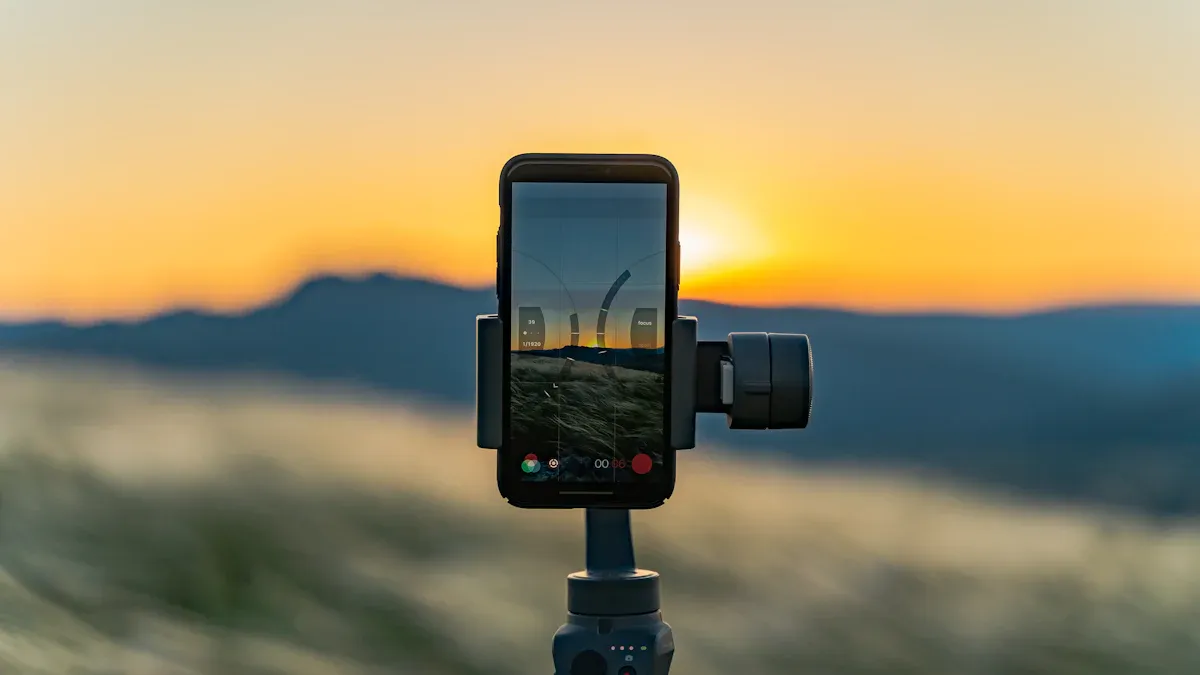
You can make videos like a pro with your phone. AI stabilization keeps your videos smooth, even if you move. Auto-tracking and focus help you follow things without losing sharpness. Augmented reality effects let you add fun things or filters to your videos. You can use slow-motion or movie modes for cool videos.
Tip: Try pro mode to change settings like ISO and shutter speed. You can control how your video looks and make it special.
Many phones use artificial intelligence to make your videos better. You can make videos for social media or school projects easily. Augmented reality tools make your videos more fun and interesting.
Feature | What You Get |
|---|---|
AI Stabilization | Smooth, steady videos |
Auto-Tracking | Clear focus on moving things |
Augmented Reality | Fun effects and pretend objects |
Pro Mode | Manual control for cool videos |
Smart cameras and new camera features help you save memories in new ways. You get more choices and better pictures every time you use your phone.
AI Integration in Smartphones
On-Device AI Features
You see AI everywhere in your smartphone now. It helps you do things faster and easier. Here are some cool ways AI works on your device:
You get real-time language translation. This makes talking to people from other countries simple.
Your phone learns how you use it. It suggests apps and changes settings for you.
The camera uses AI for scene recognition, auto-focus, and better lighting. Your photos look great, even in tough conditions.
Security gets a boost with face recognition, fingerprint scanning, and voice unlock. Only you can access your smartphone.
AI manages background apps and changes brightness. Your phone runs smoother and saves battery.
You can try AR and VR features. These make games, shopping, and maps more fun.
Tip: Try using the translation app when you travel. You will find it helpful and easy to use.
Smart Assistants
Smart assistants like Siri, Google Assistant, and Alexa help you every day. You can ask questions, set reminders, or play music with your voice. Most people like using these assistants, but some wish they worked better on smartphones. Only 38% of users say they are very satisfied with their phone’s assistant. Sometimes, the assistant does not understand you or makes mistakes.
When your assistant feels more human and acts on its own, you feel more in control. You also trust it more. This makes you happier with your smartphone.
Personalized User Experience
AI makes your smartphone feel like it knows you. It shows you news, videos, and apps you like. You get suggestions that match your interests. Studies show that AI personalization helps you notice new things and want to buy them. You find what you need faster, and your experience improves.
AI Personalization Benefit | Impact on You |
|---|---|
Content Optimization | You see things you care about |
Better Search | You find answers quickly |
Higher Engagement | You use your phone more often |
Your smartphone becomes smarter every day. You get a device that fits your life and helps you do more.
Battery and Thermal Design
Fast and Wireless Charging
You want your phone to charge fast. Fast charging fills the battery in minutes. Many phones use wireless charging now. You put your phone on a pad to charge. You can use your phone while it charges. You do not need to mess with cords. Some screens show cool charging animations. Charging feels new and exciting. Fast charging helps you stay online all day.
Battery Longevity
You may ask how long your battery lasts. New phones last longer than old ones. The iPhone 16 Pro Max works for over 11 hours. The iPhone 12 lasted only about 6 hours. Apple made batteries better and cooler. They use silicon nanowire anodes to help batteries stay strong. The OnePlus 15 also has a tough battery. Reviews say it works well every day. Different brands want their batteries to last longer. You can trust your phone to work all day at school or work.
Advanced Cooling
Your phone gets warm when you play games or watch videos. New cooling keeps your phone safe and easy to hold. Here are some cooling systems:
Technology | Description |
|---|---|
Moves heat away with liquid. | |
Vapor Chambers | Uses fluid to keep your phone cool. |
Loop LiquidCool Technology | Pulls liquid to hot spots for better cooling. |
Dual Cryo Velocity Vapor Chambers | Lets heat escape faster for tough tasks. |
You notice the difference when you use your phone. The iPhone 17 Pro Max stays cooler at 34.8°C. The iPhone 16 Pro Max gets warmer at 37.8°C. Xiaomi’s Loop LiquidCool keeps phones under 47.7°C during games. Your screen stays bright and your phone does not slow down. Good cooling lets you play games and use apps without worry.
Biometric Security in Smartphone Design
In-Display Fingerprint Sensors
You unlock your smartphone with just a touch on the screen. In-display fingerprint sensors feel modern and cool. You do not see a button, so your phone looks smooth. Many new smartphones use this feature. But how do these sensors compare to the old ones? Take a look at this table:
Features | In-Screen Sensors | Traditional Sensors |
|---|---|---|
Speed | 0.2–0.5 seconds | 0.1–0.3 seconds ✓ |
Accuracy | 95–99% | 98–99.8% ✓ |
Wet Fingers | Poor–Fair | Fair–Good ✓ |
Durability | Good | Excellent ✓ |
User Experience | Modern, intuitive ✓ | Familiar, tactile |
You get a modern look and easy unlocking. Traditional sensors still work a bit faster and better, especially if your fingers are wet. If you want a sleek design, in-display sensors give you that.
3D Face Recognition
You can unlock your smartphone just by looking at it. 3D face recognition uses special cameras to scan your face. This makes it hard for someone else to unlock your phone with a photo. You do not need to remember a password. You just glance at your phone, and it opens. Some smartphones even let you use face recognition for payments and apps. This makes your daily routine faster and safer.
Tip: Make sure you set up face recognition in a bright place. Your phone will scan your face better.
Privacy Protection
You care about your privacy. Modern smartphones now use smart systems to help you understand how apps use your data. For example, the Styx system shows you which apps access your information over time. This helps you see if an app is safe or if it tries to collect too much data. When you know what is happening, you feel more in control. You trust your smartphone more and worry less about your privacy. Companies want you to feel safe, so they keep adding new ways to protect your information.
Software and Interface Innovations
Minimalistic UI Design
It is easy to use your smartphone now. Minimalistic UI design keeps things clean and simple. You see bold colors and shadows that make the screen look deep. These do not make things confusing. Designers focus on what you use most. You find what you need fast. Dark mode helps your eyes at night. Eye-friendly parts keep you interested. Your phone is fun to use. You do not waste time looking for apps or settings. Every time you use your phone, it feels smooth.
Tip: Use dark mode if you are on your phone late at night. Your eyes will feel better!
Gesture Controls
Gesture controls change how you use your phone. You swipe, pinch, and drag to open apps or move things. These controls work for kids and adults. You get faster and better results with object-moving or enlarging gestures. Bigger screens make gestures easier for everyone. Some gestures, like multi-long press or slide down, are harder for older people. You feel more in control. You like using your phone without pressing buttons.
Gesture Type | Who Performs Best | Usability Impact |
|---|---|---|
Drag, Pinch | Children and Adults | Quick and accurate |
Object-moving, Enlarging | Children and Adults | Fast response and high success rates |
Larger displays | All age groups | Improved usability |
Ecosystem Integration
You want your devices to work together. Ecosystem integration lets your phone connect with your tablet, laptop, or smartwatch. You can start something on one device and finish it on another. You share photos, messages, and files easily. Your smartwatch shows phone notifications. Your laptop syncs notes and reminders. All your devices feel like a team. This makes your day smoother and more fun.
Note: If you use more than one device, look for ecosystem features in your settings. You might find new ways to save time.
Sustainable Smartphone Design Trends

You might hear people talk about eco-friendly smartphones now. Many want phones that help the Earth, not harm it. You see this change in packaging and inside your phone.
Eco-Friendly Materials
Smartphone makers use recycled parts and safer materials. Some phones have frames made from all recycled aluminum. Some screens use glass that is 22% recycled. This makes them strong and better for nature. Even the bumper case can be half recycled materials. Companies print boxes with soy ink from plants. They use less paper and make smaller boxes. Here are some new eco-friendly features:
Feature | Description |
|---|---|
Frame Material | 100% recycled aluminum |
Screen Material | 22% recycled glass |
Packaging | Non-toxic soy ink, less paper, more efficient |
Bumper Case | 50% post-consumer recycled materials |
You help the Earth when you pick a phone with these features.
Energy Efficiency
You want your phone to last longer and use less power. ASUS makes batteries that last up to two days. Their smart charging keeps batteries healthy. Fast charging gives you 70% power in 30 minutes. This saves energy and keeps your phone working well.
Tip: Only charge your phone when you need to. This helps your battery last longer.
Recycling Initiatives
People want more ways to recycle old phones. Companies use over 20% recycled materials in new phones. Fairphone uses recycled tin, copper, plastics, and rare earth metals. You get fewer extras, like power adapters, in the box. This means less e-waste. Many brands support laws to help you fix and recycle your phone. Your device is easier to repair and recycle.
More people want eco-friendly phones.
Brands use recycled materials and save energy.
The electronics market grows as more people pick green choices.
You help make smartphones better for the planet.
Connectivity and Emerging Features in Smartphones
5G Technology
You hear about 5G a lot these days. This new mobile technology makes your phone faster. You can download things quickly. Streaming videos is smooth and clear. You do not have to wait for videos to load. Many phones now work with 5G. You can play games online with less delay. Video calls look better and sound clearer. 5G helps you talk to friends and family right away. You feel close to them even if they are far. Mobile technology keeps getting better. 5G makes your life easier every day.
Tip: Check if your area has 5G before you buy a new phone. This helps you get the fastest speed.
Satellite Connectivity
Sometimes you need help when you have no signal. Satellite connectivity is a new mobile feature. You can send messages or call for help anywhere. Some phones let you reach emergency services with satellites. You do not need cell towers for this. This feature helps you feel safe when you travel or hike. You stay connected no matter where you go. Mobile technology helps you stay close to the world, even in hard places.
Feature | Benefit |
|---|---|
Emergency SOS | Get help in faraway places |
Global Messaging | Talk to people everywhere |
Navigation Updates | Find your way anytime |
Medical and Health Apps
Your smartphone helps you stay healthy. Medical and health apps use mobile technology to track your steps. They check your heart rate and sleep. You get reminders to drink water or take medicine. Some apps use augmented reality to show exercises. They teach you about your body. You can talk to doctors using your phone. Mobile technology makes health care simple and personal. You learn about your health and make good choices. These apps turn your phone into a tool for a better life.
Note: Try a health app with augmented reality. You may find exercise more fun and easy.
You see smartphones changing your world every day. New features make your phone smarter and more helpful. Soon, your phone will track your health and give you tips just for you. You will use your phone for amazing AR and VR experiences. Biometrics like voice and iris scans will keep your data safe. Get ready for phones that fit your life better than ever before!
FAQ
What is mwc, and why does it matter for modern smartphones?
You hear about mwc every year. It stands for Mobile World Congress. At mwc, brands show off modern phones and new tech. You see the latest mwc trends, like oled screens and edge-to-edge design. Mwc helps you know what’s coming next in modern smartphones.
How do modern phones use mwc trends to improve your experience?
Modern phones use mwc ideas to get better. You see mwc features like fast charging, retractable camera, and edge-to-edge design. Mwc inspires brands to make modern phones smarter and more fun. You get new mwc features every year, so your phone always feels modern.
Why do modern smartphones focus on edge-to-edge design?
You want a big screen that looks cool. Modern phones use edge-to-edge design for this reason. At mwc, brands show off modern phones with almost no borders. You get more space for games and videos. Edge-to-edge design makes your phone look modern and fresh.
What is a retractable camera, and how does mwc influence this modern feature?
A retractable camera pops out when you need it. You see this modern feature at mwc. Brands use mwc to show off new camera tricks. A retractable camera keeps your screen clear. You get a modern look and better selfies thanks to mwc ideas.
How does oled technology make modern smartphones better at mwc?
Oled screens look bright and sharp. At mwc, brands show modern phones with oled displays. You see deep colors and clear pictures. Oled helps modern phones stand out at mwc. You enjoy videos and games more with this modern tech.
Tip: Watch for mwc news to see what modern features will come next!
Modern Feature | Shown at mwc? | Why You’ll Like It |
|---|---|---|
Oled Display | ✅ | Bright, sharp, modern |
✅ | More screen, modern look | |
Retractable camera | ✅ | Clear screen, modern feel |