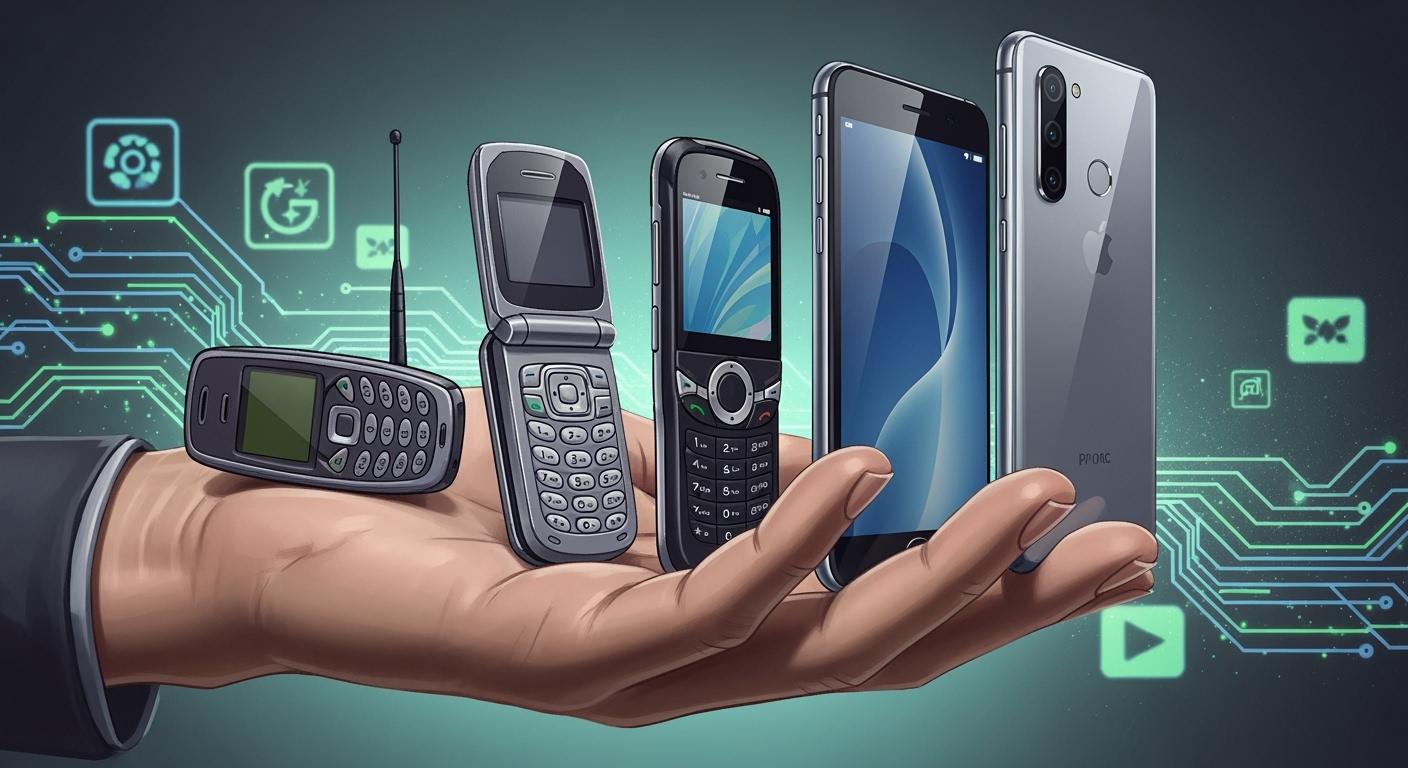
You have seen how smartphone design has changed over time. Phones used to be thick and plain. Now, they are thin and look high-tech. This change affects how you use technology. Features like the tear-drop notch and better screens give you more space to use. Every swipe and tap feels more real. Today, phones have bigger screens, strong cameras, and some can even fold. These new ideas show what smartphones can do. They mix cool looks with smart features.
Key Takeaways
Smartphone design has changed a lot over time. Phones used to be thick and simple. Now, they are thin and high-tech. They have bigger screens and more cool features. Early smartphones cared more about how they worked than how they looked. They used plastic, metal, and glass to make them strong and easy to use. Touchscreens changed everything when the iPhone came out. It made using phones much easier and more natural. Today, phones look simple and clean. Some use eco-friendly materials. New ideas like foldable screens and cameras under the screen make phones even better. When you pick a smartphone, think about how it feels in your hand. Look at what it is made of. Think about how it affects the environment. This helps you choose a phone that fits you and is good for the Earth.
Early Smartphone Design
Basic Forms And Materials
Think about the first time you used a smartphone. Early smartphones felt very different from today’s phones. Designers picked plastics, metals, and glass for these devices. Each material made the phone feel different in your hand. Plastics made phones light and easy to hold. Metals made phones stronger, so they did not break easily. Glass screens looked clear, but they could crack if dropped.
Here is a table that shows how these choices shaped durability and usability:
Material/Form Factor | Description | Impact on Durability and Usability |
|---|---|---|
Plastics | Used for casings | Lightweight and flexible protection |
Metals | Structural components | Robustness and resistance to damage |
Glass | Screens | Clarity but prone to shattering |
Keyboard Bar | Physical QWERTY keyboard layout | Better typing but adds bulk |
Sliding Design | Hides keyboard when not in use | Saves space but can be complex |
Resistive Touchscreen | Needs stylus for touch | Limits usability compared to modern screens |
Tip: When you look at old phones, notice how the materials and shapes made them strong but sometimes heavy.
Functionality Over Style
Early smartphones cared more about what they could do than how they looked. Many phones had real keyboards to help you type fast. Some phones had a sliding design to hide the keyboard. This made the phone thicker but saved space. You often needed a stylus to use the resistive touchscreen. These screens did not feel as smooth as the ones today.
Early smartphones used plastics, metals, and glass.
Keyboard bars and sliding designs were popular.
These choices made phones strong and easy to use, but sometimes big.
Real keyboards helped you type faster, and touchscreens started to change how you used your phone.
These early design choices helped make the cool and powerful phones you have now.
Touchscreen Era In Smartphone Design
iPhone’s Impact
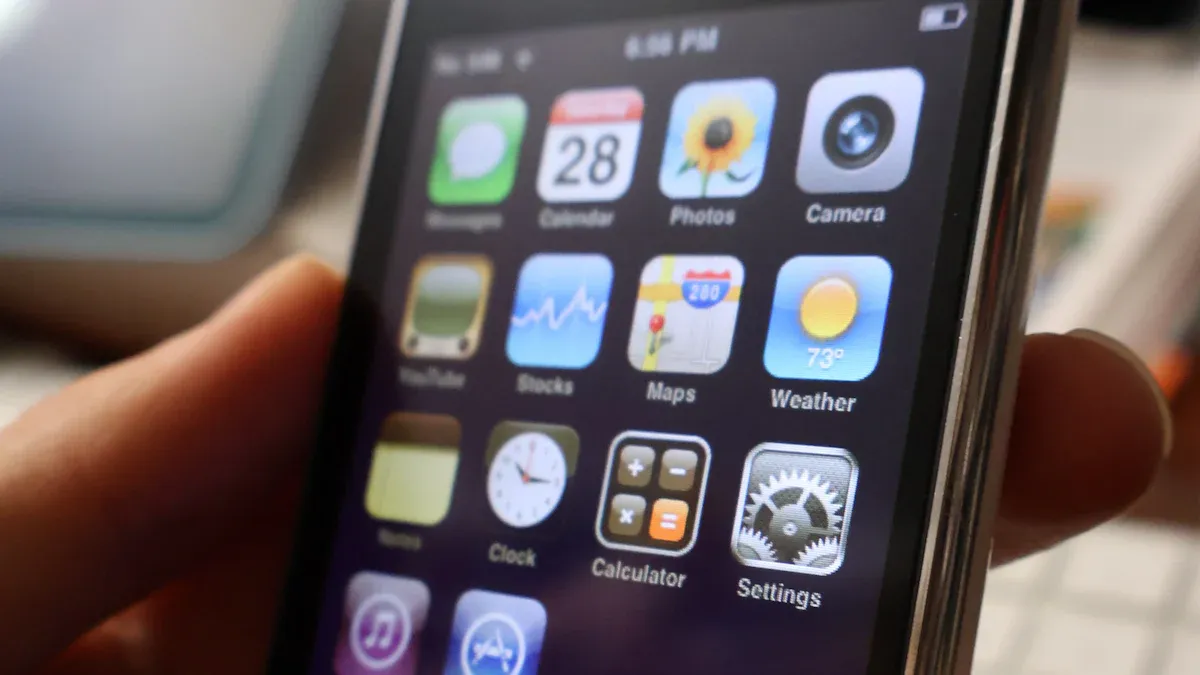
You might remember when the first iPhone came out in 2007. This was the start of the touchscreen era. Before this, most phones had real keyboards or tiny screens. The iPhone changed things by having a big, smooth touchscreen and no buttons. You could swipe, tap, or pinch to use your phone. This new way to use a phone felt easy and fun.
Here is a table that shows how the iPhone made new rules for phones:
Feature/Design Element | Description | Impact on Industry Standards |
|---|---|---|
Touchscreen-only device | 3.5-inch screen, no physical keyboard | Set a new standard for smartphone interfaces |
Multi-touch gestures | Pinch, swipe, and tap for navigation | Became common in modern smartphones |
Mobile app store | Easy access to many applications | Made app ecosystems a normal feature |
Seamless user experience | Smooth and simple to use | Influenced design across the industry |
After the iPhone, other companies copied the idea. You saw more phones with smooth looks and fewer buttons. Things like gesture controls and paying with your phone became normal. Good cameras also became something everyone wanted.
Note: When the iPhone came out, brands like BlackBerry lost many users because they kept using real keyboards. Companies that used touchscreens and easy apps got more people to buy their phones.
Shift To Touch Interfaces
When you use a touchscreen, you make choices by what feels right. You trust your own feelings and how the phone reacts to your touch. Studies say people like using touchscreens more than a mouse or keyboard. You trust your gut and like the direct feel with your phone.
User Interface Type | Anticipated Satisfaction | Decision Criteria | Attribute Mentioned |
|---|---|---|---|
Touch Interface | Higher | Instinct | Tangible attributes |
Mouse Interface | Lower | Reviews | Intangible attributes |
Now, you expect every phone to have a good touchscreen. The touchscreen era made phones easier and more fun to use. You can open apps, play games, and surf the web with just a tap or swipe. This change affects how you use technology every day.
Evolution Of Smartphone Displays
Larger Screens And Thinner Bezels
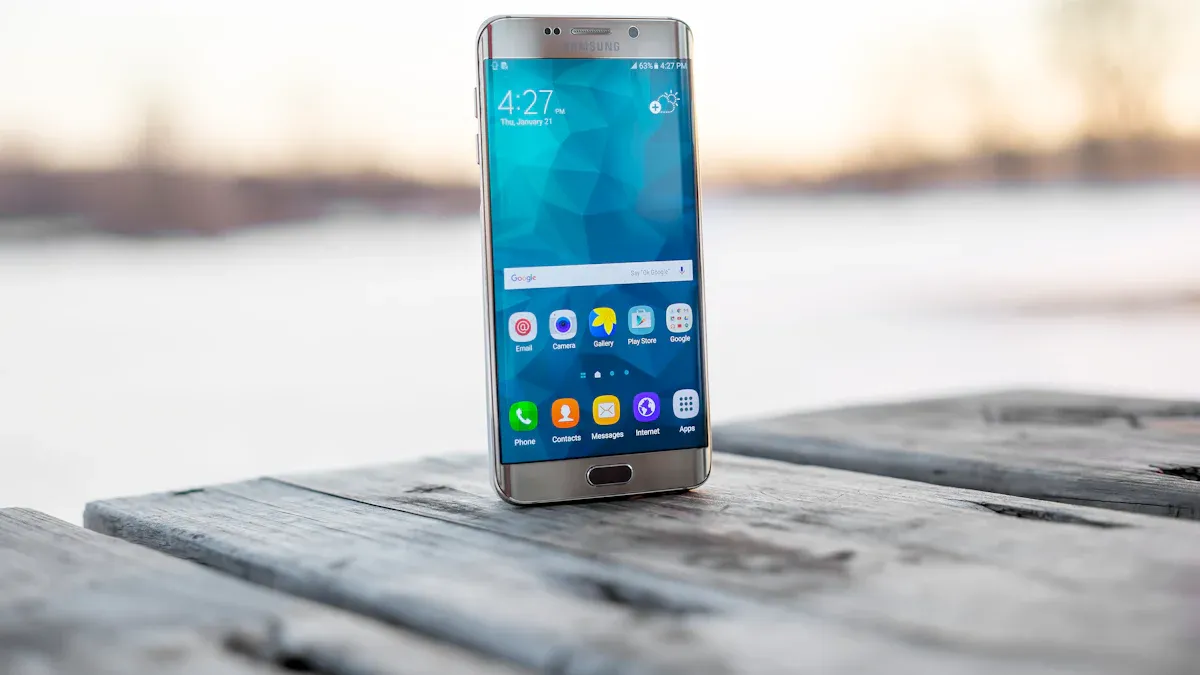
Smartphone screens keep getting bigger every year. Companies want to give you more screen space but keep phones easy to hold. They made the borders, called bezels, much smaller. This bezel-less look makes your phone seem new and cool. It also lets you see more when you watch videos or play games.
Look at how fast screen sizes have changed:
Time Period | |
|---|---|
Two Years Ago | ~10% |
Current Year | ~80% |
Five years ago, most screens were about 3 inches.
Then, they grew to 4 inches.
Two years later, many phones had 5-inch screens.
Now, almost all new phones have screens bigger than 4.5 inches.
Big touchscreens are normal on new phones now. Smaller bezels mean you get a bigger screen without a heavy phone. This helps you enjoy games and movies with less stuff around the edges.
Advancements In Display Technology
Phone screens have gotten much better. You see brighter colors and clearer pictures. Your battery also lasts longer. These changes come from new display technology. Companies use OLED, AMOLED, and quantum dot materials to make screens look great.
Here are some important improvements:
Advancement Type | Description | Benefits |
|---|---|---|
Phosphorescent OLEDs | Uses almost all energy inside the screen. | Saves power and makes the screen last longer. |
Tandem OLEDs | Puts more light layers together. | Makes colors better and helps the screen last longer. |
Quantum Dot OLED (QD-OLED) | Mixes quantum dots with OLED. | Gives brighter colors and saves energy. |
Now, you get more from your phone’s screen. Bezel-less designs and new tech let you see more details and bright colors. Your phone uses less power, so you can watch or play longer. These changes make the screen the most important part of your phone.
Smartphone Design Innovations
Notches And Water-Drop Features
You might have seen small cutouts at the top of your phone’s screen. These are called notches. Brands wanted screens that go from edge to edge. They needed space for cameras and sensors. In 2017 and 2018, many companies copied the iPhone X style. This made screens look bigger and more modern. Phones like the OnePlus 6 and LG G7 used this idea too.
Later, companies made the notch smaller. The water-drop notch became popular. It takes up less space on the screen. Most people liked this new design. You can see what users think in the table below:
Preference | Percentage |
|---|---|
Waterdrop for sure | 58.63% |
Better have the full notch up there | 6.33% |
A notch is a notch, it’s just as bad | 24.28% |
I really don’t care about or mind “notches” | 10.76% |
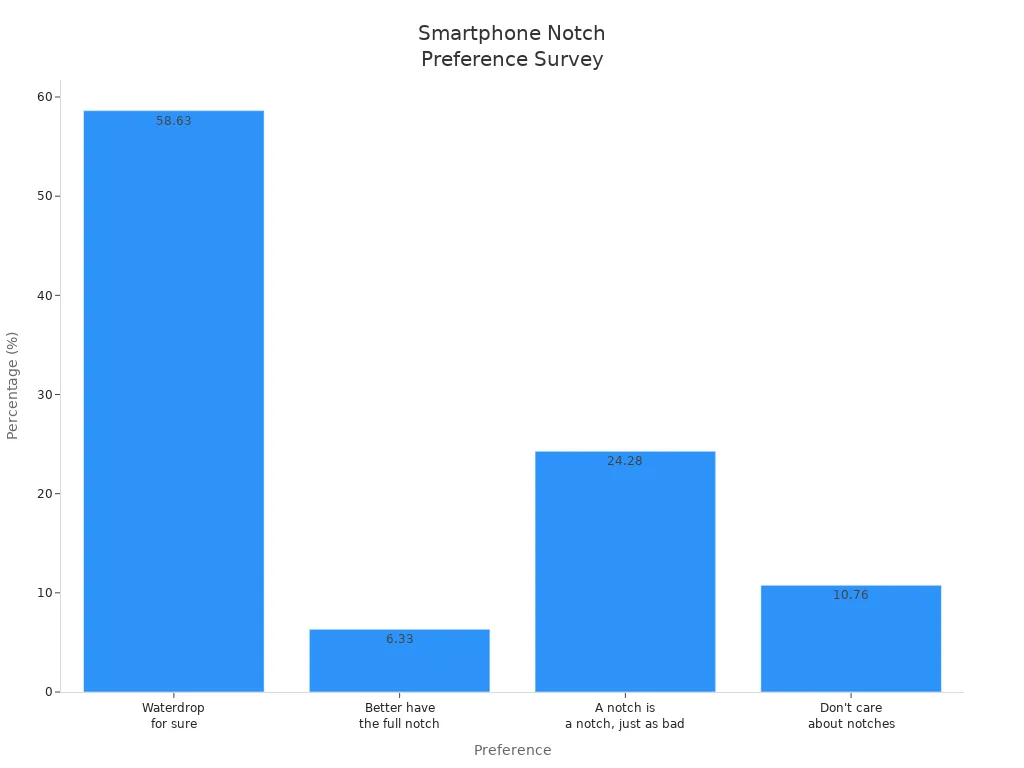
Most people like the water-drop notch best. This small change gives you more screen space. It also makes your phone look cleaner. Edge-to-edge screens are now a sign of modern phones.
Tip: If you want the most screen space, pick a phone with a water-drop notch or no notch.
Foldable Screens
Foldable screens have changed what people expect from phones. You can open a foldable phone for a bigger display. You can close it to make it small and easy to carry. This design lets you use your phone like a tablet. You can play games, watch movies, or do more things at once. Many people think foldable phones are fancy and show off new technology.
You can switch between a small phone and a big screen.
New foldable phones are stronger and last longer.
People in rich countries buy foldable phones for cool features and style.
Experts think foldable screens could be common soon. They are excited about the flexible design and extra features. Some say foldable phones might replace tablets and laptops. Foldable phones are thicker than regular ones. Companies are working to make them thinner and fix the hinge. A rollable phone could be next. You could pull out the screen when you need more space.
Note: Foldable and rollable phones show how far design can go. You might see rollable phones in stores soon. They will give you new ways to use your device.
Under-Display Cameras
Under-display cameras are a new idea in phone design. You do not see the camera on the front. It hides under the screen. This makes the display look smooth and whole. Special screen materials let light reach the camera. AI helps make your selfies look clear and bright.
Here is a table that shows the good parts and problems with under-display cameras:
Breakthroughs | Challenges |
|---|---|
Special low-reflection, high-transparency screen materials | Image quality still trails behind traditional front cameras |
AI image correction enhances sharpness and light capture | Display brightness balance may appear dimmer or blurred |
Adaptive pixels for visual consistency | Higher R&D and production costs for OEMs |
Limited adoption, still niche |
You get a cleaner screen with this design. The camera quality is not always as good as regular front cameras. Companies are trying to make under-display cameras better. You may see more phones with this feature as it improves.
Callout: Under-display and rollable features show how phone design keeps changing. You get more screen space and new ways to use your phone.
Balancing Aesthetics And Functionality
Material Choices
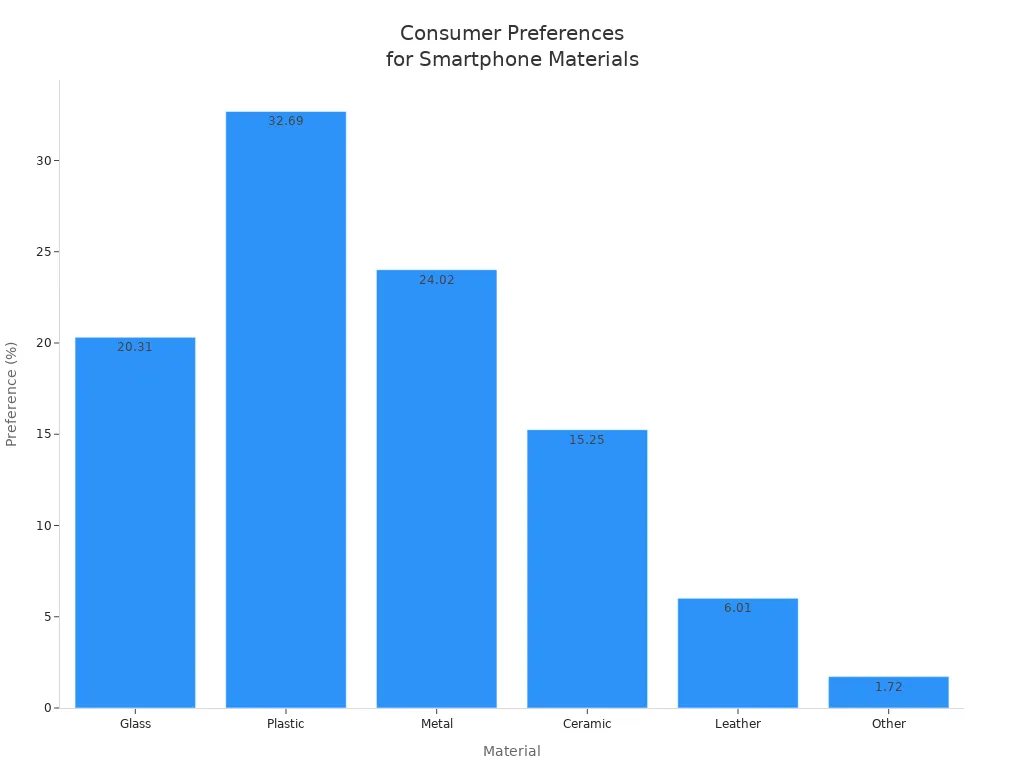
When you choose a smartphone, you notice how it looks and feels. The materials in phones are important to you. Some phones use glass, metal, plastic, ceramic, or leather. Each material changes how your phone feels in your hand. It also changes how it looks on your desk. Many people like plastic because it is light and does not break easily. Metal feels strong and cool to touch. Glass looks shiny but can crack if you drop it. Ceramic and leather feel special, but not many people pick them.
Here is a table showing what people like most:
Material | Preference Percentage |
|---|---|
Glass | 20.31% |
Plastic | 32.69% |
Metal | 24.02% |
Ceramic | 15.25% |
Leather | 6.01% |
Other | 1.72% |
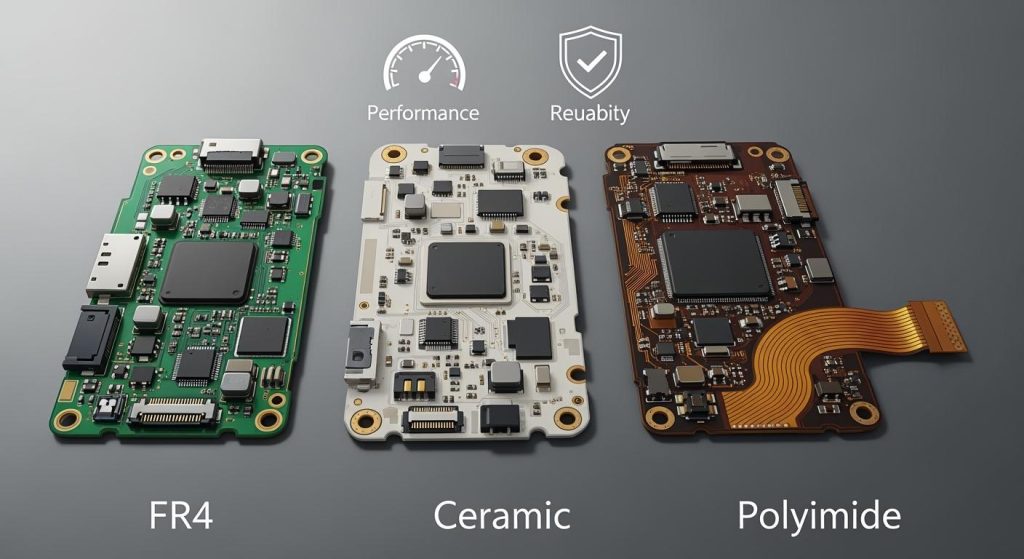
You also think about the environment when buying a phone. Making a new smartphone creates about 85 kilograms of emissions in its first year. Most of this comes from getting materials and building the phone. Metals, especially platinum group metals, add to the environmental impact. Printed circuit boards use a lot of metals too. If you want a greener phone, pick one that lasts longer and can be fixed.
Indicator | Contribution to Environmental Impact |
|---|---|
Raw material extraction | ~80% of overall impact |
Manufacturing processes | ~80% of overall impact |
Integrated circuits | Up to 50% of overall impact |
Higher storage variants | 30% more CO2 for 1TB vs 512GB |
Focus on reparability, durability | Key consumer demands |
Ergonomics
You use your phone for many hours every day. How a phone fits in your hand affects your comfort. If a phone is too big or heavy, your hand gets tired. Studies show that using a phone for a long time can hurt your neck and upper back. Many people bend their necks and push their shoulders forward when using a phone. This can make your muscles sore and bother your tendons.
Using a smartphone for a long time can cause bad posture. This leads to pain in your neck and upper back.
A study in Korea found that 18.8% of users had muscle problems, mostly in the neck and arms.
People often bend their necks (82.74%) and push their shoulders forward (56.61%), which can strain muscles and tendons.
You want a phone that feels nice to hold and is easy to use. Rounded edges, textured backs, and balanced weight help you use your phone longer without pain. Many people care more about how a phone looks than its features. A pretty design makes you feel happy. Functionality is important, but most people pick phones that look good and feel right.
Tip: Hold different phones before you buy one. Choose a phone that fits your hand and feels comfortable when you use the touchscreen.
Current Smartphone Design Trends
Minimalism
Minimalism is very popular in phones today. Big brands use simple shapes and smooth lines. They take away extra buttons and features. This makes your phone easier to use. You can find things faster with less clutter. It is easier to focus because there are fewer distractions. Phones are more usable when they have only what you need. Important parts stand out and are easy to see. You feel more interested with a clean screen. The modern style helps brands look better. Phones are easier for people with disabilities to use. A neat design helps you feel calm and relaxed.
Most brands use mobile-first ideas. They make sure phones work well on any screen size. Many companies add new things like 3D icons and moving text. These keep your phone looking cool but still simple.
Eco-Friendly Materials
More brands use eco-friendly materials in phones now. Apple uses recycled aluminum and rare earth elements. Samsung puts plastics from old fishing nets in some parts. Google’s Pixel phones use recycled aluminum and plastic. Fairphone uses energy-saving factories and designs you can fix. This means you can keep your phone longer.
Phones now have new features that help the environment:
Processors save power.
Some phones can charge with solar power.
New rules make companies choose greener options. In Europe, phones must last longer and be easy to fix. Makers must use batteries that work after many charges. They also need to give spare parts for repairs. These rules help cut down on waste and support recycling.
Tip: Pick a phone from brands that use recycled materials and let you fix it. You help the earth when you choose a phone that lasts longer.
Future Of Smartphone Design
Emerging Technologies
You will soon see lots of new technology in smartphones. These changes will make phones look and work differently. Companies use artificial intelligence to make phones smarter. AI helps you take nicer photos and gives you helpful advice. Foldable screens are showing up on more phones. You can open them for a big screen or fold them to fit in your pocket. Cameras are getting better with more pixels and smart software. You will see clearer pictures and better photos in the dark. Many brands use recycled materials to help the earth. Phones are now lighter and better for the environment.
Here are some top new technologies:
AI makes apps and photos smarter 🤖
Foldable screens let you use your phone in new ways
Better cameras with more pixels
Using recycled materials for a greener design
Tip: When you buy a new phone, look for AI features and eco-friendly materials. These will help you enjoy your phone more and help the planet.
Predictions
Experts think smartphone design will keep changing a lot. Soon, you may get phones that are easy to fix or upgrade. Some phones will have parts you can swap, like the battery or camera. New shapes like triple-folding and rollable phones will come out. These new designs let you use your phone in different ways.
Here is a table with what experts think will happen:
Trend Type | Description |
|---|---|
Modularity | Phones with parts you can change or fix yourself |
Repairability | Easier to swap batteries and other pieces |
New Form Factors | Triple-folding and rollable phones for bigger screens |
Advanced Features | Special displays and fast-charging batteries for better use |
You might also see new things like displays that change with the light. Nano-tech batteries could charge your phone super fast. Some phones may have liquid buttons for a new way to use them.
Smartphone design will keep getting better. You will have more choices, cool features, and new ways to use your phone every day.
You have watched smartphone design change a lot over time. Here is a simple summary:
Stage of Evolution | Description |
|---|---|
Transition to Touchscreens | Phones switched from keyboards to touchscreens. |
Introduction of Capacitive Buttons | Phones got touch buttons instead of real ones. |
Shift to On-Screen Navigation | Navigation moved onto the screen itself. |
Adoption of Gesture-Based Navigation | Gestures made using your phone easier and quicker. |
Notches and Punch-Holes | Cameras fit inside the screen for more space. |
Pop-Up and Under-Display Cameras | Cameras now hide for a full-screen look. |
Trends like buttonless controls and gesture navigation help you use your phone in new ways. These changes make your phone feel like it belongs in your life. As technology gets better, you will see even more cool ideas.
FAQ
What is a bezel on a smartphone?
A bezel is the frame around your phone’s screen. Thin bezels mean you get more screen to use. You see less of the border and more of your apps. Most new phones have very thin bezels. This makes them look modern and stylish.
Why do some phones have notches or punch-holes?
Phone makers put notches or punch-holes for cameras and sensors. These designs let you have a bigger screen. Water-drop notches and punch-holes are smaller than old notches. You can see more of your screen with these shapes.
Are foldable phones durable?
Foldable phones have special screens and strong hinges. You can open and close them many times. Newer foldable phones last longer than older ones. You still need to be careful so they do not break.
How do eco-friendly materials help the environment?
Eco-friendly materials help by making less waste and pollution. Brands use recycled metals and plastics in their phones. If you pick these phones, you help the earth. These phones often last longer and are easier to fix.
What is the benefit of under-display cameras?
Under-display cameras hide under the phone’s screen. You get a full screen with no camera showing. This makes your phone look neat and new. The camera quality is getting better as tech improves.