Electronic solutions have changed how fans work, making them smarter. They are more efficient and last longer for homes or offices. These new features let you control fans with apps or voice. You can also set schedules to turn them on or off automatically. Energy-saving motors and motion sensors make fans work better. For example, modern EC fans use 50% less energy than old ones. This helps save electricity and lowers costs. These fans also last longer, needing less fixing or downtime. Whether for cooling electronics or staying comfy at home, electronic fans are a great choice.
Key Takeaways
Smart fans work with apps or voice, so they’re simple to use.
Energy-saving motors use less power and cut costs, helping nature.
Fans with sensors change speed by motion or heat, adding comfort.
Quiet fans cool without sound, great for bedrooms or workspaces.
Fans with ENERGY STAR labels are top-quality and eco-friendly choices.
Smart Fan Technologies
App Control and Connectivity
Features of app-controlled fans
Fans with app control make life easier. You can change speed, direction, and oscillation using your phone. Many apps show how the fan is working in real time. Some even display energy use, helping you save electricity. These tools make using your fan simple and efficient.
Benefits of Wi-Fi and Bluetooth connectivity
Wi-Fi and Bluetooth make fans easier to use. Wi-Fi fans let you control them from anywhere, even far away. Bluetooth fans work well nearby, perfect for one room. Both types remove the need for remotes, reducing clutter and making control easier.
Voice Commands and Automation
Integration with smart home systems
Smart fans work with systems like Alexa, Google Assistant, and HomeKit. You can use voice commands to control them. For example, say, “Alexa, turn on the fan,” or “Hey Google, set fan speed to medium.” This hands-free feature is helpful when you’re busy or can’t use your phone.
Examples of voice-controlled fan brands
Some brands make great voice-controlled fans. Hunter fans work with many smart systems, while Haiku fans are stylish and save energy. These brands offer choices to fit different needs and tastes.
Scheduling and Customization
Setting timers and schedules
You can program fans to run at certain times. For example, set it to start before you get home or stop at night. This saves energy and keeps you comfortable when needed.
Personalized airflow settings
Modern fans let you adjust airflow to your liking. Pick different speeds, directions, or oscillation patterns. This customization gives you the best mix of comfort and performance.
The market for smart ceiling fans has grown a lot. In 2018, it was worth about $698.4 million. This shows people want more advanced and easy-to-use fans. Millennials especially like energy-saving and high-tech products, even if they cost more. Fans controlled by phones and the internet are leading this trend, making them popular in modern homes.
Energy Efficiency Solutions
Energy-Saving Motors
Brushless DC motors and their benefits
Brushless DC motors (BLDC) are a big improvement for fans. These motors use electronics to control speed and airflow better. They are 30%-50% more efficient than old AC motors. BLDC motors are also very quiet, perfect for homes and offices. Less noise means more comfort and lower energy use. Over time, they help you save money on electricity bills.
Comparison with traditional motors
Old shaded pole motors use more energy and create more heat. New energy-saving motors cut energy use by 75%-80%. For instance, the SKW-ECO7108A EX is better than older models like the M4Q045. These motors save electricity and lower CO2 emissions. They pay for themselves in just 5-9 months.
Sensors and Timers
Motion and temperature sensors
Modern fans have motion and temperature sensors to adjust automatically. Motion sensors turn the fan on when someone enters the room. Temperature sensors change the fan’s speed based on the room’s heat. These features save energy while keeping you comfortable.
Automatic shut-off features
Fans with automatic shut-off stop wasting energy. If no one is in the room, the fan turns off after a set time. This is great for places like bedrooms or offices where you might forget to turn it off. It’s an easy way to save power.
Eco-Friendly Certifications
ENERGY STAR-rated fans
Fans with ENERGY STAR labels meet strict energy-saving rules. They use less power but still work well. Choosing these fans lowers your bills and helps the planet.
Importance of energy certifications
Energy certifications prove fans meet high-efficiency standards. For example, the ANSI/ASHRAE/IES 90.1-2019 rule needs a Fan Energy Index (FEI) of at least 1.00. These certifications apply to many fan types, ensuring good performance and eco-friendliness.
Standard | Minimum FEI Level | Covered Products | Scope of Coverage |
|---|---|---|---|
ANSI/ASHRAE/IES 90.1-2019 | 1.00, except VAV systems: 0.95 | Fans in air-distribution systems except embedded fans, ceiling fans, and fans for specified safety applications | Fans with motor-nameplate output power > 1.0 hp (0.75 kW) or fan arrays with combined motor-nameplate output power > 5.0 hp (3.7 kW) or fans with fan-nameplate electrical input power > 0.89 kW or fan arrays with fan-system electrical input power > 4.1 kW |
ASHRAE 189.1-2020 | 1.10 | Same as ASHRAE 90.1-2019 | Same as ASHRAE 90.1-2019 |
International Energy Conservation Code (IECC) 2021 | 1.00; 0.95 for VAV systems | Equivalent to ASHRAE 90.1-2019 | Equivalent to ASHRAE 90.1-2019 |
Picking energy-efficient fans saves money and helps the environment. Look for labels like ENERGY STAR to make a smart, green choice.
Enclosure Cooling Fans and Micro Fans
Benefits of Using Enclosure Cooling Fans
Role in thermal management
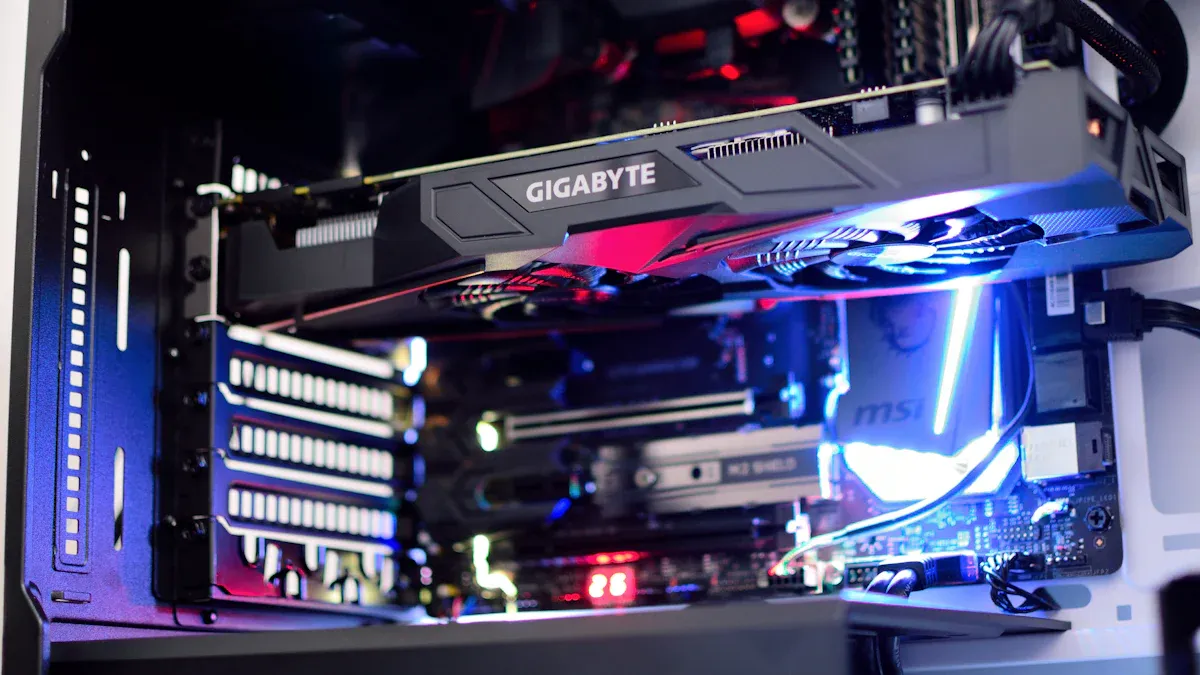
Enclosure cooling fans are important for keeping electronics cool. They remove extra heat to keep systems at safe temperatures. This helps parts work better and last longer. By improving airflow, these fans stop heat from building up. Too much heat can cause systems to break.
Preventing overheating in electronic components
Electronics often overheat, which can cause problems. Cooling fans fix this by getting rid of heat quickly. For example, fans in servers and machines protect delicate parts from harm. This makes devices more reliable and lowers repair costs.
Types of Enclosure Cooling Fans
Axial fans and their applications
Axial fans are common and create straight airflow. They are great for cooling parts with little airflow resistance. These fans are used in computers, power supplies, and small vents. Their small size and good performance make them a favorite for many uses.
Centrifugal fans for targeted cooling
Centrifugal fans push air outward in a circular motion. They work well in high-pressure places like HVAC systems. These fans are perfect for cooling areas needing precise airflow. The table below shows how axial and centrifugal fans differ:
Feature | Axial Fans | Centrifugal Fans |
|---|---|---|
Airflow Direction | Straight airflow | Circular airflow |
Pressure Capabilities | High volume, low pressure | High pressure, focused airflow |
Efficiency | Best for low resistance | Best for high resistance |
Suitability | Cooling electronics | HVAC systems, air filters |
Micro Fans for Compact Spaces
Features of micro fans
Micro fans are tiny and fit in small spaces. These small fans give good airflow while staying compact. They save energy and last a long time, making them dependable. Their design keeps tight spaces cool and working well.
Applications in electronics and small devices
Micro fans are used in small gadgets like phones, laptops, and game consoles. They are also found in medical tools and other small systems. Their small size helps them cool without losing power. These fans are key to keeping modern devices safe and working.
Tip: Clean and place enclosure cooling fans properly for better results. This helps them last longer and work more efficiently.
Noise Reduction and Comfort Enhancements
Quiet Motor Features
How quiet motors work
Quiet motors are designed to lower noise while working well. Fans make less noise when running at the best speed. Slowing the fan slightly can reduce noise a lot. Special blade shapes and lightweight materials cut down on sound. Aerodynamic designs stop air turbulence, which also lowers noise. Variable Frequency Drives (VFDs) help adjust speed for quieter use without losing cooling power.
Fan noise is measured in A-weighted sound levels. Standards like ISO 10302 and ISO 13347 test noise in real conditions. Keeping airflow steady, measured in Cubic Feet per Minute (CFM), ensures good cooling with less noise.
Project | Noise Cut | Cost Saved on Setup | Yearly Savings on Costs |
|---|---|---|---|
Tata Steelworks | 12dB (94%) | £800,000 | £200,000 |
Red Bull Formula 1 | 30dB (1000x) | N/A | N/A |
Top brands for quiet fans
Some brands make very quiet fans. Dyson uses bladeless designs to reduce noise. Panasonic fans have advanced motors for silent running. Haiku fans by Big Ass Fans are energy-saving and almost silent, great for homes and offices.
Adjustable Airflow Options
Different speed choices
Modern fans let you pick from different speeds. You can choose faster speeds for quick cooling or slower ones for quiet comfort. This makes cooling more efficient and fits your needs.
Oscillation and targeted airflow
Fans with oscillation move air around the room evenly. Directional airflow lets you aim the breeze where you need it most. These features make fans useful for many spaces and improve comfort.
Feature | What It Does |
|---|---|
Accuracy | Gives exact and repeatable results |
Calibration | Easy setup with automatic adjustments |
Fault Detection | Finds problems to manage systems better |
Versatility | Works with many types of equipment |
Maintenance | Low-cost and easy to maintain |
Add-ons for Extra Comfort
Built-in air cleaners
Some fans clean the air while cooling. They remove dust, allergens, and pollutants, making the air healthier. These are great for families or people with allergies.
Adding moisture to the air
Fans with humidifiers add water to dry air. This helps in dry places or during winter when air gets too dry. These features make the air more comfortable and balanced.
Tip: Choose fans with adjustable speeds and extra features for better cooling and comfort.
Maintenance and Durability Solutions
Self-Cleaning Features
How self-cleaning fans work
Self-cleaning fans stop dust from building up on parts. They have special coatings or spinning blades to remove dirt. Some fans blow air backward to clear out debris. This keeps the fan clean without needing much manual cleaning.
Benefits of reduced maintenance
Less dust means better airflow and cooling. You won’t need to clean the fan often, saving time and effort. These fans last longer and work without frequent interruptions, keeping your space cool.
Durable Materials and Build Quality
Corrosion-resistant materials
Fans made with stainless steel or coated aluminum resist rust. These materials work well in tough conditions, indoors or outdoors. They stay reliable even in humid or dusty places, lasting a long time.
Long-lasting motor designs
Modern motors, like brushless DC motors, stay cool and wear less. Tests show most fans last over 8,400 hours before failing. These motors are strong and keep cooling effectively for years.
Diagnostic and Monitoring Systems
Built-in diagnostic tools
Some fans have tools to check power, airflow, and pressure. These tools help fans meet energy rules like the Fan Energy Index (FEI). Automatic calibration keeps readings correct, and fault detection finds problems early.
Alerts for maintenance needs
Fans with diagnostics send alerts when they need fixing. These alerts help you solve issues quickly, saving money and time. Fans meeting air quality rules ensure steady cooling and follow regulations.
Tip: Pick fans with diagnostics and strong materials for easy, long-lasting use.
Cost and Accessibility
Price Ranges for Electronic Solutions
Budget-friendly options
Affordable fans are easy to find for small spaces. Basic models like table or pedestal fans cost $20-$50. These fans give simple cooling and save energy with efficient motors. Brands like Ajanta Electricals and Crompton Greaves make reliable, low-cost fans. They are great for everyday use and help lower electricity bills.
Premium smart fan models
If you want advanced features, premium smart fans are a good choice. These fans cost $200-$500 and include app control, voice commands, and energy-saving tech. Brands like Dyson and Haiku Fans offer stylish designs and smart features. Though expensive upfront, they save money over time with lower energy use and long-lasting quality.
Aspect | Details |
|---|---|
Market Size By 2031 | USD 16.9 billion |
Growth Rate | CAGR of 4.3% |
Key Market Players | Panasonic, Hunter, Fanimation |
Availability in the Market
Online vs. in-store options
Fans are sold online and in stores. Online shopping is easy, with over 60% of sales happening there. Sites like Amazon and Walmart offer many choices and reviews. In-store shopping lets you see fans and get advice from staff. Stores like Home Depot and Lowe’s are popular for buying fans offline.
Distribution Channel | Characteristics |
|---|---|
Online | Wide variety, home delivery |
Offline | Immediate purchase, hands-on |
Popular brands and retailers
Brands like Panasonic, Emerson Electric, and Westinghouse are trusted for quality. You can find them online or in stores. Retailers like Best Buy and Target also sell many fan models to fit different needs.
Balancing Cost and Features
Tips for choosing the right fan
Pick a fan based on your needs. For small rooms, table fans are perfect. If you want smart features, choose fans with app or voice control. Energy-efficient fans with ENERGY STAR labels save electricity. Always read reviews to check if the fan is reliable.
Value-for-money recommendations
Compare prices and features to get the best deal. Fans with quiet motors and energy-saving features work well without costing too much. Brands like Hunter and Crompton Greaves offer good quality at fair prices. A durable fan is a smart investment that saves money over time.
Tip: Pick fans with useful features and fair prices for comfort and savings.
Modern fans come with features that make life easier. You can control them with apps or voice commands. Energy-saving motors and sensors use less electricity. Quiet designs and air cleaners make them great for homes and offices.
If you want to save money, basic fans work well. Tech lovers can try smart fans with cool features. Eco-friendly fans help save energy and money over time. These fans improve air, stay quiet, and last long, making them a smart choice for any room.
FAQ
What are the benefits of using smart fans?
Smart fans are easy to use and save energy. You can control them with apps or voice commands. They let you set timers and adjust airflow. These features make them great for modern homes.
How do energy-efficient fans save money?
Energy-efficient fans use less electricity with advanced motors and sensors. This lowers your energy bills over time. Fans with labels like ENERGY STAR give the best savings.
Are quiet fans suitable for bedrooms?
Yes, quiet fans are great for bedrooms. They have silent motors and special designs to reduce noise. This keeps your room peaceful while staying cool.
What makes enclosure cooling fans essential for electronics?
Enclosure cooling fans stop electronics from overheating. They improve airflow to keep parts cool. This protects devices and helps them last longer.
How do self-cleaning fans reduce maintenance?
Self-cleaning fans remove dust with special coatings or reverse airflow. This means less cleaning is needed and the fan works better for longer.