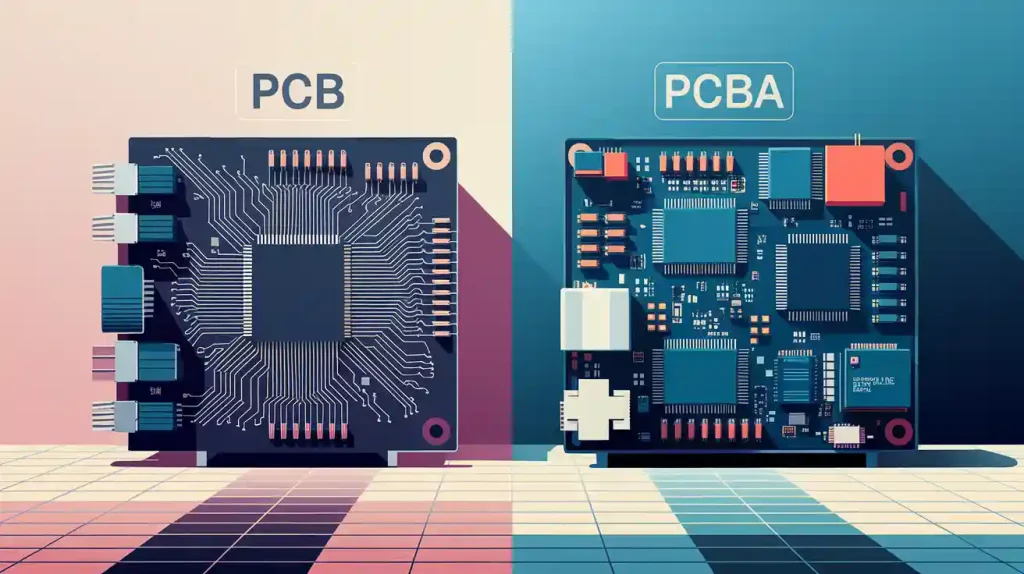
Printed Circuit Boards (PCBs) represent critical elements within contemporary electronic devices. Standardized file formats act as the backbone to produce efficient design and manufacturing outcomes. The established formats create a communication bridge between design software applications and both PCB manufacturers and assembly facilities.
Smooth production is only possible when teams fully understand standardized file formats. Therefore, in this article, you are going to read the basic concepts of PCB design files along with their corresponding assembly file formats.
Table of Contents
Overview of PCB Design and Assembly File Formats
PCB files store multiple kinds of essential data elements. So for your basic understand let us make it more clear. PCB files carry four primary types of information. These are:
- Geometric characteristics
- Component specifics
- Netlist connections,
- And manufacturing guidelines.
Geometric Data
Geometric data describes the board’s shape and layout. Simultaneously, the component data will specify the location and footprint of each component of the PCB. In netlist data files engineers describe the electrical connections that link components together. Manufacturing data serves as a guidebook for building and assembling electronic components.
Component data specifies the location and footprint of each component on the board.
Standardization
Standardization ensures compatibility. That is why, here, IPC’s role can’t be undermined. Why? Because it is central organization. IPC (Association Connecting Electronics Industries) develops industry standards for electronics.
Through this standardization organizations provide unified guidelines that enforce uniformity throughout design and manufacturing activities. The system enables smooth data transfer between different software vendors by establishing standard connectivity. IPC standards prevent errors while creating better quality products.
Design File Formats
PCB fabrication requires design files to operate correctly. Several formats are commonly used.
A. Gerber Files (.gtl, .gbl, .gts, .gbs)

The industry relies on Gerber files as standard format. Image format exists for the production of printed circuit boards. Each PCB layer receives representation through vector graphic format descriptions. The .gbs file functions to identify areas where solder should not be applied.
Other common extensions exist. Included formats are .gto for top silkscreen data, .gbo for bottom silkscreen data as well as .gko for board outline specifications and .drd files which contain drill information.
RS-274X is a modern Gerber format. RS-274D is older. RS-274X proves superior because its structure allows it to contain more useful information. Aperture definition practices constitute one of the main distinguishing aspects.
D-codes are used to establish the shapes vital for drawing features in Aperture formats. Gerber images depend entirely on these apertures for their creation process. The basic shapes used in design are circles together with rectangular forms alongside custom-defined polygons.
Extended Gerber (X2) improves on RS-274X. It embeds aperture information. There is also netlist data. Moreover, it simplifies manufacturing. Manual processes decrease along with error rates.
B. Eagle Files (.brd, .sch)

One of the well-liked choices for PCB design software remains Eagle. The software gains popularity because users find it intuitive to operate. The system extends functionality by including component placement and routing in its scope. The electrical connections become visible through this system.
Efficient management of libraries remains an essential practice for using Eagle. Component libraries store component information. These resources cover footprint information, symbol definitions and electrical data structures. The system provides two key benefits as it generates uniform designs while minimizing manufacturing mistakes.
Through User Language Programs, Eagle expands its capabilities. You can take these programs as scripting tools which streamline task automation. What dies it mean? They add new features. They customize the software. BOM generation and design rule checking functions serve as practical examples.
C. KiCad Files (.kicad_pcb, .kicad_sch)

The software program KiCad functions as open-source hardware design software for printed circuit boards which demonstrates powerful capabilities. The popularity of this tool continues to grow.
All KiCad project files share an organized structure which facilitates management and collaboration. So it is a basic and critical point. Every user should understand how the organization structure streamlines file management in projects. It makes collaboration easier.
Users continue building a large collection of plugins for KiCad software. Plugins add many features. They help with data import/export. They automate design tasks. Therefore, KiCad is very versatile.
Manufacturing File Formats
The production of PCBs depends on manufacturing files. Several formats are incorporated.
Gerber Files (.gtl, .gbl, .gts, .gbs)
Gerber files hold an essential position throughout manufacturing operations. Each layer of the PCB receives its image data from these files. The manufacturing physical board depends on these files.
Drill Files
Drill files are also essential. Designers typically save drilling machine instructions in Excellon format. These files control the drilling machines by illustrating hole locations. The drill files determine both the position and diameter of all holes.
Together with Gerber files these systems operate to produce precise PCB patterns. What you will get? Definitely, a precise hole placement.
Manufacturing panels connect multiple PCB designs within a single enlarged panel structure. This optimizes material usage. It also improves production efficiency. The panel arrangement information can be stored inside Gerber file formats. This system incorporates both individual PCB positions and any required tooling holes or break-off tabs.
ODB++ Files (.odb++)
ODB++ represents a more complete manufacturing file format option. The ODB++ file format holds advanced data features that extend past simple visual representations of shapes.

The intelligent data available within ODB++ encapsulates information about component attributes. To give you a more clear understanding, lets understand in an other way. Examples of this intelligent data means:
- Part numbers
- Values
- And tolerances.
The file also provides net names. It provides net names. These elements clearly show how components within the design connect electrically.
What you will find in the data set? You will get details about test points, specifying precise locations. Here, the purpose is to analyze the performance of the assembled circuit board. This detailed information reduces ambiguity. Human analysis becomes less important with this solution.
The ODB++ framework makes CAM processes much more straightforward. It provides a complete dataset. ODB++ technology decreases manufacturing equipment operational prep duration. The system prevents potential fabrication and assembly mistakes.
C. IPC-2581 Files (.2581)
IPC-2581 represents a newer generation of manufacturing file formats that represents technological advancement. The IPC-2581 format adopts Extensible Markup Language (XML) as its backbone.
XML creates human-readable structured data storage formats. The flexibility and extensibility of IPC-2581 stem directly from its design. All characteristics of the PCB receive comprehensive descriptions through this format. The system combines both design specifications with manufacturing processes and assembly instructions.
Assembly File Formats
Successful PCB assembly operations depend on assembly files. Several formats are incorporated.
A. Bill of Materials (BOM) Files (.csv, .xls, .xlsx)
Bill of Materials (BOM) files create an inventory of all necessary components for the assembly process. Standard BOM file formats consist of .csv for Comma Separated Values and Excel Spreadsheets represented by .xls and .xlsx for Excel Open XML spreadsheets.
Different BOM variations exist. For example, engineering BOM focuses on design specifications. Similarly, manufacturing BOM details components for production. Sales BOM allows access to cost details along with order instructions.
The details about packaging components hold importance within the BOM structure. The documentation includes details about component packaging forms such as SOIC and QFP together with their sizes and supplier part numbers.
B. Pick-and-Place Files (.csv, .txt)
Automated assembly machines depend on Pick-and-Place files for their operations. The system receives directions from these files about which component goes to each specified location. Builders commonly use .csv files together with .txt (plain text) files as their standard formats.
Pick-and-Place files have variations. Each model of assembly machine requires unique variations in its settings. Each Pick-and-Place file contains component X/Y placement information together with rotation instructions and reference designators.
Small targets known as fiducial markers appear on printed circuit boards (PCBs). The assembly machine obtains precise alignment thanks to these components. Automated assembly depends heavily on markers for correct operation.
C. Assembly Drawings (.pdf, .dwg)
Visual instructions to guide assembly processes can be found in assembly drawings. A typical file format for assembly documentation includes .pdf for Portable Document Format and .dwg for AutoCAD Drawing.
There are several kinds of assembly drawings available. Each component’s position is demonstrated through component placement drawings. Exploded views demonstrate the assembly configuration of parts.
Conversion and Compatibility Issues
PCB file conversions create numerous issues. Specific tools help with conversion. GerbView handles Gerber files. ODB++ viewers inspect ODB++ data.
The conversion process bears the risk of losing data. Data loss and corruption risks exist in this information. This can cause manufacturing errors. Checking results after conversion demands careful attention in the process.
Effective file management depends on version control systems. Git tracks file changes. Users of Git will always know which version they are using because the system tracks file changes accurately. The tool makes certain all users access the correct file version.
Best Practices for Working with PCB File Formats
Several best practices function to protect PCB file formats from issues.
Documentation
Documentation of layer stackup remains essential to PCB manufacturing. This document specifies both materials and the sequence of layers found in a PCB design. Manufacturers need access to this information before they can proceed.
The documentation keeps everyone on the same page about layer materials so that the final board construction avoids mistakes. To remember, the documentation should include:
- The order of each layer (e.g., top signal, ground plane, power plane, bottom signal).
- Material of each layer (e.g., FR-4, prepreg, copper).
- The thickness of each layer.
- The overall board thickness.
DRCS
Design Rule Checks (DRCs) serve as automated verification processes that operate through design software platforms. They find design flaws. Manufacturing problems may arise from identified design flaws.
Starting Design Rule Checks (DRCs) during the early stages of the design phase creates significant benefits. Design Rule Checks help to avoid expensive corrections and reduce design time. Examples of DRC checks include:
- Trace width and spacing.
- Via size and spacing.
- Clearance between components and the board edge.
- Annular ring size around vias and through-holes.
Maintaining transparent dialogues with manufacturers proves to be of great importance. This approach reduces communication failures which leads to effective production outcomes. Essential information to communicate includes:
Layer stackup details.
Critical dimensions and tolerances. These specify acceptable variations in size and shape.
Any special manufacturing requirements. This board specification uses precise surface finishes along with impedance control features and maintains controlled drilling depths.
Preferred file formats. By selecting these preferred file formats you achieve seamless compatibility while eliminating the risk of format conversion problems.
Documentation must include particular directions or design remarks. This information describes essential components and how to assemble them.
Regular Communication
Regular communication during the manufacturing process. The regular communication keeps problems and questions from manufacturing at bay.
Conclusion
The manufacture of PCBs needs standardized file formats to function properly. Understanding these formats is crucial. Moreover, best practices are essential. Maintaining clear communication with manufacturers stands as one of your essential tasks. Performing complete validations together with careful version control helps prevent errors. The article was written with the intention to help you grasp the basic concepts.