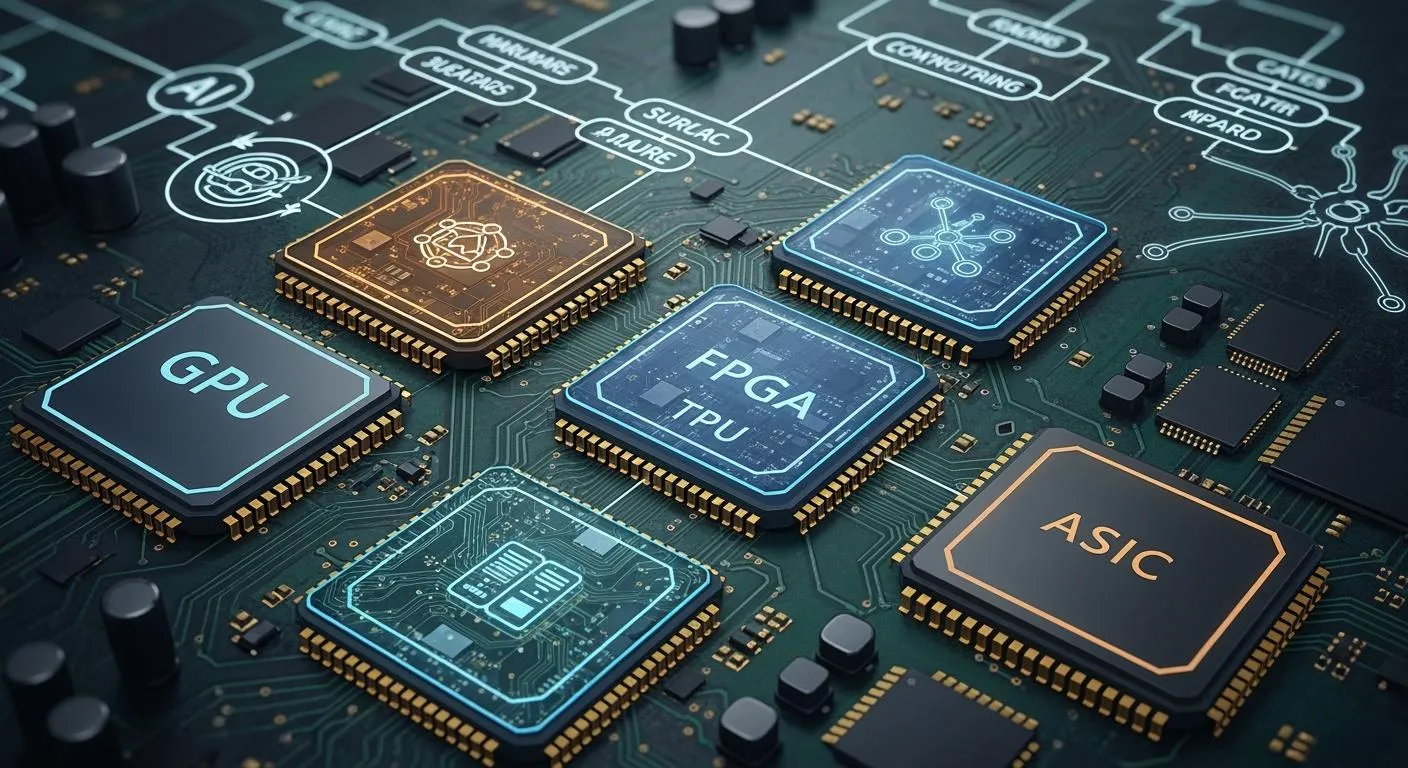
You see many kinds of hardware accelerators changing ai and edge computing in 2026. These include GPUs, TPUs, FPGAs, ASICs, NPUs, VPUs, DSPs, edge SoCs, MCU-class accelerators, quantum accelerators, RISC-V ai accelerators, in-memory computing, photonic accelerators, ai co-processors, and modular accelerators. Hardware makes ai faster and better at the edge. Many people need quick answers from ai. The market for edge ai hardware gets bigger every year. It is worth billions of dollars. Special accelerator programs and different designs help you use new ai models and situations. You can look for accelerator programs that fit what you need.
Key Takeaways
Learn about different hardware accelerators like GPUs, TPUs, and FPGAs. Each one helps with special AI jobs and gives certain benefits.
Pick the best accelerator for your AI work needs. Think about speed, how much power it uses, and how flexible it is. This helps you get the best results.
Keep learning about new things like quantum and RISC-V accelerators. These new tools can make AI work better and faster.
Look at how much the hardware and running it will cost. It is important to balance what you pay at first with what you save later. This helps you use AI well.
Think about how easy it is to grow when you choose accelerators. Some types let you add or change parts as your AI needs change.
AI Hardware Accelerators Overview

GPUs
GPUs help you do many AI jobs at once. They are good for parallel computing. You see them in edge devices like smart cameras and self-driving cars. GPUs make data processing fast. This helps with quick choices. They also work with 5G, so data moves faster.
Common uses:
Finding objects in self-driving cars
Fixing machines before they break in factories
Spotting strange things in security systems
Leading models in 2026:
NVIDIA Rubin platform
AMD Helios platform
NVIDIA B200 and H200 Tensor Core GPUs GPUs are great because they handle lots of data quickly. You can trust them for strong AI computing.
TPUs
TPUs are special chips made for AI jobs. You use them for deep learning and machine learning. TPUs have a systolic array design. This lets them do many math problems at once. They work best with TensorFlow. TPUs help you train and run AI models faster than GPUs or CPUs.
Key features:
Saves energy
Made for certain jobs
Works well with TensorFlow
Edge use cases:
Smart factories
Watching over places
Robots that work alone
Top models in 2026:
Inference TPUs for edge AI
Edge TPUs for on-device AI TPUs give you quick and big AI boosts, especially for edge data.
FPGAs
FPGAs are hardware accelerators you can change. You can reprogram them for new AI models. This makes them good for changing jobs. FPGAs use less power than CPUs. You can use them again, so they last longer.
Main uses:
Handling sensor data right away
Smart AI controls
Security hardware
Popular models in 2026:
AMD Versal and Alveo series
Intel Agilex series
Lattice Semiconductor low-power FPGAs FPGAs help you change to new AI needs without new chips. You get both flexibility and power savings.
ASICs
ASICs are chips made for one job only. You use them for top speed and low power in AI. ASICs are good for both AI training and inference. They work 50% better and use 30% less power than GPUs.
Advantages:
Great performance for each watt
Lower costs to run
Fast answers from AI
Top companies in 2026:
AMD
Huawei
Graphcore
Nvidia
Alphabet
Apple ASICs are best when you run the same AI model many times.
NPUs
NPUs are hardware accelerators for neural networks. You find them in phones and edge AI devices. NPUs give you quick AI results with low delay. They use less power, so batteries last longer.
Common applications:
Face recognition
Speech tasks
Finding objects
Leading models in 2026:
Atomiq SoC with SPOT-optimized NPU
Arm Ethos-U85 NPU NPUs help you run AI models fast and save energy at the edge.
VPUs
VPUs are vision processing units. You use them for AI jobs with pictures and video. VPUs are in cameras, drones, and smart home devices. They do things like tracking objects and reading gestures.
Key features:
Uses little power
Fast video checks
Use cases:
Smart watching systems
Augmented reality VPUs let you add AI vision to devices and save energy.
DSPs
DSPs are digital signal processors. You use them for sound and video jobs. DSPs help with voice commands, audio work, and phone calls.
Common uses:
Voice helpers
Better sound in smart speakers
Video work in phones DSPs give you quick and smart AI for signals.
Edge SoCs
Edge SoCs put CPUs, GPUs, NPUs, and more on one chip. You get everything you need for AI at the edge. Edge SoCs help you make fast choices, use less data, and keep things private.
Advantages:
Quick answers for important jobs
Better privacy and safety
Works well even with bad internet
Saves battery power
Use cases:
Self-driving cars
Augmented reality
Smart homes Edge SoCs let you run AI close to where you get data. This makes devices smarter and faster.
MCU-Class Accelerators
MCU-class accelerators bring AI to small devices. You use them in wearables, sensors, and smart gadgets. These accelerators make models work better on simple hardware.
Key features:
Handles many math jobs at once
Smart memory use
Lets main CPU rest and save power
Top models in 2026:
Infineon PSoC Edge E84
STMicroelectronics STM32N6 MCU-class accelerators help you put AI in tiny devices and keep them efficient.
Quantum Accelerators
Quantum accelerators use quantum computing for AI. You use them for big jobs like finding new drugs or checking money risks. Quantum AI works faster than regular computers.
Main uses:
Health care (finding new drugs)
Money (checking risks)
Making supply chains better
Emerging models in 2026:
IBM quantum computers
AMD and IBM hybrid quantum-classical systems Quantum accelerators will change how you solve hard AI problems.
RISC-V AI Accelerators
RISC-V AI accelerators use open and flexible designs. You can change them for your AI jobs. These accelerators support many types of computing and special features.
Key features:
Open-source and easy to change
Handles many cores
Works well with different hardware
Top models in 2026:
X160 Gen 2, X180 Gen 2 (IoT and far edge)
X280 Gen 2, X390 Gen 2, XM Gen 2 (modern AI jobs) RISC-V AI accelerators let you control your chips and make them fit your needs.
In-Memory Computing
In-memory computing accelerators work with data where it is stored. You use them to save time and energy moving data. This makes AI jobs faster and saves power.
Use cases:
AI answers in data centers
Edge devices with lots of data In-memory computing helps you use big AI models better.
Photonic Accelerators
Photonic accelerators use light to process data. You get faster speeds and use less power. These accelerators are good for AI jobs needing lots of data and quick answers.
Applications:
Data center AI work
Fast edge analytics Photonic accelerators give you a new way to make AI work better.
AI Co-Processors
AI co-processors are extra chips that help your main chip. You use them to do AI jobs and make your system faster. AI co-processors handle things like speech and pictures.
Benefits:
Better system speed
Uses less power
Use cases:
Phones
Laptops AI co-processors help you add AI features without slowing down your main chip.
Modular Accelerators
Modular accelerators let you add or change AI hardware as needed. You can swap modules to use new AI models or get more power. This gives you flexibility and keeps your system up to date.
Advantages:
Easy to upgrade
Fits new jobs
Use cases:
Edge gateways
Factory automation Modular accelerators help you keep up with fast AI changes.
Tip: When picking hardware accelerators, think about your AI job, the data you need, and where you use your devices. The right chip can make your AI faster, smarter, and save energy.
Accelerator Comparison
Performance
You want your edge devices to work fast. GPUs and TPUs give lots of power for big ai models. ASICs and NPUs also make ai tasks like image recognition quick. FPGAs let you change how well they work for special jobs. Quantum accelerators could make ai much faster, but you do not see them in every device yet. Modular accelerators help you get better performance by adding new parts when you need more power.
Power Efficiency
Saving power is important for edge ai. You want batteries to last and devices to stay cool. Some hardware, like Google Edge TPU and Intel Movidius Myriad X, use little power but still run ai well. The SiMa.ai MLSoC gives over 50 TOPS with less than 5 watts. Hailo-8 works well and uses only about 3 watts. NVIDIA Jetson AGX Orin is strong but uses more power, up to 60 watts. You can see how these accelerators compare in the table below:
Accelerator Type | TOPS | Power Consumption (W) | Efficiency Category |
|---|---|---|---|
SiMa.ai MLSoC | 50+ | <5 | High Performance |
Hailo-8 | 26 | 2.5-3 | Balanced Performance |
Qualcomm RB5 | 15 | 5-15 | Balanced Performance |
Rockchip RK3588 | 6 | 8-15 | Low Power |
Intel Movidius Myriad X | 4 | 5 | Low Power |
Google Edge TPU | 4 | 2 | Low Power |
NXP i.MX 8M Plus | 2.3 | 3-8 | Low Power |
NVIDIA Jetson AGX Orin | 275 | 10-60 | High Performance |
Axelera Metis | 214 | 20-40 | High Performance |
Tip: Pick the right chip for your ai job to save power and get good results.
Deployment Scenarios
You can use ai accelerators in many places. Edge SoCs and MCU-class accelerators fit in small sensors and wearables. GPUs, NPUs, and VPUs are found in smart cameras, cars, and phones. Data centers use ASICs, FPGAs, and photonic accelerators for big ai jobs. Modular accelerators let you upgrade your hardware when your ai models change.
Scalability
You want your ai system to grow as you need more. Modular accelerators and FPGAs let you add more parts or change them for new ai models. GPUs and ASICs work well for big ai jobs in groups. Edge SoCs and RISC-V ai accelerators give you choices for both small and big setups.
Cost
Cost is important when picking ai hardware. MCUs and VPUs cost less and work well for simple ai jobs. ASICs and quantum accelerators cost more but give top performance for special tasks. Modular accelerators help you save money by letting you upgrade only what you need. You should think about cost, performance, and power use before you choose.
Choosing Accelerators
Application Needs
First, think about what your ai app must do. Some jobs need fast answers, like self-driving cars. Smart cameras also need quick results. Other jobs, like health care or factories, use lots of data. If you want to use many ai models, you need flexibility. The table below shows how different silicon types compare for ai compute:
Factor | GPUs | NPUs | FPGAs | ASICs |
|---|---|---|---|---|
Flexibility | High flexibility, supports various models | Moderate flexibility, tailored for tasks | Reconfigurable but complex | Least flexible, costly to redesign |
Iteration Time | Fast due to compatibility with tools | Relatively quick for neural networks | Longer due to reconfiguration | Slowest, requires redesign for updates |
Performance | High performance with resource utilization | High performance but needs fine-tuning | Exceptional for specific tasks, manual tuning required | Best performance per watt, significant design work needed |
GPUs let you change things fast and are flexible. NPUs and FPGAs are good for special ai jobs. ASICs are very fast but hard to change.
Scalability
Think about how your ai system might grow. If you want to add more ai power later, use modular accelerators or FPGAs. Cloud platforms help you grow fast, but you pay for what you use. On-premises silicon can save money if your ai jobs stay the same. Pick hardware that fits your future plans.
Deployment Environment
Decide where your ai will run. Edge devices, like sensors and wearables, need small chips that use little power. Data centers use big ai chips for heavy jobs. Edge setups may cost more at first, but save money later. Cloud solutions are flexible, but you pay every month. Choose the best place for your ai based on your data and needs.
Performance vs. Power
You want strong ai, but you also want to save power. NPUs and VPUs are good for edge ai because they use less energy. GPUs and ASICs give you more ai power, but use more energy. You should balance speed and battery life for your ai job. If you need long battery life, pick chips that use less power.
Cost Factors
Look at both the price of the hardware and the cost to run it. Companies balance buying new chips with paying for power and cooling. Edge ai may cost more at first, but saves money later. Cloud ai is flexible, but you pay every month. Check all costs before you choose your ai hardware.
Tip: Always match your ai power to what you really need. This helps you get good speed, save power, and control costs.
You need to match the right ai hardware accelerator to your ai job. Each type of silicon gives you different ways to run ai and handle data. You can use ai to process data, train ai models, and boost compute power. Some accelerators help you save energy. Others give you more compute for big ai tasks. You see ai in many places, from edge devices to data centers. New silicon keeps changing how you use ai. Stay curious about ai hardware. You can make better choices for your ai future.
FAQ
What is a hardware accelerator?
A hardware accelerator is a chip that helps your device do AI jobs faster. It makes things like image recognition and voice commands quicker. You also use it for data analysis.
How do you choose the right accelerator for your project?
Think about your AI job, how much power you need, and your budget. If you want to change things easily, pick a GPU or FPGA. If you need to save power, use an NPU or VPU. Always choose a chip that matches your job.
Can you upgrade your AI hardware later?
Yes! Modular accelerators let you add new parts or swap old ones. You can keep your system current without buying a whole new device.
Do all edge devices need the same type of accelerator?
No. Different devices use different accelerators. For example:
Device Type | Common Accelerator |
|---|---|
Smart Camera | VPU, NPU |
Wearable | MCU-class |
Factory Robot | FPGA, ASIC |
You pick the accelerator that works best for your device.