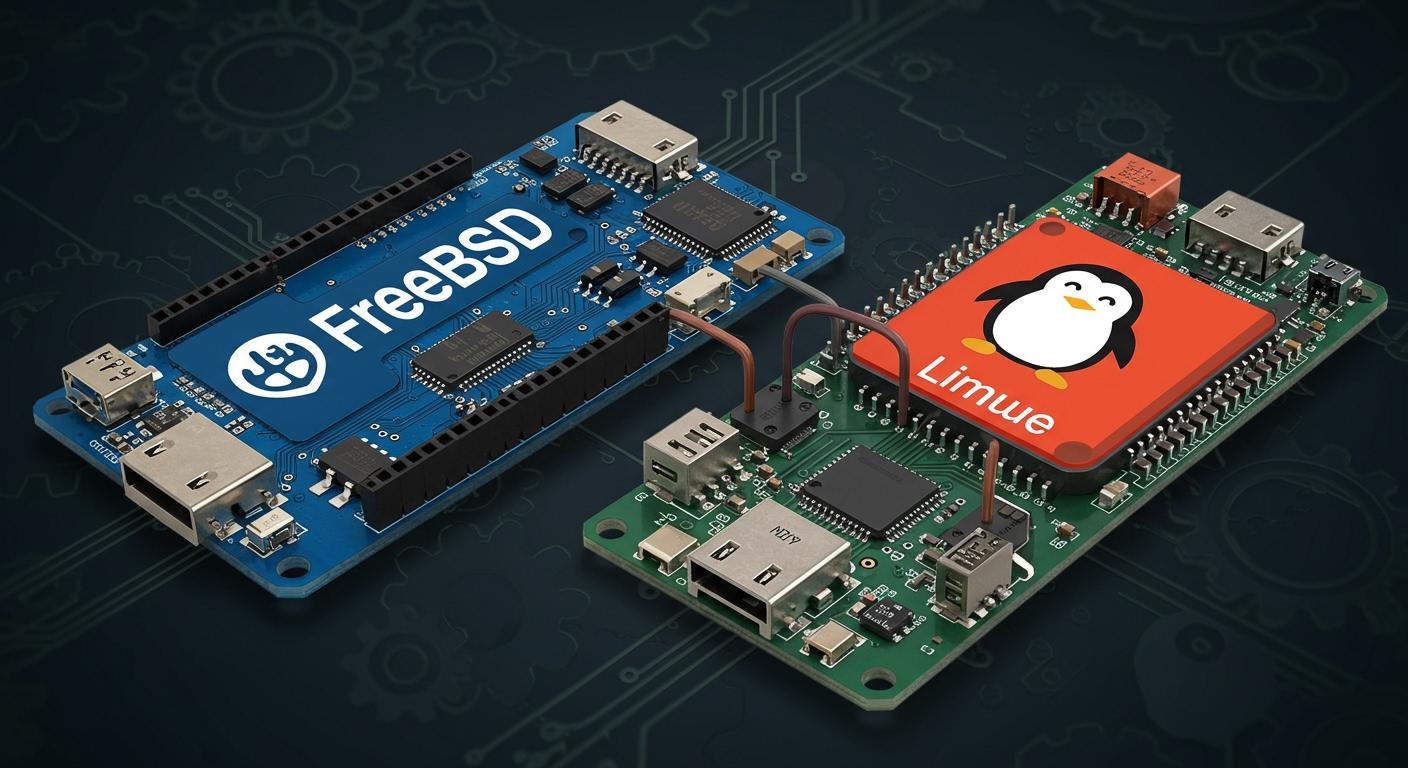
When you look at freebsd vs linux for embedded projects, you see that no one operating system is best for everything. Your choice depends on what your project needs most. Many embedded systems need real-time performance. Some people like the modular adaptability that freebsd gives. Others want the wide hardware support from linux. The freebsd project uses a BSD license, and some developers like it more than the GPL license that linux uses. You should also check kernel structure, file systems, community support, performance, and security before you decide.
Key Takeaways
Pick the best operating system for your project’s needs. FreeBSD is very stable and fast. Linux works with more types of hardware.
Know the license rules: FreeBSD’s BSD license lets you keep changes private. Linux’s GPL license makes you share your changes.
Look at how the kernel is built. FreeBSD uses a monolithic kernel with built-in parts. Linux lets you add or remove parts, so it is flexible.
Check if the file system works with your hardware. FreeBSD uses ZFS and ext2. Linux supports more file systems for different uses.
Get help from the community. Both FreeBSD and Linux have active groups. They offer help, resources, and ways to work together.
FreeBSD vs Linux: Comprehensive Comparison
You want to pick the right operating system for your project. This comparison will help you see how freebsd and linux are different. You will learn about kernel structure, licensing, and file systems. These things affect how you build and use embedded systems.
Kernel Structure
The kernel is the main part of an operating system. It controls hardware, memory, and running programs. Freebsd and linux have different kernel designs. Freebsd uses a monolithic kernel with built-in subsystems. Linux also has a monolithic kernel but lets you add or remove modules. This gives linux more flexibility.
Here is a table that shows the main differences in kernel design:
Feature | FreeBSD | Linux |
|---|---|---|
Kernel Approach | Monolithic with integrated subsystems | Monolithic with modular capabilities |
Process Management | Efficient kernel threading | Sophisticated multitasking |
Memory Management | Traditional virtual memory management | Complex memory zones and reclamation techniques |
Networking | Strong TCP/IP stack | Robust networking capabilities |
You can change the freebsd kernel by editing a text file. This can take some time. Linux has tools that make configuration easier. You can use these tools in the command line or with a mouse. Freebsd lets you use KERNCONF to build different kernels at once. Linux is known for being modular and having small versions. This makes linux good for embedded and IoT devices.
Freebsd kernel changes use text files and options.
Linux kernel setup is easy and interactive.
Linux modularity helps with many uses and small builds.
Licensing
Licensing tells you how you can use and share your system. Freebsd uses the BSD license. Linux uses the GNU GPL. The BSD license is very open. You can use, change, and keep your changes private. The GPL says you must share any changes to the linux kernel.
Here is a table that compares the licenses:
FreeBSD | Linux |
|---|---|
BSD License | GNU GPL |
No obligation to share modifications | Linux kernel changes must be made public |
Free to create closed-source | No Closed-Source |
Freebsd is great for embedded devices because of its license. You do not have to follow the GPL rules. Companies like freebsd if they want to keep their code secret. Linux’s license means you must share your kernel changes. This can stop some people from making closed-source products.
BSD license lets you change software without sharing.
GPL says you must keep your work open source.
Businesses like BSD licensing because it is simple and has fewer legal problems.
File Systems
A file system keeps your data safe and organized. Freebsd and linux support different file systems. You need to pick the one that fits your project.
Here is a table that shows file systems and if they are good for embedded use:
File System | Description | Suitability for Embedded Applications |
|---|---|---|
ext2 | Non-journaled, good for portable/shared data | Suitable due to simplicity and low overhead |
msdosfs | Old, not supported, limitations on file size | Not suitable due to limitations |
ZFS | Advanced, compatibility issues with some hardware | Not ideal for all embedded applications due to hardware requirements |
Freebsd is very stable and updates slowly. Linux stability depends on which version you use. LTS versions are more reliable. Freebsd is good for networking and fast response. Linux is strong in computing and works with more hardware.
Aspect | FreeBSD | Linux |
|---|---|---|
Stability | Rock-solid stability, conservative release cycle | Varies by distribution; LTS versions prioritize stability |
Reliability | Excellent for networking applications | Stability can be compromised in rolling-release distros |
Performance | Optimized networking stack, low-latency | Strong in raw compute tasks, extensive hardware support |
Use Cases | Networking, high-load servers, embedded systems | Versatile across many domains, including IoT and cloud |
Pick a file system that works with your hardware and needs. Ext2 is good for simple systems. ZFS has more features but may not work on all devices.
Tip: Always check if your hardware works with the file system before you choose one for your project.
Hardware Support
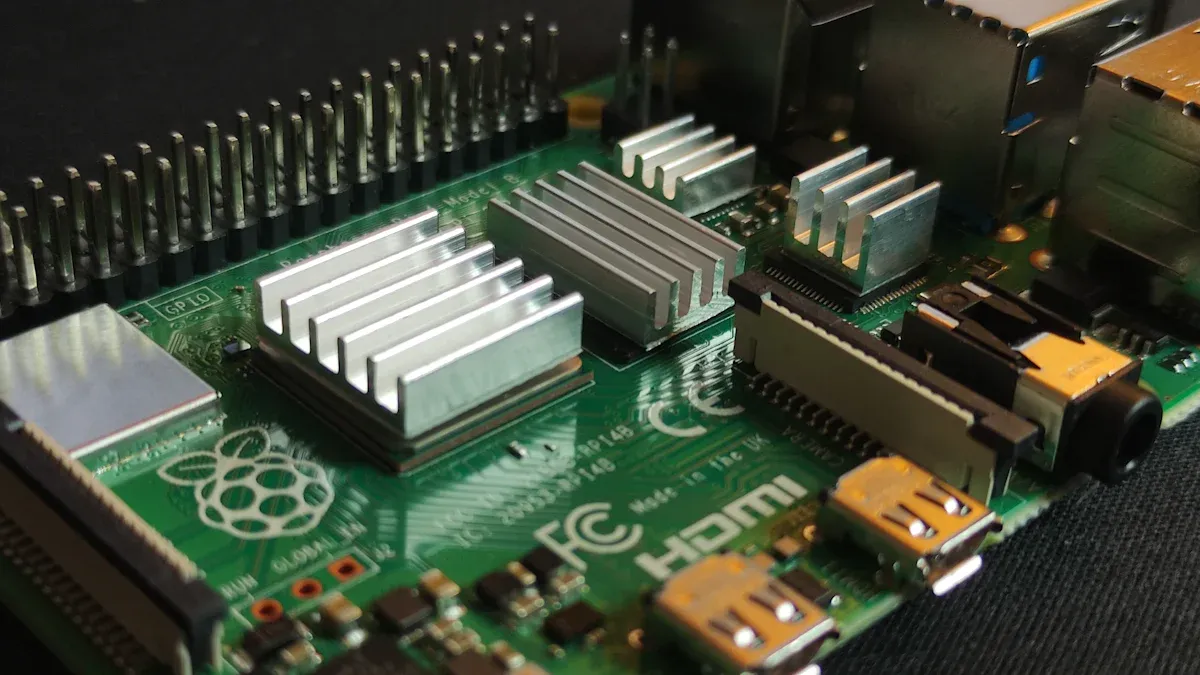
When you pick an operating system for embedded systems, hardware support is very important. You want your device to work well with the system you choose. Freebsd and linux are different in how they handle hardware and device choices.
FreeBSD Devices
Freebsd works well with many types of hardware for embedded systems. It supports popular boards and chips. The project puts hardware into support tiers. This helps you see which devices get the most updates. Here is a table that shows the main platforms and their support levels:
Platform Name | TARGET_ARCH | 13.x Support Tier | 14.x Support Tier | Projected 15.x Support Tier |
|---|---|---|---|---|
64-bit x86 | amd64 | Tier 1 | Tier 1 | Tier 1 |
64-bit ARMv8 | aarch64 | Tier 1 | Tier 1 | Tier 1 |
32-bit ARMv7 | armv7 | Tier 2 | Tier 2 | Tier 2 |
64-bit PowerPC big-endian | powerpc64 | Tier 2 | Tier 2 | Tier 2 |
64-bit RISC-V | riscv64 | Tier 2 | Tier 2 | Tier 2 |
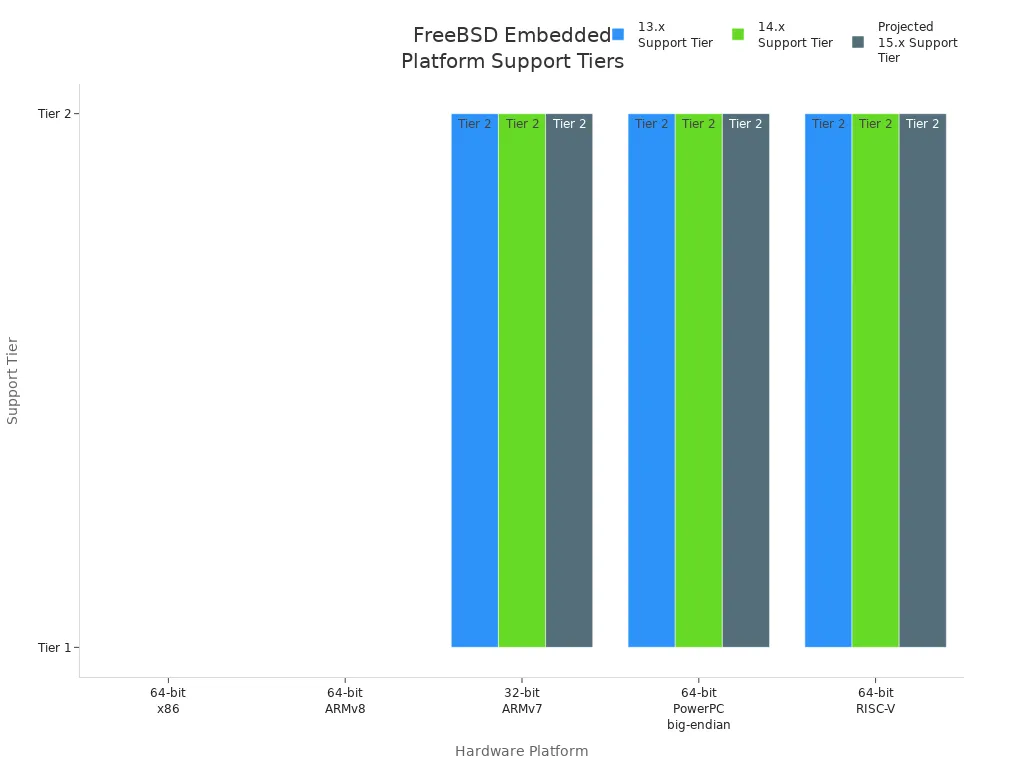
You can use freebsd on many different devices in embedded projects. Some of the most common ones are:
Ampere Computing: Altra, eMAG
AWS / Annapurna Labs: Graviton, Graviton 2, Graviton 3
Allwinner (64-bit): Orange Pi, Pine A64, NanoPi
Raspberry Pi: Raspberry Pi 1, 2, 3, 4, Zero, Zero W
RockChip: RK3328, RK3399, NanoPC-T4, Rock64
Zedboard Zynq 7000 SoC
NXP i.MX6: Wandboard, CuBox i, HummingBoard
RISC-V: HiFive Unleashed, HiFive Unmatched
PowerPC: Apple PowerMac G4 and later, IBM POWER4 and later
You should look at the support tier and device list before starting your project. This helps you avoid problems with hardware not working.
Linux Devices
Linux is known for supporting lots of hardware. You can find linux on almost every kind of embedded device. The community and companies add new drivers and features often. Here is a table with some popular device types and examples:
Category of Variant | Examples |
|---|---|
Networking Devices | OpenWRT, DD-WRT |
IoT Devices | Ubuntu Core, Balena OS, Raspberry Pi OS |
Automotive | Automotive Grade Linux |
Safety Critical Applications | Windriver Linux, ELISA |
High reliability Industrial Applications | Torizon, Xenomai |
Linux works with thousands of boards, chips, and modules. You can find linux in routers, smart sensors, factories, and even cars. This wide support makes linux a top pick for many embedded systems.
Tip: Always check if your device works with freebsd or linux before you start. This step can help you avoid problems later.
Community
FreeBSD Community
The freebsd community is friendly and active. Many developers work together to add more hardware support. They focus a lot on ARM devices. The community wants everyone to join and help. You can go to events like EuroBSDCon. People share ideas and help each other there. The FreeBSD Developer Summit is a place for contributors to meet. You can learn from experts at these events.
You can ask for help in many ways:
Mailing lists
Forums
IRC channels
Discord
User groups
Social media like Twitter and Reddit
Networking sites such as LinkedIn
Events online or in person
The freebsd community uses facts and data to keep projects strong. They start new projects in cloud-native tech, AI, and machine learning. These efforts show the community is ready for new things in embedded systems.
Tip: Join freebsd events or online groups to get quick help and advice.
Linux Community
The linux community is huge and very active. You get lots of help and resources. Many people work together to make linux better. This teamwork fixes bugs fast and improves performance. You can find open-source drivers and software stacks. These tools make your work easier.
You can connect with the linux community in many ways:
Mailing lists for help and information
IRC channels like #yocto on Libera.chat
Matrix channels such as #yoctoproject on the Open Matrix Network
The big community helps you solve problems quickly. You can ask questions and get advice from experts. Linux community support makes building and keeping embedded systems easier.
Note: Join forums and chat channels to stay updated and get help from the linux community.
Performance
If you want to pick between freebsd and linux for embedded projects, you should think about how fast and reliable they are. The right operating system can make your device work better. You need to see how each one uses memory and handles network jobs.
Resource Efficiency
Resource efficiency is very important in embedded systems. These systems often have little CPU and memory. Freebsd and linux are good at different things. Here is a table that shows how they do:
Operating System | Resource Efficiency | Use Case in Embedded Systems | |
|---|---|---|---|
FreeBSD | Excellent | High | Strong candidate for high-performance needs |
Linux | Moderate | Good | Versatile, tailored for specific functionalities |
Freebsd uses resources very well. It keeps working fast even when it is busy. Linux is also good, but you may need to change some settings for your project. Tests show freebsd is great for high-performance jobs. Linux works for many different uses.
You can check some tests:
The ebizzy test checks memory and CPU when the system is busy.
Freebsd’s jemalloc is faster than linux’s glibc for many threads, especially on 8-core systems.
Freebsd keeps getting faster as you add more threads. Linux can slow down after 8 threads.
You can set up freebsd for big memory jobs. Linux is harder to tune for this.
Tip: If you want steady speed and good use of resources, freebsd is a good pick for embedded systems.
Network Operations
Network speed is important for many embedded devices. Freebsd and linux both have strong network features, but they work in different ways. Here is a table to help you compare:
Feature | FreeBSD | Linux |
|---|---|---|
Routing Tables | Single table by default; can add more with net.fibs | Multiple tables with routing policy |
Link Aggregation | lagg(4), ng_one2many(4) | Channel bonding, teaming |
Virtual IPs | Service movement without system lock-in | Similar redundancy support |
Traffic Shaping | dummynet(4), ipfw, altq(4) | tc tool |
Freebsd lets you tag packets for routing. Linux uses rules like a firewall for this. Both let you join network links for better speed and safety. Freebsd shapes traffic with dummynet. Linux uses the tc tool for this.
Note: Both freebsd and linux give you strong network speed. Freebsd’s tools are simple to use. Linux has more choices for complex networks.
You should try both systems with your own hardware and network needs. This will help you choose the best one for your project.
Security
When you look at freebsd and linux for embedded projects, you should think about security. Both operating systems have strong security features. They use different tools and ways to keep your system safe.
FreeBSD Features
Freebsd has built-in security features to protect your devices. Jails are one important feature. Jails make separate spaces for programs. If one program gets attacked, it cannot hurt other parts of your system. Securelevels help by making important files unchangeable. Even the root user cannot change these files. This keeps your system safe from unwanted changes.
Here is a table with some main freebsd security features:
Security Feature | Description |
|---|---|
Jails | Makes separate places for processes, blocking access to other parts of the system. |
Mandatory Access Controls | Lets you set strict rules for who can use system resources. |
Security Tools | Gives you many tools and settings to make your system safer. |
You can use these features to limit what programs do and protect your data. Freebsd’s jails and securelevels work together to stop attackers from moving through your device.
Tip: Use jails to run risky programs safely on your device.
Linux Modules
Linux has many ways to make your system safer. You can choose different modules and settings for your needs. Secure Boot checks the kernel and boot files. This stops unwanted changes. Kernel configuration options let you turn off things you do not need. This makes your system safer.
Here is a table with important linux security features:
Security Feature | Description |
|---|---|
Secure Boot | Checks the kernel and boot files for changes. |
Kernel Configuration Options | Lets you change security settings for your device. |
Mandatory Access Controls (MAC) | Sets rules for who can use resources. |
Discretionary Access Controls (DAC) | Lets you control user permissions. |
SELinux | Adds strict access rules for applications. |
You can use SELinux and AppArmor to keep programs apart. These tools make it harder for hackers to attack your device. Linux modules like CONFIG_PAGE_TABLE_ISOLATION and CONFIG_HARDENED_USERCOPY help block advanced attacks.
SELinux and AppArmor keep programs separate, lowering the risk of attacks.
Each tool works in a different way, so you can pick what fits your project.
Both freebsd and linux give you strong security choices for embedded systems. You should pick the operating system and security features that fit your project’s needs.
Use Case Suitability
High-Performance Systems
You want your project to be fast and reliable. Freebsd is a good pick for high performance jobs. It is stable and safe, so your device works well. Many engineers use freebsd with Xilinx or AMD Zynq chips. These chips have two ARM Cortex A9 processors and FPGA parts. Freebsd runs well on them and lets you use GPIO pins to connect to other devices.
Freebsd’s build system works with many types of hardware. You can make programs for different boards without much trouble. The system is small and uses memory and CPU well. This matters for high performance projects. OpenZFS is the main file system and has strong features. Freebsd’s ports collection lets you add over 30,000 apps.
Here are some reasons to use freebsd for high performance:
Stable and safe for important jobs
Uses memory and CPU well
Easy to change for your needs
Works with advanced hardware like FPGAs
Tip: Pick freebsd if you need a fast and steady system for your project.
Lightweight Devices
Sometimes your device must use little power and memory. Linux is great for small and light devices. Its design lets you take out things you do not need. This helps your device run faster and use less energy. Linux works in smart thermostats, medical tools, and car screens. It runs well on old hardware and keeps costs low.
Linux is open-source and easy to change. You can make it safe and grow it as needed. It supports many ways to connect to networks and saves energy. You can build a small linux system that fits your device. This makes linux popular for IoT and tiny projects.
Here are some reasons to pick linux for lightweight devices:
Simple design for low resource use
Saves money and energy
Works with many device types
Note: Linux lets you build small, smart devices that fit your needs.
When you look at freebsd vs linux, think about what your project needs. Freebsd is best for speed and steady work. Linux is best for small and flexible devices. Both help you make strong embedded systems.
Electronic Design and Application
Development Toolchains and Ecosystem
Availability of cross-compilers and build systems
You need good tools to build and test projects. Freebsd has a cross build setup for ARMv7 boards. This helps you finish work faster. You can change freebsd builds for your hardware. This makes your project flexible. Linux also has many tools for development. You may not get as much customization as freebsd. Both freebsd and linux work with Vivado for FPGA projects. You can use both systems together. For example, you can run Vivado compiles on linux. You can use freebsd for editing files and managing your system.
Integration with popular IDEs and debugging tools
You can use IDEs like Eclipse and Visual Studio Code. Both freebsd and linux work with these tools. They help you write code and find bugs. Freebsd supports GDB and LLDB for debugging. Linux works with these debuggers too. Linux has extra plugins for embedded projects. You get a smooth experience with either system.
Support for hardware simulation and prototyping
You can test your ideas before building real devices. Freebsd and linux support hardware simulation tools. You can use QEMU to simulate boards and chips. This lets you check your code and hardware setup. You save time and avoid mistakes.
Hardware Integration and I/O Management
GPIO, SPI, I2C, and UART support
You want your device to talk to sensors and other parts. Linux is flexible and open-source. You can use it for many embedded projects. Freebsd has strong tools, but you need to plan your integration. Both systems support GPIO, SPI, I2C, and UART. You can connect your device to many types of hardware.
Device driver availability and customization
You need drivers to make your hardware work. Freebsd uses a strong release model and stable ABI compatibility. This helps your system keep working after upgrades. Linux has many drivers for new devices. If you use freebsd, talk to the community for driver help. You should test your hardware with the latest freebsd release before you deploy.
Real-time control and deterministic response
You want your device to respond quickly and predictably. Freebsd gives you strong diagnostic tools and good support for server-grade parts. Linux works well in car screens and smart devices. Both systems can handle real-time control if you set them up right.
Typical Application Scenarios
Industrial automation and control systems
You can use freebsd in industrial automation. Its stable release model helps keep your system safe and reliable.
Consumer electronics and smart devices
Linux works well in smart devices and consumer electronics. You see linux in car screens and home gadgets.
IoT gateways and edge computing
You find both freebsd and linux in IoT gateways. For example, you might use a remote digital intensive-care solution to monitor patients. You might use a BLE-enabled industrial thermostat for HVAC and medical use.
Tip: Pick the system that matches your hardware and project needs. You get strong support and tools from both freebsd and linux.
You have seen that freebsd vs linux for embedded projects is not a simple choice. You should look at your systems, hardware, and goals. Freebsd gives you strong stability and clear licensing. Linux offers wide device support and flexible tools. Think about your project needs. Make a list of what matters most. Choose the system that matches your priorities.
FAQ
What is the main difference between FreeBSD and Linux for embedded systems?
You will find that FreeBSD uses a BSD license, while Linux uses the GPL. FreeBSD offers a stable system with clear licensing. Linux gives you more hardware support and many drivers.
Can you run FreeBSD or Linux on a Raspberry Pi?
Yes, you can run both FreeBSD and Linux on a Raspberry Pi. Linux has more support and tutorials for Raspberry Pi. FreeBSD works well on many models, but you should check device compatibility first.
Which system is better for real-time applications?
Linux supports real-time patches like PREEMPT_RT. FreeBSD offers strong performance and predictable response. You should test both systems with your hardware to see which one meets your real-time needs.
Do you need to share your code if you use FreeBSD or Linux?
If you use FreeBSD, you do not need to share your changes. If you use Linux and change the kernel, you must share your changes because of the GPL license.
How do you get help if you have problems?
You can join forums, mailing lists, or chat channels for both FreeBSD and Linux. The Linux community is larger, so you may get answers faster. FreeBSD has a friendly and helpful group as well.