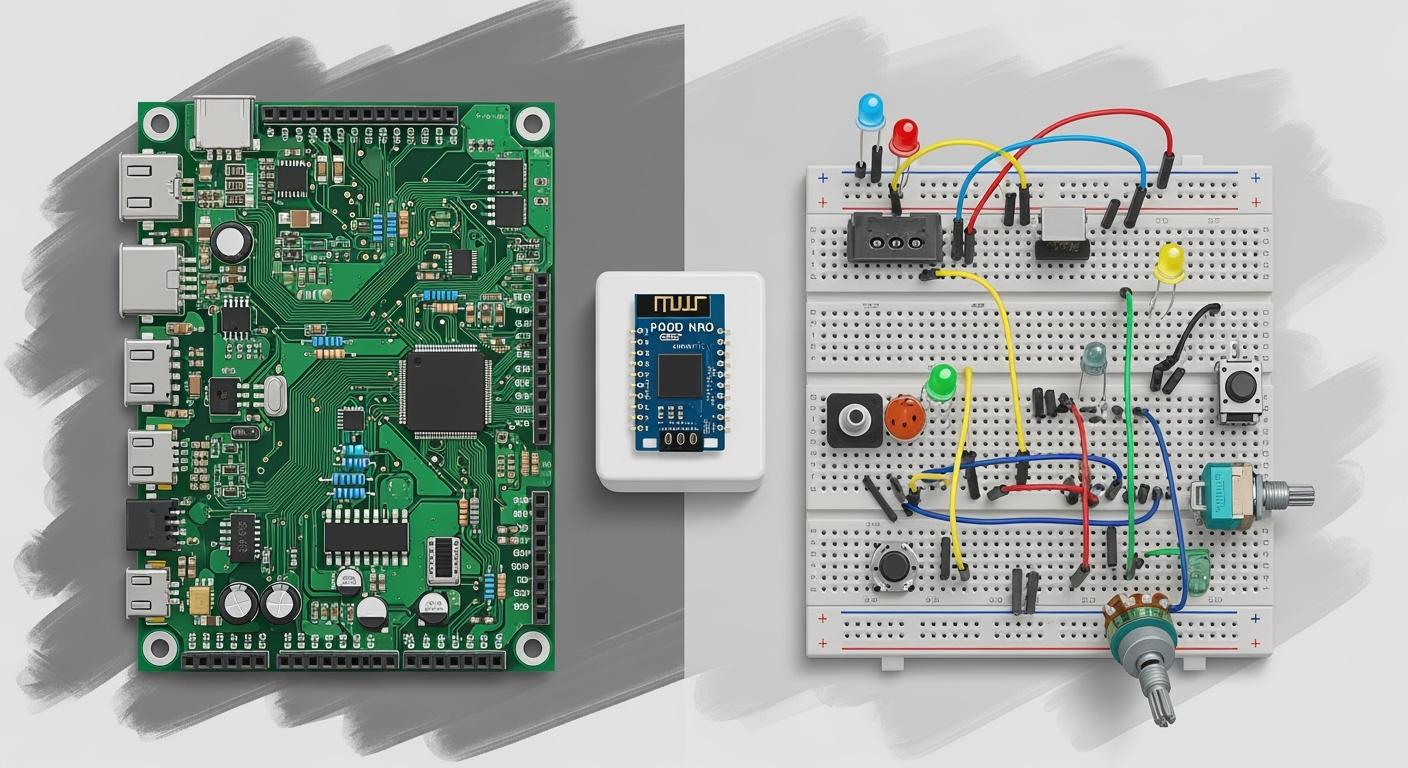
Should you pick a PCB breadboard or a traditional PCB for your project? The answer depends on your goal. PCB breadboards are good for fast changes and learning. They are great if you are new or have little money. PCBs are better for finished products and professional work. They provide more reliability.
Tip: Beginners like PCB breadboards because no soldering is needed. Professional engineers use PCBs for accuracy and lasting quality.
Think about your skills, your budget, and your project use before you choose.
Key Takeaways
Breadboards are great for beginners and fast tests. You can change things easily without soldering. This makes them good for learning and trying new ideas.
PCBs make strong and steady circuits for finished products. They last a long time and work well for important uses.
Think about how hard your project is and how long it should last. Use a breadboard for easy, short projects. Pick a PCB for strong, long-lasting work.
Breadboards do not cost much when you want to test ideas. PCBs cost more at first but work better and last longer.
Pick what you need: breadboards are good for learning and changing things. PCBs are best for pro and lasting results.
Breadboard Basics
What Is a Breadboard?
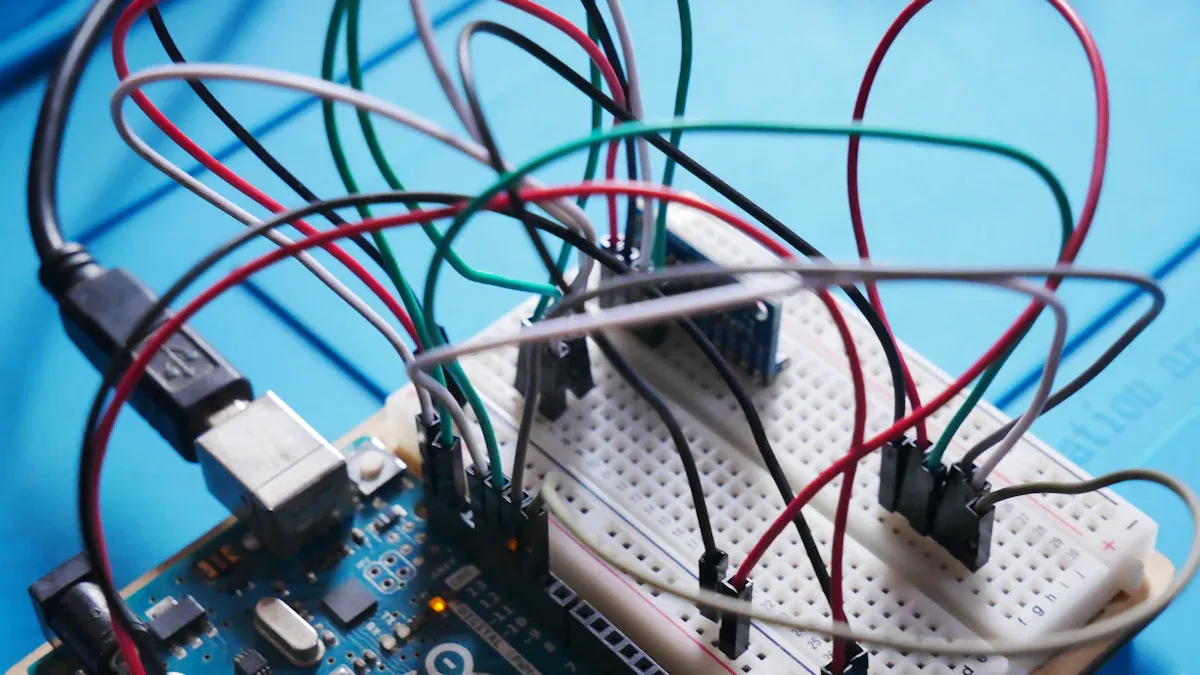
A breadboard is a reusable platform that helps you build and test electronic circuits without soldering. You can insert wires and components into small holes on the surface. Inside, metal strips connect these holes to form electrical paths. This design makes it easy to change your circuit quickly.
Terminal strips run horizontally and connect the parts of your circuit.
Power rails run vertically and supply power to your components. You usually see them marked with “+” and “-” signs.
Tip: You do not need special tools to use a breadboard. You can start building circuits right away.
How Breadboard Prototyping Works
Breadboard prototyping lets you experiment with circuit ideas before making a final version. You can follow these steps to get started:
Set up your workspace. Make sure you have a clean area and all your parts ready.
Connect the power source. Find the power rails, pick a power supply, and attach it to the breadboard. Check your connections and test the power.
Create a simple circuit. Try using an LED and a resistor. Place them on the breadboard and connect them to light up the LED.
You can change your design as much as you want. This process supports rapid prototyping and helps you learn how circuits work.
Common Breadboard Uses
You can use a breadboard for many projects, especially when learning or testing ideas. Here are some popular examples:
LED blink circuits that turn lights on and off.
Sound-activated LEDs that respond to noise.
Temperature sensor circuits using thermistors.
Basic LED circuits with resistors.
Buzzer circuits for simple alarms.
Light sensors that adjust brightness.
Breadboards help you explore electronics and make changes without risk. They are perfect for prototyping and learning.
PCB Fundamentals
What Is a PCB?
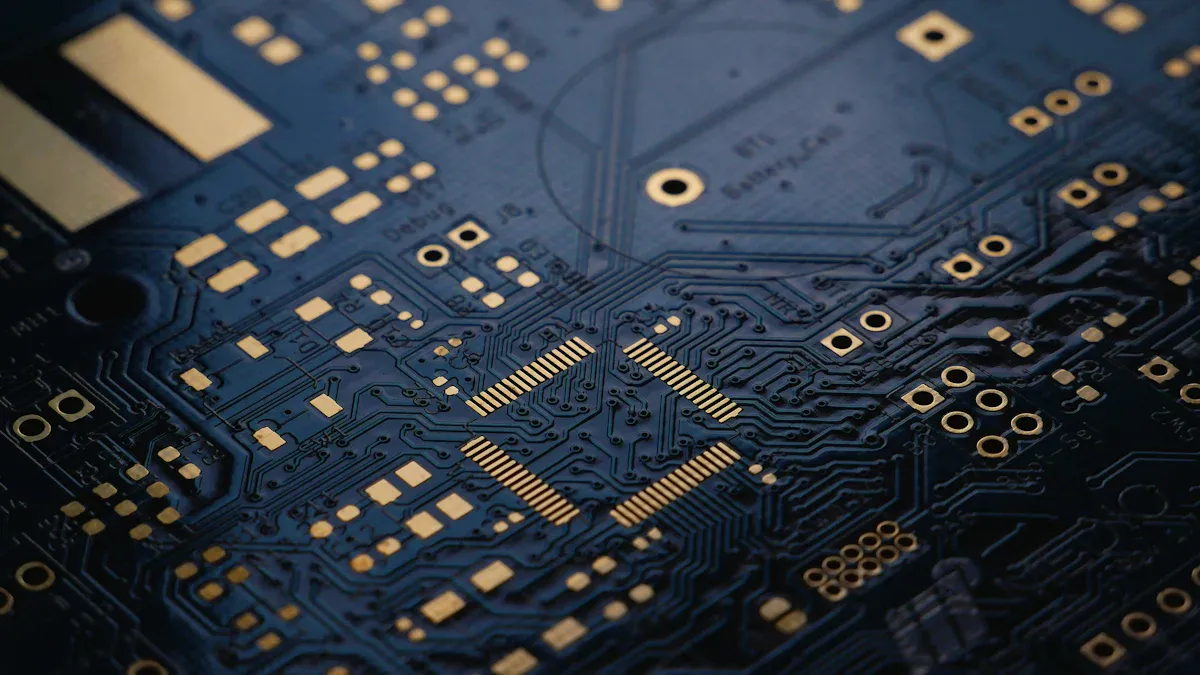
A printed circuit board is a flat board. It holds and connects electronic parts. You use it to make circuits that last. PCBs have layers stacked together. The main layers are substrate, copper, solder mask, and silkscreen. These layers help make strong connections.
Here is a table that shows how PCBs and breadboards are different:
Feature | Printed Circuit Board (PCB) | Breadboard |
|---|---|---|
Structure | Many layers: substrate, copper, solder mask, silkscreen | Simple: plastic, metal clips, holes |
Design | Hard or bendy, made of fiberglass with copper lines | Plastic board with spring clips |
Usage | Lasts a long time, reliable circuits | Used for testing, not permanent |
Note: PCBs are built to last a long time. Breadboards are good for quick tests and learning.
How PCBs Work
A PCB connects electronic parts in a set layout. Copper lines on the board act like wires. You attach parts by soldering them to the board. Some parts go through holes and connect underneath. Other parts sit on top and stick with solder.
PCBs use layers that conduct and block electricity. Vias are metal holes that link layers together. This lets you make more complex circuits. PCBs keep parts in place and help your circuit work well.
You solder parts onto the board.
Through-hole parts go in holes and connect below.
Surface-mount parts stick on top and connect with solder.
Typical PCB Applications
PCBs are found in many things you use daily. They power computers, phones, and TVs. Cars use them for lights and signals. Medical tools need PCBs for sensors and lights. Factories use PCBs to run machines. Home gadgets like coffee makers and microwaves use PCBs too.
Electronics: phones, computers, TVs, blenders, coffee makers
Cars: signals, headlights, brake lights
Medical: exam lights, surgery tools
Factories: machine controls, tough places
Fun: game consoles, DVD players, cameras
PCBs make modern electronics work. You need them for any project that needs a strong, lasting circuit.
Breadboard Pros & Cons
Breadboard Advantages
There are many good reasons to pick a breadboard. Breadboards help you build and test circuits fast. You do not need to solder anything. This means you can fix mistakes quickly and try new ideas.
Here is a table that shows why breadboards are helpful:
Advantage | Description |
|---|---|
Flexibility | You can add or remove parts easily. This helps you change your circuit fast. |
Ease of Use | Breadboards are simple to use. You do not need special tools or skills to start. |
Reusability | You can use one breadboard for many projects. This saves money and cuts down on waste. |
Educational Suitability | Breadboards help you learn electronics. They are great for teaching and hands-on practice. |
Tip: Breadboards are great for beginners who want to learn about circuits.
You can use a breadboard again and again. This makes it a smart choice for students and people who like to build things. You can also test new ideas before making a final product.
Breadboard Disadvantages
Breadboards have some problems you should know about. If your circuit gets big, it can be hard to keep track of everything. Wires can cross and make it hard to see each part.
Here is a table that lists common problems with breadboards:
Challenge | Description |
|---|---|
Scale and Complexity | Big circuits need lots of wires. This makes the breadboard messy and hard to fix. |
Signal Integrity | Breadboards can cause signal issues. Fast circuits may not work well because of extra resistance. |
Mechanical Stability | Parts stay in place by friction. Connections can get loose and stop working. |
Power Handling Capacity | Breadboards cannot handle high power. Do not use them for strong motors or high-voltage projects. |
Reliability | Temporary connections can change over time. This makes it hard to get the same results every time you test. |
Breadboards work best for small and simple circuits. If you need something reliable or permanent, you should look at other options for building your project.
PCB Pros & Cons
PCB Advantages
Picking a pcb for your project gives you many good things. A printed circuit board is strong and reliable. You do not have to worry about wires coming loose. The board holds all the parts in place. This helps your circuit work well.
Reliability: You get fewer bad connections and short circuits. The pcb puts the circuit inside the board.
Thermal Management: Modern pcbs help move heat away from parts. This keeps your components safe and working longer.
Mass Production: You can make many boards that are all the same. This is good if you want to build lots of products.
Pcb design lets you make neat and tidy layouts. You can organize your parts so it is easy to see and fix problems. If you want your circuit to last a long time, a pcb is a smart pick.
Tip: Use a pcb if you want your electronics to be permanent and look professional.
PCB Disadvantages
Pcbs have some problems you should know about. The table below shows common issues you might see with pcbs in small projects or when testing ideas.
Disadvantage | Explanation |
|---|---|
It can be hard to map your design right. This may cause mistakes. | |
High Resistance and Stray Capacitance | Some pcbs have high resistance. This can cause stray capacitance and make your prototype not work. |
Limited Flexibility | After you make a pcb, you cannot change the design easily. |
You might spend more time and money fixing mistakes or making changes. For fast tests or learning, a breadboard could be better. Pick a pcb if you want your project to last, but remember it is not easy to change once made.
PCB Breadboard Comparison
Practical Differences
When you look at a pcb breadboard and a regular pcb, you see they are different. The way you build and use circuits changes with each one. Some big differences are in how fast you can build, how many times you can use them, and how easy it is to change things.
Breadboard | PCB | |
|---|---|---|
Assembly Time | Quick assembly with no soldering required | Longer assembly time due to soldering |
Reusability | Highly reusable and inexpensive | Not reusable; design changes require new board |
Ease of Modification | Easy to modify components and connections | Difficult to modify once fabricated |
You can build a breadboard circuit in just minutes. You do not need to use solder. You can move parts or fix mistakes fast. This makes breadboards good for learning and trying new ideas. You can use the same breadboard over and over.
A pcb takes longer to put together. You must solder every part in place. After you finish, it is hard to change the design. If you want to change something, you need a new pcb. PCBs are better for finished products, not for quick changes.
Note: Breadboards are not for making lots of products. They are for testing and learning. PCBs are made for making many copies of the same circuit.
In the last few years, both pcb breadboards and pcbs have improved a lot. Here are some new things:
CAD lets you design and test circuits on a computer.
Automation helps companies make many pcbs fast and cheap.
Photolithography makes very small and neat patterns on boards.
High-frequency pcbs use special stuff for fast signals, like in 5G.
Printed electronics use new inks and ways to print for cool designs.
IoT needs smaller and smarter pcbs.
Wearable tech uses tiny and bendy pcbs for comfort and strength.
Performance & Reliability
You want your circuit to work well and last long. Picking a breadboard or a pcb changes how your project works and how strong it is.
Breadboards | PCBs | |
|---|---|---|
Signal Integrity | Limited current carrying ability, leading to signal degradation and noise in sensitive components or high-frequency applications. | Designed with ground planes, controlled impedance, and shielding options for cleaner and more reliable signal paths. |
Noise | More prone to noise due to loose connections and temporary setups. | Less noise due to robust design and permanent connections. |
Overall Reliability | Less reliable due to temporary connections and limited durability. | Greater durability and reliability, ideal for complex circuitry and industrial applications. |
Breadboards can have loose parts. This can make noise or weak signals, especially in fast or sensitive circuits. Breadboards are good for simple projects or testing ideas. For harder or lasting projects, you need a pcb. PCBs have strong connections and special layouts to keep signals clean.
A pcb breadboard is great for learning and testing. But it is not as strong as a finished pcb. If you want your project to last or use it in real life, pick a pcb.
Tip: Use a breadboard for fast tests and changes. Pick a pcb if you want your project to work well and last a long time.
Cost Comparison
Breadboard Costs
Breadboards are cheap and easy for starting circuits. You can get a basic breadboard for just a few dollars. Most breadboards last a long time because you can use them again. You do not need to buy extra tools or supplies. This helps you spend less money. Breadboards are good for trying new ideas or learning about electronics.
Most breadboards cost under $10 for a normal size.
You can use one breadboard for many projects.
You do not need soldering tools or other equipment.
Tip: Breadboards are best for early tests and learning in class. You can change your circuit as much as you want without spending more.
PCB Costs
Printed circuit boards cost more when you start. You pay for the design, the materials, and making the board. The price changes because of a few things:
What materials you pick
How hard your design is
Where the board is made
Which company you use
How many boards you order
How fast you need them
Simple PCBs can cost $10 to $50 each. If your design is hard or needs to be very exact, it can cost $100 or even $500 for one. If you buy a lot, each board costs less. You also need to buy tools for soldering and putting parts on.
Note: PCBs cost more at first, but they make strong and lasting circuits. This is why they are good for finished products.
Here is a table to help you see the value over time:
Feature | Breadboards | PCBs |
|---|---|---|
Durability | Not good for long-term use | Made for permanent projects |
Maintenance | Easy to change and use again | Needs careful design and building |
Cost | Cheap for testing new ideas | Costs more to make, but lasts longer |
Breadboards save money when you are testing ideas. For final products, PCBs are better because they last longer and need less fixing.
When to Use Breadboard or PCB
Best Scenarios for Breadboard Prototyping
You want to pick the right tool for your project. Breadboard prototyping works best when you need speed and flexibility. You can build and test circuits without soldering. This makes it easy to fix mistakes or try new ideas.
Here are the top situations where a breadboard helps you most:
You learn electronics in a classroom or at home. Breadboards let you see how circuits work. You can move parts and see what changes.
You need to build a quick model. Breadboards help you test ideas fast. You do not waste time or money if you need to change something.
You want to show a proof-of-concept. You can use a breadboard to show your idea works before you make a final version.
You work on simple circuits. Breadboards handle basic projects like blinking LEDs, buzzers, or small sensors.
Tip: Breadboard prototyping gives you the freedom to experiment. You can change your design as often as you want.
Imagine you join a school science fair. You want to make a light sensor that turns on an LED. You use a breadboard to test your circuit. You move wires and parts until it works. You do not need to solder anything. If you make a mistake, you fix it in seconds.
You can also use a pcb breadboard for group projects. Everyone can try their ideas and learn together. This makes breadboards perfect for learning and sharing.
When to Choose a PCB
You need a pcb when your project must last or work in tough places. PCBs give you strong and steady connections. You use them for final products or when you need high performance.
Here is a table that shows where you find PCBs in real life:
Industry | Applications |
|---|---|
Telecommunications | Cell networks, satellites, antennas |
Automotive | Driver assistance, navigation, electric cars |
Medical | MRIs, CT scanners, monitors |
Aerospace/Defense | Radar, guidance systems, drones |
You pick a pcb for these reasons:
You want your project to last a long time. PCBs do not have loose wires. They keep parts safe and in place.
You need to make many copies of your circuit. PCBs help you build the same thing over and over.
You work with high-frequency signals. PCBs use special materials to keep signals clean and fast.
You build something for real-world use. PCBs handle heat, vibration, and tough conditions.
For example, you design a remote-control car. You want it to work outside and last for months. You use a pcb to hold all the parts. The car runs better and does not break easily. If you build a device for a hospital, you need a pcb for safety and accuracy.
High-frequency PCBs use special materials like Rogers or Isola. These boards keep signals strong, even at very high speeds. You see them in cell towers, satellites, and radar systems.
Note: Choose a pcb when you finish testing your idea and want a strong, reliable product.
You can start with a pcb breadboard to test your design. When you feel ready, you switch to a pcb for the final version. This way, you get the best of both worlds—easy changes at first, and lasting quality in the end.
Making the Right Choice
Key Factors to Consider
You have to think about a few things before you pick a breadboard or a pcb. Every project is different and needs special things. The table below shows how they are not the same:
Factor | Breadboards | PCBs |
|---|---|---|
Project Complexity | Best for simple, educational, or prototype work | Handles complex, high-performance projects |
Expected Lifespan | Temporary, not for long-term use | Durable, built for long-term reliability |
Environmental Conditions | Sensitive to heat and humidity | Can be coated for harsh environments |
Breadboards are good for learning and fast tests. They can break or rust if it is wet or hot. PCBs last longer and can handle hard places, especially with a coating. You should also think about safety and the earth. Making PCBs uses more power and can make trash, so you must be careful and follow rules.
Note: PCBs are better if your project needs to last or work in tough places.
Quick Decision Guide
This guide can help you pick what you need:
Pick a pcb if you want a neat and lasting final product.
For hot, cold, or wet places, use a PCB with a special coating.
Breadboards make less trash, but PCBs can be recycled if you do it right.
Here is a quick look at how they compare:
Feature | Breadboard | PCB |
|---|---|---|
Purpose | Prototyping and testing | Final product |
Flexibility | Easy to change | Hard to change |
Durability | Not for long-term use | Built to last |
Appearance | Messy wires | Clean and professional |
Safety | Low risk, easy to use | Needs careful handling |
Tip: Always choose what fits your project best. Think about how long you want your circuit to work and where you will use it.
You have learned how a breadboard and a pcb breadboard serve different needs. The table below shows the main differences:
Feature | Breadboard | PCB |
|---|---|---|
Description | A plastic block with clips for easy part placement. | A layered board with copper for lasting circuits. |
Use | Best for testing and learning. | Used for final products and strong connections. |
Users | Great for students and hobbyists. | Chosen by professionals and manufacturers. |
Strengths | Flexible and reusable. | Durable and built for long-term use. |
Limitations | Not for permanent setups. | Not reusable, needs careful planning. |
Think about your project’s needs, the pros and cons, and your goals. You can make the best choice for your next electronics project!
FAQ
What is the main difference between a breadboard and a PCB?
A breadboard lets you build and change circuits without soldering. You use it for testing and learning. A PCB gives you a strong, permanent circuit. You use it for finished products.
Can you reuse a PCB like a breadboard?
You cannot reuse a PCB easily. Once you solder parts onto a PCB, you cannot remove them without damage. Breadboards let you use the same board for many projects.
Is it safe to use a breadboard for high-power circuits?
You should not use a breadboard for high-power circuits. Breadboards cannot handle strong currents or high voltages. Use a PCB for safety and better performance.
How do you decide when to switch from breadboard to PCB?
You switch to a PCB when your design works well on a breadboard. If you want a lasting, reliable product, you need a PCB. PCBs also help when you need many copies.
Do you need special tools to use a breadboard or PCB?
You do not need special tools for a breadboard. You just plug in parts. For a PCB, you need a soldering iron and other tools to attach components.