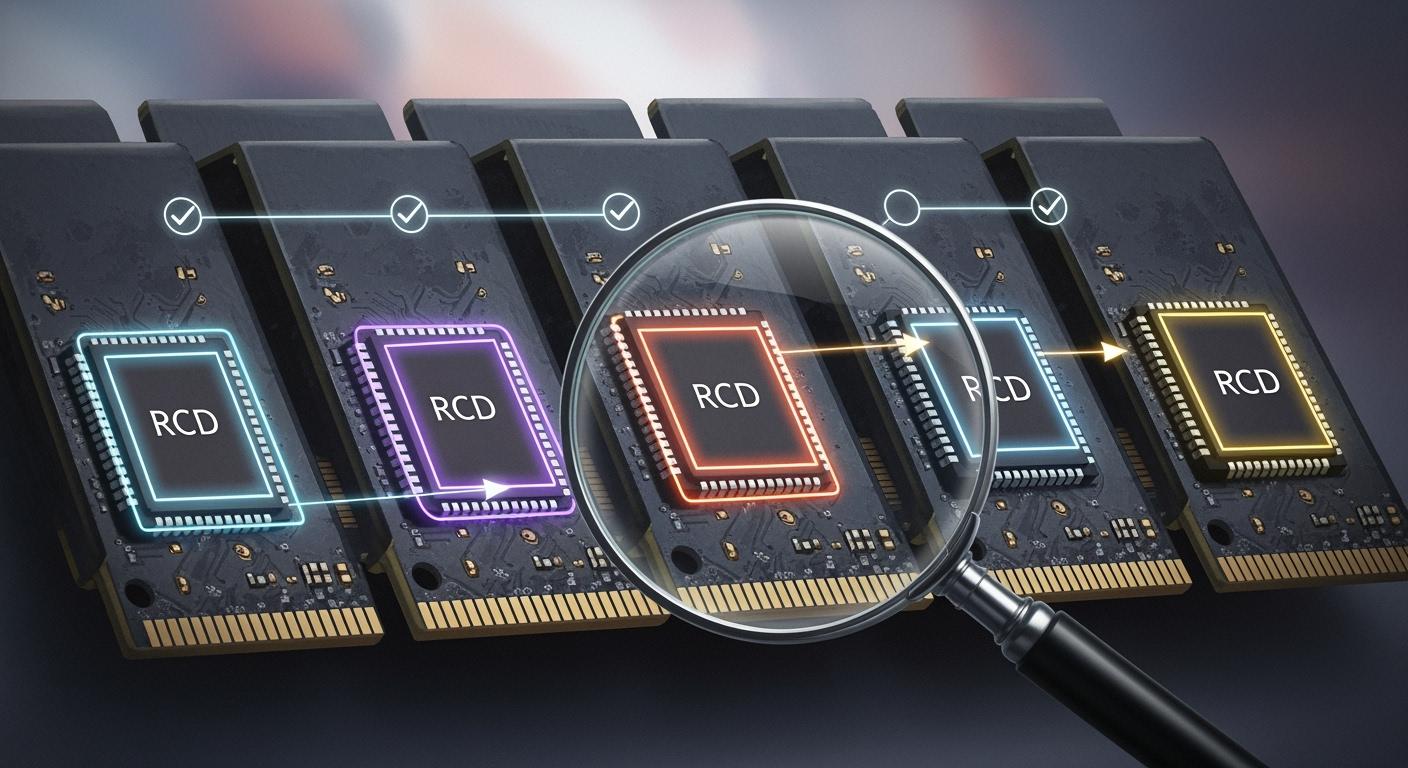
You rely on rcd chips when you want your ddr5 memory to work fast and stay stable. These chips help manage the flow of data between your processor and the memory. New rcd technology in ddr5 brings ddr5 advantages like higher speeds and better efficiency. You see these improvements boost performance in demanding tasks. The right rcd makes your ddr5 faster and more reliable.
Key Takeaways
RCD chips are very important for DDR5 memory. They help make memory faster and more stable. Pick modules with RCD chips for better results in hard tasks.
DDR5 is much better than DDR4. It has faster data speeds and stronger signals. This means memory works quicker and with fewer problems.
When you pick DDR5 memory, think about the module type. Use RDIMM for servers and UDIMM for normal use. Make sure your motherboard works with the module to stop problems.
RCD chips help control power and fix mistakes. This makes DDR5 memory work better. Find features like on-die ECC for safer data.
Buying DDR5 memory can cost more at first. But it saves money later because it works better and faster, especially with lots of data.
RCD Chips in DDR5
Leading RCD Chips
RCD chips are important for ddr5 memory. They help your computer move data faster. Two big companies make these chips for ddr5. Montage Technology has the DDR5 RCD04 chip. It can reach speeds up to 7200 MT/s. Rambus also makes ddr5 rcd chips. They added more chips to their lineup in 2024.
Manufacturer | Product Description | Data Rate Supported | Year Introduced |
|---|---|---|---|
Montage Technology | 4th-gen DDR5 RCD04 for RDIMM memory modules | Up to 7200 MT/s | 2024 |
Rambus | Expanded DDR5 memory interface chip portfolio, including RCDs | Not specified | 2024 |
Both companies want ddr5 to be faster. This helps your computer work better. You get more speed when you use big programs or lots of data.
Key Differences
You may ask what makes these rcd chips different. The main difference is how they are built and how they move data. In ddr5, the rcd sits between the CPU and memory. It controls how they talk and share power and data. The table shows how rcd chips work in different memory modules:
Feature | RDIMM | UDIMM |
|---|---|---|
Registered Clock Driver (RCD) | Present | Absent |
Function | Mediates between CPU and DIMM | Direct communication with DIMM |
Performance | Maintains speed under heavy load | Speed-driven applications |
Use Case | Enterprise and server systems | General use, including gaming |
RDIMM modules with rcd chips are used in servers. They keep computers stable when working hard. UDIMM modules do not have rcd chips. They are good for home computers and games. When picking ddr5 memory, think about what you need. If you want the best speed and stability, choose modules with rcd chips.
The rcd in ddr5 does many jobs. It talks to the memory controller. It helps the PMIC manage power. It moves data when needed. This makes your memory work faster and better.
Function | Description |
|---|---|
Communication with memory controller | The RCD talks to the memory controller and reads instructions. |
Power management | The RCD tells the PMIC about power needs to save energy. |
Data handling | The RCD moves data in and out of memory when asked. |
Knowing these things helps you pick the best ddr5 memory for your computer.
DDR5 vs DDR4: RCD Technology
Clock Distribution
You may wonder how clock signals travel in your memory modules. The way ddr5 and ddr4 handle clock distribution is very different. In ddr4, the RCD sends out two output clocks per side. This setup works, but it can limit how well the memory handles fast data. When you use ddr5, the RCD sends out four output clocks per side. This change gives each group of DRAM chips its own clock signal. You get better signal integrity and less noise, which means your memory works more reliably.
Tip: More output clocks in ddr5 help each group of memory chips work independently. This makes your system more stable, especially when you run heavy tasks.
Here is a table that shows the main differences in clock distribution:
Feature | DDR4 | DDR5 |
|---|---|---|
Output Clocks per Side | 2 | 4 |
Independent Clock Signals | No | Yes |
Signal Integrity Improvement | Limited | Enhanced |
You can see that ddr5 vs ddr4 brings a big improvement in how your memory handles signals.
Performance Enhancements
When you look at ddr5, you notice big gains in performance. The new RCD chips let your memory reach data rates up to 7200 MT/s. This is a 50% increase over older 4800 MT/s solutions. You will see these improvements in demanding tasks like generative AI or data center workloads. The RCD in ddr5 unlocks higher memory bandwidth, so your computer can move more data at once.
Here is a quick look at what ddr5 RCD chips offer:
Feature | Specification |
|---|---|
Data Rate | Up to 7200 MT/s |
Memory Bandwidth Increase | 50% over 4800 MT/s solutions |
Application | Generative AI and data center workloads |
You get faster speeds and better efficiency with ddr5. This means your system can handle more work without slowing down. If you want the best performance, ddr5 memory with advanced RCD chips is the way to go.
RCD Function in DDR5 Memory
Synchronization and Signal Integrity
You want your ddr5 memory to be fast and dependable. The registered clock driver, or rcd, helps make this happen. It controls timing signals and keeps data moving between the processor and memory. With ddr5, new signal problems can show up. These problems might cause mistakes if not fixed.
RCD chips control timing and keep memory and processor in sync. They make exact clock signals, keep data lined up, and change timing to stop errors and keep things running well.
The rcd works hard to keep everything matched up. It fixes signal delays and changes as data moves. If the rcd finds timing or signal problems, it can start error correction to keep your data safe.
RCD chips keep things in sync by fixing signal delays and changes.
They find timing or signal problems and start error correction.
Ddr5 has better ways to fix signal problems than ddr4. The rcd in ddr5 uses improved clock signals and smarter timing. This helps stop data loss and keeps your computer steady, even at high speeds.
Initialization and Subchannels
When you turn on your computer, the rcd starts working right away. It helps set up the ddr5 memory and gets the data path ready. The rcd checks voltage and makes sure each part is ready to go. Ddr5 has two subchannels in each module. This design splits the data path to help with signal problems. Each subchannel can work by itself, so data moves faster and with fewer mistakes.
This setup lets your memory send and get data at the same time. The rcd controls both subchannels and keeps them matched up. This lowers the chance of signal problems and makes your computer work better. You notice these benefits when you use big programs or move large files.
Comparing RCD Chips: Specs and Performance
Specification Table
You might want to see how rcd chips compare in ddr5 memory. A table is the easiest way to check this. You can look at transfer speed, power supply, and special features. This helps you choose the chip that fits your needs.
Manufacturer | Transfer Speed Range (MT/s) | Power Supply (VDD) | Power Supply (VDDIO) | Unique Features |
|---|---|---|---|---|
Renesas | 1.1V | 1.0V | Advanced signal integrity, PMIC | |
SK hynix | 4800 – 5600 | N/A | N/A | Enhanced interface, temp sensor |
Montage | Up to 7200 | N/A | N/A | High bandwidth, improved timing |
Rambus | Up to 7200+ | N/A | N/A | 50% speed boost, scalable design |
Now, ddr5 rcd chips can go much faster than before. Rambus and Montage chips reach up to 7200 MT/s. This means your memory can move data quicker. Renesas also has chips that reach 7200 MT/s. You have more choices for fast computers.
Power and Efficiency
You might care about how much power your memory uses. Using less voltage means less heat and better efficiency. DDR5 rcd chips use a 1.1V power supply and a 1.0V VDDIO. This helps your computer stay cool and saves energy.
Chip Model | Power Supply (VDD) | Power Supply (VDDIO) |
|---|---|---|
RCD03 | 1.1V | 1.0V |
You also get new features that make things work better. The new registering clock driver helps keep signals clear. The PMIC helps control power and stops voltage problems. A temperature sensor lets you watch and control heat.
New rcd chips give you better signal quality.
PMIC keeps power steady and stops voltage drops.
Temperature sensors help you check and control heat.
These changes make your memory work much faster. Rambus chips, for example, are 50% faster than old ones. Your memory can handle more data at once. You will notice this when you play games, use AI, or work in data centers. Faster speeds and more bandwidth help your computer run smoother.
Note: DDR5 memory is faster and has better bandwidth than ddr4. It also keeps signals clearer. You get more memory bandwidth and higher data rates. This means your computer can do more things at the same time.
You also want your computer to last and work with new tech. The newest rcd chips, like the Gen5 DDR5 chipset from Rambus, work with future memory modules. They let you build flexible servers for AI and big jobs. Some modules, like MRDIMMs, can go up to 12,800 MT/s. This shows ddr5 rcd chips can grow with new technology.
You get the best results when you pick rcd chips that fit your needs. Look for high data rates, strong signals, and good power use. These things give you better performance, more bandwidth, and a memory system you can trust.
Compatibility in DDR5 Memory
Supported Module Types
It is important to know which modules work with ddr5 memory. There are two main types: RDIMM and UDIMM. RDIMM modules have an RCD chip. This chip helps control signals and keeps things steady. RDIMM modules are best for servers and workstations. These computers need to be very reliable. UDIMM modules do not use RCD chips. You will see them in home computers and gaming PCs. They are fast but not as steady for big jobs.
DDR5 is different from ddr4 in many ways. DDR5 modules have new pin layouts and keying. You cannot swap RDIMM and UDIMM modules. Each type only fits in its own slot. You should check your motherboard before buying memory. Using the wrong module can stop your computer from working.
Tip: Make sure your memory matches your motherboard. RDIMM and UDIMM modules do not work in the same slots in ddr5 systems.
Platform Considerations
You want your ddr5 memory to work with your computer. The computer platform decides which module you can use. Servers need RDIMM modules for better speed and stability. Home computers use UDIMM modules for daily tasks.
Here are some key things about platform compatibility:
RDIMM modules are for servers and high-end workstations. They use RCD chips to help signals and protect the CPU’s memory controller.
UDIMM modules go in desktops and gaming computers. They do not have RCD chips and do not fit in RDIMM slots.
DDR5 RDIMM and UDIMM modules have different pins. You cannot put a UDIMM in a server motherboard made for RDIMM.
Industry rules help you pick safe and good ddr5 memory. You should look for modules that meet JEDEC rules. These rules make sure your memory works well and keeps your data safe.
Aspect | Description |
|---|---|
Compliance | DDR5 products must follow JEDEC rules for reliability. |
Importance | High uptime and safe data matter in industry jobs. |
Mass Production | Makers test modules to JEDEC 1.0 before making lots of them. |
You also need to check the voltage your memory needs. DDR5 uses less voltage than older memory. This saves energy and keeps your computer cool. The right connection between your CPU and memory moves data faster and keeps signals clear.
You get the best results when you match your ddr5 memory to your computer and follow the rules. This keeps your computer running well and keeps your data safe.
RCD Reliability and Longevity
Error Handling
You want your ddr5 memory to keep your data safe. The rcd chip helps stop errors from hurting your system. DDR5 memory modules use on-die ECC. This checks and fixes single-bit errors before they reach the memory controller. This keeps your data safe and makes your computer more reliable than ddr4. As memory chips get bigger, errors can happen more often. DDR5 uses better error correction to fix this.
On-die ECC finds and fixes single-bit errors to keep data safe.
DDR5 gives strong error protection with only a small delay.
Bigger memory chips make error correction even more important.
Some ECC systems may not show every error to admins, making it harder to watch for problems.
These upgrades help your system handle more data without losing safety. You will have fewer crashes and less chance of broken files.
Thermal Management
Heat can hurt your memory and slow it down. DDR5 modules use different ways to stay cool and last longer. Special heat sinks and thermal materials move heat away from the chips. Power management changes voltage and speed to lower heat. Memory controllers use smart plans to spread out work and stop hot spots.
Heat sinks and thermal materials help get rid of heat.
Changing voltage and speed lowers how much heat is made.
Memory controllers use smart plans to keep things cool and safe.
These cooling tricks help your ddr5 memory stay strong over time. You get steady performance, even when you use big programs or move lots of data. Good cooling means your memory lasts longer and keeps your computer safe.
Use Cases for DDR5 RCD Chips
Data Centers and Servers
You want your data center to be fast and reliable. Picking the right RCD chip for DDR5 is important. The Rambus Gen4 DDR5 RCD is known for high performance. It can reach speeds of 7200 MT/s. This lets your servers use more memory bandwidth. You can run big jobs like generative AI and large databases. With these RCD chips, your system moves more data at once. This helps your apps work better.
Your servers also need clear signals. RCD chips help with timing and keep signals strong. This means fewer mistakes and safer data. You get more uptime and fewer crashes. Data centers need this kind of reliability every day.
Tip: Choose RCD chips with fast speeds and strong signal features for your server memory. This helps your data center keep up with new demands.
Workstations and Enthusiasts
If you build a workstation or a powerful PC, you want speed and options. DDR5 RCD chips give you both. Some chips support speeds up to 8000 MT/s. They also let each RDIMM have two subchannels. This means your memory can do more things at once. You get smooth work when editing videos, making graphics, or gaming.
Here is a table with key features for workstations and enthusiasts:
Feature | Description |
|---|---|
Data Rates | Supports data rates up to 8000 MT/s |
Clock Rates | Supports clock rates up to 4000 MHz |
Subchannels | Two independent subchannels per RDIMM |
Physical Ranks | Two physical ranks per subchannel |
Logical Ranks | Up to 16 logical ranks per physical rank |
Power Consumption | Low Power 1.1V VDD |
I3C Bus Interface | 12.5 MHz (max.) I3C bus interface |
You want your memory to stay cool and not use too much power. DDR5 RCD chips help by running at 1.1V. This keeps your system quiet and efficient. You also get better signals, so there are fewer mistakes and your computer runs steady.
Cost Considerations
When you pick DDR5 RCD chips, you should think about price. DDR5 memory costs more at first than DDR4. You might need to upgrade your servers or change your setup. This can make you spend more at the start.
DDR5 memory costs more at first, which can make it harder for data centers to use.
New server setups and changes can raise your starting costs.
Even though DDR5 costs more at first, it saves power. You can save 25-30% on each data job compared to DDR4, especially when reading lots of data.
You save money over time because DDR5 uses less power for each job. This matters if you have many servers or use them a lot. Good RCD chips last a long time and help keep timing and signals strong. More people want fast computers, so the RCD market is growing. You make a smart choice when you pick good RCD chips for DDR5 memory.
You may have some problems when using DDR5 RCD chips in fast computers. You need to change your power setup. DDR5 uses a more complex power system with 1.1V for main work. You also need better cooling because DDR5 gets hotter. Keeping signals clear is harder at higher speeds. You must use better PCB designs and wiring. DDR5 uses less power for each bit, but total power can still go up. You need to watch for mistakes and make sure your system can fix them.
Challenge | Description |
|---|---|
Power Delivery Network Redesign | DDR5 needs a more complex power setup with 1.1V for core operations. |
Thermal Management | DDR5 modules create more heat, so you need better cooling. |
Signal Integrity | Higher data rates make it harder to keep signals clear. |
Power Efficiency Optimization | DDR5 uses less power per bit, but total power can rise. |
Reliability Concerns | You must handle errors from power changes and keep the PMIC strong. |
System-Level Integration | You may need to update firmware and BIOS for DDR5 features. |
Note: Buying good RCD chips gives you better speed, stronger signals, and value that lasts. You get your system ready for the future and get the most from your memory.
You know that rcd chips in ddr5 make memory faster and more stable. Picking the right rcd gives you strong servers or a smooth PC.
Rcd technology lets each channel have its own clock and address. This makes memory work better and more stable.
Designers use new ideas for both work and home computers now.
Better memory helps your whole computer run well.
If you learn about rcd, you can choose the best ddr5 memory for what you need.
FAQ
What does an RCD chip do in DDR5 memory?
You use an RCD chip to help your DDR5 memory talk to your computer’s processor. It keeps data moving smoothly and helps your system run faster and more reliably.
Can you use DDR5 RDIMM and UDIMM in the same computer?
You cannot mix RDIMM and UDIMM in the same system. Each type fits different motherboards. Always check your computer’s manual before buying new memory.
Why is DDR5 memory faster than DDR4?
DDR5 memory uses better technology. It has more output clocks and improved signal control. This lets your computer move more data at once and work faster.
Do RCD chips help with memory errors?
Yes, RCD chips help control timing and signals. They work with error correction features in DDR5 memory. This keeps your data safe and your computer stable.
How do you keep DDR5 memory cool?
You can use heat sinks and special materials to move heat away from the memory. Lower voltage and smart power control also help keep DDR5 memory cool.