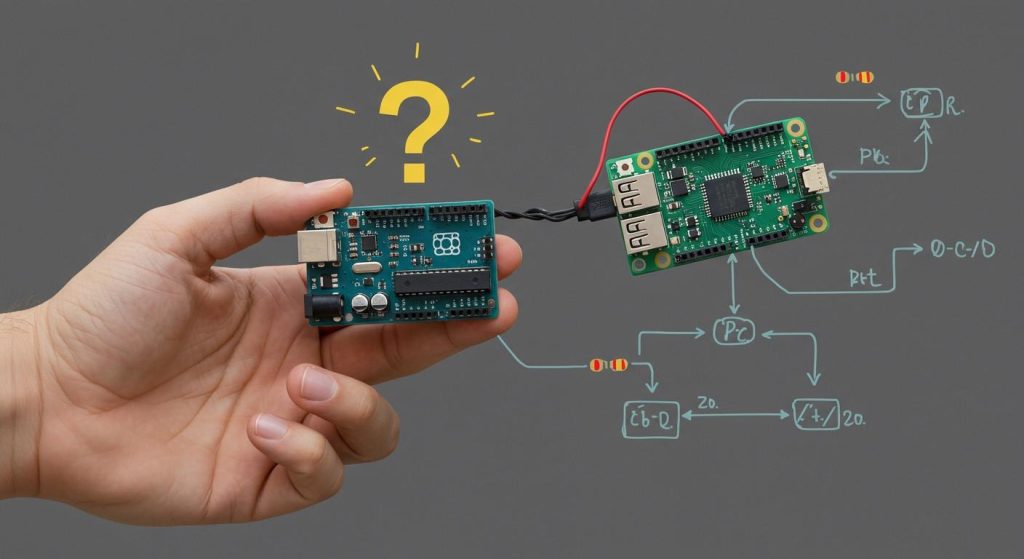
You can lower EMI and EMC in PCB layout design by placing parts smartly. Careful routing helps a lot. Strong grounding is also important. These steps make your PCB layout design work well. They help get it ready for testing. You should use good techniques. Keep learning new ways because technology changes fast. Using the newest tools helps you fix problems early.
EMI and EMC Basics
What is EMI?
You hear about emi when working with electronics. EMI means electromagnetic interference. It happens when signals mess up how devices work. These signals can come from power lines, motors, or other circuits on your pcb layout. You might hear emi as noise in speakers or see glitches in digital gadgets. If you ignore emi, your circuit might not work right. You can lower emi by using good design steps and shielding.
Tip: Always look for emi sources in your workspace. Moving cables can sometimes help stop interference.
What is EMC?
You need to know emc to make good electronics. EMC stands for electromagnetic compatibility. It shows how well your device works without causing or getting interference. If your pcb layout meets emc rules, your product will pass tests and work near other electronics. EMC has two parts: emission and immunity. Emission is what your device sends out. Immunity is how well your device blocks outside signals. Design for emc early to avoid expensive fixes later.
EMC Aspect | What It Means | Why It Matters |
|---|---|---|
Emission | Signals your device makes | Stops interference |
Immunity | Blocks outside noise | Keeps device working |
Why EMI and EMC Matter in PCB Layout Design
You should care about emi and emc when making a pcb layout. EMI and EMC change how your circuit works and how it acts with other devices. If you skip these steps, your product might fail tests or cause problems. Good emi and emc steps help you reach electromagnetic compatibility and meet emc rules. You can use grounding, smart routing, and shielding to lower risks. When you focus on emi and emc, you make safer and better electronics.
You keep your product from breaking.
You save money and time by avoiding redesigns.
You follow the rules for emc compliance.
Key Principles of PCB Layout Design
Signal Integrity Basics
You need to keep your signals clean and strong in every pcb layout. Signal integrity means your signals travel without getting weak or mixed up. Poor signal integrity can cause emi and emc problems. For example, if you route high-speed traces too close together, you might see crosstalk. Crosstalk is when signals jump from one trace to another. This can make your device fail emc compliance tests.
You can follow these steps to improve signal integrity:
Place high-speed signals away from noisy power lines.
Keep traces short and direct.
Use matched trace lengths for differential pairs.
Avoid sharp corners in your traces.
Tip: Use ground planes under signal traces. This helps control return currents and lowers emi.
Layer Stackup
Layer stackup is how you arrange the layers in your pcb layout. A good stackup helps you control emi and emc. If you use more layers, you can separate signals and power. This makes your pcb design stronger against noise.
Here is a simple table to show how stackup choices affect electromagnetic compatibility:
Stackup Type | EMI Control | EMC Benefit |
|---|---|---|
2-layer | Low | Harder to shield |
4-layer | Medium | Better isolation |
6-layer or more | High | Best for emc |
You can use these design techniques for better stackup:
Place ground and power planes next to each other.
Sandwich signal layers between ground planes.
Keep high-speed signals on inner layers.
Note: A good stackup lowers emi and helps you pass emc compliance tests.
Thermal Management
Heat can change how your pcb layout works. Too much heat can make emi worse and hurt emc. Hot spots can cause signals to drift or parts to fail. You need to plan for heat in your pcb layout design.
You can manage heat with these steps:
Place hot parts away from sensitive signals.
Use wide copper areas to spread heat.
Add thermal vias to move heat to other layers.
Keep airflow paths open around your board.
If you control heat, you protect your signals and help your device meet electromagnetic compatibility rules.
Remember: Good thermal management keeps your pcb layout safe and reliable.
Component Placement
Signal Flow
You should always plan the signal flow before placing components on your pcb layout. Good signal flow helps you control emi and emc. Place parts so that signals move in a straight line. This reduces the chance of noise and makes your design easier to debug. Keep high-speed signals away from sensitive analog parts. If you group related components together, you can shorten trace lengths and lower emi.
Tip: Draw a simple block diagram before you start your pcb layout. This helps you see the best path for signals.
Crosstalk Reduction
Crosstalk happens when signals from one trace jump to another. You can lower crosstalk by keeping enough space between traces. Place components so that parallel traces are short and far apart. Use ground planes between signal layers to block unwanted noise. If you follow these steps, you help your pcb layout meet emc rules and avoid emi problems.
Route high-speed traces on different layers.
Place ground traces between critical signals.
Avoid running traces side by side for long distances.
Thermal Considerations
Heat can affect both emi and emc in your pcb layout. Place hot components, like power regulators, away from sensitive circuits. Give each part enough space for air to flow. Use thermal vias to move heat away from key areas. If you manage heat well, you protect your board and help it pass emc compliance tests.
Component Type | Placement Tip |
|---|---|
Power ICs | Near edge, with heat sink |
Sensitive analog | Far from hot parts |
High-speed digital | Away from power sections |
Remember: Good thermal planning keeps your pcb layout safe and helps you avoid emi and emc issues.
Routing Techniques for EMI and EMC

You can control emi and emc in your pcb layout by using smart routing techniques. Good routing helps you pass emc compliance tests and keeps your board working well. You need to think about trace width, spacing, impedance, loop area, and via usage. Each step helps you lower noise and improve signal quality.
Trace Width & Spacing
Trace width and spacing play a big role in emi and emc. Wide traces carry signals better and reduce resistance. If you use narrow traces, you might see more noise and heat. You should keep enough space between traces to stop crosstalk and lower emi.
Use wide traces for power and ground lines.
Keep high-speed signal traces away from noisy areas.
Space traces apart to block unwanted signals.
Trace Type | Recommended Width | Spacing Tip |
|---|---|---|
Power | Wide | Far from signal traces |
High-speed Signal | Medium | Away from power traces |
Sensitive Analog | Medium | Extra space from digital |
Tip: Check your pcb layout rules for minimum trace width and spacing. This helps you meet emc standards.
Controlled Impedance
Controlled impedance keeps your signals clean and strong. If you match impedance, you stop reflections and lower emi. You need to set trace width, spacing, and layer stackup to get the right impedance.
You can use these steps to control impedance:
Calculate the needed impedance for each signal.
Set trace width and spacing to match your target.
Place signal traces over a solid ground plane.
Note: Many pcb layout tools have impedance calculators. Use them to check your design before you build.
Loop Area Minimization
Loop area means the space between a signal trace and its return path. Large loop areas act like antennas and increase emi. You should keep loop areas small to improve emc.
Route signal traces close to their ground return.
Use ground planes under signal layers.
Avoid long loops in your pcb layout.
If you minimize loop area, you lower emi and help your board pass emc compliance tests.
Routing Tip | EMI Impact | EMC Benefit |
|---|---|---|
Small loop area | Less emi | Better emc |
Large loop area | More emi | Harder emc control |
Via Usage
Vias connect traces between layers in your pcb layout. Too many vias can break signal paths and increase emi. You should use vias only when needed and keep them close to ground returns.
Place vias near signal source and destination.
Use ground vias to give signals a short return path.
Avoid stacking many vias in one area.
Tip: Fewer vias mean stronger signals and better emc. Plan your routing to use the least number of vias.
You can improve emi and emc by following these routing techniques. Smart routing helps your pcb layout meet emc compliance and work well in real-world conditions.
Grounding & Shielding

Ground Plane Design
You need a solid ground plane in your pcb layout to control emc. A ground plane gives signals a clear path to return. This helps you lower emi and keep your signals clean. Place the ground plane on a layer close to your signal traces. Try to keep the ground plane as large and unbroken as possible. If you split the ground plane, you can create unwanted paths for noise. You should connect all ground points to this plane. This step helps you meet emc compliance.
Tip: Use a continuous ground plane under high-speed signals. This reduces noise and improves emc.
Shielding Methods
Shielding blocks unwanted signals from entering or leaving your circuit. You can use metal shields, cans, or even copper pours on your pcb layout. Place shields over parts that make a lot of noise or are sensitive to outside signals. Connect the shield to the ground plane for best results. Shields help you pass emc tests and protect your device from emi.
Here are some common shielding methods:
Metal cans over noisy chips
Copper pours tied to ground
Shielded cables for external connections
Shield Type | Use Case | Benefit |
|---|---|---|
Metal Can | Noisy ICs | Blocks emi |
Copper Pour | Sensitive areas | Lowers noise |
Shielded Cable | External connections | Stops emc loss |
Ground Loops Prevention
Ground loops can cause big problems for emc. A ground loop happens when you have more than one path to ground. This can let noise flow in circles and hurt your signals. You can stop ground loops by using a single ground point for your pcb layout. Keep all ground returns short and direct. Avoid connecting grounds at more than one place.
Remember: One ground path keeps your signals safe and helps you avoid emi issues.
Filtering & Optimization
Filter Placement
Filters help block signals you do not want. They make emi lower and emc better. Put filters close to where noise starts. Add them near connectors and power inputs. Also, put them by noisy chips. This stops noise from spreading everywhere. Pick the right filter for your signal. Low-pass filters block high-frequency noise. Ferrite beads on power lines also help. These beads soak up emi and keep things quiet.
Tip: Put filters right at the spot where noise comes in. This helps you follow emc rules.
Decoupling Capacitors
Decoupling capacitors stop voltage spikes and noise. Place them next to each chip’s power pin. Use different sizes to block many kinds of noise. Small ones stop high-frequency emi. Big ones block low-frequency noise. Try using both 0.1µF and 10µF capacitors. Keep the wire between the capacitor and chip short. This helps your board have strong emc.
Put capacitors close to the chip’s power pins.
Use more than one size for better filtering.
Make the connections short and straight.
Power Distribution Network
A good power network helps emc in your pcb layout. Use wide power and ground lines. This makes resistance low and blocks emi. Power planes give steady voltage. Put decoupling capacitors between power and ground planes. Do not use long, thin power lines. Thin lines can act like antennas and make emi worse. Plan so every chip gets clean power.
Power Network Tip | Benefit for EMC |
|---|---|
Wide power planes | Less noise |
Short connections | Better emc |
Many decoupling caps | Steady voltage |
Note: A strong power network helps your board pass emc tests and work well in hard places.
Testing & Verification
DRC & ERC
You should always use DRC and ERC before finishing your pcb layout. DRC checks if you followed rules for spacing and trace width. It also checks where you put parts. ERC looks for electrical mistakes like missing wires or short circuits. These checks help you find problems that can cause emi or emc issues. Most pcb layout tools have DRC and ERC built in. You can fix mistakes early and save time later.
Tip: Run DRC and ERC after every big change. This keeps your design safe and ready for emc compliance.
Signal Analysis
You need to check signals on your board to keep them clean. Signal analysis helps you find noise, reflections, and crosstalk. You can use tools like oscilloscopes or signal software. Look at high-speed signals for spikes or drops. If you see problems, change trace routing or add filters. Good signal analysis helps you lower emi and improve emc.
Check signal quality with an oscilloscope.
Use simulation software to find emi and emc problems.
Review important traces for noise and timing issues.
Pre-Compliance Testing
You should test your pcb layout for emc before final certification. Pre-compliance testing uses special tools to measure emissions and immunity. You can use spectrum analyzers, near-field probes, and test chambers. These tests show if your board meets emc standards. If you find problems, you can fix them before official testing. Keep records of your test results and changes. Good notes help you prove emc compliance and make updates easier.
Test Method | What It Checks | Why It Matters |
|---|---|---|
Spectrum Analyzer | Emissions | Finds emi sources |
Near-field Probe | Local noise | Spots emc problems |
Test Chamber | Full board behavior | Checks emc compliance |
Note: Save all test reports and design changes. This helps you show emc compliance and makes your next pcb layout better.
Best Practices for EMI and EMC
Design for Manufacturability
Think about manufacturability when you design a pcb layout. If your board is easy to build, you lower EMI and EMC risks. Place parts so machines can solder them without errors. Leave enough space between pads and traces. Pick parts that work well with your assembly process. Planning for manufacturability helps your board pass EMC tests and stops expensive mistakes.
Tip: Ask your manufacturer for their design rules before you begin. This helps you avoid problems later.
Automation Tools
Automation tools help you design pcb layouts faster and better. You can use software to check for EMI and EMC problems. Many tools have auto-routing, DRC checks, and simulation features. These tools find issues early, so you can fix them before building. Using automation saves time and makes your design stronger.
Use auto-router for simple signal paths.
Run DRC checks after every change.
Try simulation tools to test EMC before production.
Documentation
Good documentation helps you remember your pcb design choices. Write down every change you make. Save test results and notes about EMI and EMC fixes. Clear documentation makes it easier for others to check your work. If you need to update your board, you can find problems fast. You also show proof of EMC compliance during testing.
Documentation Tip | Why It Matters |
|---|---|
Save test reports | Track improvements |
Note design fixes | Avoid repeats |
Share with team | Improve reviews |
Continuous Improvement
Always look for ways to make your pcb layout better. Review each project after testing. Learn from mistakes and successes. Try new tools and methods as technology changes. If you keep improving, your boards work better and pass EMC tests more easily.
Remember: Continuous improvement helps you stay ahead and build reliable electronics.
You can make PCB layouts work well if you use strong grounding. Smart routing helps your board stay reliable. Careful component placement is also important. These steps help stop electromagnetic interference. They help your board meet EMC standards. Make a checklist for every project you do. Learn new tools and methods often. If you follow these best practices, your designs work better. Your boards will pass important tests.
FAQ
What is the best way to reduce EMI in my PCB layout?
You can lower EMI by using a solid ground plane, keeping traces short, and placing components carefully. Wide traces help. Shielding noisy parts also works well.
How do decoupling capacitors help with EMC?
Decoupling capacitors block noise from power lines. You place them close to each chip’s power pin. Using different sizes helps stop both high and low-frequency noise.
Why should I care about EMC testing?
EMC testing checks if your board works near other electronics. Passing these tests means your product is safe and reliable. You avoid costly redesigns and meet legal rules.
Can automation tools find EMI and EMC problems?
Automation tools scan your design for mistakes. They check trace width, spacing, and grounding. You fix issues early and save time. Many tools also run simulations for EMI and EMC.