You use smart lighting control modules every day in new buildings and factories. These modules help you control lights, save power, and feel more comfortable. Smart lighting control systems use motion sensors and daylight harvesting to lower extra light by up to 58%. They also help cut costs by 30%. The world market for lighting control systems is growing quickly. It will be worth over USD 76 billion by 2030. If you pick a smart lighting control solution, you get one place to control lights, better energy use, and easy connection with DALI or wireless protocols. Smart lighting control modules make your lighting system work well and focus on the user. Good design makes sure your smart lighting control system does everything you need.
Key Takeaways
Smart lighting control modules help save energy and make rooms more comfortable by using sensors and automatic controls. – Pick the best control plan for your space, like offices, stores, or hospitals. – Use a modular design so you can add new parts easily when you need to. – Follow electrical rules and get the right certifications to keep things safe and legal. – Doing regular check-ups and using smart features can lower costs and keep your lighting system working well.
User Needs & Control Intent
Application Scenarios in Smart Lighting Control
Smart lighting control modules are used in lots of places. Every place needs something different. The table below lists common uses and what they do:
Application Scenario | Description |
|---|---|
Scheduling + Occupancy | Turns lights on and off by business hours and if people are there. This saves energy when no one is around. |
Daylighting | Changes lights when sunlight comes in through windows or skylights. |
Indoor Positioning | Connects lights to phones to follow people in stores. This helps make shopping nicer. |
Task Tuning | Lets you pick how bright and what color the lights are for different jobs. |
Asset Tracking | Sensors help find things fast in warehouses and hospitals. |
Asset Management | Changes lights and air flow depending on how rooms are used. This makes people comfortable and saves energy. |
System Integration | Puts lighting and HVAC controls together for better energy use. |
Visual Light Disinfection | Uses special light to clean surfaces where germs might grow. |
Defining Control Strategies
You need to choose the best lighting control for your space. Different places need different ways:
Offices can save energy by changing lights for weather, brightness, and desk setup. This can lower power use by 36%.
Stores need safe and comfy lighting. You may need more lights so areas are not too dark or too bright.
Hospitals care most about patient comfort and safety. Controls should help patients feel good.
Public places like metro stations need to think about how many people are there. This saves energy and keeps everyone safe.
Manual controls let people set lights how they want. Automated systems change lights for comfort. Daylight harvesting uses sunlight to save energy.
Planning for Scalability
Your system should be able to grow as you need it. Good planning helps you add new parts easily. Here are some ideas:
Use a modular design so you can add more pieces without stopping work.
Pick wireless mesh networks to keep costs low and make changes easy.
Make your system so you can add new lights and sensors later. This keeps things flexible and working well.
Tip: Plan for future growth from the start. This helps your lighting control system last longer and work better as your needs change.
Standards & Compliance in Lighting Control Systems
Electrical Codes & Safety
You have to follow important rules when making smart lighting control modules. These rules keep people safe and help your system work right. In the United States, you need to meet energy codes for buildings. These codes set rules for lighting in public places. The table below shows two main codes you should know:
Code/Standard | Description |
|---|---|
IBC | Sets rules for lighting systems. It covers emergency lights and exit paths. It is a basic standard for safe lighting design. |
NEC | Sets rules for safe wiring and equipment. It has special rules for LED lighting to keep things safe and legal. |
You should check these codes before starting your project. This helps you avoid mistakes and keeps your lighting system safe.
DALI and Wireless Protocols
When you make a smart lighting control module, you need to think about how it connects to other devices. DALI and wireless protocols are important for this. You must use systems that save energy and let you control lights easily. Here are some things to remember:
DALI follows strict rules (IEC 62386). You need certified parts. This affects what devices you pick and how you set up your system.
Wireless protocols like DALI+ and Bluetooth Mesh give you more choices. You can install or upgrade systems without much trouble.
Using these standards helps your system work with others. It also keeps your system reliable and adds new features.
If you follow these protocols, your system will meet building energy codes and help save energy.
Certification & Interoperability
You want your smart lighting control module to work in many places. To do this, you need the right certifications. These show your product meets energy codes and can connect with other systems. The table below lists two important certifications:
Certification | Region | Requirements |
|---|---|---|
FCC | U.S. | Tests for radio waves, checks for EMC, and gives approval for devices that use radio signals. |
CE | Europe | Checks for Radio Equipment Directive, EMC rules, and Low Voltage rules. |
Tip: Always check which certifications you need before you start making your product. This helps you avoid problems and gets your product ready for sale.
Technical Design & PCB Manufacturing
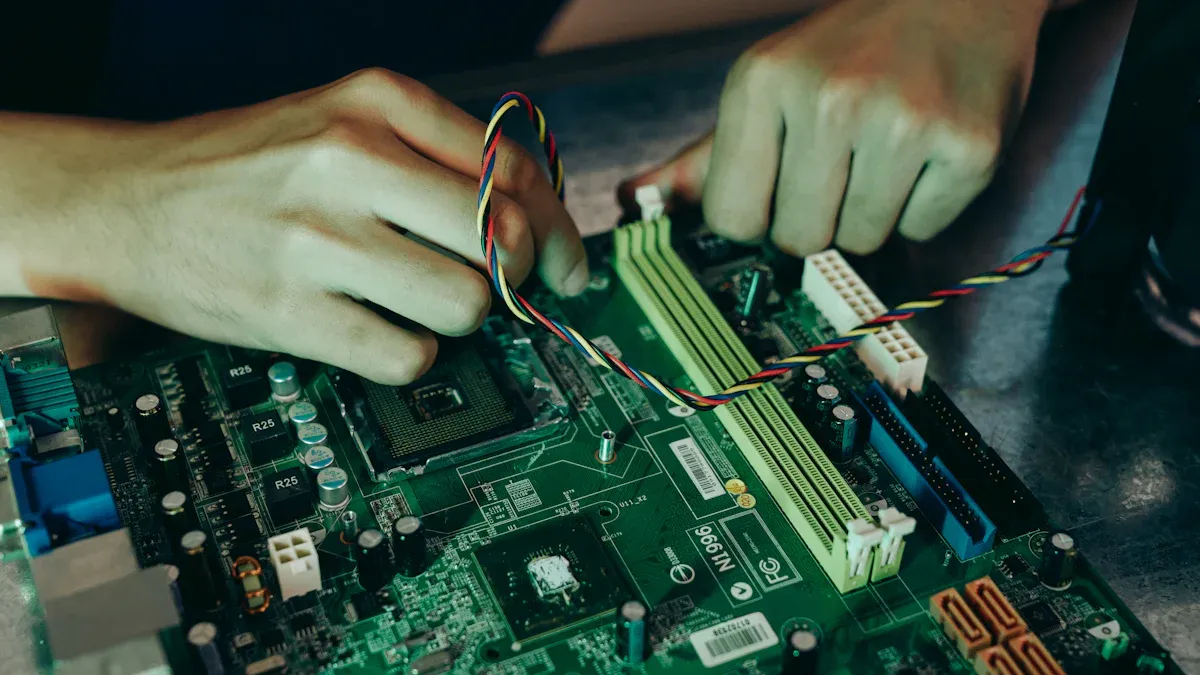
Component Selection for Smart Lighting Control
You have to pick the right parts for your smart lighting control module. The parts you choose decide how well your system works. They also make it easier or harder to fix later. First, think about what users want and how the module fits in the whole system. Here are some things to think about:
Look at what users need to pick the best parts.
Make sure smart bulbs, sensors, and the control unit all work together.
Pick the right communication protocols for your needs. Use Wi-Fi if you want to control lights from far away. Zigbee and Z-Wave are good if you want to save power.
Good parts make your system last longer and work better. If you use cheap parts, you might save money at first. But you could have more problems and spend more later. Trusted brands make it easier and cheaper to fix things.
Tip: Think about how easy it will be to find new parts later. This helps your system keep working well.
If you care about reliability, you can plan for repairs. You should also think about how the system will work in real life.
PCB Design Best Practices
The printed circuit board, or PCB, is the main part of your smart lighting control module. Good PCB design helps your module work well and last a long time. Here are some tips to follow:
Use differential pair routing to keep signals clear and cut down on noise.
Make sure the length and space of differential pairs match to keep impedance steady.
Add guard traces to protect important signals from interference.
Keep signal loops small by giving signals short, direct return paths.
Separate signal traces by at least three times their width to stop crosstalk.
Use solid ground and power planes to lower impedance and block noise.
Put decoupling capacitors close to chip power pins. Use different capacitor values to cover many frequencies. Do not split power or ground planes under fast signals.
Thermal management is also very important in PCB design. Spread out high-power parts to move heat across the board. Use thicker copper to help heat move away from hot spots. Good solder joints between LED packages and the PCB help with heat. Pay attention to solder paste, joint shape, and the metals you use.
Sensor & Connectivity Integration
Sensors and connectivity are very important for smart lighting control. You need to pick the right sensors and make sure they work with your control module. The table below shows common sensor types and what they do:
Sensor Type | Functionality |
|---|---|
Ultrasonic Sensor | Detects motion using high-frequency ultrasonic waves. |
Photosensitive Sensor | Controls lighting based on ambient light levels, activating at dusk/dawn. |
Infrared Sensor | Senses presence by detecting infrared radiation from human bodies. |
You can also use other sensors for different needs:
Sensor Type | Control Principle | Application | Benefits |
|---|---|---|---|
PIR (Passive Infrared) | Infrared Detection | Common in residential settings for motion detection. | Low power use, good for home automation. |
Microwave Sensor | Doppler Effect | Good for big spaces that need long-range detection. | Works well in large areas, goes through walls. |
When you plan how to connect sensors, think about how they will link to your control unit. Pick the best way to connect for your system. Wi-Fi is good for long distances. Zigbee and Z-Wave are good for saving power. Good integration helps your module work with other devices and building systems. This makes your lighting control smarter and more flexible.
Note: Careful sensor and connectivity integration makes your system work better and makes upgrades easier.
Modular System Architecture
A modular system architecture gives you more choices and makes upgrades easy. You can change parts without having to redo wires. This saves both time and money. The table below shows features that help with modular design:
Feature | Description |
|---|---|
Modular Design | Lets you swap parts easily without new wires, making things flexible. |
Standardized Interfaces | Uses Zhaga Book 18 for plug-and-play, making upgrades simple. |
Wireless Protocol Support | Works with many wireless protocols, so it fits in different cities. |
Future-Proofing | Lets you change out sensors and communication devices as needed. |
Tool-less Hot-Plug Operations | Lets you swap modules safely and easily with a twist-lock design rated IP65/66. |
With modular architecture, you can add new sensors or communication modules as technology changes. This helps your lighting control system stay current. Wireless protocol support also makes it easier to use in different places.
Tip: Modular design makes it easy to connect with other building systems and keeps your lighting control system ready for new changes.
Programming & User Interface

Control Logic & Automation
You can set up smart lighting control modules with different programming languages. Each language is good for certain people and jobs. Here are some common options:
Ladder Logic (LD) is easy for electricians. It uses simple pictures.
Function Block Diagram (FBD) helps engineers use blocks to make programs.
Sequential Function Chart (SFC) lets process engineers set up steps for lights.
Structured Text (ST) lets software engineers write code using words.
Instruction List (IL) lets electricians use lists to give commands.
These tools help you add things like controls for when people are in a room, using sunlight, and making your own schedules. These features help you save energy and make your building work better.
User Interface Design
A good user interface makes your smart lighting system simple to use. You want everyone to feel good using the controls. Here are ways a strong design helps:
Easy controls make changing lights simple.
Accessibility features like voice or touch help more people use it.
Clean screens make it easy to find what you need fast.
Smart sensors can guess what you want and change lights for you.
If your system has a clear interface, you learn quickly and enjoy using it more.
Remote Monitoring & Access
Remote monitoring lets you check and control your lights from anywhere. You can connect your system in different ways:
LoRaWAN and NB-IoT are good for big areas and use little power.
Zigbee works best where many devices are close together.
4G, 5G, and Ethernet give fast connections for large buildings.
With remote access, you can see live data about energy use and system health. Motion and light sensors help the system change lights by itself. You can get alerts if something is wrong. This helps keep your system safe and working well. Remote monitoring helps save energy and means you do not have to check things by hand as much.
Tip: Use remote access to find problems early and keep your lighting system working well.
Factory Lighting Control: Manufacturing & Quality
Prototyping & Testing
You begin each project by setting clear goals. You need to know what the owner wants. Prototyping helps you see if your lighting control will work in the factory. You use methods like 3D modeling, 3D printing, CNC machining, and injection molding. Each method is good for different needs. For example, 3D printing is fast for changes. Injection molding is better for making many parts.
You follow steps to meet all owner needs. First, you build prototypes based on your goals. Next, you test each prototype for how well it works. You ask users for feedback and check if the project meets owner needs. Then, you change your design to match the goals.
You also think about how easy it is to make your design. You pick materials and parts that fit your goals. You test prototypes with photometric and goniophotometer tools. These tools check light quality and controls.
Testing does not stop after making the prototype. You use solder paste inspection to check solder quality. Automated optical inspection finds problems with parts early. X-ray inspection looks for hidden issues in solder joints. You test your controls in real-life situations, like finding people in a classroom.
Tip: Careful prototyping and testing help you reach your goals, make fewer mistakes, and give reliable lighting control in a factory.
Assembly & Production Workflow
When you move to production, you focus on doing things well and fast. You set up groups of luminaires to control lights in different areas. Automatic activation turns lights on when people are there. This saves energy and helps you meet your goals. Fault detection and reporting help you fix problems quickly.
You train your team to use automated systems. You design for easy repairs and use good parts that fit owner needs. You set up regular checks to keep things running smoothly.
You use automation to make assembly better. The table below shows how automation helps:
Evidence Description | Key Benefits |
|---|---|
Robotic systems and vision-guided alignment | Makes production faster, lowers mistakes, and places parts right |
Automated assembly line with robotic transfer | Raises quality and speed with automatic testing |
Adaptive lens positioning mechanism | Puts lenses in the right spot, lowers manual mistakes |
Vision-guided robotic alignment | Fixes alignment mistakes, makes work faster and more accurate |
Dual-camera alignment mechanism | Makes assembly more exact and raises yield |
Integrated assembly machine | Replaces hand work, makes things faster and lowers mistakes |
You control each luminaire by itself for better lighting. You change light levels based on daylight to save energy. You connect lighting with building automation to make things safer and meet owner needs.
Note: Automation in assembly helps you reach your goals, make fewer mistakes, and give steady lighting control in a factory.
Quality Assurance in Lighting Control in a Factory
Quality assurance makes sure your lighting control meets all project goals and owner needs. You test LED lights on-site to avoid safety and performance problems. EMC testing checks if your products work safely without causing interference.
You follow world standards to meet your goals. The table below lists important certifications:
Certification Standard | Description |
|---|---|
ISO 9001 | Quality management system for international quality standards |
ISO 14001 | Environmental management system for best practices |
ISO 45001 | Occupational health and safety management for worker safety |
ISO 50001 | Energy management system for energy efficiency |
ISO 9227 | Corrosion tests for product resistance in tough factory conditions |
You use careful testing to get real results and find problems. Statistical process control helps you spot issues before they hurt your project. You check that your tests find all important problems, making your lighting control more reliable.
Tip: Using quality standards and good testing helps you reach your goals, keep things safe, and give reliable controls.
Maintenance & Upgrades
Maintenance and upgrades keep your lighting control working well for a long time. You set clear goals for maintenance based on owner needs. You use smart fixtures with self-check and predictive maintenance. These features help you fix things before they break, lowering downtime and meeting your goals.
Smart maintenance can cut costs by 12-18% compared to waiting for things to break. A good maintenance plan keeps your project running and meets owner needs. Many factories that use LED lighting save up to 30% on labor each year because they need less maintenance.
You may have problems with maintenance. Sometimes, connection issues stop your controls from working. Compatibility problems can make it hard to upgrade old systems. Security risks can hurt your project if you do not protect your controls. Hard setup and repairs can slow down your project. Smart lighting costs more at first, but you save money over time by meeting your goals and owner needs.
Note: Plan for maintenance and upgrades early. This helps you reach your goals, lower costs, and keep your lighting control in a factory working well.
You can make smart lighting control modules by thinking about what users want, following rules, and using good technical design. Cities and companies use smart lighting to save energy and add cool new things. A checklist helps you plan, follow laws, and meet what users need. Checking quality often keeps your system working well and saves energy.
Next steps for your project:
Look over your system and plans that got approved.
Get your site ready and check every wire.
Set up, test, and write down how your system works.
Teach users and change settings if needed.
FAQ
What is a smart lighting control module?
A smart lighting control module lets you manage lighting in your building. You can turn lights on or off, dim them, or set schedules. You use sensors and controls to save energy and make lighting better for everyone.
How do sensors help with lighting control?
Sensors watch for movement or changes in light. When you walk into a room, the lighting turns on. If sunlight fills the space, the lighting dims. You save energy because the lighting only works when you need it.
Can you upgrade your lighting control system later?
Yes, you can add more lighting modules or sensors as your needs change. Modular lighting systems let you swap parts or add new features. You keep your lighting up to date without replacing everything.
Why should you use wireless protocols for lighting?
Wireless protocols make lighting easier to install and change. You do not need to run wires everywhere. You can move lighting controls or sensors to new spots. Wireless lighting systems work well in big buildings or factories.
How do you keep your lighting system working well?
You should check your lighting often. Use smart lighting modules that tell you when something is wrong. Plan for regular updates and cleaning. Good care keeps your lighting bright, safe, and energy efficient.