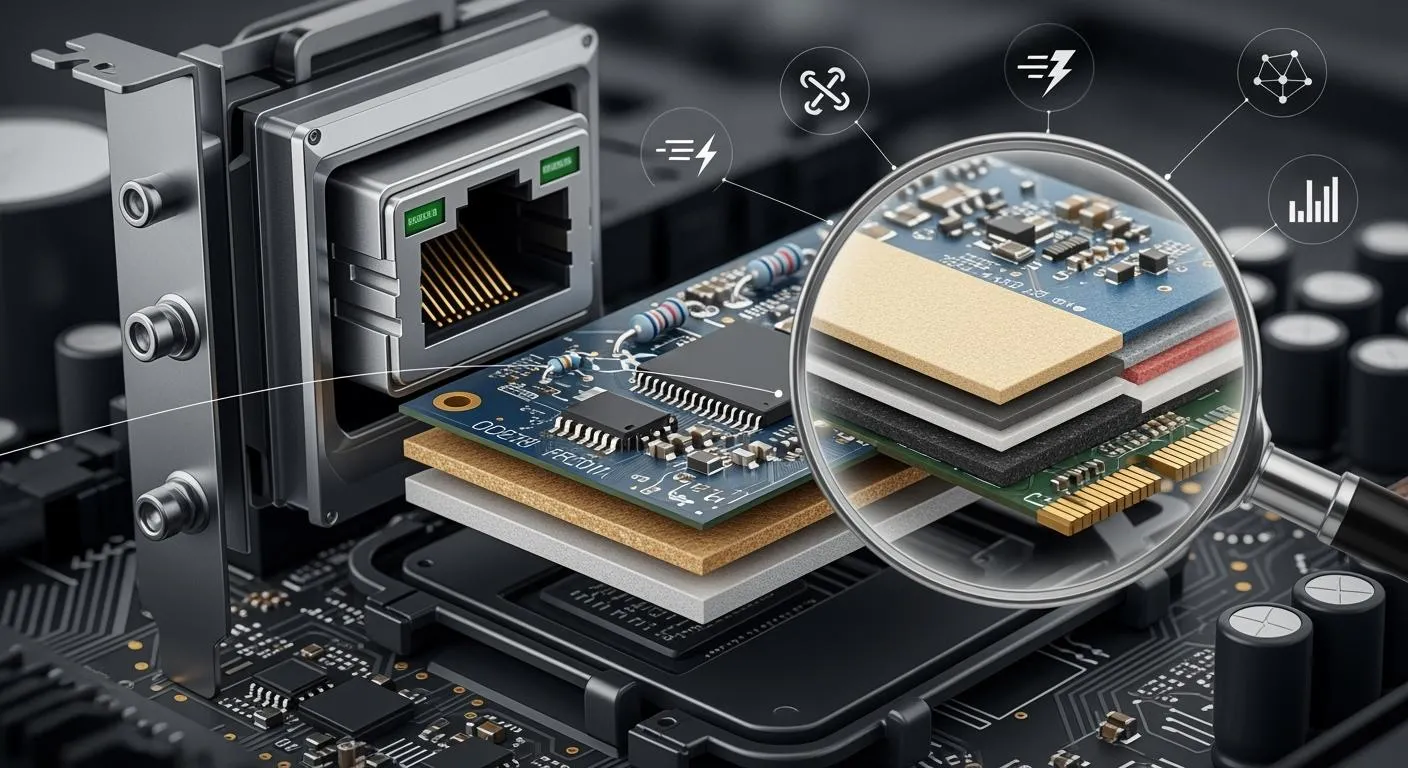
You need network adapters for fast and steady connections in many places, like smart factories and private networks. The material in the printed circuit board (PCB) affects how well each network adapter works. The dielectric constant decides how fast signals move. The dissipation factor helps keep signals strong. A higher glass transition temperature keeps the network adapter safe from heat. Matching the coefficient of thermal expansion helps the adapter stay reliable when it gets hot or cold.
Property | Impact |
|---|---|
Dielectric Constant (Dk) | Lower Dk means signals move faster and have less delay. This is important for high-speed work. |
Dissipation Factor (Df) | Lower Df means signals lose less strength. This keeps signals clear when they travel. |
Glass Transition Temperature (Tg) | Higher Tg keeps the board stable when it gets hot. This stops the board from bending or coming apart. |
Coefficient of Thermal Expansion (CTE) | Good CTE matching stops problems from heat changes. This is important for keeping the adapter working well. |
Key Takeaways
Pick PCB materials with a low dielectric constant. This helps signals move faster and lowers delays.
Choose materials with a high glass transition temperature. This keeps the PCB stable and lasting longer in hot places.
Use advanced materials like Rogers for high-speed networks. These help stop signal loss and keep signals clear.
Think about the thermal and mechanical properties of PCB materials. This makes the PCB work better and last longer.
Plan how you build the layers carefully. This helps control impedance and cuts down electromagnetic interference for better connections.
PCB Material Impact on Network Adapters
Dielectric Properties and Connectivity
It is important to know how PCB materials affect network connections. The dielectric constant and loss tangent are two main electrical properties. These numbers show how signals move through the board. If the dielectric constant is lower, signals move faster and have less delay. A lower loss tangent keeps signals strong and clear. This matters for both home and work networks because you want good connections.
Here is a table that lists the main properties of PCB materials that change how network adapters connect:
Property Classification | Key Properties |
|---|---|
Electrical | Dielectric constant, Dielectric loss tangent, Volume resistivity, Surface resistivity, Electrical strength |
Thermal | Glass transition temperature, Decomposition temperature, Coefficient of thermal expansion |
Chemical | Flammability specs (UL94), Moisture absorption, Methylene chloride resistance |
Mechanical | Peel strength, Flexural strength, Density, Time to delamination |
Choosing materials with the right dielectric properties helps network adapters connect better and work faster. In gigabit networks, these choices matter a lot. Low-k materials, which have a low dielectric constant, can make signals go over 1.5 times faster than normal materials. This means you get better performance and fewer problems with weak signals.
Signal Integrity and Speed
Signal integrity means keeping signals strong and clear as they move through the network adapter. If you use materials with a high dielectric constant, signals can slow down and get weaker. This can cause problems and mistakes in your data. Lower dielectric constants and loss tangents help keep signals sharp, especially in fast networks.
Changes in dielectric constant affect:
How fast signals move and how much they are delayed
How much signal is lost or changed
Impedance matching, which helps stop signal loss
Lower loss tangent means:
Less signal is lost
Fewer mistakes in data
Signals rise faster
Normal materials like FR-4 are fine for slow networks, but they do not work well with fast signals. Advanced materials, like PTFE-based laminates, have lower dielectric constants and loss tangents. These materials help you get better results in fast networks. You get better network speed and fewer problems with weak signals.
Reliability Over Time
You want your network adapters to last and keep working well. How long a network adapter works depends on the thermal and mechanical properties of the PCB material. High glass transition temperature (Tg) materials stay strong even when the board gets hot. If the temperature goes above the Tg, the board can bend or break. This can make the network adapter stop working.
As networks get more advanced, you need materials that can handle heat, water, and stress. Good PCB materials lower the chance of short circuits and other problems. They also help keep signals strong, even after many years. When you pick the right materials, your network adapters work well and last longer, even in hard places.
Tip: Always check the material’s Tg rating and how well it resists water when you pick a PCB for fast network adapters. This helps you avoid trouble and keeps your networks working well.
Comparing Network Card Adapter Materials
FR4: Standard Choice
FR4 is used a lot in network adapters. It does not cost much and is easy to get. FR4 works fine for most simple network card adapters. It is strong and can handle normal heat. But FR4 has a higher dielectric constant and loss tangent. This makes signals move slower and get weaker, especially in fast networks. If you use FR4 in high-frequency circuits, you might see more signal loss and electromagnetic interference. You can add more layers or make the dielectric layers thicker to help stop crosstalk and EMI. But this will make the board cost more and be harder to make.
Cost Factor | FR4 | Rogers RO4003C / Similar | Notes |
|---|---|---|---|
Raw Material Price | $0.10–$0.30/in² | $0.80–$1.50/in² | Rogers is 3–5x more expensive per unit area |
PCB Manufacturing Cost | Standard | Higher | Rogers may need special handling |
Turnaround Time (TAT) | Fast, available | Longer lead time | Rogers often needs special ordering |
Rogers: Advanced Performance
If you want your network adapter to work really well, Rogers is a good choice. Rogers laminates have a low dielectric constant and a very low loss tangent. This helps signals stay strong and clear, even at very high speeds. Rogers also keeps impedance steady and handles heat well. These things help you get the best results in gigabit and smart technology, like AI or advanced wireless networks.
Performance Metric | FR4 | Rogers (e.g. RO4003C) | Impact on Application |
|---|---|---|---|
Signal Loss @ High Frequency | High | Very Low | Rogers keeps signals strong at GHz speeds |
Impedance Control | Less stable | Highly stable | Important for RF and differential signals |
Thermal Reliability | Moderate | High | Rogers handles heat and soldering better |
Rogers costs more than FR4, but it gives you better signal quality and lasts longer. You also lose less signal, even at 28 GHz. Rogers materials help AI and smart technology by keeping data moving fast and steady.
Other High-Performance Options
There are other materials you can pick for special jobs. PTFE-based materials have a very low dielectric constant and loss tangent. This makes them great for high-frequency and low-loss uses. RF polyurethane-based materials work well up to 40 GHz and can handle heat. Some network adapters use ceramic-filled materials or liquid crystal polymer (LCP) for even better heat and electrical strength.
Material | Cost Range (per square inch) | Notes |
|---|---|---|
FR4 | $0.10 – $0.50 | Good for general use, low cost |
Rogers | $5.00 – $20.00 | High cost, best for high-frequency, RF use |
PTFE, LCP, etc | $10.00+ | Used for special, high-performance needs |
Note: When you pick a PCB material, you need to think about both cost and how well it works. Advanced materials like Rogers or PTFE cost more, but they give you better signals and last longer in tough networks.
Design and Manufacturing for Optimal Connectivity
Layer Construction and Interference Control
It is important to build PCB layers the right way for good network adapter connections. How you stack and arrange the layers helps control impedance. This keeps signals strong and clear. It also helps stop electromagnetic interference and makes things work better.
The width and thickness of traces, the properties of dielectric materials, and the distance to reference planes all change the characteristic impedance.
Multi-layer designs need careful planning. You must keep dielectric thickness and material properties the same for steady connections.
To stop crosstalk, try these ideas:
Leave enough space between traces (at least three times the trace width).
Make parallel traces as short as you can.
Put ground planes close to the traces.
Use guard traces to keep important signals apart.
Do not split ground planes.
Keep return paths short and use special reference planes for fast signals.
Use wide, unbroken ground planes and space out traces.
These steps help you get strong connections and good performance, even in gigabit network adapters.
Material Selection for High Data Rates
Picking the right PCB material is very important for fast data and strong connections. Some materials are better for high-speed signals and work well in new networks.
Material | Characteristics |
|---|---|
Low-Dk/Df FR4 | Low-loss, good for high-speed signals |
MEGTRON 6 | Great for high-speed digital PCBs |
Isola 370HR | High performance for data transmission |
Nanya NY6300G | Effective for network adapters |
Materials like Megtron 6 let you reach data rates of 25 Gbps or more. These materials lose less signal than regular FR4. As copper interconnects get better, you can now get data rates over 50 Gbps. This makes picking the right material very important for fast and steady connections in new networks.
Manufacturing Challenges and Solutions
You will have some problems when you use advanced materials to make network adapters. Good heat control is important. You can do this by using materials that move heat well, planning where parts go, and running heat tests early in your design.
Challenge | Description |
|---|---|
Thermal Management | Use materials that move heat well and plan layout for better heat control. |
Design for Manufacturability | Focus on BGA escape routing, via design, copper balance, and solder mask accuracy. |
Proven design methods, like Cisco CVD, give you a plan for making things. These plans help you build safe and strong connections for factories and big networks. They also help you see your equipment better and make work easier. Smart technology, like IoT, means you need small and flexible boards. These materials help make things smaller and use power better, which is important for new networks.
Tip: Always use proven design steps and smart technology to make sure your network adapters work well and stay connected in new networks.
You should pick PCB materials carefully if you want your network adapter to work its best. Rogers and FR4 are two common materials. They have different features that change how signals travel and how long your adapter will last.
Property | FR4 Material | |
|---|---|---|
Dielectric Constant | 3.66 | 4.5 |
Insertion Loss | Lower | Higher |
Dielectric Loss | Lower | Higher |
Dielectric Constant Tolerance | ±2% | Up to 10% |
Coefficient of Thermal Expansion | Excellent stability | Less stable |
Layer Construction | 4 to 12 layers | 4 to 12 layers |
Cost | Acceptable for performance | Generally lower |
When you choose a material, you should think about a few things:
Factor | Description |
|---|---|
Electrical Performance | Dielectric properties and signal integrity help with speed and clear signals. |
Mechanical Properties | Strong boards last longer and work better in hard places. |
Environmental Resistance | Good materials can handle heat, water, and stress. |
Cost | Try to find a good balance between price and how well it works. |
Manufacturing Compatibility | Make sure the material works with how you build your adapters. |
If you are making adapters for smart factories or private networks, focus on these things:
Electrical properties like dielectric constant and loss tangent
Thermal properties such as glass transition temperature and thermal conductivity
How you stack the layers for better performance and easier building
Tip: If you match the right PCB material to your network adapter’s job, you will get better speed, stronger connections, and longer-lasting parts.
FAQ
What is the most important property of PCB material for network adapters?
The dielectric constant is the most important thing. If the dielectric constant is lower, signals move faster and stay clear. This means your network adapter works better and has fewer mistakes.
Can I use FR4 for high-speed network adapters?
FR4 is good for simple adapters. For very fast or gigabit networks, you need better materials like Rogers. These special materials keep signals strong and stop signal loss when things get fast.
How does PCB material affect network adapter lifespan?
If the PCB material has a high glass transition temperature (Tg), it can handle heat better. This helps your network adapter last longer, even if it gets hot or is used a lot.
Why do advanced materials cost more?
Advanced materials like Rogers or PTFE have special features. They keep signals clear and work well with heat. They cost more money, but you get better results and your adapter works better.