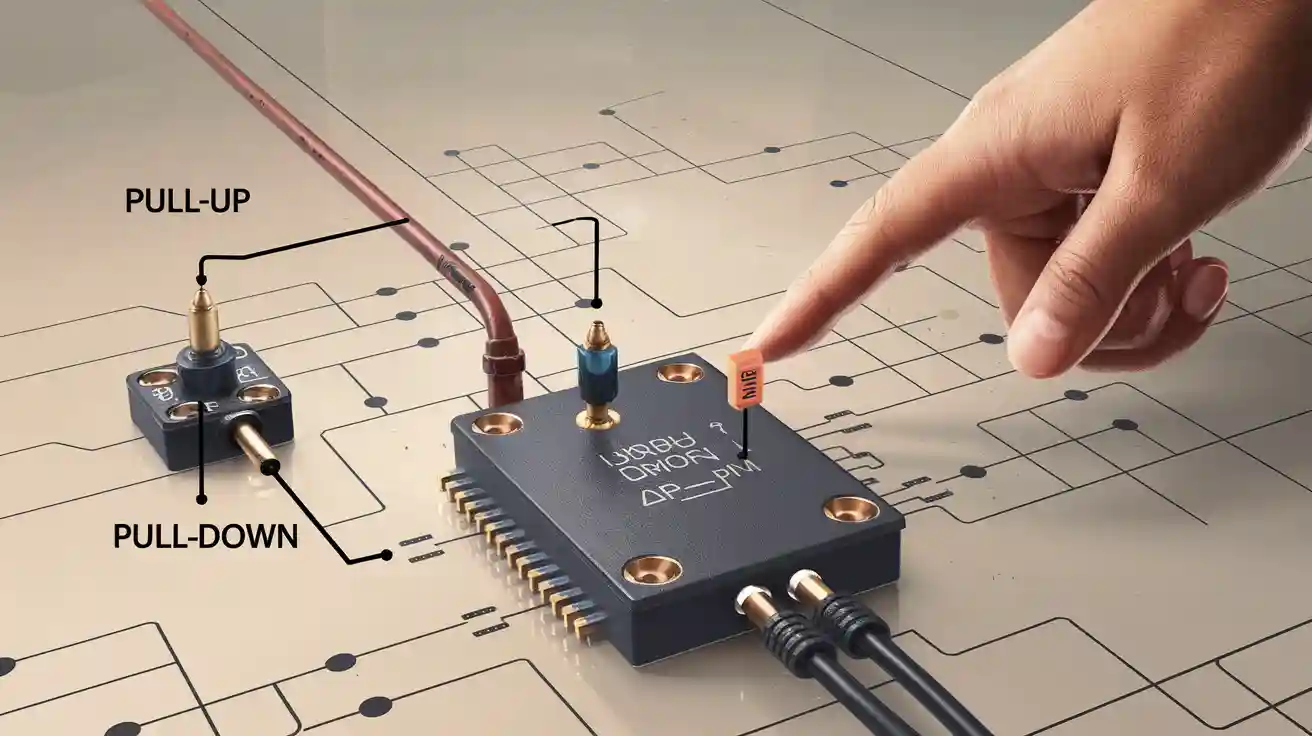
When you make a digital electronic circuit, you often use pull-up and pull-down resistors. These resistors help your circuit avoid floating inputs. Floating inputs can cause random or unclear signals. If you leave an input pin not connected, the voltage can move between high and low levels. You must pick the right resistor value to make sure your circuit works each time.
Pull-up and Pull-down Resistors

Pull-up Resistor Function
You often see a pull-up resistor in digital circuits. This resistor connects between a voltage supply (like 5V) and an input pin. When you use a pull-up resistor, you make sure the input pin reads as a high logic level when nothing else connects to it. If you leave the input floating, the voltage can jump around. The pull-up resistor stops this by pulling the voltage up to a safe level.
Imagine you have a switch in your circuit. When the switch opens, the input pin could float. You add a pull-up resistor to keep the voltage steady. This helps your microcontroller or logic chip read a clear high signal. You avoid random signals and make your circuit more reliable.
Tip: You should always use a pull-up resistor when you want a default high state for your input pin.
Here is a simple example:
Switch State | Input Pin Voltage | Role of Pull-up Resistor |
|---|---|---|
Open | High (5V) | Keeps input high |
Closed | Low (0V) | Switch connects to ground |
You can use a pull-up resistor with sensors, buttons, or any digital input. You make your circuit stable and easy to control.
Pull-down Resistor Function
A pull-down resistor works in a similar way, but it connects between the input pin and ground. When you use a pull-down resistor, you make sure the input pin reads as a low logic level when nothing else connects to it. You prevent the input from floating and picking up noise.
You might use a pull-down resistor if you want your input pin to stay low until something changes it. For example, you connect a sensor or a button. When the button opens, the pull-down resistor pulls the voltage down to zero. Your microcontroller reads a clear low signal.
Note: You should choose a pull-down resistor when you want a default low state for your input pin.
Here is a simple code example for a pull-down resistor setup:
Input pin ----[pull-down resistor]---- Ground
You use a pull-down resistor to keep your circuit from acting randomly. You make sure your logic device reads a steady low signal when the input is not active.
You can use pull-up and pull-down resistors to set the default state of your inputs. You avoid floating signals and make your digital circuits work every time.
Logic Levels and Floating States

Floating Inputs
You often see the term “floating input” in digital electronics. A floating input means the pin does not connect to a clear voltage. The pin can pick up electrical noise from the air or nearby wires. You might notice strange behavior in your circuit when you leave an input floating. The voltage can jump between high and low levels without warning.
When you use a microcontroller or logic chip, you want each input to read either a high or a low signal. If you leave the input floating, the chip cannot decide. You get random results. You might see LEDs flicker or motors start and stop for no reason.
Here are some problems you can face with floating inputs:
Unpredictable output from your circuit
False triggering of switches or sensors
Increased power consumption
Difficulty in troubleshooting errors
Tip: Always connect unused inputs to a defined voltage using pull-up or pull-down resistors. This simple step keeps your circuit stable.
Circuit Reliability
You want your circuit to work every time you turn it on. Pull-up and pull-down resistors help you reach this goal. These resistors set the input pins to a known state. You avoid random signals and keep your devices working as expected.
Reliable circuits save you time and money. You spend less time fixing errors. You avoid damage to your components. You also make your project safer.
Let’s look at how pull-up and pull-down resistors improve reliability:
Problem Without Resistor | Solution With Resistor |
|---|---|
Floating input causes noise | Input stays at high or low |
Device acts randomly | Device works as designed |
Hard to find errors | Easy to test and debug |
You can build better circuits when you use pull-up and pull-down resistors. You make sure every input has a clear signal. You get stable and reliable results every time.
Applications
Switches and Sensors
You often use pull-up and pull-down resistors when you work with switches and sensors in digital circuits. These components help you control the flow of electricity. When you press a button or activate a sensor, you want your microcontroller to read a clear signal.
Let’s look at a simple example. You connect a button to an input pin. If you do not use a pull-down resistor, the input pin can float. The microcontroller may read random values. You add a pull-down resistor between the input pin and ground. This keeps the pin at a low level when the button is not pressed.
Here is a table that shows how a pull-down resistor works with a button:
Button State | Input Pin Voltage | Role of Pull-down Resistor |
|---|---|---|
Not Pressed | Low (0V) | Keeps input low |
Pressed | High (5V) | Button connects to voltage |
You also use pull-down resistors with sensors. For example, a motion sensor may have an open collector output. You connect a pull-down resistor to make sure the signal stays low when no motion is detected.
Tip: Always check the datasheet for your switch or sensor. It often tells you if you need a pull-down resistor.
Default States
You want your circuit to start in a known state. Pull-up and pull-down resistors help you set these default states. If you want an input to stay low until you press a button, you use a pull-down resistor. If you want an input to stay high, you use a pull-up resistor.
Here are some reasons to set default states:
Prevent false triggering
Make your circuit easier to test
Avoid random behavior
You can use a pull-down resistor in many places. You use it with switches, sensors, and even unused input pins. This keeps your circuit stable and reliable.
Resistor Value Selection
Typical Values
When you choose a pull-up resistor, you need to know the common values that work well in most circuits. For 5V logic devices, you often use resistors between 1 kΩ and 10 kΩ. Many engineers pick 10 kΩ for switches and sensors. This value gives you a good balance between power use and signal strength.
You can see some typical values in the table below:
Application | Typical Pull-up Resistor Value |
|---|---|
Microcontroller Inputs | 10 kΩ |
Switches and Buttons | 4.7 kΩ – 10 kΩ |
I2C Bus (Communication) | 1 kΩ – 4.7 kΩ |
Sensors (Digital Output) | 4.7 kΩ – 10 kΩ |
If you use a pull-up resistor that is too low, you waste power. If you use one that is too high, your input may not switch fast enough. You should always check the datasheet for your device. The datasheet often suggests a good value for your pull-up resistor.
Selection Factors
You must think about several things when you pick a pull-up resistor value. The most important factor is the input impedance of your logic device. High input impedance means you can use a higher value resistor. Low input impedance means you need a lower value.
You also need to think about how much current flows through the pull-up resistor. When the input is low, current flows from the supply, through the resistor, to ground. If you pick a small resistor, more current flows. This can waste energy and make your circuit heat up.
Here are some key factors to consider:
Input Impedance: High input impedance lets you use a larger pull-up resistor.
Switching Speed: Lower resistor values help your input change state faster.
Power Consumption: Higher resistor values save energy but may slow down the signal.
Noise Immunity: Lower resistor values help block noise, but use more power.
Tip: For most switches and buttons, a 10 kΩ pull-up resistor works well. For fast signals, you may need to use a lower value like 1 kΩ or 4.7 kΩ.
Value Consequences
Choosing the wrong pull-up resistor value can cause problems in your circuit. If you use a resistor that is too high, your input pin may not reach the correct voltage quickly. This can cause slow or missed signals. Your circuit may not work as you expect.
If you use a resistor that is too low, your circuit will use more current. This can drain your battery faster. It can also make your components heat up. You may even damage your device if the current gets too high.
Here is a quick guide to what happens with different pull-up resistor values:
Pull-up Resistor Value | Possible Result |
|---|---|
Too High | Slow response, weak signal, noise |
Too Low | High current, wasted power, heat |
Just Right | Reliable, fast, energy efficient |
You should always test your circuit with the pull-up resistor value you choose. If you see strange behavior, try a different value. Pull-up and pull-down resistors play a big role in making your circuit stable and reliable.
Remember: The right pull-up resistor value helps your circuit work every time. Take time to choose the best value for your needs.
Selecting Pull-up and Pull-down Resistors
Application Needs
When you choose pull-up and pull-down resistors, you must think about what your circuit needs. Each application has different requirements. You might use a resistor for a button, a sensor, or a communication line. You should ask yourself these questions:
What device connects to the input pin?
How fast does the signal need to change?
Does the input need to stay high or low when nothing connects?
For example, if you use a microcontroller with a button, you want the input to stay low until you press the button. You select a pull-down resistor for this job. If you work with an I2C bus, you need pull-up resistors with lower values to keep the signals strong and fast.
Here is a table to help you match resistor types to common uses:
Application | Recommended Resistor Type | Typical Value Range |
|---|---|---|
Button Input | Pull-down | 4.7 kΩ – 10 kΩ |
Sensor Output | Pull-up or Pull-down | 1 kΩ – 10 kΩ |
Communication Bus | Pull-up | 1 kΩ – 4.7 kΩ |
You should always check the datasheet for your device. The datasheet gives you advice about which resistor to use and what value works best.
Practical Tips
You can follow some simple tips to make your circuit work better. First, test your circuit with different resistor values. You might start with 10 kΩ for most switches and sensors. If your signal changes too slowly, try a lower value like 4.7 kΩ.
Tip: Use a multimeter to check the voltage at your input pin. This helps you see if the resistor sets the right default state.
You should keep wires short to reduce noise. Long wires can pick up signals from other devices. You can use shielded cables for sensitive inputs.
If you use many inputs, label each resistor on your circuit board. This makes troubleshooting easier. You can also use color-coded resistors to help you remember their values.
Remember, pull-up and pull-down resistors keep your circuit stable. You make your design reliable when you select the right resistor for each application.
Pull-up and pull-down resistors help you keep digital circuits stable. You use them to set clear logic levels and avoid random signals.
Choose the right resistor value for each input.
Test your circuit to make sure signals stay strong.
Check datasheets for advice on resistor selection.
Remember: When you add these resistors, you build circuits that work every time. Reliable designs start with smart choices.
FAQ
What happens if you do not use pull-up or pull-down resistors?
Your circuit may show random or unstable signals. Floating inputs can cause devices to act strangely. You may see LEDs flicker or motors start without warning.
How do you choose the right resistor value?
Check your device datasheet for advice. Start with 10 kΩ for most switches. Use lower values for faster signals. Test your circuit and adjust if needed.
Can you use pull-up and pull-down resistors together?
You should not connect both to the same input pin. This creates a voltage divider. Your input may not reach a clear high or low state.
Do microcontrollers have built-in pull-up resistors?
Many microcontrollers offer internal pull-up resistors. You can enable them in your code. Always check your microcontroller’s datasheet for details.
Why do I see noise on my input pin even with a resistor?
Long wires or strong electrical signals nearby can cause noise. Keep wires short. Use shielded cables for sensitive inputs. Try a lower resistor value for better noise protection.