A set-top box lets you stream TV channels, movies, and apps straight to your screen. You’ll find different kinds—cable, satellite, IPTV, and hybrid—each offering a unique way to enjoy content. The global set-top box market keeps growing, with values like:
USD 23.98 billion in 2022, expected to reach USD 30.54 billion by 2030
Segments include IPTV, satellite, cable, DTT, and OTT
Great design and manufacturing help you stand out, improve features, and keep costs in check in this fast-changing market.
Key Takeaways
A set-top box lets your TV show content from many sources. It makes watching TV better with things like streaming and games.
There are many set-top boxes, like cable, satellite, and IPTV. Each type fits different needs and likes.
Good design and making are important for how well it works. This helps the device stay cool and keep a strong signal. It also makes sure customers are happy.
Good supplier ties and smart inventory help with market problems. They also keep making costs down.
Knowing about new things like streaming and green designs helps you win in the changing set-top box market.
What is a set-top box?
Definition and functions
You might wonder what a set-top box actually does. Think of it as a small device that connects to your TV and brings a world of entertainment right to your living room. You can use it to watch live TV, stream movies, or even play games. It acts as a bridge between your television and the content you want to enjoy.
Here’s a quick look at the main functions you’ll find in a modern set-top box:
Function | Description |
|---|---|
Signal Reception and Decoding | Receives and decodes signals from different sources so you can watch them on your TV. |
Interactive Streaming Platform | Lets you use apps like YouTube and Netflix for on-demand streaming. |
Smart OS Integration | Runs on Android OS, so you can download apps and get more features. |
USB and Storage Expansion | Gives you USB ports and SD card slots for extra storage or local content playback. |
Network Connectivity | Connects to the internet with WiFi or Ethernet for smooth streaming. |
Voice Control and AI Functions | Supports voice search and smart features for easier navigation. |
Multi-Screen and Casting Features | Allows you to mirror your phone or cast videos to your TV for a connected experience. |
A set-top box does more than just show TV channels. It turns your regular TV into a smart hub for all kinds of digital content.
Main types
You’ll find several types of set-top boxes, each with its own strengths. Here’s a quick guide:
Cable set-top boxes: These are popular for their stable service and access to hundreds of channels. Over 82 million shipped worldwide in 2023.
Satellite set-top boxes: You’ll see these in places where cable isn’t common, like rural areas. Over 92 million are in use in Asia-Pacific, and they often work with solar panels.
IPTV set-top boxes: These are growing fast, with over 58 million sold in 2023. They’re great for on-demand video and interactive features.
Hybrid set-top boxes: These combine different technologies. You’ll find them a lot in North America, where people want both live TV and streaming.
No matter which type you choose, a set-top box can make your TV smarter and your viewing experience better.
Set-top box design

Hardware architecture
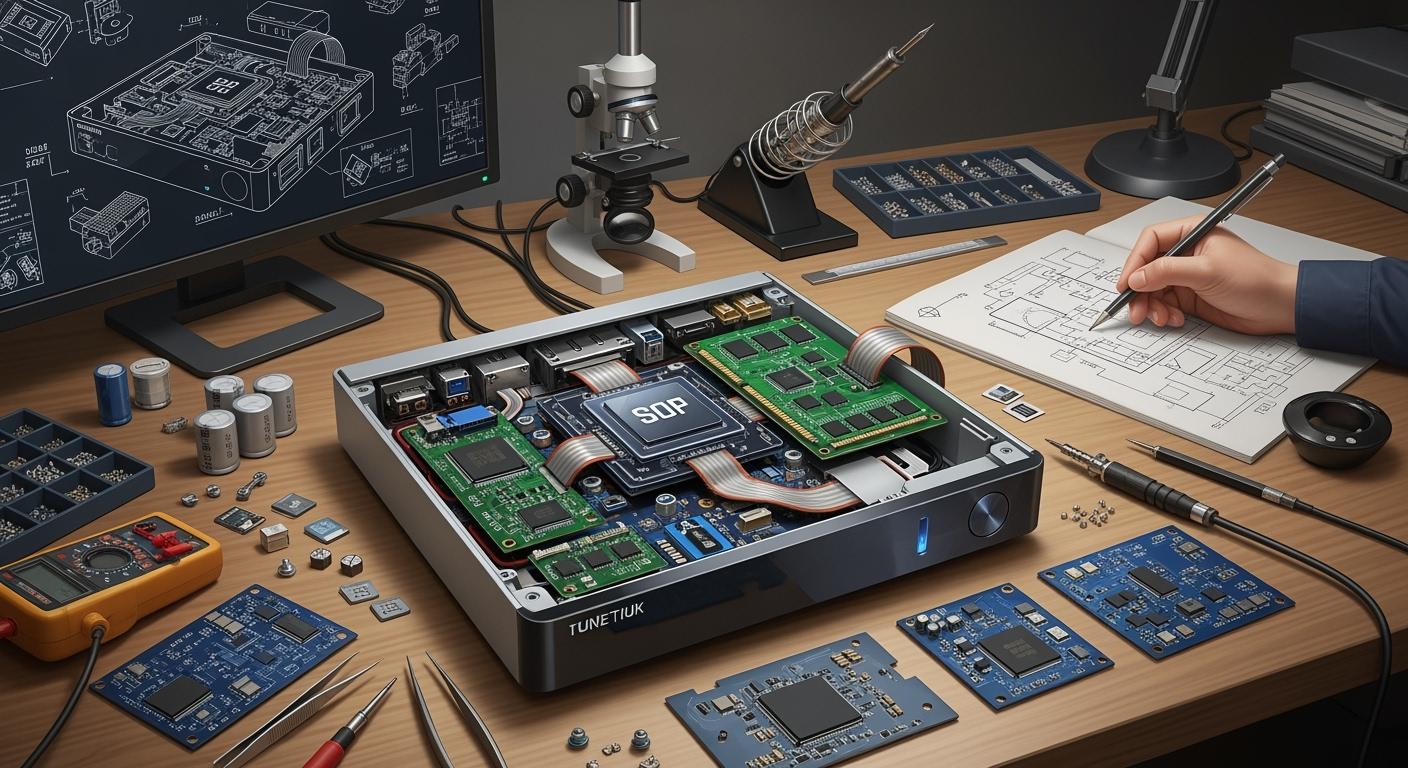
Inside a set-top box, there is smart design in a small space. Designers make the printed circuit board small and work well. They put filter capacitors near power lines to keep signals clean. Every bit of space matters, so they fit all parts without making it too hot or noisy.
Here’s a table that lists the main parts in a set-top box and what they do:
Component | Function |
|---|---|
Front End | Gets and changes broadcast signals, sends digital data to the decoder chip. |
Power Supply | Gives power to all parts, so everything works right. |
Flash Memory | Saves the boot loader and apps, so your box starts fast. |
RAM | Holds data while apps run, making things quick. |
Video Interfaces | Sends video to your TV in different ways for better use. |
Audio Interfaces | Sends sound, and works with many audio types. |
Storage | Lets you save shows and movies to watch later. |
Front Panel | Has buttons and lights for easy control. |
DVB-CI Slot | Works with access cards for paid channels. |
Smart Card Slot | Unlocks channels for subscription services. |
RF Modulator | Connects to old TVs that need RF signals. |
STB Decoder SoC | Is the brain, runs apps, and handles data. |
You will also find strong processors inside, like ARM chips from Samsung, Qualcomm, or MediaTek. These chips do many jobs at once, which saves space and makes things faster. Designers pick memory sizes carefully, so your set-top box can stream, play games, and do more without slowing down.
Platform and OS requirements
The operating system is what makes your set-top box smart. You might use Android TV, Linux, Roku, webOS, or Apple TV. Each one has its own good points. Here’s a table to help you compare:
Operating System | Advantages | Privacy Implications |
|---|---|---|
Linux | Stable, can be changed, no tracking | Strong privacy control |
Roku | Simple to use, many apps | Tracks what you do for ads |
webOS | Easy to use, gets better with updates | Some tracking still happens |
Apple TV | High privacy, strict rules | Users control what data is collected |
Android TV | Lots of apps, personal experience | Google tracks your data |
If you want lots of choices, Android TV is a good pick. You can get many apps, play games, and use voice commands. Many pay-TV companies now use Android set-top boxes because they mix regular TV with streaming and fun features. This makes your TV time more fun and keeps you interested.
Having custom operating systems like Android helps set-top boxes keep up with new trends. You get more options, better pictures, and new ways to watch. Service providers like this because it helps them keep people happy and using their service.
Connectivity options
Your set-top box needs to connect to many devices and networks. Designers add many ways to connect, so you get the best use. Here’s a table with the most important ones:
Connectivity Option | Description |
|---|---|
HDMI | Sends great video and sound to your TV, supports HDCP 2.2 for top content. |
USB | Lets you use extra drives or play your own media. |
Ethernet | Gives a steady wired internet for smooth streaming. |
Wi-Fi | Connects wirelessly to your home network for easy setup. |
Bluetooth | Pairs with keyboards, headphones, and other devices. |
You might wonder how these choices help you. HDMI gives you clear video and sound. USB lets you watch your own movies or photos. Ethernet keeps streaming fast, even if Wi-Fi is busy. Wi-Fi makes setup easy, and Bluetooth lets you use wireless gear.
Some new tech, like DTS Play-Fi, lets you send sound to many speakers with no wires. This means you get great sound all over your room, matching your video. Old ways like Bluetooth can have delays or lower sound, so designers keep making these better for a smooth experience.
When you add it all up, a good set-top box has strong hardware, a smart operating system, and many ways to connect. You get a device ready for anything—streaming, gaming, saving shows, or just watching TV.
Set-top box manufacturing
PCB layout
When you start building a set-top box, you need to pay close attention to the printed circuit board, or PCB. The way you lay out the PCB can make or break your device. You want to keep most components on one side of the board. This makes assembly easier and helps you avoid mistakes. If you put too many parts on the reverse side, you might run into problems during soldering or testing.
Here are some best practices for PCB layout:
Follow minimum trace and space rules. This means you keep the lines and spaces between them wide enough so signals stay strong and don’t get mixed up.
Place at least three fiducials on the board. These help machines put parts in the right spot.
Avoid overcrowding components. Give each part enough room—about 10 to 15 mils—so heat doesn’t build up.
Use thermal vias under high-power chips. These tiny holes help move heat away from hot spots.
Add copper pours around hot components. Big copper areas spread heat and keep things cool.
Keep traces short and direct. Short lines carry signals better and reduce noise.
Optimize trace width and spacing. Pick the right size for each line so it can handle the current and avoid crosstalk.
If you follow these steps, your set-top box will run cooler and last longer. You’ll also see fewer problems with signal loss or interference.
Component selection
Picking the right parts for your set-top box is a big job. You need to think about price, quality, and how easy it is to get each part. You also want to make sure your supply chain stays strong, even when the market changes.
Here’s a quick tip: Start talking to your chip vendors early. Build strong relationships with them. If you wait until the last minute, you might not get the support you need during a shortage. When you work closely with your suppliers, you can shift quickly if something changes.
Tip: A diversified supplier base helps you stay flexible. If one vendor has a problem, you can switch to another.
Here’s a table that shows why partnerships matter:
Aspect | Description |
|---|---|
Diversified Supplier Base | Lets you adjust quickly when the market shifts. |
Risk Distribution | Spreads out risk, so you don’t get stuck if one supplier fails. |
Access to Specialized Capabilities | Gives you access to special skills like CNC machining and advanced testing. |
You also want to choose parts that work well together. If you pick a processor from one company, make sure your memory and storage match its needs. Good sourcing partners help you manage inventory and avoid shortages.
Quality control
Quality control keeps your set-top box working well and your customers happy. You need to test every device before it leaves the factory. If you skip steps, you might send out boxes that don’t work.
Common failure points during testing include:
Failure Point | Description |
|---|---|
Ineffective sampling plan | You might miss problems if your testing doesn’t cover all types of devices. |
Improper testing procedures | If you don’t test every part, you could ship faulty products. |
Incorrect interpretation of test results | Mistakes in reading test results can lead to bad decisions. |
Poor documentation and record-keeping | If you don’t keep good records, you might repeat errors and send out more faulty boxes. |
You should set up a clear sampling plan. Test every major function—video, audio, network, and storage. Keep good records so you can track problems and fix them fast. If you find a mistake, update your process so it doesn’t happen again.
Starting production takes a big investment. You need money for machines, parts, and skilled workers. You also need strong partnerships with chip vendors and suppliers. If you build these relationships early, you’ll have a smoother path to market.
When you put all these steps together, you get a set-top box that works well, lasts longer, and keeps your customers coming back.
Challenges and solutions
Market competition
There is a lot of competition in the set-top box market. Big companies like Amazon.com, EchoStar, Roku, ZTE, Arion Technology, HUMAX Electronics, Infomir Group, Inspur Group, Sagemcom, Technicolor, and Vestel Group all want more customers. These companies try to win by offering good prices, making better products, and giving great service. They use data and new technology to get ahead. They make user interfaces easier, speed up loading, and add smart features. Working with other companies or buying them helps these brands grow and add more features.
PCB design and Manufacturing
Making a good set-top box means fixing many problems. You need to control heat, keep signals strong, and test everything. Here are some common problems and how to fix them:
Challenge | Solution |
|---|---|
Thermal Management | Use thermal-aware PCB design and heat-resistant materials. |
Signal Integrity | Route signals properly and use ground planes. |
Testing and Validation | Test at every stage and consider environmental factors. |
Supply Chain Issues | Talk to suppliers often and use integrated manufacturing. |
Design Errors | Work with skilled designers and use simulation tools. |
Material Selection | Get advice from suppliers and test prototypes. |
Manufacturing Defects | Choose partners with strong quality control and test throughout production. |
New ways like surface-mount technology and design-for-manufacturing help lower costs and make devices work better. Picking good materials and a smart layout keeps the set-top box working well.
Reverse Engineering and Redesign
You can learn by looking at other companies’ products. Reverse engineering helps you see what works and what does not. You start by gathering information, checking designs, and testing features. This helps you find out what customers want and how to make your device better. Benchmarking is fair and gives you ideas for new features or better performance.
Cost management
Keeping costs low is important if you want to make money. You pay for making the product, storing it, and paying your teams. Sometimes, supply chain problems make things cost more. You can save money by working well with vendors, getting better shipping deals, and not keeping too much stock. Here are some smart ways to save money:
Strategy | Description |
|---|---|
Optimize Vendor Relationships | Increase buying power and get better prices. |
Manage Logistics Costs | Find better shipping deals and use third-party services. |
Improve Inventory Efficiency | Match inventory to sales trends and avoid extra stock. |
Technical hurdles
There are many technical problems to solve. You need to keep the device cool, protect it from dust and water, and make sure it does not break if dropped. You must follow safety rules like IP ratings and NEMA ratings. Different operating systems and middleware can cause problems working together. Cable operators must follow rules to stop signal problems. You fix these issues by using smart design, strong testing, and following the rules.
You can succeed in set-top box design and manufacturing by following a few key steps:
Start with clear product ideas and strong designs.
Build and test prototypes before mass production.
Focus on quality checks and listen to customer feedback.
Stay flexible. Use smart supply chain strategies and add features like voice control or energy savings. Keep an eye on trends—streaming, hybrid boxes, and eco-friendly designs are shaping the future. If you keep learning and adapting, you’ll stay ahead in this fast-moving market.
FAQ
What does a set-top box do?
You use a set-top box to watch TV, stream movies, and play apps on your screen. It connects your TV to the internet or cable and gives you more choices for entertainment.
Can I use a set-top box with any TV?
Yes, you can use a set-top box with most TVs. Just make sure your TV has an HDMI or AV input. You plug in the box, follow the setup steps, and start watching.
Do I need the internet for a set-top box?
You need the internet for streaming apps like Netflix or YouTube. If you only watch cable or satellite channels, you might not need the internet. Check your box’s features to know for sure.
How do I keep my set-top box working well?
Keep your set-top box in a cool, dry place. Clean the vents so dust does not build up. Update the software when you see a message. If you have problems, restart the box or check the cables.