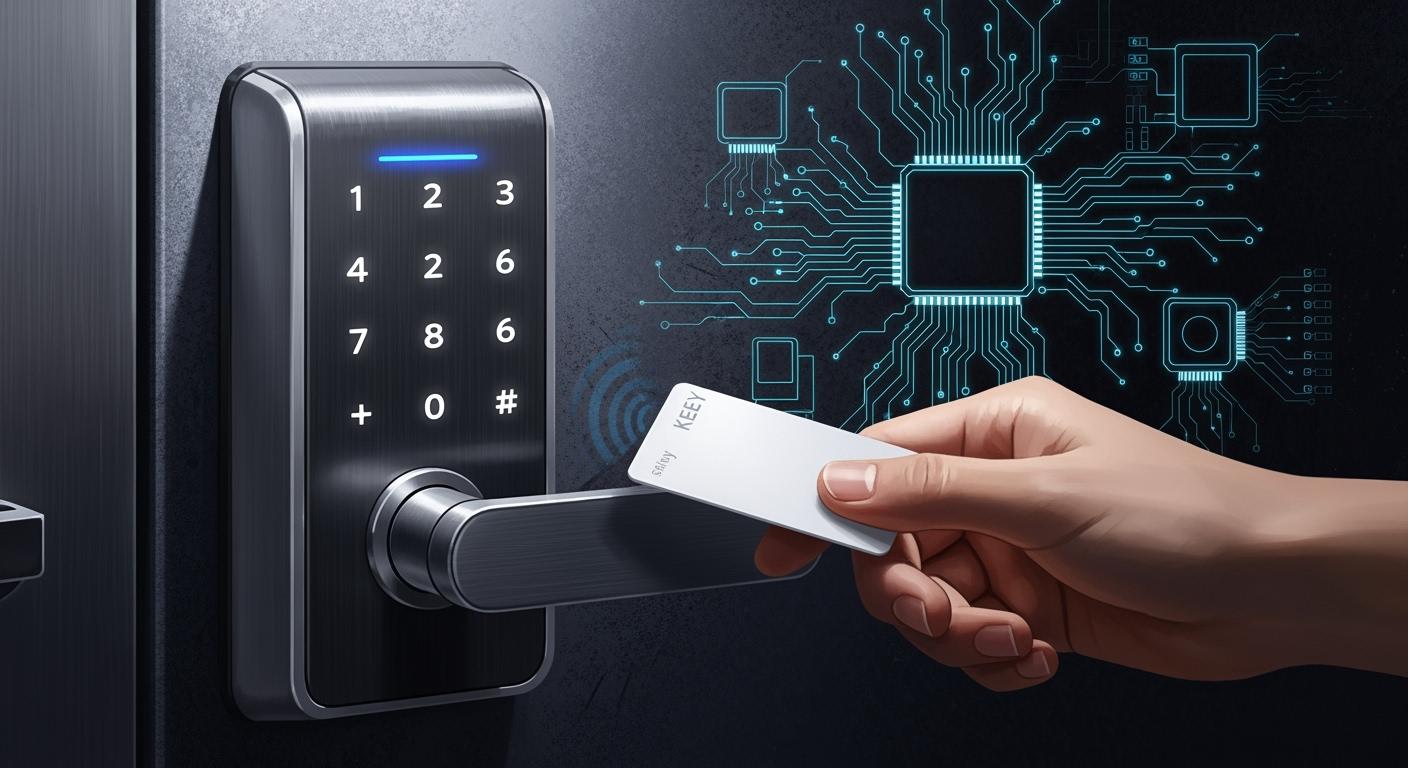
You need an electronic design solution that gives good performance, strong security, and saves energy for your smart devices. The best electronic design solution uses low-power microcontrollers, advanced wireless modules, and good battery management. A good electronic design solution should have features like biometrics and AI. These features help more people use your electronic design solution because it is safer and easier to use. Here is how these technologies help adoption and security:
Factor | Impact on Smart Lock Adoption |
|---|---|
Personalized, keyless access, easy to use | |
AI Integration | Finds strange behavior, makes protection better |
Market Growth | Helps new ideas in electronic design solution |
You will get helpful tips, like schematics and PCB resources, to help you make a strong solution.
Key Takeaways
Pick microcontrollers that use little power for your smart lock. This makes the battery last longer and keeps it working well.
Add biometric features like fingerprint scanning. This makes the lock safer and lets people open it without a key.
Choose a wireless protocol that saves battery and connects well. Zigbee or Z-Wave work well with smart homes.
Update your smart lock’s firmware often. This keeps the lock safe and gives it new features.
Use downloadable PCB files and schematics. These tools make designing easier and help you avoid mistakes.
Recommended Electronic Design Solution
Solution Overview
You want a smart lock that works well and stays connected. It should last a long time on batteries. The best choice uses a low-power microcontroller. It also has a strong wireless module and smart battery management. This design makes your smart lock reliable. It helps keep your home or office safe.
One example is the INSOMNIAC SmartLock. It can run for over six years on AA batteries. It uses a self-healing wireless network. If one part fails, you still stay connected. The design keeps your data safe with encryption. You get a lock that is tough and secure.
Here are the main parts in most smart lock designs:
Component | Description |
|---|---|
Actuator or Motor | Moves the bolt or latch when you use a valid credential. |
Lock Bolt or Latch | Holds the door shut, can be an electronic deadbolt or latch. |
Power Source | Usually runs on batteries, especially in homes. |
Smart locks cost more at first than regular locks. You pay for hardware, installation, WiFi extras, and battery changes. Regular locks are cheaper and easier to use. Smart locks give you more control and features. Over time, you might save money. You do not need to change keys or locks as much.
Smart locks usually cost $150 to $500.
Regular locks cost $20 to $100.
Smart locks need updates and new batteries, which adds cost.
You get better control and safety with a smart lock.
Tip: Pick a smart lock with energy-saving features. This helps your batteries last longer. Your lock will work even if you forget to change them.
Key Benefits for Smart Locks
A smart lock does more than just open doors. You get real-time monitoring. You can control who comes in. You can see every time someone uses the lock. You get alerts if someone tries to break in or does something strange.
Feature | Benefit |
|---|---|
Detailed event logs | See who used a door, when, and how often. |
Instant alerts | Get messages about suspicious access tries. |
Tamper detection | Tells managers if someone tries to break in. |
Elimination of rekeying | Saves money and time compared to regular locks. |
Custom access control | Makes it easier to manage who can enter. |
Smart locks save time and money by removing rekeying.
You get better safety with tamper detection and alerts.
You can control access from anywhere, which is helpful.
Smart locks use energy-saving designs. Most last six months to a year on one set of batteries. How long they last depends on how much you use them. If you connect your smart lock to a smart home hub or WiFi, the battery may run out faster. Good battery management and smart wireless features help your lock last longer.
Smart locks also have more features. They can work with systems like ButterflyMX. This lets you manage access easily. It makes your smart lock more useful and keeps your property safe.
Smart Lock Design Considerations
Balancing Performance and Security
When you design a smart lock, you must think about both performance and security. Picking the right chip helps your lock work faster and better. You also need strong encryption to keep your data safe from hackers. Many smart locks use advanced encryption like AES-256 and TLS 1.3. These keep your messages private and safe. Biometric entry, like using your fingerprint or face, adds extra protection. The table below shows the most important things to think about:
Factor | Description |
|---|---|
Chip Selection | Optimizes performance, cost, and reliability. |
Power Management | Extends battery life and keeps the lock working. |
Wireless Protocols | Affects power use and wireless functionality. |
Security Measures | Protects against unauthorized access and keeps your data safe. |
Cost vs. Volume Considerations | Impacts overall design and production costs. |
Software Support | Makes integration easier and faster. |
Battery Quality | Ensures reliable power for the smart lock. |
Regular Maintenance | Keeps the lock secure and working well. |
Groups like ANSI and BHMA make rules for how smart locks should work. These rules help you build a smart lock that is safe and works well.
Wireless Connectivity Choices
Your smart lock needs strong wireless control and a good connection. Zigbee and Z-Wave are used a lot in smart homes. They use little power and can connect to other devices. This lets your lock talk to things like alarms and lights. Bluetooth Low Energy is another choice. It uses less power and works for short distances. Wi-Fi gives you more features but uses more battery. New standards like Matter and Thread make smart locks more reliable and easier to connect.
Technology | Description | Applications |
|---|---|---|
Zigbee/Z-Wave | Low-power mesh networks for smart home automation | Integrating locks with lighting, alarms |
Tip: Pick a wireless protocol that fits your needs for battery life and how your lock connects.
Power and Battery Life
You want your smart lock to last a long time on one set of batteries. Use good batteries for the best results. Low-power microcontrollers, like the Talaria SoC or RS9116 chip, help your lock run longer. Features like Target Wake Time let your lock sleep more and save energy. Only turn on the features you really need. Make sure your lock is installed right so it does not rub or stick. Check your battery levels often and change them before they run out. Keep your lock away from very hot or cold places to save battery. Update your firmware to make your lock work better and last longer.
Pick the best batteries.
Turn on only the features you need.
Check battery levels often.
Keep firmware up to date.
Protect your lock from very hot or cold weather.
A smart lock with good power management will work well and give you peace of mind.
Smart Lock Reference Design

Architecture and Block Diagram
It is important to know how a smart lock works inside. The architecture of a smart lock reference design brings many parts together. Each part does something special. These parts connect and work together as a team.
Smart Door Lock System Block Diagram [classic] shows the different parts in a smart lock.
Block diagrams help you see how each part fits in the system. They show how information and power move through the lock. This helps you plan and build your own smart lock. You can find places to add things like video smart locks or extra sensors.
A normal smart lock reference design has these main features:
You can lock and unlock it from your smartphone.
It has an alarm that goes off if someone tampers with it.
Password management makes it safer.
You get real-time updates about the lock and battery in an app.
User passwords are stored safely inside the microcontroller.
This overview helps you design your own smart lock. It makes sure you do not forget any important features.
Microcontroller and Wireless Modules
The microcontroller is like the brain of your smart lock. It controls sensors and wireless connections. You want a microcontroller that uses little power but works fast. Many companies make microcontrollers and wireless modules for smart locks. Some good ones are from Renesas, Silicon Labs, Texas Instruments, and Microchip.
Here is a table of popular microcontrollers and wireless modules for smart locks:
Microcontroller/Module | Description | Link |
|---|---|---|
Ultra-Low Power Wi-Fi + Bluetooth Low Energy Combo Modules for Battery Powered IoT Devices | ||
32-bit Microcontrollers with RXv2 Core, Large-capacity RAM, and Enhanced Security, Connectivity and HMI Capabilities | ||
48MHz Arm Cortex-M23 Entry-Level General-Purpose Microcontroller | ||
Mid-power, Multi-protocol NFC Forum Compliant Reader |
You can check how well microcontrollers perform. This helps you pick the best one for your smart lock. Here is a table with some top choices:
Microcontroller | Key Features | Best For |
|---|---|---|
Nordic Semiconductor nRF54 Series | Arm Cortex-M33 with TrustZone, Ultra-low active current (~50 µA/MHz), <1 µA sleep, Built-in Bluetooth 5.4 | Smart wearables, medical patches, mesh/Matter-ready smart home devices |
STMicroelectronics STM32U5 Series | Arm Cortex-M33 with TrustZone, Deep Stop mode: ~300 nA with full RAM retention, Secure boot | Industrial sensing, secure medical monitoring, touch-based UIs |
Silicon Labs EFR32BG Series | BLE, Matter/Zigbee/Thread, <1 µA sleep, high RF range | Smart home, Matter controllers, lighting, locks, thermostats |
Renesas RA4W1 and RA6M5 Series | Cortex-M4/M33, TrustZone, TSIP security, ultra-low leakage | Asset tracking, BLE wearable computing, secure panels |
NXP Kinetis KL and i.MX RT Crossover MCUs | Real-time + UI + DSP, Cortex-M33 + Fusion DSP, <100 µA/MHz active | GUI + voice UI, AI meters and displays |
Ambiq Apollo4 Blue Plus | Subthreshold power, Cortex-M4F + BLE 5.1, 6 µA/MHz active | Wearables, remotes, trackers |
Espressif ESP32-C6 and ESP32-S3 | RISC-V/Xtensa, Wi-Fi 6, BLE, Zigbee, 22 µA/MHz | Voice hubs, smart plugs, AI appliances |
These microcontrollers let you add things like biometric authentication and video smart locks. These features make your smart lock safer and easier to use.
Power Management and Motor Control
Power management is very important for a smart lock. You want your lock to last for years on one set of batteries. First, find out how much power your system needs. Guess how much energy each part uses. Plan your power budget so you do not run out of energy.
Figure out how much power your smart lock needs.
Guess how much power is used when locking, unlocking, and sleeping.
Calculate your power budget.
Use low-power ideas from the start.
Motor control is also important. Most smart locks use brush DC motors. These motors give strong turning force and fit in small spaces. They are easy to control and last a long time. Stepper motors can work too, but they are bigger and heavier. You want your motor to work well for many years. Good motor control keeps your lock working well.
A smart lock reference design often uses an integrated motor driver. This makes your design simple and saves space. You can also use a voltage-based battery gas gauge and a DC-DC converter for better battery management.
Sensor and User Interface Integration
Sensors make your smart lock smarter. You can use different sensors in your design. Here is a table of common sensors and what they do:
Sensor Type | Function |
|---|---|
6-axis sensor | Detects door orientation and status notifications. |
Break-in detection | Sends alerts if unauthorized access is attempted. |
Fingerprint recognition | Allows access through biometric verification. |
Motion detection | Detects movement near the lock for security. |
Facial recognition | Provides access based on facial identification. |
Sensors let you add features like biometric authentication and video smart locks. These features help keep your home safe and make your lock easier to use.
User interface options are important too. Users can set time limits for virtual keys. This gives more control and better safety. Real-time notifications tell you when someone uses the lock. You can check logs to see who entered your home. Multiple user accounts let everyone have their own code. Remote control lets you manage your lock from anywhere.
A smart lock reference design with sensors and a good user interface gives you more control and peace of mind. You can add video smart locks to see who is at your door. You can also connect your lock to smart home systems for even more features.
Schematics and PCB Files
Schematic Diagram
It is important to know how parts connect in a smart lock. A schematic diagram shows the electric paths between each part. You can see how the microcontroller, sensors, motor, and wireless modules all work together. When you look at a schematic, first find the power source. Follow the lines to see how energy moves to each part. Look for the ESP32 microcontroller. It helps your smart lock use wireless features and sensors.
A simple schematic can have these parts:
Power supply and battery circuit
Microcontroller connections
Motor driver and actuator
Sensor inputs for door status or biometrics
Wireless module for remote access
Tip: Always check the labels and symbols on the schematic. They help you find mistakes before you build your smart lock.
PCB Layout Tips
A printed circuit board, or PCB, makes your smart lock design real. You put each part on the board and connect them with copper lines. Good PCB layout keeps your smart lock safe and working well. You want short, straight paths for power and signals. Put the microcontroller in the middle so it can reach other parts easily. Keep the motor driver close to the actuator to stop noise.
Here are some tips for smart PCB design:
Tip | Why It Matters |
|---|---|
Use wide traces for power | Prevents overheating and voltage drops |
Separate analog and digital signals | Reduces interference |
Place wireless modules away from metal | Improves signal strength |
Add test points | Makes troubleshooting easier |
You can download PCB files to make your own smart lock. You can change the layout to fit your door or add new things. There are resources to help you find parts and add sensors. These make building your smart lock easier. You can find many reference files online. They save you time and help you avoid mistakes.
Downloadable PCB files let you design your own smart lock.
You get help finding parts and adding sensors.
The ESP32 microcontroller lets you use advanced features in smart door locks.
Note: Always look at reference files before you start building. This helps you find problems early and makes sure your smart lock works right.
Security and Real-World Operation

Authentication and Encryption
Smart locks need strong ways to check who you are. You can use fingerprint scanning or facial recognition for easy entry. Many smart locks let you use passwords or PIN codes. Biometric authentication gives extra safety. Encryption keeps your data safe when you send lock or unlock commands. Look for locks that use AES-256 or similar encryption. These methods help stop hackers from breaking in. Real-time access logs show who enters and when. You can check these logs on your phone or computer. This makes it easy to watch for strange activity.
Tip: Always update your smart lock firmware. Updates fix security problems and add new features.
Tamper Detection and Alarms
Smart locks have sensors to watch for tampering. If someone tries to break the lock, you get a tamper alert right away. You can set alarms to sound if someone tries to open the lock without permission. Some locks send alerts to your phone so you know about problems even when you are away. Remote monitoring lets you check your lock from anywhere. This helps you keep your security strong. You can see lock or unlock events and act fast if something is wrong.
Feature | Benefit |
|---|---|
Tamper alerts | Warn you about forced entry |
Alarms | Scare off intruders |
Remote monitoring | Check lock status anytime |
Battery Life Testing
You want your smart lock to work for months without new batteries. Test battery life by locking and unlocking the door many times. Some locks show battery levels in the app, so you know when to replace them. Good battery management helps you avoid surprises. Use low-power settings to make batteries last longer. Always test your lock in real life to make sure it works well. This keeps your home safe and your access secure.
Note: Replace batteries before they run out. This keeps your smart lock working and your security strong.
Implementation Tips
Prototyping and Testing
You should start with a prototype before building your final smart device. Use a breadboard to connect your microcontroller, sensors, and motor. This helps you see how each part works together. Test each feature one at a time. Try locking and unlocking the door many times. Check if the sensors give the right signals. Write down what works and what does not. If you find a problem, fix it before moving on.
Tip: Take notes during testing. This helps you remember what changes you made.
Firmware and OTA Updates
You need to keep your smart system up to date. Firmware is the software that runs on your device. Over-the-air (OTA) updates let you send new software to your device without opening it. This makes it easy to fix bugs or add new features. Always test your updates on a test device first. Make sure the update does not break any features. Good firmware keeps your smart device safe and working well.
Step | Why It Matters |
|---|---|
Test updates first | Prevents new problems |
Use OTA updates | Saves time and effort |
Keep backups | Restores old versions easily |
Compliance and Certification
You must follow rules when you build a smart product. These rules help make sure your device is safe and legal. Look for standards like FCC for wireless devices and UL for safety. Some countries have their own rules. Check what you need before selling your product. Getting certified can take time, but it helps build trust. People want to know your smart lock meets high security standards.
Note: Certification helps your product stand out in the market.
You get lots of good things when you pick a smart electronic design solution. The table below lists important features that help you control your smart lock system:
Feature | Description |
|---|---|
Enhanced Security | Smart locks have strong ratings and keep your property safe from danger. |
Convenience | You can open doors automatically and share codes instead of using keys. |
Smart Integration | Connect your smart lock to other devices so you can control and watch it from far away. |
You can use ready-made designs and files to build your project faster. Try making a model and think of new ways to improve your smart system.
FAQ
How long do smart lock batteries usually last?
Most smart locks work for six months to one year on standard batteries. You can make them last longer by using low-power settings and checking battery levels often.
Can you install a smart lock on any door?
You can install most smart locks on standard doors. Always check the size and type of your door before buying a smart lock. Some locks need special fittings.
What happens if the battery dies?
You will not be able to unlock the door electronically. Many smart locks have a backup key or emergency power port. Always keep spare batteries or a backup key nearby.
Are smart locks safe from hackers?
Smart locks use strong encryption like AES-256 to protect your data. You should update your lock’s firmware often. This helps keep your smart lock safe from new threats.