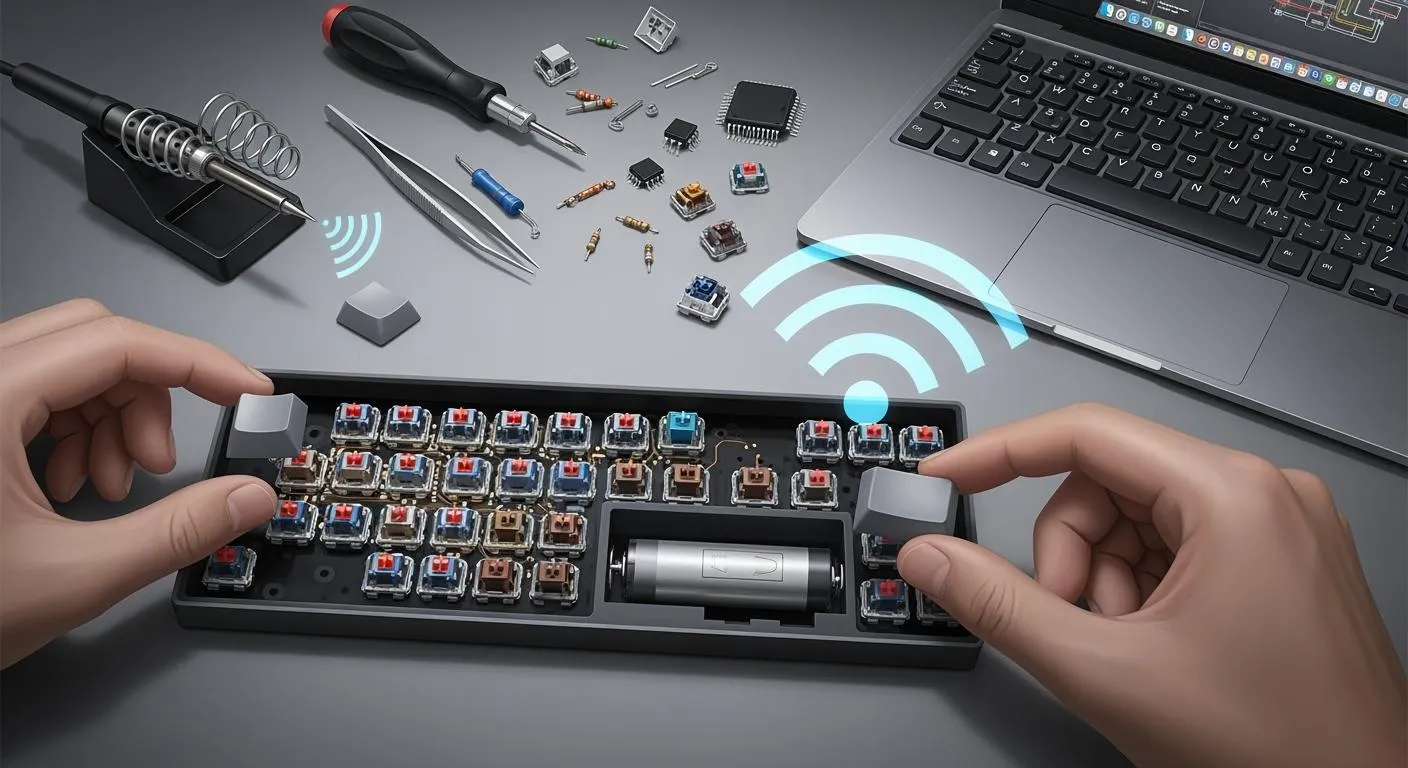
You see wireless keyboards in many places. This is because manufacturers use smart designs and new technology. The global wireless keyboard market was $1,532.89 million in 2024. Experts think it will keep growing. Wireless keyboards need important parts like PCB layout, wireless modules, and power management. These parts help the keyboard work well. Common technologies are Radio Frequency, Bluetooth, WiFi, and Infrared. Making a wireless keyboard has many steps. It starts with design and prototyping. Then, there is assembly and quality control. Injection molding helps make strong parts.
Stage | Description |
|---|---|
Design | Making a plan for how the keyboard looks and works. |
Prototyping | Building a model to test if it works and find problems. |
Material Selection | Picking the right materials for things like keycaps and circuit boards. |
Assembly | Putting all the parts together to make the keyboard work. |
Quality Control | Testing if the keyboard is strong, works well, and can handle different conditions. |
Packaging | Getting the keyboard ready to ship in safe packaging. |
Key Takeaways
Wireless keyboards are becoming more popular because of smart designs and new technology. Good PCB layout and picking the right parts are important for how well the keyboard works and how long it lasts. Ergonomic features make the keyboard more comfortable, so people can use it for a long time. Testing and checking quality help make sure every keyboard is good before people buy it. Picking the best wireless technology changes how well the keyboard connects and how long the battery lasts, so think about what you need.
Wireless Keyboards: Design Essentials

Key Layout & PCB Planning
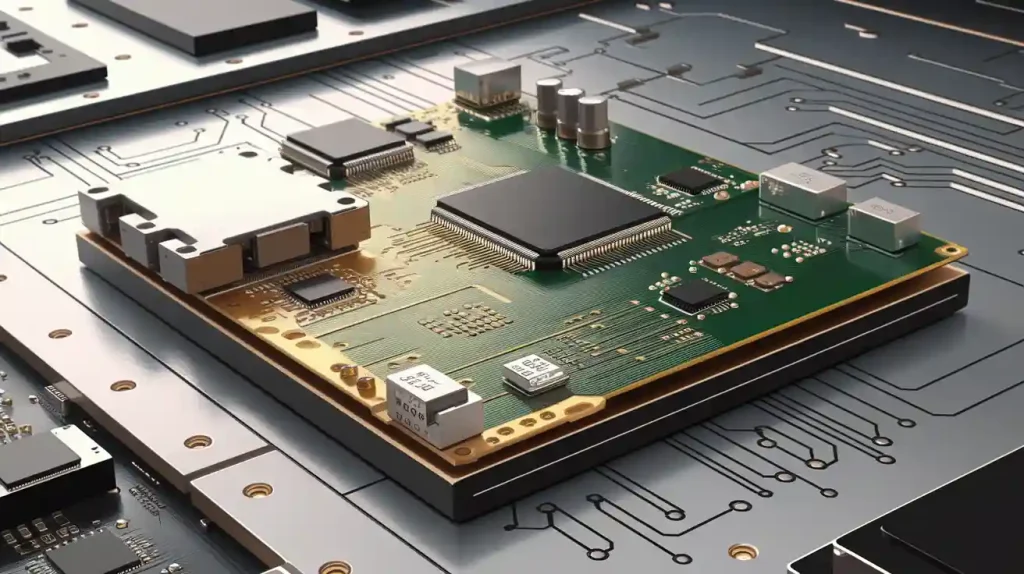
When you design wireless keyboards, you must plan the key layout and PCB. The way you set up the keys makes the keyboard easier to use. Switches should match the layout so traces stay short. Short traces help the keyboard answer faster and lower signal delay.
You need to use space on the PCB wisely. Here are some good tips:
Put switches in line with the key layout to keep traces short.
Make sure traces are clear and wide enough.
Place antennas at the PCB edge to stop interference.
Use flex PCB stiffeners if you want the keyboard to bend.
Add thermal reliefs and vias near power parts to spread heat.
Separate circuits with different jobs to lower signal loss.
Make isolation zones to stop crosstalk.
Keep transmission line impedance at 50Ω or 75Ω and even.
Cover sensitive parts with metal shields and ground them.
Tip: Always run ERC and DRC before you finish your PCB design. These checks help you find shorts or mistakes that could break your wireless keyboard.
Put decoupling capacitors close to high-frequency digital circuits. These parts keep the power steady and lower noise in analog circuits. This helps your wireless keyboard keep a strong signal and use less power. Power switching circuits let you turn features on or off to save battery. Good PCB planning stops problems like missed key presses and electromagnetic interference. High-Tg PCB materials help the keyboard stay cool when charging. Smart sleep modes and adaptive power can make your battery last longer.
Ergonomics & Aesthetics
You want your wireless keyboard to feel good and look nice. Ergonomic rules help you make keyboards that are easy on your hands and wrists. Here are some common ergonomic features:
Split design keeps your wrists and forearms in line.
Tenting lets your hands rest in a natural way.
Negative tilt keeps your wrists straight.
Columnar layout means your fingers move less.
Concave key wells help your thumbs reach keys.
Thumbkeys give your thumbs more to do.
Programmable layouts let you change the setup for comfort.
Aesthetics matter when picking a keyboard. People like gaming keyboards that look cool and fit their style. You can see how design and looks change what people buy:
Consumer Priorities | Aesthetic & Ergonomics | Influencing Factors |
|---|---|---|
Responsiveness | RGB lighting and ergonomic layouts | Brand reputation, online reviews, support |
Durability | Enhances user appeal and comfort | |
Customization options |
Aesthetics can make you feel happy and comfy when using your keyboard.
Color and materials can help you focus, especially for gaming.
Many gamers want gear that shows their style.
Key Components Selection
When you build a custom keyboard, you must pick the right parts. Switches, batteries, and wireless modules all change how your keyboard works. Think about these things:
Criteria | Description |
|---|---|
Define Your Use Case | Decide if you want the keyboard for typing, coding, or browsing. |
Select a Layout | Pick a layout like 60%, 75%, or TKL based on how many function keys you need. |
Determine Connectivity Needs | Choose if you need Bluetooth multipoint for switching between devices. |
Assess Typing Feel | Pick switch type based on what feels best (mechanical or membrane). |
Check Power Requirements | Decide between rechargeable batteries or replaceable AAs for longer life. |
Evaluate Compatibility | Make sure the keyboard works with your operating system. |
Review Build and Design | Look at materials and weight for durability and portability. |
The wireless technology you pick changes how your keyboard works and how long the battery lasts. Here is a quick comparison:
Technology Type | Advantages | Disadvantages |
|---|---|---|
Bluetooth | Connects without a dongle, portable, pairs with multiple devices | May have slower response times compared to 2.4GHz |
2.4GHz Wireless | Stable and fast connection, less interference risk | Needs a USB dongle, cannot connect to mobile devices without an adapter |
If you want a gaming keyboard, look for fast response and stable connections. You also want a battery that lasts a long time. Picking the right wireless module and battery type gives you the best performance.
Custom Keyboard Engineering
PCB Design & Microcontroller Programming
When you build wireless keyboards, you start with pcb design. You need to fit many parts into a small space. Sometimes you want three USB-C connectors or extra features. You have to organize the layout like stacking dishes in a dishwasher. You use a four-layer PCB to handle all the connections. This keeps the keyboard small and neat.
You pick a microcontroller that fits your needs. You program it to handle key presses, wireless signals, and power. You make sure it works with your wireless protocol. You test the microcontroller to see if it is fast and saves power. You change the design to lower electromagnetic emissions. Every part you change can affect emissions. You update firmware and cables to meet rules. You test again and again until you pass.
Tip: Always check your PCB layout for short circuits and signal problems before moving on.
Firmware & Wireless Protocols
You write firmware to control how your keyboard works. You pick a wireless protocol that fits your needs. Good gaming keyboards should be fast and use little power. You look at popular firmware choices for custom keyboards.
Protocol | Description | Pros | Cons |
|---|---|---|---|
ZMK | A firmware with a wireless-first approach and permissive licensing. | Well designed board system using Zephyr RTOS. Great power usage. Very easy to set up with no local build needed. Supports more than just the nRF52 including many ARM wired keyboards. USB support. | Learning the board system may take time for people used to other firmwares. |
BlueMicro | An easy-to-set-up firmware for nRF52 chips using Arduino. | Based on Arduino, which some people know. Reliable wireless between halves. | No USB support. Uses more power. Only works with the nRF52 family. |
You might use ZMK because it saves power and is easy to set up. You might pick BlueMicro if you want something simple and Arduino-based. You choose the protocol that matches your keyboard goals.
Making firmware better helps your wireless keyboards work well. You control power use and focus on important jobs. You can make the battery last longer without slowing down. For example, a firmware update for a gaming keyboard made the battery last 20% longer. You also fix security problems with updates. You keep hackers from stealing signals. You make your wireless keyboards safe and strong.
Prototyping & Testing
You build a prototype to see if your design works. You use electronic kits, modules, and printed circuit boards. You might use 3D printing to make special parts. You test the prototype to find problems and make it better.
You follow a testing process to check every part. You test the wireless connection for speed and strength. You test battery life to see if it lasts long enough. You test key switches for feel and strength. You test the keyboard for comfort and looks. You test again after every change. You make sure your gaming keyboards are high quality.
You use testing to check for electromagnetic emissions. You change the design to pass the rules. You test the firmware to see if it works with your wireless protocol. You test the final product to make sure it is ready for people to use.
Note: Always write down your testing steps. This helps you remember changes and fix problems faster.
You finish prototyping and testing when you are happy with the results. Then you move to manufacturing and assembly with confidence.
Manufacturing & Assembly

Component Sourcing
You pick the best parts for your wireless keyboards. Trusted suppliers help you get good gaming keyboards. You look for factories with ISO 9001 and ISO 14001. These show they care about quality and the environment. You check if switches are tested for millions of presses. You make sure they protect against dust and static. You ask for proof that parts are real. You want factories that can make big orders and keep quality. You talk to other clients about defect rates and fixing problems fast.
Criteria | Description |
|---|---|
Production Certifications | ISO 9001 means good quality. ISO 14001 means they care about the environment. |
Testing Protocols | Switches are tested for many presses. They protect against dust and static. |
Supply Chain Transparency | You check where parts come from to avoid fake ones. |
Scalability | Factories should handle big orders without losing quality. |
Factory Audits | You can see the factory online or use inspectors. |
Sample Validation | You test samples for problems like ghosting and slow keys. |
Reference Checks | You ask other clients about defects and how fast problems are fixed. |
Problems in the supply chain can make things cost more and slow down work. You watch for shipping delays and price changes. Political problems can also make it hard to get parts.
Evidence Type | Description |
|---|---|
Rising Costs | Supply chain problems make raw materials cost more. This raises production costs. |
Logistics Issues | Shipping problems can slow down making keyboards and make them harder to find. |
Geopolitical Tensions | Political trouble can make it hard to get materials for keyboards. |
Injection Molding Process
Injection molding makes strong and nice keyboard cases. Engineers design the right shape and thickness. Molds are made with machines or 3D printers. You pick plastics and dry them to remove water. The plastic melts and goes into the mold. It cools and gets hard. Pins push the part out. Workers trim extra plastic and finish the case.
Make a CAD model for the case.
Create molds with CNC or 3D printing.
Dry the plastic before using it.
Melt the plastic and put it in the mold.
Let the part cool and get hard.
Push out the finished part.
Trim and finish the case for assembly.
Double-shot keycaps last longer because letters do not wear off.
These keycaps look bright and clear on gaming keyboards.
The materials feel better when you type.
Assembly Line Techniques
Assembly lines help build keyboards fast and well. Workers and machines put together the PCB, switches, and case. Advanced tools check every step. Each keyboard is tested for key response, battery life, and wireless connection. Skilled workers make sure every keyboard is high quality.
Quality Control Aspect | Description |
|---|---|
Rigorous Material Selection | Good parts come from trusted suppliers to start with high quality. |
Advanced Production Processes | New technology and best practices are used with careful checks at every step. |
Every keyboard is tested for working keys, wireless, and battery life. | |
Skilled Workforce | Trained workers make sure keyboards are made well. |
Wireless Module Integration
You install wireless modules carefully. Antennas are placed away from noisy parts for better signals. A ground plane under the module helps cut interference. Decoupling capacitors keep power steady. The PCB is designed so everything fits and works well.
Step | Description |
|---|---|
1 | Put antennas away from noisy parts for better signals. |
2 | Add a ground plane under the module to lower interference. |
3 | Place decoupling capacitors near the module to keep power steady. |
4 | Design the PCB so parts fit well and traces are the right size. |
Modular approval makes rules easier, but you still need product tests. These tests check if your wireless keyboards are safe and follow all rules. You test for electromagnetic compatibility and make sure the device connects well.
Bluetooth testing finds problems before you sell the keyboard. You make sure gaming keyboards connect easily and work with many devices. You check for strong signals and safe use.
Quality Control & Certification
Functionality & Wireless Reliability Testing
You help make sure every keyboard works right. During manufacturing, you check each keyboard for problems. You test every key to see if it works fast. You look at battery life and check if the wireless signal is strong. Special machines measure how well the keyboard sends signals. You also look for missed key presses or weak signals.
Manufacturers use different ways to make wireless keyboards work better. Here is a table with some important ways:
Method | Description |
|---|---|
Selecting Suitable Frequency Bands | You pick the best frequency bands to stop interference and help signals move better. |
Optimizing Antenna Layout | You put antennas in good spots to cover more space and lower signal loss. |
Eliminating Interference Sources | You use filters to block bad signals and keep the connection steady. |
Using Diversity Techniques | You add more antennas to stop signal fading and make the keyboard more reliable. |
Using Equalization Techniques | You use equalizers to fix signal problems and help signals travel better. |
Using Channel Coding Techniques | You encode data so the receiver can fix errors and keep the connection strong. |
Ensuring Device Compatibility | You follow standard rules to stop problems with other devices. |
Regularly Monitoring Devices | You check how the device works often to find and fix problems fast. |
Tip: Always write down your quality control and testing steps. This helps you see patterns and fix problems quickly.
You do these tests many times while making keyboards. This makes sure every gaming keyboard is high quality.
Compliance Standards
You must follow strict rules before selling a wireless keyboard. Different places have their own certification rules. You check every step in making the keyboard to meet these rules. Here is a table that shows how certification works in the US, EU, and Asia:
Market | Certification Body | Key Requirements |
|---|---|---|
US | FCC | You must follow rules for electromagnetic compatibility and safety. Different devices have different steps. |
EU | CE | You follow CE rules for safety and the environment. Some products need extra tests. |
US (California) | RoHS | You show your keyboard does not have too many dangerous materials. |
EU | REACH | You follow rules about chemicals in products. These rules are very strict. |
You test your keyboard for electromagnetic emissions and dangerous materials. You check if the keyboard is safe and follows environmental rules. You keep all test reports as proof of quality control and testing. You make sure your process follows every rule. This keeps users safe and lets you sell your keyboard everywhere.
Note: Certification helps customers trust you. It shows you care about quality and safety.
You run into many problems when making wireless keyboards.
It is tough to keep the connection stable.
Other wireless gadgets can mess with signals.
You must watch battery life and charging.
Keyboards have different layouts and languages.
They need to work with many operating systems.
Custom keyboards are special because they have more features than regular ones.
Feature | Custom Keyboards | Standard Keyboards |
|---|---|---|
Programmability | You can change keys and set up macros. | You get fewer choices. |
Ergonomic Design | You can adjust tilt and split the keyboard. | Regular ones are fixed and less comfy. |
Durability | Mechanical switches last a long time. | Regular ones do not last as long. |
Customization Options | You can swap parts and change layouts. | Regular ones are all the same. |
New ideas help keyboards work better and last longer. You get better battery life, support for more devices, and more comfort. These upgrades make wireless keyboards easier and nicer to use.
FAQ
What makes a gaming keyboard factory different from a regular keyboard factory?
A gaming keyboard factory uses better ways to make keyboards. They do more tests to check how well the keyboards work. Workers pay close attention to features that help gamers. There are extra steps to test speed and comfort.
How does the production process affect gaming performance?
Gaming keyboards work better when made with good materials. Engineers design them to react fast. Each keyboard is tested for how well it works. This means you play games more smoothly and miss fewer key presses.
Why do gaming keyboards need special testing during production?
Special tests make sure gaming keyboards work well every time. The factory checks each key for how fast it responds. They also test the wireless signal. This means you lose connection less often. These tests help the keyboard last longer and work better.
What steps does a gaming keyboard factory take to improve durability?
The factory uses strong materials to make the keyboards tough. Workers test the switches to make sure they last a long time. They check for dust and static problems. This helps the keyboard keep working well, even if you play a lot.
How does the production process impact your gaming experience?
You have more fun gaming when the keyboard is comfy and fast. The factory uses designs that are easy on your hands. Engineers test battery life and wireless strength. This means you feel less tired and your keyboard works better.