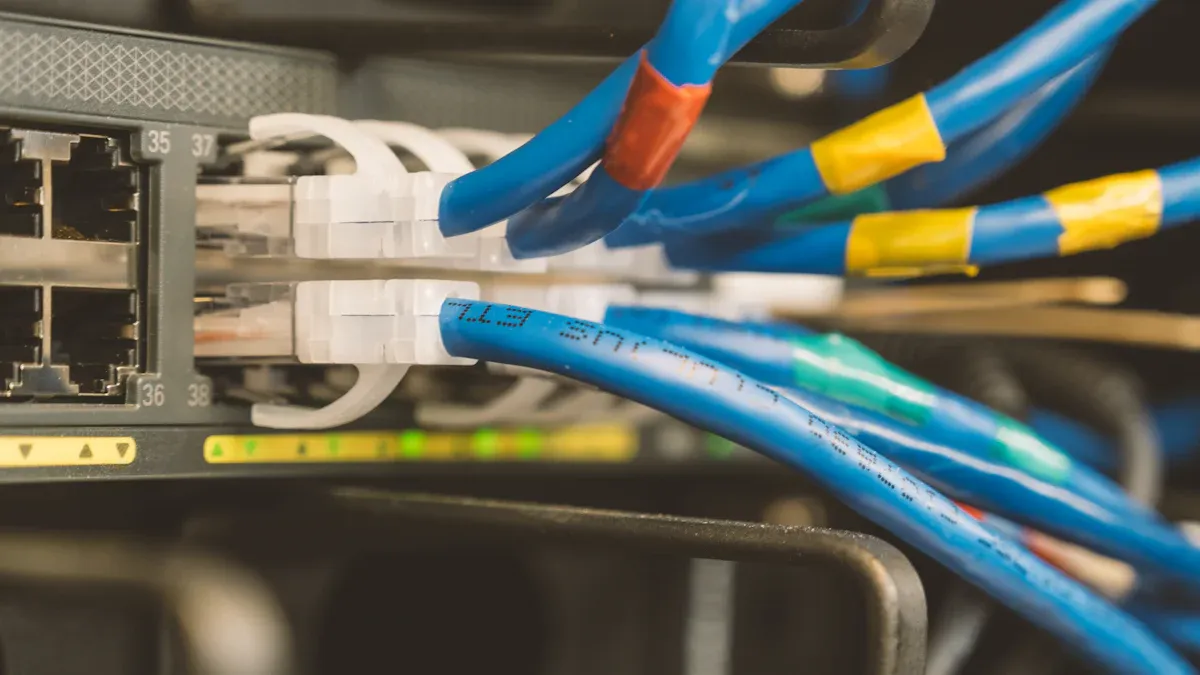
Choosing the correct connector is crucial for ensuring your devices function properly. RJ45 and RJ11 connectors differ in size, purpose, and application. For example, an RJ45 connector is larger and features eight pins, making it ideal for fast Ethernet connections. On the other hand, an RJ11 connector is smaller, with four to six pins, and is specifically designed for phone systems.
RJ45 | RJ11 |
|---|---|
Size and Shape | Larger rectangle with eight pins |
Usage | Internet (Ethernet) |
Data Transfer Rates | Up to 10 Gbps |
Understanding these distinctions is essential to prevent issues such as damaged equipment, reduced speeds, or network disruptions. In today’s world, where reliable and high-speed data connections are a necessity, selecting the right connector, like an RJ45 for Ethernet, is more important than ever.
Key Takeaways
RJ45 connectors are bigger and have eight pins. They are used for fast internet, working up to 10 Gbps.
RJ11 connectors are smaller and have four or six pins. They are made for phones and work slower, up to 56 Kbps.
Picking the correct connector is important to prevent damage. Always check the type of connector before using it.
Physical Differences Between RJ45 and RJ11
Size and Shape of RJ45 and RJ11
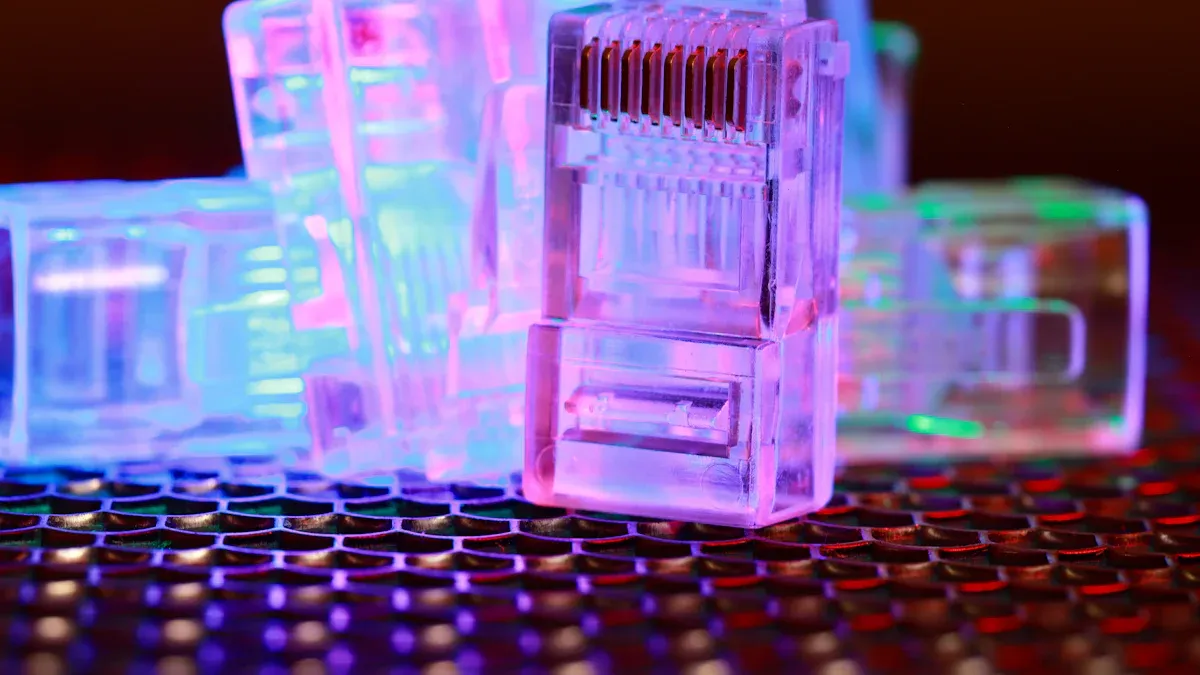
RJ45 and RJ11 connectors look different in size and shape. RJ45 connectors are bigger and wider, so they are easy to spot. They are rectangular and have eight pins in a straight row. RJ11 connectors are smaller and thinner, with four to six pins based on their setup.
Feature | RJ45 | RJ11 |
|---|---|---|
Number of Pins | 8 (8P8C) | 6 (6P4C or 6P2C) |
Size | Bigger, rectangle shape | Smaller, narrow rectangle |
Intended Use | Fast data networking | Simple phone cabling |
The size difference helps you avoid using the wrong connector.
Pin Configuration in RJ45 vs RJ11
Pins in these connectors decide how they work. RJ45 connectors have eight wires in eight spots, letting them send data quickly. RJ11 connectors usually use two or four wires in six spots, which works well for phones.
Connector Type | Pin Configuration | Notes |
|---|---|---|
RJ45 | 8 positions | For Ethernet networking |
RJ11 | 4 positions | For phone lines |
This pin setup shows why each connector has a unique job.
Connector Design and Build Quality
RJ45 and RJ11 connectors are made for their specific tasks. RJ45 connectors handle faster speeds and thicker cables, making them stronger for networks. RJ11 connectors are smaller and use thinner cables, perfect for phones. Picking the right connector avoids damage and ensures it works properly.
Tip: Always check the connector type before plugging it in to avoid problems.
Technical Capabilities of RJ45 Connectors vs RJ11
Data Transmission Speeds of RJ45 and RJ11
RJ45 connectors are much faster than RJ11 connectors. RJ45 can handle speeds up to 10 Gbps. This makes them great for streaming, gaming, and big file transfers. RJ11, however, only supports speeds up to 56 Kbps. This is fine for phone calls but too slow for fast internet.
Connector | Maximum Speed | Typical Use Case |
|---|---|---|
RJ45 | Up to 10 Gbps | Streaming, gaming, fast networking |
RJ11 | Up to 56 Kbps (dial-up), a few Mbps (DSL) | Phones, basic internet use |
RJ45 is built for Ethernet, where speed matters most. RJ11 is made for phones, where speed is less important.
Bandwidth and Signal Quality Comparison
RJ45 connectors also have better bandwidth. They can handle up to 10 Gbps, which keeps data flowing smoothly. RJ11 connectors are limited to about 1 Mbps, which works for voice calls but not much else.
Connector | Bandwidth Capability |
|---|---|
RJ11 | Around 1 Mbps |
RJ45 | Up to 10 Gbps |
RJ45 provides clearer signals with less interference. RJ11 works for voice but loses quality over long distances.
Device and System Compatibility
RJ45 and RJ11 are made for different devices. RJ45 has eight pins and works with Ethernet networks. RJ11 has four or six pins and is used for phones.
Connector Type | Usage | Pin Configuration | Speed Capability |
|---|---|---|---|
RJ45 | Ethernet networking | 8 pins | Up to 10 Gbps |
RJ11 | Telephone connections | 6P4C (4 contacts) | Slower speeds for voice |
Using the wrong connector can cause problems. For example, plugging an RJ11 into an Ethernet port may slow down or stop the connection. Using an RJ45 on a phone line can cause noise or damage. Always check the connector type to avoid issues.
Applications of RJ45 and RJ11
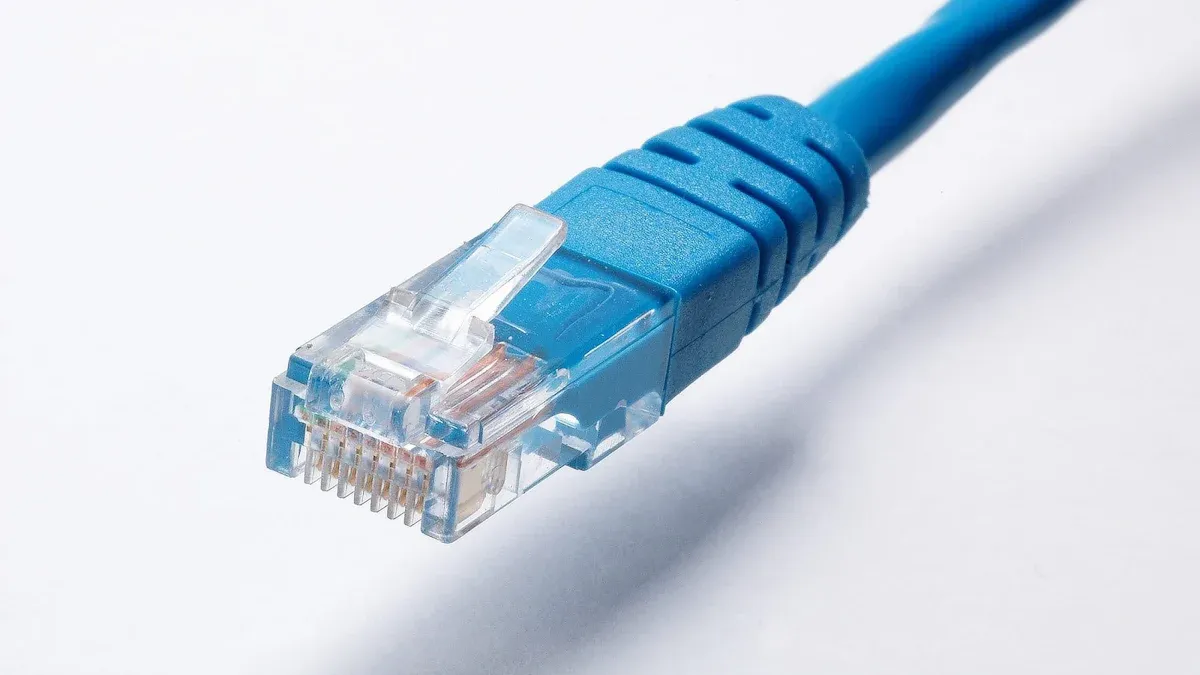
Networking Uses of RJ45
RJ45 connectors are key for today’s computer networks. They are used in Ethernet to provide fast internet and connect devices. You’ll see them in LANs and WANs, linking computers, routers, and switches. Data centers also use RJ45 to move large amounts of data quickly.
These connectors work well in smart homes and IoT setups. They keep systems connected and stable. RJ45 also supports PoE, powering things like IP cameras and Wi-Fi access points. In factories or oil rigs, strong RJ45 connectors handle tough conditions.
Tip: Choose RJ45 for fast data and strong network connections.
Phone Uses of RJ11
RJ11 connectors are made for phones. They link phones, fax machines, and DSL modems to wall jacks. In homes and small offices, RJ11 is common for landlines. They also help VoIP adapters connect old phones to the internet.
RJ11 is important for DSL, letting you use the phone and internet at once. It’s still useful where old phone lines exist, like for PBX systems and intercoms.
Note: RJ11 is best for phone calls and slow data needs.
Other Uses and Limits
RJ45 and RJ11 have different jobs. RJ45 is great for fast data, Ethernet, and streaming. But it doesn’t work with phone lines. RJ11 is cheaper for phones but too slow for modern internet.
Connector | Uses | Limits |
|---|---|---|
RJ45 | Ethernet, PoE, IoT, and data centers. | Not for phones. |
RJ11 | Phones, DSL, and fax machines. | Too slow for fast data. |
Knowing these limits helps you pick the right connector.
Wiring Standards for RJ45 and RJ11
T568A and T568B Standards for RJ45
RJ45 connectors need specific wiring standards: T568A or T568B. These standards organize the eight wires inside the connector. Both work the same but use different wire color orders.
T568A | T568B |
|---|---|
1 – White – Green | 1 – White – Orange |
2 – Green | 2 – Orange |
3 – White – Orange | 3 – White – Green |
4 – Blue | 4 – Blue |
5 – White – Blue | 5 – White – Blue |
6 – Orange | 6 – Green |
7 – White – Brown | 7 – White – Brown |
8 – Brown | 8 – Brown |
T568B is mostly used in the U.S., while T568A is common in government setups. Stick to one standard to avoid problems. Mixing them can mess up data flow and cause network trouble.
Wiring Configurations for RJ11
RJ11 connectors use either 2-wire or 4-wire setups. These depend on what they’re used for, like phones or fax machines. Pin assignments for RJ11 include:
Pin 1: White/Orange
Pin 2: White/Green
Pin 3: Blue/White
Pin 4: Blue/Green
This setup works well for single-line phones. Fax machines often use straight pinouts. Analog phones may need reversed pinouts. Always check your device to match the correct setup. Wrong wiring can cause connection issues or device failure.
Importance of Adhering to Wiring Standards
Using the right wiring standards keeps things working smoothly. Use proper tools to crimp and secure wires tightly. Add strain relief to protect cables from damage. Regular checks help ensure everything works well over time.
Tip: Follow the maker’s instructions and cover unused connectors. This avoids damage and keeps them lasting longer.
How to Choose Between RJ45 and RJ11
Factors to Consider When Choosing RJ45 or RJ11
Think about your needs when picking between RJ11 and RJ45. RJ11 is best for phones and slow data tasks. RJ45 works for fast internet and Ethernet networks.
The environment matters too. Outdoor or tough areas need strong connectors. RJ45 is more durable for such places.
Check how the connector fits. RJ45 has a lock for a tight hold, great for computers. RJ11 is simpler and fits home phones well.
Cost is another factor. RJ11 is cheaper, costing $0.10 to $0.50. RJ45 costs more, from $0.25 to $5, based on quality.
Tip: Match the connector to your device for the best results.
Common Scenarios for Using RJ45 vs RJ11
RJ45 is key for modern networks. It links routers, switches, and cameras for fast data. You’ll see it in homes, offices, and data centers. RJ11 is better for phones, fax machines, and DSL modems.
Connector Type | Common Applications | Best Environments |
|---|---|---|
RJ45 | Ethernet, IoT, streaming | Homes, offices, data centers |
RJ11 | Phones, DSL, fax machines | Residential, small offices |
Use RJ45 for fast internet. Use RJ11 for phone calls.
Mistakes to Avoid When Selecting a Connector
Using the wrong connector can cause problems. Plugging RJ11 into an RJ45 port may damage it or slow it down. Using RJ45 for phones can cause electrical issues.
Don’t mix up wiring standards. RJ45 uses T568A or T568B setups. RJ11 has simpler wiring. Wrong wiring can break devices or stop data flow.
Note: RJ11 and RJ45 are not the same. Always check before using to avoid damage or poor performance.
Knowing how RJ45 and RJ11 connectors differ is important. RJ45 has 8 pins and works for Ethernet networks. It supports speeds up to 10 Gbps. RJ11 is smaller, with 4 or 6 pins, and fits phones or DSL modems. Think about what you need, where it will be used, and the cost. Pick the right one for the best performance and long-lasting use.
FAQ
What happens if you plug an RJ11 into an RJ45 port?
Plugging an RJ11 into an RJ45 port can harm the port. It might also make the connection slower. RJ11 connectors are not made for Ethernet ports.
Can RJ11 connectors be used for internet?
RJ11 connectors work with DSL internet but not Ethernet. They are slower and good for simple tasks like emails or browsing.
How can you tell if it’s an RJ11 connector?
RJ11 connectors are smaller than RJ45 ones. They have four or six pins and are mostly used for phones or fax machines.