Imagine your smartwatch dying before dinner. You miss alerts, step counts, and heart rate info. Short battery life makes users unhappy.
The most direct thing users notice is the battery. Short battery life and constant charging make users unhappy.
Designers face a big challenge. They must add more features to smaller wearables without making them use too much power. They must watch energy use closely. Old, fixed power methods can’t keep up with how users change their habits, so power gets wasted. This leads to frequent charging and sudden battery drain.
This article explains low power optimization for wearable design. It gives a clear plan for balancing performance, energy use, and user experience. You will see the problem, look at power options, and learn smart choices.
Key Takeaways
Pick low-power parts such as the MSP430 or ARM Cortex-M0+ to make the battery last longer.
Use duty cycling to turn sensors on and off in pulses, which cuts energy use by more than half.
Use context-aware sensing to change power use based on what the user is doing, saving battery when they are resting.
Use energy harvesting and AI-based power management to cut power use even more.
Balance performance and efficiency by sending heavy tasks to a companion device and using low-power wireless protocols like BLE.
Power Consumption in Wearable Electronics
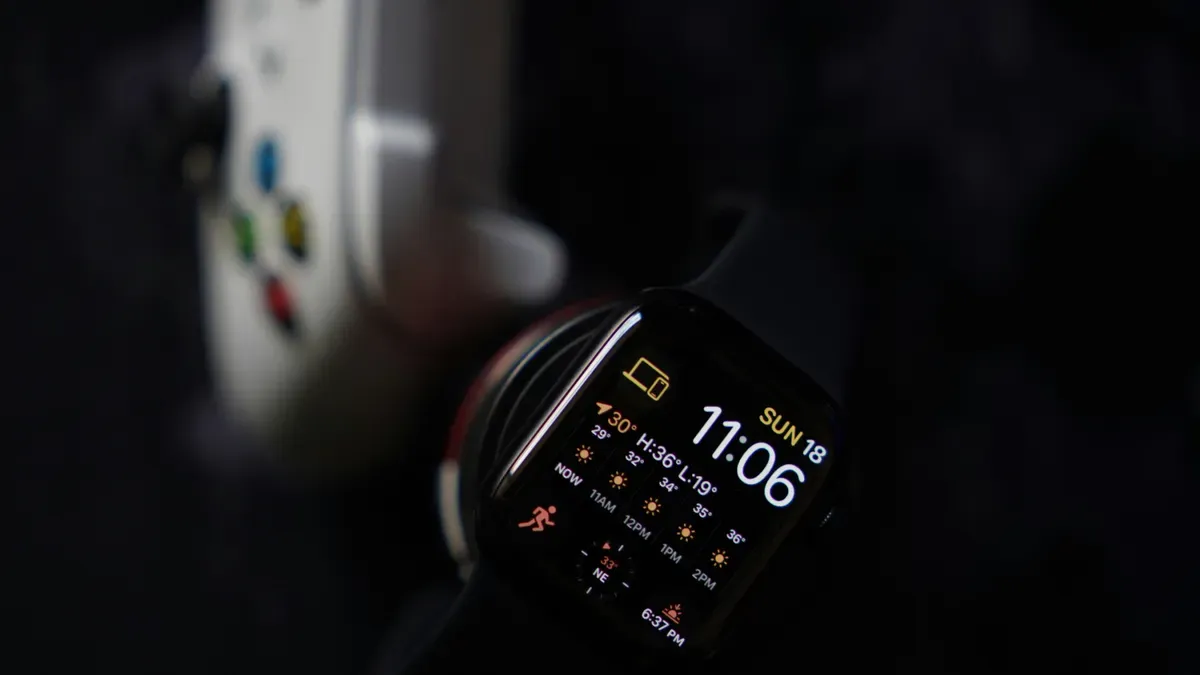
Every wearable you make has the same problem: not much energy in a small case. You need to know where that energy goes before you can improve anything. The main power users are sensors, processors, wireless radios, and displays. Each part takes some battery, and together they decide how long your device works.
Primary Power Drains in Wearables
Sensors keep gathering data. Processors turn that data into useful info. Wireless radios send results to a phone or cloud. Displays show users what matters. Each part uses power in its own way, and you need to know the numbers.
Component Category | Specific Component | Power Consumption |
|---|---|---|
Sensor (Heart Rate Acquisition) | Electronic tattoo sensor | 3 mW |
Stretchable OLED array with PPG sensor | 16.5 mW | |
Compressed sensing PPG IC | 1.66 mW | |
System with high sampling rate | 13.468 mW | |
Processor (Heart Rate Computation) | BioAIP processor | 46.8 μW |
Ternary neural network processor | 746 nW | |
Low-power statistical FFT | 2.4 mW | |
Wireless (Transmission) | BLE wireless sensor patch | below 3 mW |
DCT-IV compression algorithm | below 5 mW | |
Dynamic feedback adaptive modulation | 60 mW | |
Heart rate monitoring system with wireless transmission | 44.57 mW | |
Three-lead portable wireless transmission system |

The range is amazing. A tiny neural network processor uses only 746 nW, but a full wireless transmission system uses 72.6 mW. That difference is huge. Your part choices directly affect your power budget.
The Role of Form Factor in Battery Life
Your wearable’s size limits how much battery it can have. When you make the battery pack smaller, it can hold less energy. A smart ring has much less space than a smartwatch, so its battery stores less energy. This limit makes you think about efficiency from the start.
Buying parts that use less energy helps make the battery last longer. Power management plans become very important. You cannot just add a bigger battery. You must lower how much power you use.
Think about wireless communication. BLE advertising in fast mode uses about 0.48 mA. Medium mode uses about 0.078 mA. Slow mode uses only 18 µA. Your microcontroller runs at about 4 mA when active, while an IMU sensor uses less than 5 µA. These numbers show how important your communication plan is.
Your power management plan must balance all these things. You need to decide which parts stay on and which turn off. You need to choose when to send data and when to save it locally. Every choice affects your battery life and your user’s experience.
Hardware Design for Low Power Optimization
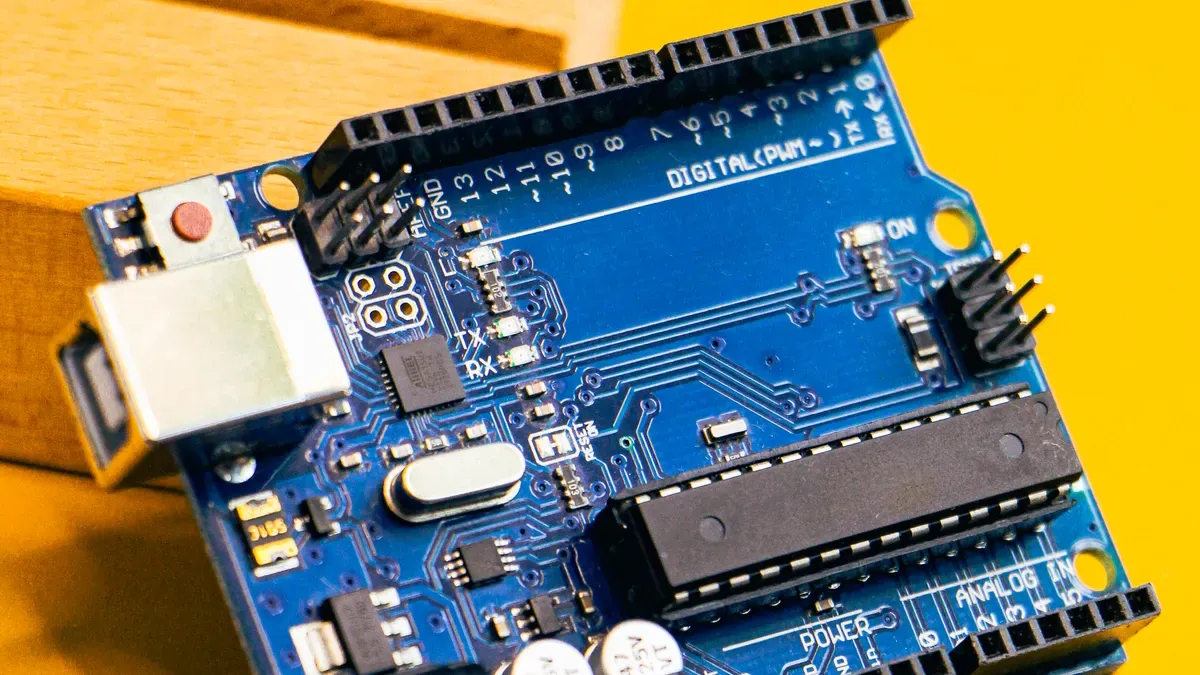
Picking the right parts starts with knowing your power budget. You need processors that can sleep deeply. You need sensors that use tiny amounts of power, not large ones. The GPX10 processor from Ambient Scientific uses a special analog, in-memory computing design. This lets wearable medical devices run AI for months on small batteries. That is a big step forward in ultra-low-power chip technology.
Your part choices shape your power plan. Pick a system-on-chip with several low-power modes. Keep the main processor asleep most of the time. Use a very low-power controller to gather data all the time. That controller wakes the main processor only when needed. This split design saves a lot of energy.
Think about your display choice carefully. AMOLED screens that can turn off each pixel use up to 40% less power than LCDs. That difference matters in a small device. Your battery size stays the same, so every milliwatt you save makes it last longer.
Selecting Energy-Efficient Components
Start with the processor. Look for chips that naturally use little power. The MSP430 family is still a good pick for simple tasks. For harder jobs, look for processors with dynamic voltage and frequency scaling (DVFS). DVFS changes the voltage and speed based on what the system needs at that moment. During easy tasks, the system runs slower. When the user needs fast response, the processor speeds up. Studies show DVFS saves 27.74% to 47.74% energy in low-power VLSI designs. That range shows real, measurable power savings.
Your wireless choice also matters. Bluetooth Low Energy (BLE) is still the standard for wearables. It handles low duty cycles well. For very short distances, NFC uses even less power. Save Wi-Fi or cellular for rare, high-speed transfers.
Battery tech keeps getting better. Silicon-carbon composite anodes boost energy density by about 25% without making the device bigger. That means more power in the same space. Energy harvesting adds another option. Texas Instruments’ bq25570 IC grabs weak energy from body heat, motion, or light. It boosts that 300–400 mV input to 3–5 V to charge a battery. Harvested energy alone cannot run a smartwatch, but it helps the battery and extends runtime.
PCB Layout and Power Gating Techniques
Your circuit board layout affects power management directly. Use power gating to turn off unused blocks completely. This cuts leakage current in idle parts. Dynamic voltage scaling works with power gating. Together, they make a full power reduction plan.
Design your PCB with multiple power rails. A Power Management Integrated Circuit (PMIC) controls and sends power across these rails. The PMIC handles charging and adds safety features. It also gives different voltage levels to different parts. Your sensor rail might run at 1.2V while your radio rail needs 1.8V.
Thermal management matters too. More power use creates more heat. That heat can cause discomfort or safety issues for devices worn on the head or wrist. Use low thermal resistance PCBs to spread heat well. High-efficiency parts reduce hotspots before they start.
Turn off unused peripheral clocks inside the SoC. Each active clock uses power. Set up optimized data frame formats to cut payload size. Smaller payloads mean shorter transmission times. Shorter transmissions mean less radio power.
Connect patient notification parts like vibrators, LEDs, and displays to the ultra-low-power controller. This setup lets the main processor stay asleep. The low-power controller handles simple tasks. It only wakes the main processor for complex analysis. This design pattern maximizes sleep time and cuts energy waste.
Your power management plan must think about every part. Each choice affects the whole system. Good power management extends battery life. A thoughtful design balances performance with efficiency. The result is a device that lasts through the day and keeps users happy. In wearable electronics, every decision matters. Wearable electronics need a full-system approach. Energy efficiency starts at the component level. This optimization goes beyond individual parts.
Software and Communication Strategies for Power Management
Your hardware choices set the base, but firmware decides how well you use that power. Smart software can greatly extend battery life without changing any parts. The main idea is knowing when your device must be active and when it can safely sleep.
Firmware Optimization and Duty Cycling
Duty cycling is one of the strongest tools in your power management kit. Instead of running sensors all the time, you pulse them at lower rates during idle periods. Think about a gas sensor with a heater that pulls 34 mA continuously. By pulsing that heater at a 40% duty cycle, you lower the average current to 15.65 mA. Power use drops from 102 mW to 46.95 mW. The sensor stays warm enough to react fast, yet you save more than half the energy.
The process follows a simple pattern. First, preheat the sensor with pulsed current at 2 kHz. A duty cycle above 40% does not meaningfully cut preheat time. Next, switch to idle mode, keeping that 40% pulse to hold heat. Finally, when you need a reading, apply full DC current. The stored heat brings the sensor to working temperature quickly, so you waste little energy waiting.
Event-driven firmware boosts these savings. Replace polling loops with interrupt-driven logic. Group tasks so they run in one wake cycle. Turn off unused peripherals and clocks. Use Direct Memory Access for data moves. Each method cuts active time, and active time costs power.
Embedded machine learning takes this further. Deep reinforcement learning adapts to each user’s habits in real time. A multi-agent system controls each part separately. Transfer learning speeds up setup for new users. This approach extends battery life by 36% and raises user satisfaction by 25%. Your device learns when you sleep, when you exercise, and when you check alerts. It adjusts operations to match.
Leveraging Low-Power Wireless Protocols
Your wireless choice shapes your whole power budget. Bluetooth Low Energy stays the standard for wearables, offering 3-5 years of battery life. LPWAN protocols stretch to 10-15 years, but they fit deploy-and-forget uses better than interactive wearables. The trade-off involves latency and data rate. BLE handles frequent, small transmissions well. LPWAN shines at rare, tiny updates over long distances.
Offloading computations to a companion device lowers system power by up to 20%. Your wearable gathers raw data, sends it to a phone, and gets processed results back. This moves heavy processing off the small battery. Your power management plan should think about this hybrid approach.
design choices in communication scheduling matter too. Send at steady intervals. Compress payloads. Wake the radio only when needed. These small choices add up to major energy savings over your device’s lifetime.
Balancing Performance and Efficiency in Wearables
You face constant choices when designing a wearable. Every feature you add uses power. Every sensor you include drains the battery. The key is knowing what your users really need and when they need it.
Managing Trade-Offs in User Experience
Start with your microcontroller choice. The ARM Cortex-M0+ gives the best mix of performance and low active power. The M4’s DSP extensions speed up tasks like Kalman filtering. Fast wake-up times and self-running peripherals let your MCU stay asleep until sensor thresholds trigger action. This power plan cuts power use a lot.
Battery tech forces another trade-off. Disposable batteries hold more energy but make design harder. Rechargeable batteries allow thinner designs. Custom-shaped batteries use space best. Your small size limits battery capacity, so you must plan around that limit.
Sensor integration brings similar challenges. CMOS-based sensors enable rich features but need careful choices. Optical sensors need light-penetrating materials. Power gating stops battery drain but adds design complexity. Your best integration level depends on user experience, cost, and use cases. This choice shapes your whole power plan.
Wireless communication uses the most power in your system. Bluetooth Smart stays the main low-power option. How often and how much data you send greatly affects battery life. High data volumes can drain the battery in hours. Careful approaches extend it to weeks or months. You must decide how often your wearable syncs with a phone. This schedule is a key part of your power plan.
Context-aware sensing cuts sensing when not needed. Your wearable might lower heart rate checks while the user rests. It raises checks during exercise. This saves energy during quiet times while keeping full function during active use.
Context-aware sensing saves battery during quiet times while keeping full function during active use.
Real-World Examples of Successful Balancing
Modern wearables split work across multiple processors. A main high-performance MCU pairs with dedicated sensor hubs and always-on co-processors. While idle, the main CPU enters deep sleep using very little power. A tiny sensor hub running on microamps handles simple tasks like step counting. The main processor wakes only for hard tasks like graphics or calls.
Adaptive memory compression shows real results. This method lowers actual memory access needs while keeping performance. Studies show 20-25% power savings. Power-aware memory scheduling turns on extra memory only during predicted busy times. This gives up to 30% better battery efficiency.
Method | Quantitative Impact on Trade-off |
|---|---|
Adaptive sampling (NSF study) | Cuts data volume by up to 69% and lowers core subsystem power by over 57% |
Edge AI / TinyML (MDPI research) | Gets over 88% accuracy for movement tracking while reducing raw data sending |
Sensor fusion with duty-cycling | Saves about 35% energy with almost no loss in measurement accuracy |
Good consumer wearables share common design lessons. They add fun and excitement to boost user enjoyment. They hold charge over time and cut charging frequency. They offer praise, rewards, and well-timed alerts. They let users customize interfaces and goals. They focus on readability with clear fonts and good contrast. They build trust through reliable data recording and privacy protection.
Moving high-power tasks saves battery. Process and display jobs go to a paired smartphone using Bluetooth Low Energy. Ultra-low-power MCUs like the ARM Cortex-M0 or TI MSP430 process data fast and enter low-power sleep when idle. Low-power sensor signal conditioning, like STMicro’s OA4NP op amp using 580nA per channel, lowers peripheral power draw. These choices show smart energy use in wearables.
Dynamic voltage and frequency scaling faces limits. Voltage regulator efficiency curves, switching overhead costs, and minimum voltage levels create ‘dead zones.’ Lowering frequency does not always mean equal power savings. Wake-up delays from deep sleep range from microseconds to milliseconds. You must choose between quick response and energy savings.
Thermal management adds another layer. High-performance work creates heat that triggers throttling. High heat speeds up aging and lowers effective capacity. Lithium-ion batteries show non-linear discharge curves. Peak current limits can cause voltage drops during high-performance bursts. Your power budget must plan for these facts.
Low power optimization needs a full view. You balance user needs against energy limits. You pick parts that match your use cases. You use context-aware methods that adapt to real behavior. This approach gives a wearable that lasts all day and keeps users happy.
Emerging Trends in Low Power Design
Low power optimization keeps improving. New technologies let you go beyond old limits. Two trends stand out: energy harvesting and AI-driven power management.
Energy Harvesting and Advanced Batteries
Energy harvesting takes power from your surroundings. Piezoelectric materials turn body motion into electrical energy. Koninklijke Philips NV put flexible piezoelectric materials into clothing and accessories. Their products make 5-10 mW from daily activities. This power is enough for sensors and wireless communication modules.
KAIST built a hybrid structure that combines flexible piezoelectric polymers with rigid ceramics. The multi-layer design boosts the piezoelectric effect. Their prototypes run sensors and small electronics nonstop using only harvested power.
Photovoltaic cells offer another option. Flexible silicon and perovskite PV cells fit into wristbands or textiles. They power devices like smartwatches and pulse oximeters. Thermoelectric generators use body heat near 37°C for smart clothing. Triboelectric nanogenerators (TENGs) use contact-separation modes to power wearable sweat sensors. Piezoelectric nanogenerators (PENGs) sit in shoe insoles or watch straps. Hybrid systems combine multiple sources for a steadier supply.
The piezoelectric energy harvesting market is still young. Players like Hong Kong Applied Science & Technology Research Institute, Intel Corp., and Analog Devices help drive innovation. Biofuel cells offer another choice. They pull chemicals from sweat. These cells can be made as stretchable electronic skin or textile-based printable cells. Advanced cells also get better. Flexible cells and ultra-thin components allow new shapes and longer runtimes. Energy harvesting adds to your power source. It extends runtime without adding size.
AI-Driven Power Management
Machine learning algorithms now predict user behavior. Your wearable learns when you sleep or exercise. It changes operations for best efficiency without user input. This AI-powered optimization reduces wasted electricity. The algorithms adapt to your habits over time. They learn when to check sensors and when to stay idle.
Edge computing keeps processing local. By 2025, products are moving past health tracking to become key IoT elements. They connect with smart home systems, AR platforms, and vehicles. AI/ML techniques run directly on hardware for recognition, classification, and prediction tasks. This happens without high electricity use or data-transfer costs. Your device handles these tasks on the edge. It does not depend on cloud servers for every decision.
This method cuts the need to send data to the cloud. Your device saves resources on wireless transmissions. The result is longer battery life with smarter power management. These trends point to a future where products rely less on large power packs. Your job is to combine these technologies carefully.
Low power optimization is not about sacrificing performance. It is about making intelligent, context-aware choices throughout your design. Your toolkit includes hardware, software, and communication strategies. You must always consider the entire system from sensor to cloud. Every component choice affects your battery life. Every firmware decision impacts your overall efficiency. Take a holistic approach to your development process. Emerging trends like energy harvesting and adaptive algorithms promise even greater power savings. These devices can run much longer without compromise. Continue learning and experimenting with new ideas. Your next wearable can truly balance performance and power effectively. Start optimizing today.
FAQ
How much power does a typical wearable component use?
Power consumption varies widely across components. A tiny neural network processor uses only 746 nW, while a full wireless transmission system can draw 72.6 mW. Your choices directly shape your power budget, so evaluate each part carefully before committing to a design.
What is duty cycling and why does it matter?
Duty cycling pulses sensors on and off instead of running them continuously. For example, a gas sensor heater pulling 34 mA continuously drops to 15.65 mA average with a 40% duty cycle. This technique cuts energy use dramatically while keeping sensors responsive when needed.
Which wireless protocol should I choose for my wearable?
Bluetooth Low Energy remains the standard choice for most wearables, offering 3-5 years of battery life. LPWAN protocols stretch to 10-15 years but suit deploy-and-forget applications better. Consider your data frequency and latency needs when deciding between them.
How do I balance performance with battery life?
Start with context-aware sensing. Lower heart rate checks during rest, raise them during exercise. Use a low-power controller for simple tasks and wake the main processor only for complex analysis. This approach saves energy during quiet periods while maintaining full functionality when users need it.