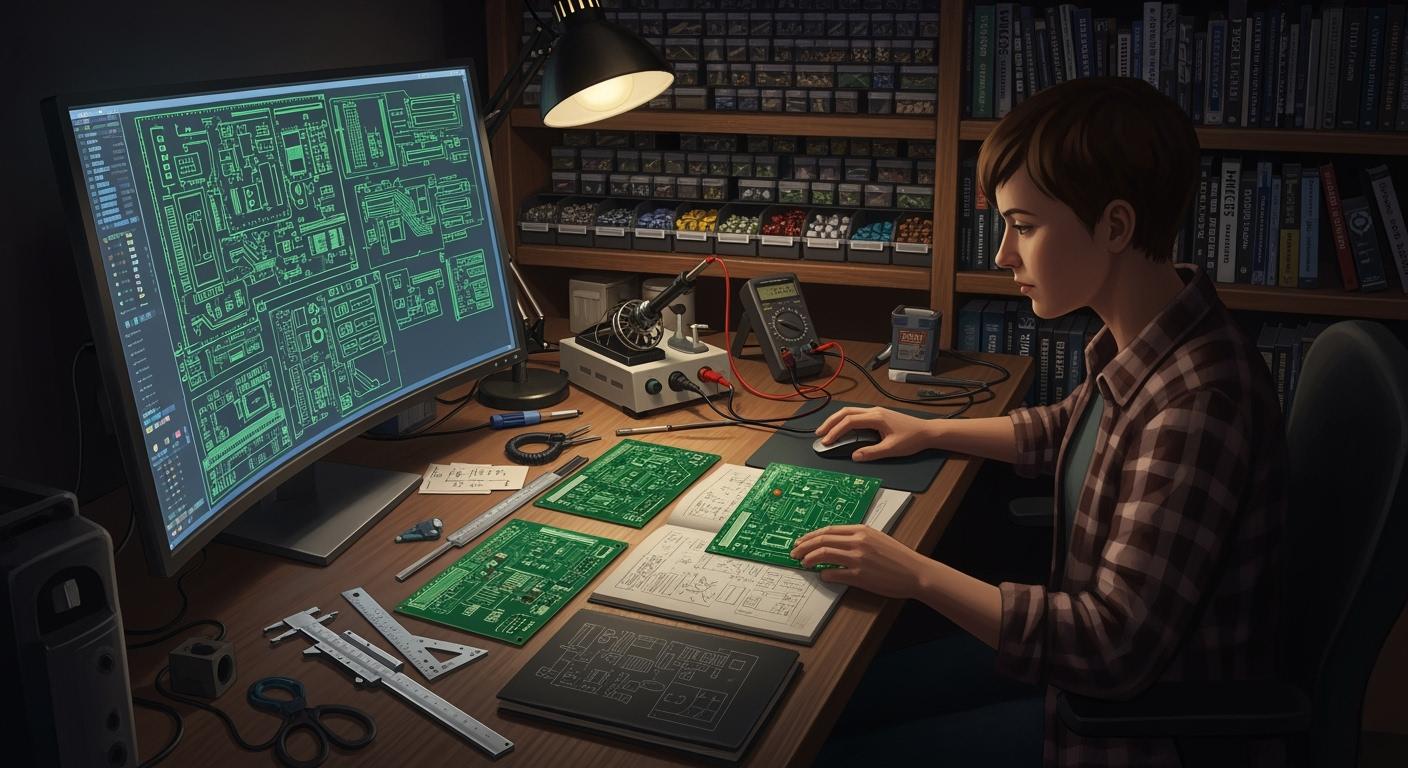
If you want to find good tools for pcb layout, designers suggest choices like Altium Designer, Eagle, KiCad, PADS, OrCAD, Mentor Graphics Xpedition, Autotrax, DipTrace, EasyEDA, and Fritzing. They help you make your work more accurate, make designing easier, and save money. You should pick a pcb tool that fits your project’s needs, like routing, simulation, and user interface. Every designer wants different things, so think about your skills and what you want to do before you choose your pcb design software.
Key Takeaways
Pick PCB design software that works for your project. Think about routing, simulation, and how easy it is to use.
Find tools that fit your skill level. Beginners might like simple choices like KiCad or EasyEDA.
See if the software costs money or is free. Your budget will help you pick the right PCB design tool.
Use community help and tutorials. Many tools have groups that help you learn and fix problems.
Try different software before you choose. Free versions let you see which one works best for your design projects.
How to Choose the Best PCB Design Software
Key Selection Criteria for PCB Layout Design Tools
When you look for pcb design software, you need to know what is important. There are many pcb layout design tools. Not every tool will be right for you. Here is a table that shows the main things to think about:
Criteria | Description |
|---|---|
Complexity and Scale | Some pcb layout tools are better for simple circuit design. Others are good for big projects with more features. |
Specific Design Rules | Good pcb layout editing helps you follow rules. This stops you from making expensive mistakes. |
Budget Considerations | You can pick free or paid pcb design software. Your choice depends on your project and how much money you have. |
Skill Level and Learning Curve | Beginners like easy pcb layout design tools. Experts may want tools with more power. |
Support and Community Resources | If you need help, strong support and a good community make learning easier. |
Think about the user interface, routing, and simulation too. A friendly interface helps you focus on your design. Routing features let you connect parts fast and avoid mistakes. Simulation tools let you test your pcb before you build it. This helps you find problems early.
Tip: If you use KiCad, you can download it for free. There are lots of tutorial videos online. The community is active, so you can ask questions and get help quickly.
Matching PCB Design Software to Your Project Needs
Your project will help you choose the best pcb layout design tools. If you make simple circuit design projects, you may want easy pcb layout editing and basic routing. For harder pcb designs, you need advanced routing, simulation, and maybe team features.
Here is a table to help you match pcb design software to your needs:
Factor | Description |
|---|---|
Budget | Check if the pcb design software is free or paid. Some have subscriptions, and others are one-time purchases. |
Scalability | Make sure your pcb layout tools can grow with your projects. Look for multi-sheet design support. |
Integration with Manufacturing | Good pcb layout design tools work well with manufacturing checks and output formats. |
Security | If your pcb design is sensitive, look for software with strong security and user controls. |
If you are a hobbyist, you might pick KiCad or EasyEDA for simple circuit design and easy pcb layout editing. Professionals often use Altium Designer or Allegro for advanced routing and simulation. Teachers like tools with lots of tutorials and strong community support.
Top PCB Layout Design Tools Recommended by Designers

When you pick pcb design software, you want it to fit your needs. It should help you make good layouts. Designers like different tools for different reasons. Let’s look at the top choices and see why each one is special for circuit layouts.
Altium Designer: Advanced Features and Component Library
Altium Designer is a top choice for advanced circuit layouts. It gives you tools for every step, from start to finish. Many designers like Altium Designer because it has a big component library. It also has strong simulation features. You can work on high-speed designs and check for errors before building.
Here’s what makes Altium Designer stand out:
Feature/Capability | Altium Designer | Other Tools (e.g., KiCad, EAGLE) |
|---|---|---|
Simulation Tools | Yes, with signal and power integrity analysis | Limited |
Component Libraries | Extensive, with cloud access via Altium 365 | Varies |
Collaboration Tools | Robust, for team projects | Limited |
Design Management | Unified platform for complex designs | Fragmented |
DFM Tools | Comprehensive, with manufacturer-specific outputs | Basic |
User Demand | Varies |
You can use advanced routing like ActiveRoute and push-and-shove routing. These help you make high-speed layouts with fewer mistakes. Altium Designer gives you real-time prices for parts. You can work with your team in the cloud. If you want the best pcb design software for big projects, this is a top pick.
Note: Many employers want designers who know Altium Designer. It handles complex circuit layouts very well.
KiCad: Open-Source and Accessible PCB Design Software
KiCad is a favorite for designers who want free pcb layout tools. You do not need to pay for a license. You can use it on Windows, Linux, or Mac. KiCad works for simple and advanced circuit layouts. It has a built-in library for most components. You can even see your designs in 3D.
Advantage | Description |
|---|---|
Free to Use | No license needed, always free |
Multi-language Support | Available in 19 languages |
Cross-Platform | Runs on Windows, Linux, and Mac |
Built-in Library | Includes most electrical components |
3D Layout Feature | Lets you view your pcb layouts in 3D |
KiCad has a strong community to help you learn and solve problems. It is great for beginners and pros who want to save money. Its simulation tools are not as advanced as some paid options. You can still make professional circuit layouts and designs. Many designers like KiCad because it is easy to use and good for sharing projects.
Allegro: Powerful Routing and Simulation Capabilities
If you work on complex circuit layouts, Allegro is a strong choice. Many designers use Allegro for advanced routing and simulation. You can check your designs for reliability and thermal issues. You can also work with your team at the same time.
Feature | Description |
|---|---|
Reliability and Thermal Analysis | Keeps your circuit safe and cool |
Concurrent Team Design | Lets teams work together from anywhere |
PCB Floor Planning | Helps you place parts for the best routing and 3D views |
Real-Time Manufacturability | Checks your designs for errors as you work |
In-Design Analysis | Gives you signal and power checks right in the layout |
Allegro supports high-speed layouts with automated routing and timing checks. You can make sure your designs follow manufacturing rules. This saves time and money. Some designers say Allegro is hard to learn at first. It is very powerful for big projects with lots of high-speed circuits.
Autodesk Eagle: User-Friendly PCB Layout Design Tool
Autodesk Eagle is known for being easy for new designers and students. You get a simple schematic editor and strong pcb layout tools. Eagle connects with Fusion 360. You can work on both the circuit and mechanical parts of your project.
Feature | Description |
|---|---|
Easy-to-use schematic editor | Simple to create and change circuit diagrams |
Powerful PCB layout capabilities | Good for making and routing pcb layouts |
Fusion 360 Integration | Lets you work on mechanical and circuit designs together |
Eagle has a logical workflow. You can move from schematic to layout without confusion. There are lots of components in the library. This saves time. Many designers like Eagle because it helps you catch mistakes early. It has a big community for support. The free version has limits, but it is good for learning about circuit layouts.
DipTrace: Automatic Schematic and PCB Layout Creation
DipTrace is another pcb design software that designers enjoy. It is easy to learn. You can quickly move from schematic to pcb layout. The software helps you avoid mistakes. DipTrace has a good component library. It is simple to export files for manufacturing.
Aspect | User Sentiment |
|---|---|
Ease of Use | Easy for both new and experienced designers |
Learning Curve | Fast to learn |
Gerber Export | Great for making files for manufacturers |
Component Library | Good selection of parts |
Performance | Sometimes slow with 3D models, but easy to use overall |
You can make circuit layouts fast and check your designs before building. Some users say DipTrace is confusing at first with pad properties. Most find it easy after some practice. If you want to make layouts quickly and need good export options, DipTrace is a solid choice.
EasyEDA: Online PCB Design Tool for JLCPCB Users
EasyEDA is a popular online pcb layout tool. It is great if you use JLCPCB for manufacturing. You can work on your circuit layouts from any computer. It is cloud-based. EasyEDA has a user-friendly interface and strong design tools for beginners and pros.
Feature/Benefit | Description |
|---|---|
User-friendly interface | Easy for anyone to start designing circuits |
Powerful design tools | Includes schematic capture, simulation, and pcb layout |
JLCPCB Integration | Send your designs straight to the manufacturer |
Cloud-based access | Work from anywhere and share with others |
Component library | Lots of parts to choose from |
Affordable manufacturing | Good for prototypes and small runs |
EasyEDA lets you send your designs to manufacturing with a few clicks. This saves time and reduces errors. You can get feedback from the manufacturer and fix problems before production. Many designers like EasyEDA because it makes the process fast from layout to finished circuit.
CircuitMaker: Free PCB Design Software for Hobbyists
CircuitMaker is a free pcb layout tool for hobbyists and makers. You get a big community library and advanced design tools. CircuitMaker lets you work with others and share your circuit layouts.
Feature | Description |
|---|---|
Robust Component Library | Community library with many parts |
Collaborative Capabilities | Work with others on your designs |
Advanced Design Tools | Includes 3D views, push-n-shove routing, and multi-sheet schematics |
Topological Autorouter | Helps you finish layouts quickly |
DRC/DFM Validated Outputs | Makes sure your designs are ready for manufacturing |
You can change other people’s projects to learn and improve your own layouts. CircuitMaker connects with Altium 365. You can store and manage your designs in the cloud. Many designers pick CircuitMaker for its free access and strong community support.
Tip: If you are just starting out or want to work with others, CircuitMaker is a great way to learn about circuit layouts.
Here’s a quick list of the most recommended pcb layout tools by designers:
Altium Designer: Best for advanced design tools and a huge component library.
Altium 365: Great for pcb layout editing and 3D views.
PADS Professional: Good for complex layouts and advanced routing.
Allegro PCB Designer: Top choice for high-density layouts and error correction.
Autodesk Fusion: Best for mixing mechanical and electrical designs.
Altium CircuitMaker: Best community-driven, open-source pcb design tool.
Autodesk Eagle: Best for easy interface and schematic capture.
Each tool has its own strengths. The best pcb design software for you depends on your project and skill level. Try a few and see which one helps you make the best designs.
Comparing the Best PCB Layout Design Tools

Feature Comparison: Usability, Routing, Simulation
It is important to choose pcb layout tools that help you work quickly and get good results. Designers want tools with easy-to-use interfaces. They also look for strong routing and feedback while working. Some tools let you do advanced simulations. Others are better for simple design steps. The table below shows how popular pcb layout tools compare. You can check which ones have detailed simulations, real-time checks, and great routing.
Tool | Usability | Routing Quality | Simulation Quality | Real-Time Feedback | Manufacturability | Ideal Use Case |
|---|---|---|---|---|---|---|
Altium Designer | Very easy | Excellent | Advanced simulation capabilities | Yes | Yes | Professional, complex design |
KiCad | Easy | Good | Basic | Yes | Yes | Hobbyists, educators |
Allegro | Moderate | Excellent | Detailed simulations | Yes | Yes | High-speed, large projects |
Eagle | Easy | Good | Basic | Yes | Yes | Beginners, students |
DipTrace | Easy | Good | Basic | Yes | Yes | Quick layouts, small teams |
EasyEDA | Very easy | Good | Basic | Yes | Yes | Online, fast prototyping |
CircuitMaker | Easy | Good | Basic | Yes | Yes | Community, hobbyists |
Altium Designer and Allegro are best for routing and advanced simulations. These tools help you find mistakes early. They also make your design better for manufacturing.
Cost, Licensing, and Community Support
When picking pcb layout tools, you should think about price and support. Altium Designer costs a lot and needs a commercial license. This can be hard for small teams or people working alone. KiCad is free and open-source, so you do not need to pay. People who use KiCad get lots of help from the community. You can ask questions and get answers fast. Altium Designer gives professional support if you need help right away. Eagle and EasyEDA have free versions, but they have limits. You can try them before buying. Allegro is expensive, but it gives great results and detailed simulations. If you want to learn or work with others, CircuitMaker and KiCad are good because their communities help you get better at designing.
Tip: Make sure your pcb layout tool fits your budget and gives you the support you need. Good community support helps you fix problems and make better designs.
Ideal Use Cases for PCB Design Software
Best PCB Design Software for Beginners and Hobbyists
If you are new to pcb layout, you want easy tools. You do not need lots of advanced features yet. Simple and friendly tools are best for learning. Many beginners pick KiCad, EAGLE, EasyEDA, or LibrePCB. These tools help you learn without getting confused.
Here is a table to compare them:
Software | Pros | Cons | Best For |
|---|---|---|---|
EAGLE | Easy to use, not expensive, strong tools | Not much 3D viewing | Beginners and mid-level designers |
KiCad | Free, open-source, has 3D viewer | Not much tech support | Hobbyists, students, budget users |
EasyEDA | Free, works online, good for teamwork | Not great offline | Beginners, hobbyists, team work |
LibrePCB | Simple design, easy to use | Not many advanced features | People new to PCB design |
KiCad is free and has a simple look. The community helps you if you get stuck. EAGLE is easy and has strong features. EasyEDA lets you design online and share with friends. LibrePCB is good if you want things to stay simple.
Tip: Pick a tool that feels right for you. You can try harder pcb layout tools later as you learn more.
Best PCB Layout Design Tools for Professional Projects
If you work on professional pcb projects, you need tools for hard jobs. You want to handle big boards and tricky designs. You need features for layout, routing, and simulation. Professionals want pcb layout tools with smart engines and good part placement.
Here are some important features:
Advanced routing for fast layouts
Can use many layers and board types
Keeps all your data together for easy design
Follows rules for placing parts the right way
Altium Designer and Allegro are good for tough pcb projects. They let you see copper pours and set up many board layers. You can check power and signals to make sure they work. Panelization is easy, so you save money when making boards. If you build complex boards, these tools help you get good results.
PCB Design Software for Education and Prototyping
If you teach pcb layout or work in a lab, you want tools that help students learn. Schools use software with easy steps and hands-on tools. The V-One PCB printer is popular because it is simple and shows real results.
The V-One lets students use what they learn in class.
Easy steps make setup and use simple.
You can use it to make quick samples and teach layout basics.
Pick pcb layout tools that let students try multi-layer designs and test ideas fast. These tools make learning fun and show how pcb design works in real life.
Learning Resources for PCB Layout Design Tools
Tutorials and Documentation for PCB Design Software
You can find many ways to learn about pcb layout online. There are step-by-step lessons on different websites. These lessons help you start using design tools. If you want to know more, you can watch videos or join webinars. You can also read guides and documents. These resources help you understand each tool better and get new skills.
Here is a table with some top places to learn pcb design:
Resource Description | Link |
|---|---|
A big pcb design tutorial with routing guides and lessons. | |
Altium Designer video tutorials show how to use each feature. | Learn how to design a PCB layout with Altium Designer’s feature tutorials. |
Webinars by experts teach layout, routing, and using parts. | Learn more about Altium’s PCB layout tutorials and webinars. |
Easy-to-use interface makes pcb design simple for beginners. | |
Knowledge base has technical documents and examples for design tools. |
You can use these places to practice or fix problems. Many beginners say watching videos or reading guides helps them learn pcb layout faster.
Forums and Community Support for PCB Designers
If you have questions about your pcb project, you can ask online. Forums and communities let you talk to other designers. You can share your work, ask for help, or see what others make.
The Allegro PCB Editor Forum lets you ask questions and share ideas. You can give reward points to get more answers.
KiCad’s forum has many active people. They answer questions fast and help each other. Many users thank the group for being friendly and quick.
On the KiCad forum, you can post your pcb design and get tips. This helps you learn and get better at designing.
The KiCad community talks a lot and shares ideas. The Allegro forum has fewer new posts, and some topics are closed.
If you join these forums, you can learn from others and solve problems faster. You might even meet new friends who like pcb design too!
There are many good pcb layout tools you can use. Choose software that fits what you know and what you want to do. You can test free versions or demos before picking one.
Watch tutorials to learn new ways to design.
Join groups to get help and tips from others.
Tell us which design tools you like or ask questions below. What you share can help other people!
FAQ
What is the easiest PCB design tool for beginners?
You might like KiCad or EasyEDA. Both have simple interfaces and lots of tutorials. You can start designing right away. Many beginners say these tools help them learn fast.
Can I use free PCB design software for professional projects?
Yes, you can! KiCad and CircuitMaker offer strong features for advanced designs. Some companies use them for real products. You may need extra plugins or support for bigger projects.
How do I share my PCB design with others?
You can export your design as a file or use cloud features. Tools like EasyEDA and CircuitMaker let you share projects online. Your friends or team can view and edit your work.
Which PCB tool works best for Mac users?
Tool | Mac Support | Notes |
|---|---|---|
KiCad | Yes | Free and open-source |
Eagle | Yes | Easy to install |
DipTrace | Yes | Good for beginners |
You can pick any of these for Mac. They run smoothly and offer full features.