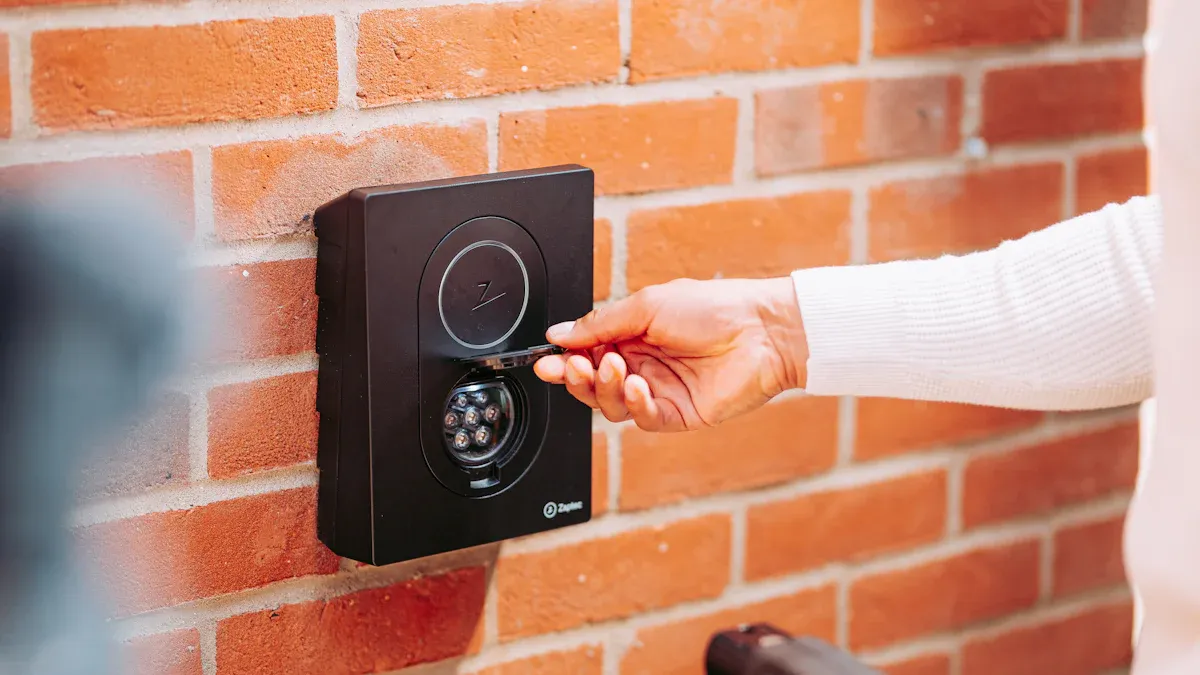
Sie sollten sich bei der Auswahl des richtigen RFID-Lesegeräts für Ihr Unternehmen darauf konzentrieren, die richtige Entscheidung zu treffen. Sie benötigen ein Lesegerät, das präzise arbeitet, eine gute Reichweite hat und zuverlässig funktioniert. Kompatibilität ist wichtig, damit Ihr System reibungslos läuft. RFID wird in immer mehr Branchen eingesetzt. Geschäfte nutzen es zur Bestandsverfolgung und Diebstahlprävention. Krankenhäuser verwenden RFID, um die Patientensicherheit zu gewährleisten und Geräte zu verfolgen. Fabriken nutzen diese Systeme, um ihre Arbeitsabläufe zu optimieren. Überlegen Sie, was Sie heute benötigen und was im nächsten Jahr erforderlich sein könnte. Die Wahl des richtigen RFID-Lesegeräts kann zum Wachstum Ihres Unternehmens beitragen.
Wichtige Erkenntnisse
Bevor Sie sich für ein RFID-Lesegerät entscheiden, sollten Sie herausfinden, welche Anforderungen Ihr Unternehmen hat . Überlegen Sie sich, welche Probleme Sie lösen möchten, z. B. die Bestandsverwaltung oder die Beschleunigung von Arbeitsabläufen.
Erfahren Sie, wie Sie RFID in Ihrem Unternehmen einsetzen können. Dies hilft Ihnen bei der Auswahl eines Lesegeräts mit den passenden Funktionen für Ihre Anforderungen.
Überlegen Sie, wie groß Ihr Unternehmen ist und wie umfangreich Ihr Geschäft ist. Wählen Sie ein Lesegerät, das die Anzahl Ihrer Tags erfassen und die benötigte Reichweite haben kann.
Stellen Sie sicher, dass das Lesegerät mit Ihren bestehenden Systemen und Tags kompatibel ist. Dadurch vermeiden Sie spätere Probleme, wenn Ihr Unternehmen wächst und sich die Technologie weiterentwickelt.
Prüfen Sie, ob das RFID-Lesegerät für Ihren Arbeitsplatz geeignet ist. Achten Sie auf robuste Bauweise und hohe IP-Schutzarten für den Einsatz im Außenbereich oder an anspruchsvollen Orten.
Auswahl des richtigen RFID-Lesegeräts: Wichtige Schritte
Definieren Sie Ihre Geschäftsanforderungen
Überlegen Sie zunächst, was Ihr Unternehmen aktuell benötigt. Fragen Sie sich, welche Probleme Sie mit RFID lösen möchten. Vielleicht möchten Sie Ihren Lagerbestand besser verfolgen oder Arbeitsabläufe beschleunigen. Manche Unternehmen nutzen RFID, um Werkzeuge, Geräte oder Mitarbeiter zu verwalten. Wenn Sie ein Geschäft besitzen, möchten Sie möglicherweise Diebstahl verhindern oder Artikel schneller zählen. In einer Fabrik kann RFID helfen, Rohstoffe zu überwachen oder die Produktqualität zu prüfen. Notieren Sie sich Ihre Ziele, damit Sie sie nicht vergessen. Dies hilft Ihnen, das beste RFID-Lesegerät für Ihr Unternehmen auszuwählen.
Tipp: Erstellen Sie eine Liste Ihrer wichtigsten Bedürfnisse. Dies hilft Ihnen später beim Vergleich verschiedener Lesegeräte.
Identifizieren Sie Anwendungsfälle
Überlegen Sie sich als Nächstes, wie Sie RFID-Lesegeräte einsetzen möchten. Jedes Unternehmen hat andere Anforderungen. Vielleicht möchten Sie Ihren Lagerbestand in Echtzeit einsehen. Oder Sie möchten Ihre Inventur vereinfachen und beschleunigen. Einige Geschäfte nutzen RFID, um jedes einzelne Produkt zu verfolgen. So behalten sie den Überblick über ihren Bestand und können Richtlinien einhalten. In Fabriken können RFID-Tags Rohstoffe überwachen, Daten speichern und Probleme frühzeitig erkennen. Auch Werkzeuge und Maschinen lassen sich mithilfe von RFID verfolgen.
Hier sind einige gängige Anwendungsbeispiele für RFID-Lesegeräte:
Verfolgen Sie Ihren Lagerbestand in Echtzeit, um zu wissen, was Sie haben.
Automatisieren Sie die Inventur, um Zeit zu sparen und Fehler zu vermeiden.
Beobachten Sie die Rohstoffe und Fertigprodukte in der Fabrik.
Intelligente Umkleidekabinen machen das Einkaufen angenehmer.
Halten Sie sich mit Werkzeugen und Geräten auf dem Laufenden, um besser arbeiten zu können.
Wenn Sie Ihre Anwendungsfälle kennen, können Sie die passenden Funktionen eines Lesegeräts auswählen. Dieser Schritt ist wichtig, um das beste RFID-Lesegerät zu finden.
Volumen und Umfang beurteilen
Überlegen Sie, wie viele Artikel Sie erfassen möchten und wie groß Ihr Unternehmen ist. Manche Lesegeräte eignen sich für kleinere Aufgaben, andere hingegen für große Lagerhallen. Wenn Sie Hunderte oder Tausende von Etiketten gleichzeitig scannen müssen, benötigen Sie ein leistungsstarkes Lesegerät. Achten Sie außerdem auf die Reichweite und die Zuverlässigkeit des Lesegeräts.
Hier ist eine Tabelle, die Ihnen hilft, die Funktionsweise von RFID-Lesegeräten zu vergleichen:
Anwendungsart | Lesereichweite | Leserate | Lesegenauigkeit |
|---|---|---|---|
Zugangskontrolle | 3–5 Fuß | N / A | N / A |
Lagerverwaltung | 20–30 Fuß oder mehr | N / A | N / A |
Handheld Reader | N / A | 100–200 Tags/Sek. | 95% + |
Fester Leser am Portal | N / A | Mehr als 500 Tags/Sek. | Nahezu 100 % |
Bestandsverfolgung | N / A | N / A | 95% + |
Arzneimittelverfolgung | N / A | N / A | Nahezu 100 % |
Aktive RFID | Bis zu mehreren hundert Fuß | N / A | N / A |
Wenn Sie viele Tags schnell scannen müssen, sind fest installierte Lesegeräte an Türen eine gute Wahl. Für kleinere Scans eignen sich Handlesegeräte gut. Achten Sie außerdem auf das Frequenzband und den Tag-Typ. Passive Tags haben eine Reichweite von bis zu 30 Metern. Aktive Tags können deutlich größere Entfernungen scannen . Leistungsstärkere Lesegeräte und spezielle Antennen ermöglichen noch größere Reichweiten.
Hinweis: Bei einem Unternehmenswachstum benötigen Sie möglicherweise ein leistungsfähigeres RFID-System. Wählen Sie ein Lesegerät, das mit Ihrem Unternehmen mitwachsen kann.
Mit diesen Schritten finden Sie den passenden RFID-Leser für Ihr Unternehmen. Sie wählen die Funktionen genau nach Ihren aktuellen und zukünftigen Bedürfnissen aus. So behalten Sie Ihren Lagerbestand in Echtzeit im Blick, können Artikel besser verfolgen und Ihre Geschäftsprozesse optimieren.
Typen von RFID-Lesegeräten
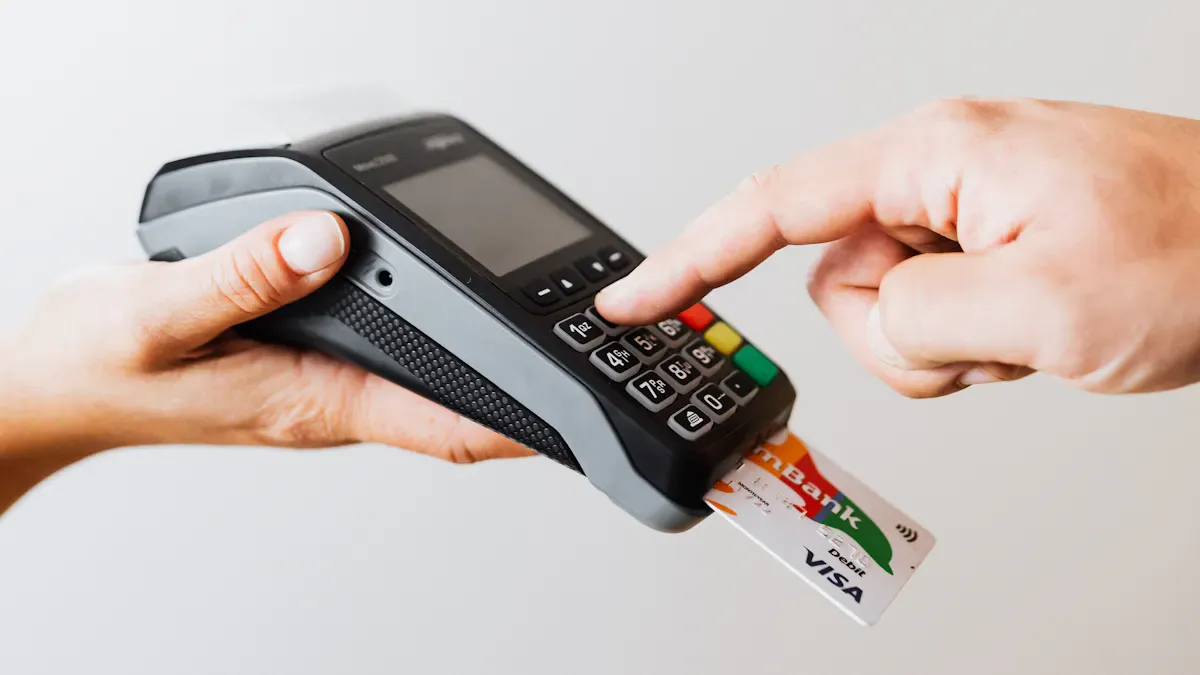
Wenn Sie sich auf die Suche nach dem besten RFID-Lesegerät machen , werden Sie auf viele verschiedene Typen stoßen. Jeder eignet sich für einen anderen Anwendungsbereich. Sie möchten das richtige Gerät für Ihr Unternehmen auswählen. Schauen wir uns die wichtigsten Optionen genauer an.
Stationäre vs. mobile Lesegeräte
Fest installierte Lesegeräte bleiben an einem Ort. Sie werden an Türen, Toren oder Arbeitsplätzen montiert und scannen jedes vorbeigehende Tag. Diese Lösung eignet sich ideal für stark frequentierte Lagerhallen oder Fabriken. Sie ermöglicht eine schnelle und automatische Nachverfolgung. Ein eigenständiges RFID-Lesegerät kann als fest installiertes Lesegerät verwendet werden, wenn eine einfache Einrichtung erforderlich ist. Sie benötigen kein großes Netzwerk oder zusätzliche Software.
Mobile Lesegeräte sind überall einsetzbar. Sie können sie in Ihrem Geschäft, Krankenhaus oder Lager mitnehmen. Das tragbare RFID-Lesegerät von Zebra ist dafür eine beliebte Wahl. Sie können Artikel direkt vor Ort scannen. Das bietet Ihnen mehr Kontrolle und Flexibilität. Auch ein eigenständiges RFID-Lesegerät eignet sich für mobile Einsätze. Es ist ideal für schnelle Kontrollen oder beengte Räume.
Handheld- und Portaloptionen
In dieser Gruppe gibt es zwei Haupttypen: Handheld-Lesegeräte und stationäre Lesegeräte. Handheld-Lesegeräte, wie das Zebra RFID-Handlesegerät, bieten Ihnen Flexibilität. Sie können Artikel überall scannen. Sie eignen sich für Inventurprüfungen, Audits oder die Suche nach verlorenen Gegenständen. Das Zebra RFID-Handlesegerät ist einfach zu bedienen und einzurichten. Sie benötigen keine umfangreiche Schulung.
Portallesegeräte sind an festen Standorten wie Türen oder Laderampen installiert. Sie scannen alles, was den Bereich passiert. Dadurch profitieren Sie von einer überragenden Leseleistung in stark frequentierten Bereichen. Portallesegeräte helfen Ihnen, verpasste Scans zu vermeiden und stellen sicher, dass jeder Artikel erfasst wird. Die wichtigsten Unterschiede sind in der folgenden Tabelle dargestellt:
Typ | Vorteile | Einschränkungen |
|---|---|---|
Portalleser | Reduziert Fehler, automatisiert die Nachverfolgung und gewährleistet die Einhaltung von Vorschriften. | Hohe Kosten, fester Standort, wartungsbedürftig |
Mobile Lesegeräte | Flexibel, mobil, einfach einzusetzen, kostengünstiger | Arbeitsaufwand erforderlich, menschliches Versagen möglich, Probleme mit der Akkulaufzeit |
Sie sollten Ihren Arbeitsablauf überdenken. Wenn Sie viele Artikel schnell scannen müssen, eignet sich ein Portallesegerät oder ein stationäres, eigenständiges RFID-Lesegerät am besten. Wenn Sie flexibel vorgehen und unterwegs scannen möchten, wählen Sie ein mobiles RFID-Lesegerät von Zebra. Beide Typen helfen Ihnen, das Potenzial Ihres RFID-Systems optimal auszuschöpfen.
Tipp: Testen Sie beide Varianten vor dem Kauf in einem kleinen Rahmen. So finden Sie heraus, welche am besten zu Ihrem Team und Ihren Räumlichkeiten passt.
Frequenz und Bereich
LF, HF, UHF erklärt
Sie fragen sich vielleicht, warum manche RFID-Lesegeräte an bestimmten Orten besser funktionieren. Die Antwort liegt oft in der Frequenz. Es gibt drei Haupttypen: LF (Niederfrequenz), HF (Hochfrequenz) und UHF (Ultrahochfrequenz). Jeder hat seine eigenen Stärken.
LF-RFID arbeitet mit 125–134 kHz. Man findet diesen Typ bei Tierortungsgeräten oder Zugangskarten. Er liest Tags aus nächster Nähe.
HF-RFID nutzt die Frequenz 13.56 MHz. Diese findet sich beispielsweise in Bibliotheksbüchern, Chipkarten und einigen Zahlungssystemen. Sie ermöglicht eine etwas größere Reichweite.
UHF-RFID arbeitet im Frequenzbereich von 860–960 MHz. Dies ist die beste Wahl für die Verfolgung vieler Artikel in einem Lager oder Geschäft. Es deckt einen deutlich größeren Bereich ab.
Hier ein kurzer Vergleich :
RFID-Typ | Frequenz | Durchschnittlicher Messwertbereich |
|---|---|---|
LF (Niederfrequenz) | 125-134 kHz | Bis zu 10 cm |
HF (Hochfrequenz) | 13.56 MHz | Bis zu 1 Meter |
UHF (Ultrahochfrequenz) | 860-960 MHz | Mehrere Meter (bis zu 10 Meter unter optimalen Bedingungen) |
Lesereichweite und Genauigkeit
Sie möchten, dass Ihr RFID-Lesegerät Tags schnell und aus der richtigen Entfernung erfasst. Die Lesereichweite gibt an, aus welcher Entfernung das Lesegerät einen Tag erkennen kann. Genauigkeit bedeutet, dass das Lesegerät stets die korrekten Daten liefert.
Lassen Sie uns die Zahlen aufschlüsseln:
Tag-Typ | Frequenz | Typische Lesereichweite | Max meldete |
|---|---|---|---|
LF (Niederfrequenz) | 125-134 kHz | Bis zu 10 cm | 1 1.5-m |
HF (Hochfrequenz) | 13.56 MHz | Bis zu 30 cm | 0.5 1-m |
UHF-Passiv | 860-960 MHz | 1 10-m | 15 20-m |
Aktiv (Batterie) | 2.4 GHz | 100 m | 300+ Fuß (90+ m) |
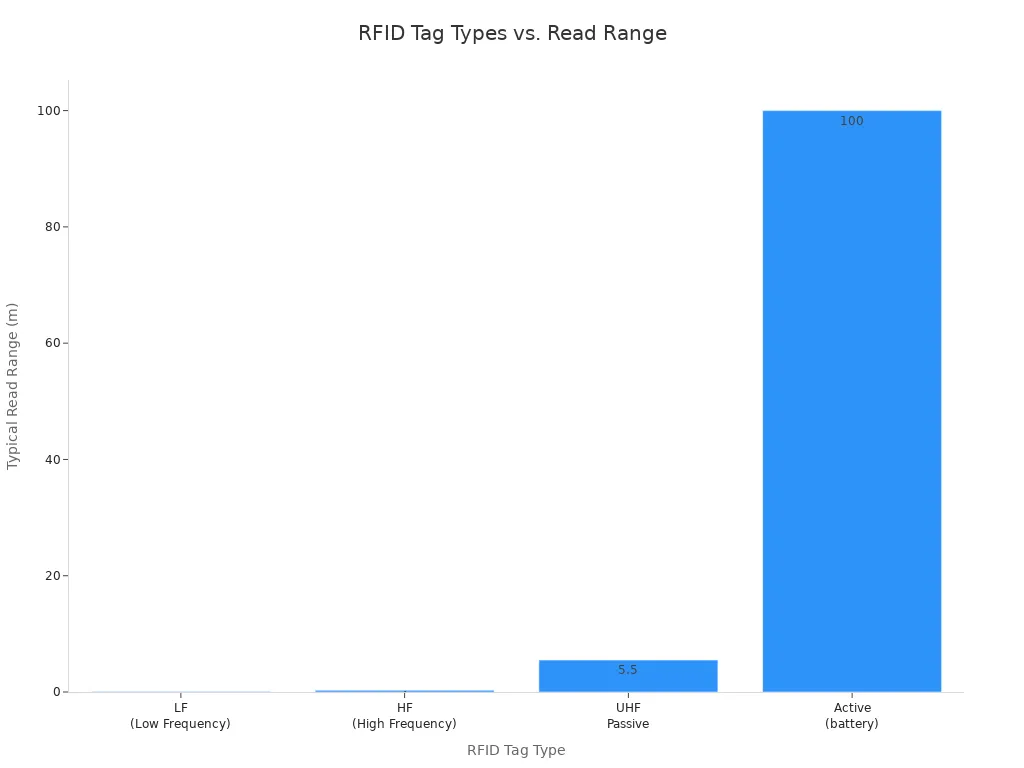
Für RFID-Lesungen über größere Entfernungen sind UHF- oder aktive Tags die beste Wahl. Sie eignen sich hervorragend zur Verfolgung von Paletten, Fahrzeugen oder großen Artikelgruppen. Für das Scannen von RFID-Daten über größere Entfernungen sollten Sie ein Lesegerät wählen, das zu Ihren räumlichen Gegebenheiten und dem Tag-Typ passt. LF- und HF-Tags sind optimal für Anwendungen im Nahbereich, wie z. B. die Kontrolle von Bibliotheksbüchern oder die Türsteuerung.
Tipp: Testen Sie Ihren RFID-Leser immer in Ihrer realen Umgebung. Wände, Metall und Wasser können die Funktionsfähigkeit beeinträchtigen.
Sie können den passenden RFID-Leser auswählen, indem Sie überlegen, was Sie erfassen möchten und wie weit Sie scannen wollen. So erzielen Sie optimale Ergebnisse für Ihr Unternehmen.
Kompatibilität und Integration
Tag- und Systemkompatibilität
Bei der Auswahl eines RFID-Lesegeräts ist es wichtig, dass es mit Ihren Tags und Ihren bestehenden Systemen kompatibel ist. Nicht alle RFID-Tags verwenden dieselbe Frequenz oder dasselbe Format. Manche Lesegeräte funktionieren nur mit bestimmten Tags. Prüfen Sie daher, ob Ihr Lesegerät die von Ihnen aktuell verwendeten Tag-Typen sowie zukünftige unterstützt. So vermeiden Sie Probleme, wenn Ihr Unternehmen wächst.
Sie müssen auch bedenken, wie sich Ihr RFID-Lesegerät in Ihre bestehenden Systeme integrieren lässt. Viele Unternehmen stoßen auf Schwierigkeiten, wenn sie neue RFID-Lesegeräte mit älterer Software verbinden wollen. Hier ein kurzer Überblick über die Herausforderungen einiger großer Unternehmen :
Firma | Herausforderungsbeschreibung |
|---|---|
Nike | Um RFID mit ihrem Lieferkettensystem zu verbinden, waren umfangreiche Anpassungen und Tests erforderlich. |
Walmart | Wir mussten mit Technologiepartnern zusammenarbeiten und in neue Software für Echtzeit-RFID-Daten investieren. |
Marks & Spencer | Sie haben ihre IT-Systeme aktualisiert und mit externen Anbietern zusammengearbeitet, um RFID-Daten zu verarbeiten. |
Mit vorausschauender Planung lassen sich diese Probleme vermeiden. Stellen Sie sicher, dass Ihr Lesegerät zu Ihren Tags passt und mit Ihren anderen Geschäftsanwendungen kompatibel ist.
Software- und Hardwareintegration
Sie möchten, dass Ihr RFID-Lesegerät reibungslos mit Ihrer Software und Hardware zusammenarbeitet. Das bedeutet, dass es sich problemlos mit Ihren Computern, Anwendungen und Netzwerken verbinden sollte. Manche Lesegeräte benötigen spezielle Treiber oder Updates. Andere funktionieren sofort nach dem Auspacken. Prüfen Sie daher vor dem Kauf immer, welche Anforderungen Ihr Lesegerät hat.
Damit Ihr RFID-System mit Ihrem Unternehmen mitwachsen kann, sollten Sie folgende Tipps beachten:
Legen Sie fest, wie Sie Ihr Lesegerät einsetzen werden und welche Sicherheitsanforderungen Sie haben.
Prüfen Sie, ob Ihr Lesegerät mit Ihren aktuellen Systemen kompatibel ist.
Wählen Sie einen Reader, der viele Tag-Typen und -Formate unterstützt.
Wählen Sie einen Reader, der zukünftig mehr Tags und neue Standards verarbeiten kann.
Tipp: Wenn Sie Ihre RFID-Konfiguration zukunftssicher gestalten möchten, wählen Sie ein Lesegerät, das neue Software-Updates und eine höhere Benutzerzahl im Zuge des Unternehmenswachstums bewältigen kann.
Wenn Sie auf Kompatibilität und Integration setzen, schaffen Sie die besten Voraussetzungen für den Erfolg Ihres RFID-Systems. Sie sparen Zeit, vermeiden kostspielige Änderungen und machen Ihr Unternehmen fit für die Zukunft.
Haltbarkeit und Umwelt

Robustheit und IP-Schutzarten
Bei der Auswahl eines RFID-Lesegeräts ist Langlebigkeit entscheidend. Es sollte robust sein und Stöße, Stürze und extreme Belastungen aushalten. Robuste Lesegeräte eignen sich ideal für Fabriken, Lagerhallen und Außenbereiche. Sie verfügen in der Regel über stabile Gehäuse und abgedichtete Bauteile. Achten Sie vor dem Kauf auf die IP-Schutzart. Diese gibt an, wie gut ein Lesegerät vor Staub und Wasser geschützt ist. Beispielsweise bedeutet IP65, dass das Lesegerät staub- und spritzwassergeschützt ist. IP67 bedeutet, dass es ein Eintauchen in Wasser übersteht.
Industriestandards helfen Ihnen bei der Auswahl eines geeigneten RFID-Lesegeräts. Achten Sie auf die ARC-Zertifizierung , die die Einsatzfähigkeit des Lesegeräts an verschiedenen Standorten bestätigt. Die Einhaltung von FCC Part 15 gewährleistet, dass das Lesegerät keine Funkstörungen verursacht. Zudem sollten Sie Lesegeräte aus robusten Materialien wählen. Diese Lesegeräte sind hitze-, kälte- und stoßfest.
Hier ein kurzer Überblick über zukünftige Trends bei der Haltbarkeit und Leistung von RFID-Lesegeräten:
Trend | Beschreibung |
|---|---|
Multiband-Kompatibilität | Die Leser werden mehr Frequenzen unterstützen, was sie flexibel und kostengünstig macht. |
Hohe Leistung und geringer Stromverbrauch | Die neuen Lesegeräte scannen schneller, verbrauchen weniger Energie und halten auch unter schwierigen Bedingungen länger. |
Miniaturisierung und Integration | Kleinere Lesegeräte passen auch in beengte Räume und lassen sich für bessere Ergebnisse mit anderen technischen Geräten kombinieren. |
Tipp: Prüfen Sie vor dem Kauf eines Lesegeräts immer die IP-Schutzart und die Zertifizierungen. So vermeiden Sie teure Reparaturen.
Innen- vs. Außeneinsatz
Überlegen Sie sich, wo Sie Ihr RFID-Lesegerät einsetzen werden. Innenräume sind in der Regel sicher, jedoch können Metallgestelle und andere Geräte Probleme verursachen. Außenbereiche stellen größere Herausforderungen dar. Ihr Lesegerät muss Regen, Sonne, Wind und starken Temperaturschwankungen standhalten. Sie benötigen wetterfeste Lesegeräte mit hohen IP-Schutzarten wie IP65 oder IP67.
Hier sind einige Dinge, auf die Sie achten sollten:
Extreme Temperaturen können zum Ausfall von Lesegeräten führen. Wählen Sie Lesegeräte mit einem breiten Temperaturbereich.
Staub, Erschütterungen und Chemikalien können Lesegeräte beschädigen. Robuste Lesegeräte mit versiegelten Gehäusen sind am besten geeignet.
Feuchtigkeit und UV-Strahlung können Outdoor-Lesegeräte beschädigen. Wählen Sie daher Lesegeräte, die für diese Bedingungen geeignet sind.
Wenn Sie Ihren RFID-Leser im Freien verwenden möchten, achten Sie darauf, dass er wetterfest ist. Sie benötigen ein Lesegerät, das unter allen Bedingungen zuverlässig funktioniert.
Kosten und ROI
Vorab- und laufende Kosten
Sie möchten wissen, wie viel ein RFID-Lesegerät Ihr Unternehmen kosten wird. Die Preise können stark variieren, aber diese Tabelle gibt Ihnen einen schnellen Überblick:
Kostentyp | Kostenbereich |
|---|---|
Vorlaufkosten | |
1,000 bis 50,000 US-Dollar für 10 Leser | |
Instandhaltungskosten | |
(etwa 500 bis 1,000 US-Dollar) | |
Laufende Betriebskosten | 1,000 USD - 3,000 USD pro Jahr |
Beim Kauf Ihres RFID-Lesegeräts fällt eine einmalige Gebühr an. Diese deckt das Gerät und die Einrichtung ab. Benötigen Sie mehrere Lesegeräte, erhöht sich der Preis. Nach der Inbetriebnahme entstehen laufende Kosten für Software, Updates und Support. Die meisten Unternehmen geben jährlich etwa 15–25 % der Anschaffungskosten für den Betrieb aus. Bei einem kleinen System entspricht dies 500 bis 1,000 US-Dollar pro Jahr. Größere Systeme können jährlich 1,000 bis 3,000 US-Dollar kosten.
Tipp: Achten Sie immer auf die Gesamtkosten, nicht nur auf den Preis. Überlegen Sie, wie viel Sie im Laufe der Zeit ausgeben werden.
Wartung und Support
Sie möchten, dass Ihr RFID-System jederzeit einwandfrei funktioniert. Guter Support und regelmäßige Wartung helfen Ihnen, Probleme zu vermeiden. Die meisten Anbieter gewähren im ersten Jahr eine kostenlose Garantie. Für zusätzliche Sicherheit können Sie die Garantie verlängern. Im Falle eines Defekts erhalten Sie schnell Hilfe. Viele Unternehmen garantieren eine Antwort auf Ihre Supportanfrage innerhalb einer Stunde. Benötigt Ihr System einen Austausch, kann innerhalb von 24 Stunden ein Techniker zu Ihnen kommen.
Das können Sie von Top-Anbietern erwarten:
Service Level | Details |
|---|---|
Garantie | Kostenlos für 12 Monate, Verlängerungsjahre verfügbar |
Reaktionszeit | |
Konfliktlösung | Zunächst Fernwartung; bei Bedarf ist innerhalb von 24 Stunden ein Techniker vor Ort. |
Kundenzufriedenheit | 99.5 % Verfügbarkeit; Umfragen nach jedem Supportanruf |
Achten Sie bei der Auswahl eines RFID-Lesegeräts auf den angebotenen Support. Schnelle Hilfe minimiert Ausfallzeiten für Ihr Unternehmen. Ihre Investition soll sich schließlich auszahlen, indem sie Ihre Arbeit erleichtert und nicht erschwert.
Hinweis: Ein gutes RFID-System kann Ihr Unternehmen ankurbeln, indem es die Bestandsgenauigkeit verbessert, die Arbeitskosten senkt und Ihr Team effizienter macht.
Benutzerfreundlichkeit und Schulung
Benutzerfreundlich
Sie wünschen sich ein RFID-System, das vom ersten Tag an intuitiv bedienbar ist . Ein gutes Lesegerät sollte weder Ihre Arbeit verlangsamen noch Ihr Team verwirren. Achten Sie auf ein Gerät mit einem einfachen Display und übersichtlichen Tasten. Viele RFID-Lesegeräte verfügen heutzutage über Touchscreens oder gut lesbare Displays. Die Einrichtung dieser Geräte ist oft in wenigen Schritten erledigt. Einige Lesegeräte signalisieren sogar durch Licht- oder Tonsignale, wenn ein Tag gescannt wird. Dieses Feedback zeigt Ihnen sofort an, dass das RFID-System funktioniert.
Hier sind ein paar Punkte, die Sie für eine einfache Nutzung überprüfen sollten:
Klare Anweisungen auf dem Lesegerät
Einfache Menüs und schnelle Einrichtung
Feedback wie Pieptöne oder Lichter nach jedem Scan
Tipp: Testen Sie ein Demogerät, bevor Sie es kaufen. So können Sie feststellen, ob der RFID-Leser zu Ihrem Arbeitsablauf passt.
Schulungsbedarf für Mitarbeiter
Sie möchten nicht wochenlang Ihrem Team die Bedienung eines neuen RFID-Lesegeräts beibringen. Die meisten modernen RFID-Lesegeräte benötigen nur eine kurze Schulung . Sie können Ihren Mitarbeitern zeigen, wie man Tags scannt, Ergebnisse überprüft und einfache Probleme behebt. Einige Unternehmen bieten Online-Videos oder Schnellstartanleitungen an. Diese Hilfsmittel unterstützen Ihr Team beim schnellen Lernen.
Hier ist eine einfache Tabelle, die Ihnen bei der Trainingsplanung hilft:
Trainingstyp | Benötigte Zeit | Wer sollte teilnehmen |
|---|---|---|
Grundlegende Bedienung | 30 Мinuten | Alle Mitarbeiter verwenden Lesegeräte |
Problemlösung | 15 Мinuten | Supervisors |
Software-Synchronisierung | 20 Мinuten | IT- oder Manager |
Sie können bei Bedarf auch zusätzliche Unterstützung von Ihrem Anbieter anfordern. Guter Support sorgt für einen reibungslosen Betrieb Ihres RFID-Systems. Wenn Ihr Team sich sicher fühlt, erzielen Sie täglich bessere Ergebnisse mit Ihrem RFID-Lesegerät.
Sie wissen nun, wie Sie den passenden RFID-Leser für Ihr Unternehmen auswählen. Vergleichen Sie Ihre Anforderungen mit den Funktionen, denken Sie an zukünftiges Wachstum und stellen Sie sicher, dass alles zusammenpasst. Wenn Sie Ihr System testen möchten, befolgen Sie diese Schritte:
Wählen Sie einen Softwaremanager.
Richten Sie Ihre IT ein.
Schulen Sie Ihre Mitarbeiter.
Lageretikettierung prüfen.
Wähle die besten Schlagwörter aus.
Bereiten Sie Ihre Hardware vor.
Beobachten Sie, wie das System funktioniert.
Bereit für den Start? Machen Sie den ersten Schritt und finden Sie den RFID-Leser, der zu Ihren Zielen passt!
FAQ
Worin besteht der Unterschied zwischen aktiven und passiven RFID-Tags?
Aktive Tags verfügen über Batterien und senden selbstständig Signale. Passive Tags werden vom Lesegerät mit Strom versorgt. Aktive Tags eignen sich für die Ortung über größere Entfernungen. Passive Tags sind ideal für den Nahbereich.
Wie finde ich die richtige RFID-Frequenz heraus?
Wählen Sie die Frequenz je nach Bedarf. LF eignet sich für Nahaufnahmen. HF ist gut für mittlere Entfernungen. UHF deckt große Bereiche ab. Prüfen Sie Ihre Umgebung und was Sie verfolgen möchten.
Kann ich RFID-Lesegeräte im Freien verwenden?
Ja, RFID-Lesegeräte können im Außenbereich verwendet werden. Achten Sie auf Lesegeräte mit hoher Schutzart (z. B. IP65 oder IP67). Diese Lesegeräte sind regen-, staub- und sonnenlichtbeständig. Überprüfen Sie vor dem Kauf unbedingt die technischen Daten.
Wie viele Tags kann ein RFID-Lesegerät gleichzeitig scannen?
Manche Lesegeräte scannen Hunderte von Tags pro Sekunde. Fest installierte Lesegeräte an Portalen scannen die meisten Tags. Handgeräte scannen weniger Tags. Die Lesegeschwindigkeit finden Sie in den technischen Daten Ihres Lesegeräts.
Benötige ich eine spezielle Schulung für die Bedienung eines RFID-Lesegeräts?
Die meisten RFID-Lesegeräte sind einfach zu bedienen. Die grundlegende Bedienung lässt sich in 30 Minuten erlernen. Hersteller bieten oft Schnellstartanleitungen oder Videos an. Fragen Sie nach einer Vorführung, wenn Sie zusätzliche Unterstützung benötigen.