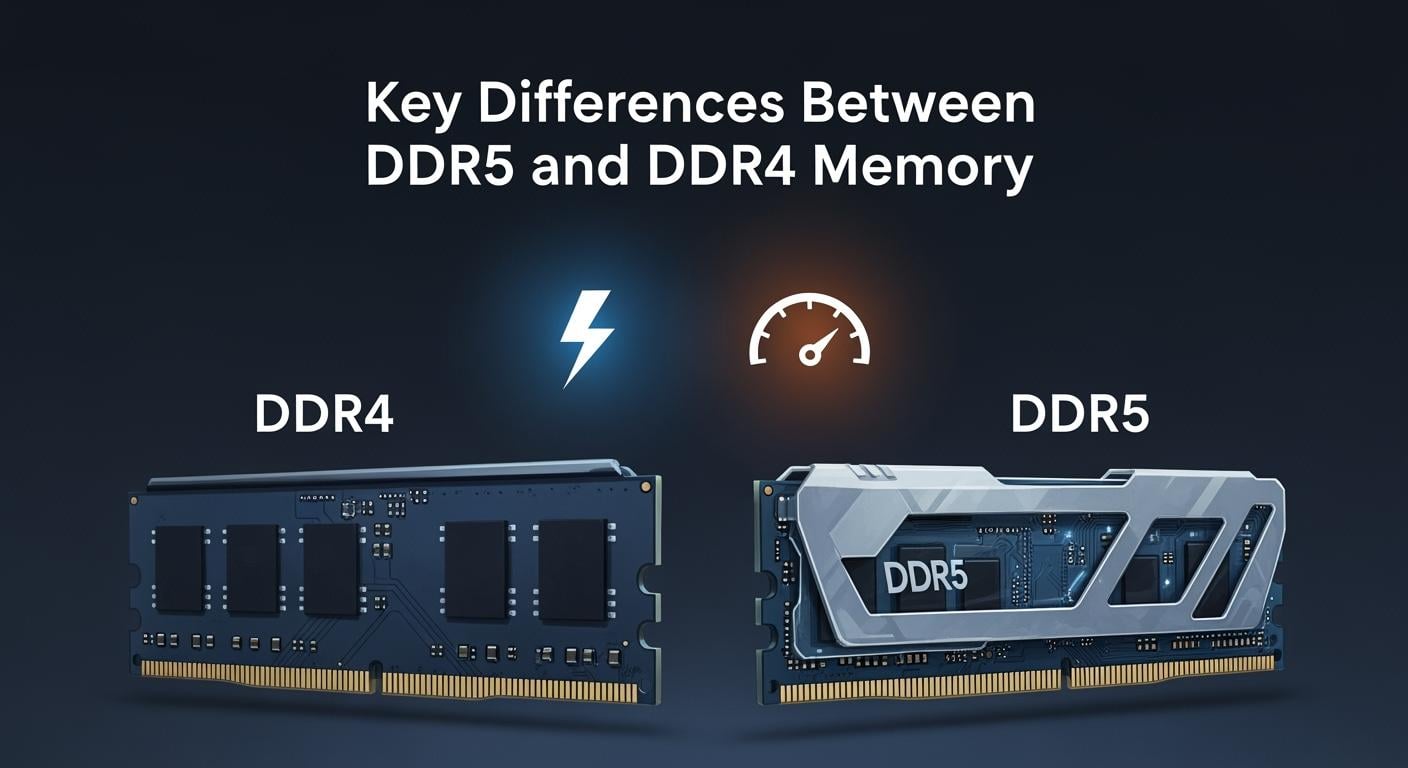
When you pick RAM for your computer, it affects how fast and smooth your computer works. DDR5 is the latest DDR memory type. It gives faster data transfer and uses less power than DDR4. You will see big changes in how your computer works, especially if you play games or watch videos. The table below shows how DDR4 and DDR5 are different in speed, voltage, and best uses.
Feature | DDR4 | DDR5 |
|---|---|---|
Data Transfer Speed | 2133 – 3200 MT/s | 4800 – 8400 MT/s |
Voltage | 1.2 volts | 1.1 volts |
Memory Bandwidth | Standard | Higher due to larger bus |
ECC Support | No | Yes |
Power Efficiency | Moderate | Improved |
Ideal Use Cases | General computing | Gaming, multimedia, servers |
You can see how upgrading memory helps with everyday computer tasks.
Key Takeaways
DDR5 memory moves data much faster than DDR4. DDR5 can go from 4800 to 8400 MT/s. DDR4 only goes from 2133 to 3200 MT/s.
If you upgrade to DDR5, you can do more things at once. You can open more apps without your computer getting slow.
DDR5 uses less power because it works at 1.1V. This helps save energy and keeps computers cooler. It is good for laptops and desktops.
DDR5 has error correction built in. This makes your data safer and more reliable. It is better for important jobs and programs.
DDR5 helps gamers and creators work faster. You will see better performance with DDR5. It is a good choice for hard tasks.
What Is RAM?
RAM in Everyday Use
You use memory when you open apps or go online. RAM means Random Access Memory. It works like your computer’s short-term memory. When you start an app, your computer puts important data in RAM. This lets the processor get it fast. Your computer can work quicker and answer you right away.
RAM holds data and instructions the CPU needs for a short time.
It lets your computer get important data fast, making things run better.
Having more memory helps you do many things at once.
If you listen to music, download files, and surf the web together, you need enough memory. Web browsers like Chrome use a lot of memory. Each tab runs by itself to keep things safe. With more RAM, you can open more tabs and switch tasks without slowing down your computer.
Why Memory Matters
Memory is important for how your computer does daily jobs. If your computer does not have enough RAM, it uses slower storage instead. This can make your computer slow, especially when you play games or use big apps.
More RAM lets you run many apps at once without slowing down.
Not enough memory makes your computer use slow storage, which hurts performance.
Faster memory helps your computer answer quickly, especially in games and creative apps.
Tip: Adding more memory is an easy way to make your computer faster for daily use and gaming.
Key Differences in Architecture
DDR5 vs DDR4 Channels
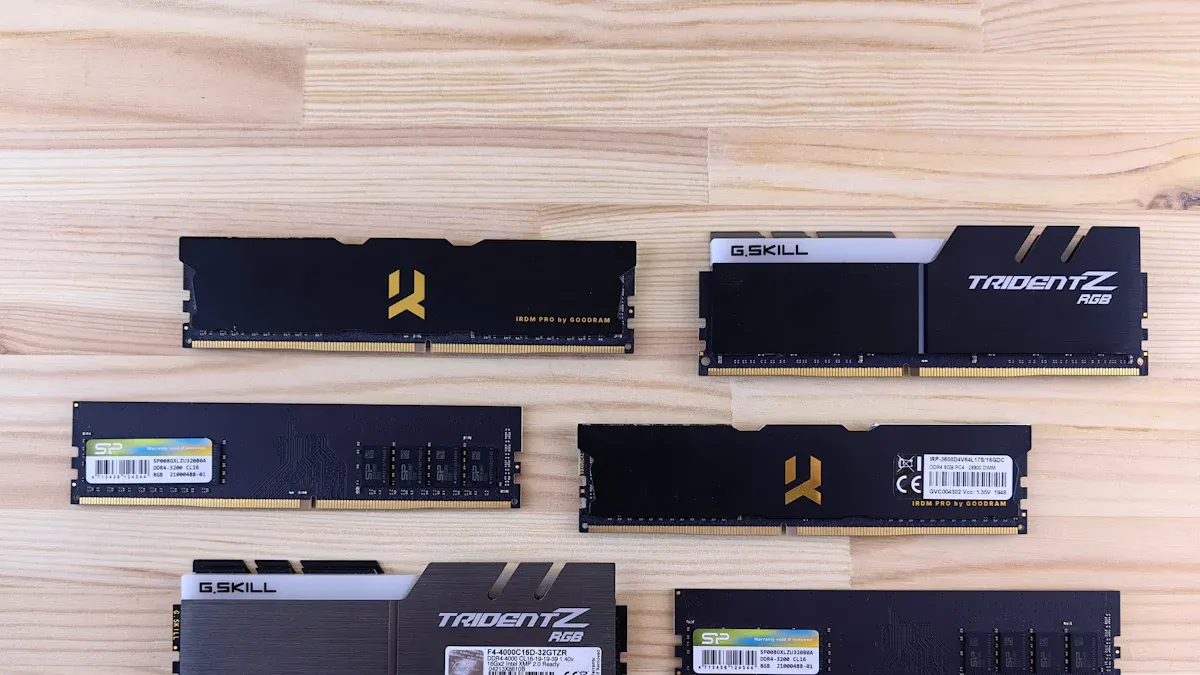
DDR5 and DDR4 move data in different ways. DDR4 uses one 64-bit channel for each stick. DDR5 splits this into two 32-bit channels. This helps your computer send and get data faster. You can do more things at once and your computer answers quicker. This is great when you open lots of programs.
Here is a table that shows how the channels work and what changes:
DDR4 | DDR5 | |
|---|---|---|
Single 64-bit | Dual 32-bit per module | |
Data Throughput Efficiency | Lower | Higher |
Effective Bandwidth | Limited | Enhanced |
DDR5 gives you more bandwidth. This means games, videos, and big files run with less waiting. DDR5 also lets you use more memory in each stick. If you open many tabs or use heavy apps, DDR5 works better than DDR4.
Power Management in DDR5 RAM
DDR5 handles power in a new way. DDR4 lets the motherboard control the voltage. DDR5 puts this job on the memory stick. Each DDR5 stick has its own chip to manage power. This chip helps control how much power the memory uses.
DDR5 uses less voltage than DDR4, going from 1.2V to 1.1V.
The chip helps the memory change power use for different jobs.
Your computer stays cooler and uses less energy, which helps laptops and desktops.
Feature | Impact on System Stability and Efficiency |
|---|---|
Voltage Regulation | Moves from motherboard to memory module for better control |
Power Management IC | Fine-tunes voltage, reducing power use |
Energy Efficiency | Improves energy savings compared to older generations |
DDR5 makes your computer more stable. The memory can change power use quickly. Your computer stays fast and does not waste energy. DDR5 is a good pick if you want a system that saves power and works well.
Error Correction Features
DDR5 is better at fixing memory errors. DDR4 only fixes errors if you use special ECC sticks. Most home computers do not use these. DDR5 has error correction built into every stick. This is called on-die ECC.
Feature | DDR5 On-Die ECC | DDR4 |
|---|---|---|
Protects against single-bit errors | No on-die error correction | |
Memory Cell Density | Handles more data with less risk | Less focus on cell density |
Reliability | Better data integrity and reliability | Lower reliability without ECC |
DDR5 gives you safer memory. The on-die ECC finds small errors and fixes them fast. This matters because DDR5 holds more data and uses smaller cells. You can trust DDR5 to keep your files safe and your programs working.
Note: DDR5’s new ways of moving data, handling power, and fixing errors make it much better than DDR4. You get faster, safer, and smarter memory for everything you do.
DDR5 RAM Speed and Bandwidth
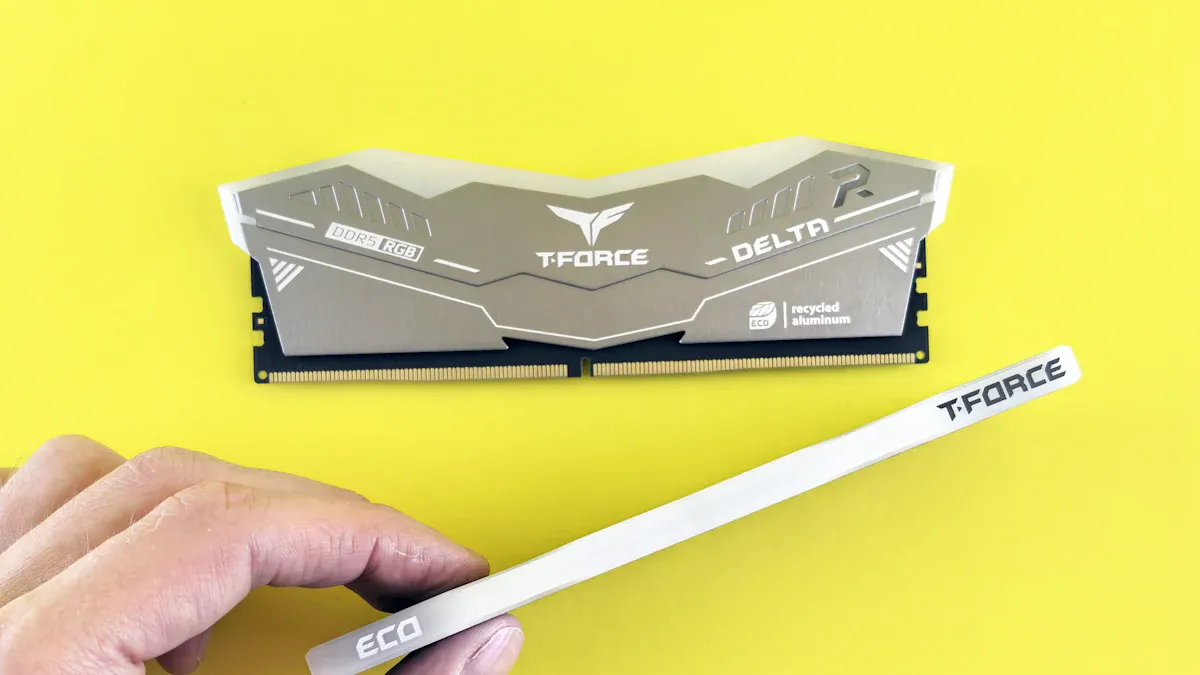
Data Transfer Rates
You might wonder how much faster ddr5 ram is compared to ddr4. The answer comes down to effective speeds and how quickly your computer can move data. DDR4 usually runs between 2133 MT/s and 3200 MT/s. DDR5 starts at 4800 MT/s and can reach up to 8400 MT/s in some cases. This jump in speed means your computer can handle more tasks at once and load large files faster.
Here is a table that shows the maximum data transfer rates for both types of memory:
RAM Type | Maximum Data Transfer Rate (GT/s) | Bandwidth (GB/s) |
|---|---|---|
DDR5 | 4.0–8.8 | 32.0–70.4 |
DDR4 | 12.8–25.6 | N/A |
You can see that ddr5 offers much higher effective speeds and bandwidth than ddr4. This makes a big difference when you use your computer for heavy tasks.
Bandwidth Advantages
When you use ddr5 ram, you get more bandwidth for your system. Bandwidth is the amount of data your memory can move at one time. Higher bandwidth helps your computer run smoother, especially with big programs or games.
Increased bandwidth in ddr5 can boost performance in data-heavy tasks like video editing and gaming.
You may notice a 5-10% improvement in performance for some applications.
Video editing programs such as Premiere Pro benefit more from higher memory speeds.
Some apps, like DaVinci Resolve, show little change, but others, like After Effects, can see a 7% increase.
On AMD systems, moving from 4400 Mbps to 6400 Mbps can give you up to 10% better results. Intel systems see about a 7% gain.
You will find that ddr5 memory handles large files and multitasking better than ddr4. The higher effective speeds and bandwidth mean your computer can keep up with your needs. If you work with big projects or play modern games, ddr5 ram gives you a clear edge over older ddr4 memory.
Tip: If you want the best performance and future-proofing, choosing ddr5 ram with higher bandwidth is a smart move.
DDR5 and DDR4 Latency
CAS Latency Explained
When you compare ddr4 and ddr5, you will see something called CAS latency. CAS latency is how long it takes for memory to answer when your computer asks for data. If the latency is lower, your computer gets data faster. Latency is like a tiny wait before your memory starts working.
Here is a table that shows the usual CAS latency for each type:
Memory Type | Typical CAS Latency Values |
|---|---|
DDR4 | 14 to 22 |
DDR5 | 36 to 40 |
You can see ddr4 has lower latency than ddr5. This means ddr4 can answer a little faster. Even though ddr5 is quicker in speed, its latency is higher. Both speed and latency are important for good performance.
Real-World Impact
Latency changes how your computer feels when you use it. If you play games or use programs that need fast answers, latency is very important. Here is how latency affects you:
Latency matters a lot for gaming and real-time tasks because they need fast data.
Even small waits in latency can make games less smooth and lower frame rates.
Gamers often get better results with lower latency memory, not just faster speeds.
If you use ddr4, games and apps may feel quick because of the lower latency. With ddr5, you get faster speeds, but the latency is higher, so some games might not feel as fast. For most daily things, you may not notice much change. But if you care about every frame in a game, latency can really matter. Always look at both speed and latency when picking between ddr4 and ddr5.
Capacity and Scalability
Module Sizes
When you look at RAM, you should check how much memory each stick can hold. This is called the module size. DDR5 memory gives you much bigger module sizes than DDR4. You can find DDR4 sticks up to 32GB. DDR5 doubles that, letting you use 64GB on a single stick. In the future, DDR5 could even reach 128GB per module. This means you can build a computer with much more memory than before.
RAM Type | Maximum Module Size |
|---|---|
DDR4 | 32GB |
DDR5 | 64GB |
DDR5 (Future) | 128GB |
If you want to upgrade your computer, DDR5 gives you more room to grow. You can add more memory without filling every slot on your motherboard. This helps if you use programs that need a lot of memory or if you want your computer to last longer before the next upgrade.
Multitasking Benefits
A bigger RAM capacity helps your computer do more things at once. DDR5 supports much higher capacities, which is great for multitasking. You can open more apps, work with bigger files, or run several programs at the same time. If you use your computer for video editing, gaming, or running virtual machines, you will see a big difference.
You can host more virtual machines without slowing down.
Your computer can handle larger databases and files.
You can play games, stream, and chat all at once with less lag.
When you have more capacity, your computer does not need to use slow storage as backup memory. This keeps your system fast and smooth. If you want to future-proof your setup, choosing DDR5 with higher capacity gives you the best chance to keep up with new software and bigger tasks.
Tip: More capacity means more freedom to multitask and handle heavy workloads without worry.
Power Efficiency
Voltage Differences
When you look at DDR4 and DDR5 memory, you will notice a key difference in voltage. DDR5 uses less voltage than DDR4. This change helps your computer use less power and stay cooler. Here is a simple table to show the voltage for each memory type:
Memory Type | Voltage |
|---|---|
DDR4 | 1.2V |
DDR5 | 1.1V |
DDR5 operates at 1.1 volts. DDR4 runs at 1.2 volts. This small drop in voltage may not seem like much, but it makes a big difference when you use your computer for long hours or run many programs. Lower voltage means your system can save energy and produce less heat. You will notice that your laptop or desktop stays cooler, especially during heavy use.
Energy Savings
You get better power efficiency with DDR5 memory. The lower voltage helps your computer use less electricity. This is important if you want to save on your energy bill or if you care about the environment. Here are some key points about energy savings:
DDR5 uses 1.1V, which is lower than DDR4’s 1.2V.
You will see the biggest benefits in places like data centers, where many computers run all day and night.
If you use a desktop at home, you might not see a huge drop in your power bill. However, every bit of energy saved adds up over time. In large server farms, using DDR5 can save a lot of electricity and reduce costs.
You should also think about the environment. Making DDR5 memory creates about 3 kg of CO2 for every 1 GB produced. If people throw away DDR4 too soon, it could lead to more e-waste and extra pollution. Repurposing DDR4 can help avoid up to 66 billion kilograms of CO2 emissions. Choosing the right time to upgrade helps you save energy and protect the planet.
Tip: DDR5 gives you better power efficiency and helps lower your carbon footprint. Upgrade when you need more speed or capacity, but try to reuse your old memory if possible.
Compatibility and Upgrading
Motherboard and CPU Support
You cannot put DDR5 memory in just any computer. DDR5 only works with certain motherboards and CPUs. Before you upgrade, you have to check if your system can use DDR5. Intel and AMD made new chipsets that support DDR5. Some popular Intel chipsets for DDR5 are Z790, B760, Z690, H670, B660, and H610. These work with Intel 12th and 13th Gen Core processors. For AMD, DDR5 works with X670E, X670, B650E, and B650 chipsets. These are for AMD 7000 Series processors.
You need both a motherboard and a CPU that support DDR5. DDR4 and DDR5 sticks look almost the same, but they do not fit in the same slot. Each type is made to match its own platform. You cannot use DDR4 and DDR5 together on one motherboard.
Aspect | Description |
|---|---|
Memory Population Rules | Intel and AMD have rules for how fast and how much memory you can use. |
Compatibility Design | DDR4, DDR5, and DDR3 can change speeds to work with older systems. |
Performance Considerations | Some CPUs might make memory run slower than the chipset allows. |
Tip: Always check what motherboard and CPU you have before you buy new RAM. This helps you pick the right memory and saves you money.
Cost and Availability
DDR5 memory costs more than DDR4 right now. You will pay about 40–60% more for DDR5 sticks. Here is a quick look at the price difference:
RAM Type | Price Difference |
|---|---|
DDR4 | N/A |
DDR5 | 40–60% more |
DDR5 prices are going down as more people start to buy it. Big brands like ADATA, Kingston, Corsair, and Samsung make DDR5 sticks. More people want DDR5 because gamers, data centers, and AI need faster memory. Companies try to sell DDR5 for less and add better features. You can find DDR5 in most stores now, but DDR4 is still cheaper and easier to get.
Note: DDR5 is getting easier to find and costs less than before. If you want the newest speed and power savings, DDR5 is a good pick. If you want to spend less, DDR4 is still a smart choice.
Is DDR5 Worth It?
Who Should Upgrade?
You may ask if you should use ddr5 or stay with ddr4. The answer depends on what you do on your computer. If you play games that need fast memory, ddr5 can double your system’s bandwidth. This means games run smoother and load faster. People who make videos, design things, or build models also get a lot from ddr5. If you edit videos, work with 3D art, or run big tests, ddr5 helps you finish faster.
Here is a table that shows who gets the most from ddr5:
User Type | Benefit of DDR5 RAM |
|---|---|
PC Gamers | Up to 2x system bandwidth for enhanced gaming |
Professional Content Creators | Improved performance for video editing and rendering |
Designers | Faster processing for graphic design applications |
Engineers | Enhanced capabilities for simulations and modeling |
Programmers | Better performance for development environments |
Business/Workstation Users | Increased efficiency for multitasking and productivity |
If you only use your computer for simple things like browsing or watching videos, ddr4 is still good. You save money and your computer works well. Experts say ddr5 is best for games that use the CPU a lot and for creative jobs. For light gaming or daily use, ddr4 is still a smart pick.
Future Outlook
DDR5 will be in more computers soon. The market for ddr5 is growing fast. Companies are spending money on new tech for games, AI, and big data centers. The ddr5 DIMM socket market could be worth over USD 1 billion by 2031. The memory market may grow by 15.6% each year until 2033. Data centers need better memory, so ddr5 will be important.
The ddr5 market was USD 12.7 billion in 2024.
Money spent on data centers is going up by 8% each year until 2030.
DDR5 will be in more computers, servers, and workstations.
If you want your computer to last longer, ddr5 is a good pick. You get faster speeds, better power use, and more memory space. If you need the best for games or creative work, ddr5 is worth it. For normal tasks, ddr4 still gives you good value.
You can see clear differences between DDR4 and DDR5 memory. DDR5 gives you faster speeds, higher bandwidth, and better power use. The table below shows the main changes:
Feature | DDR4 | DDR5 |
|---|---|---|
Data Rate | Up to 3200 MT/s | Up to 8400 MT/s |
Voltage | 1.2V | 1.1V |
Bandwidth | ~39.26 GB/s | ~68.90 GB/s |
On-Die ECC | No | Yes |

If you edit videos or use 3D apps, DDR5 helps you work faster.
For simple tasks or gaming, DDR4 still works well and saves money.
Memory keeps getting better. You can expect even more speed and power savings in the future.
FAQ
Can you use DDR5 RAM in a DDR4 motherboard?
You cannot use DDR5 RAM in a DDR4 motherboard. The slots and electrical design are different. You need a motherboard that supports DDR5 to use this newer memory.
Does DDR5 RAM make your computer faster for gaming?
DDR5 RAM can make your computer faster for gaming. You get higher speeds and more bandwidth. Some games show better frame rates and smoother play, especially with newer CPUs.
Is DDR5 RAM more expensive than DDR4?
DDR5 RAM costs more than DDR4. You pay about 40–60% extra for DDR5 sticks. Prices may drop as more people buy DDR5 and manufacturers produce more.
How much RAM do you need for everyday tasks?
You need at least 8GB of RAM for basic tasks like browsing and watching videos. For gaming or creative work, 16GB or more gives you better performance and smoother multitasking.
What is ECC in DDR5 RAM?
ECC stands for Error Correction Code. DDR5 RAM has built-in ECC. This feature helps fix small memory errors. You get better reliability and data safety, especially for important files.